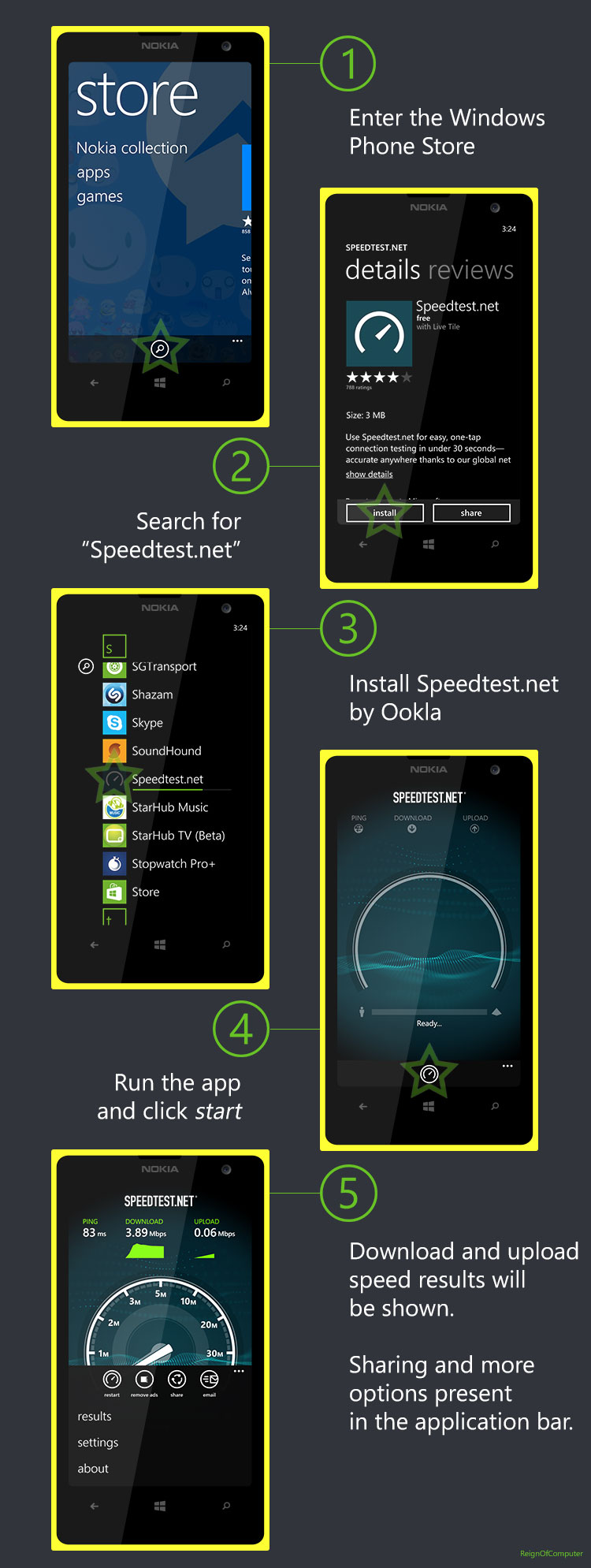
- Enter the Windows Phone Store
- Search for “Speedtest.net”
- Install Speedtest.net by Ookla
- Run the app and click start in the application bar
- Download and upload speed results will be shown
- Sharing and more options present in the application bar
Originally done for StarHub Community, which lacked a tutorial for Windows Phone.