Alex leads the marketing efforts in Microsoft’s evangelism team. He is passionate about technology and could talk endlessly about coding and UX design.

Alex leads the marketing efforts in Microsoft’s evangelism team. He is passionate about technology and could talk endlessly about coding and UX design.
We have compiled a great resource of Visual Studio 11 Beta in our previous post, now it’s time to know all about its sibling: Blend for Microsoft Visual Studio 11 Beta. It is a WYSIWYG design tool that helps you create Metro style apps using both HTML-CSS-JavaScript or classic XAML. Blend is designed to work seamlessly with Microsoft Visual Studio 11 Express Beta. Metro style app projects can move seamlessly back and forth between Blend and Visual Studio, making it possible for designers and developers to work on the same application in their preferred development environment. Before you start developing apps using Blend for VS 11 Beta, first thing you need to know: you must run Blend on Windows 8 Consumer Preview to develop Metro style apps. If you are running Blend on Windows 7, using current Beta release, you can’t develop Metro style apps. ...
Along with the new release of Windows 8 Consumer Preview, Microsoft also launched complete set of development tools that contains Visual Studio 11 Express Beta and Blend for Visual Studio. These are the tool to build Metro style apps for Windows 8. It includes the Windows 8 SDK, templates and enables access to Windows 8 APIs. Microsoft Visual Studio 11 Beta has a new, simpler, refreshed UI, and it includes fully featured code editor, a powerful debugger, a focused profiler, and rich language support that you can use to build apps that written in HTML5, JavaScript, C++, C# or Visual Basic. Visual Studio 11 Express Beta for Windows 8 also includes a device simulator that you can use to test Metro style apps on multiple form factors. Below, we have compiled thorough list of what you need to know to get started on VS 11 Beta. Don’t forget to check out our easy step by step guide on how to develop apps for Windows 8 Consumer Preview. ...
Yesterday 29 February 2012 at Mobile World Congress 2012 in Barcelona, Microsoft Corp. announced the availability of the Windows 8 Consumer Preview — the next milestone of the Windows operating system. This latest preview will be made available for download starting today at http://preview.windows.com. The Windows 8 Consumer Preview offers a more robust experience for testing the world’s most popular operating system and is available to the widest range of people yet following the initial release of the Windows 8 Developer Preview late last year. With Windows 8, the whole experience of Windows has been reimagined. It’s designed to work on a wide range of devices , from touch-enabled tablets, to laptops, to desktops and all-in-ones. Read full press release here, and the official blog announcement here. More images see the complete Windows 8 image gallery. Also, watch the video demo. We have compiled for you all the resources available at the moment regarding Windows 8 for both developers and IT Pros. Take a look at below and get your hands on Windows 8 Consumer Preview right now! For Developers, start building apps now : ...
One engineering objective of Internet Explorer 9 is to build the world’s fastest browser. Browser performance matters to everyone, from consumers, enterprises, developers, and the technology industry - we all share a desire for a faster and more capable Web platform. This time we are focused on the real world scenarios that matter to most users, take a look at the five IE’s performance objectives : Five Internet Explorer 9 Performance Objectives: Display Time: Perform user actions faster than any modern browser Elapsed Time: Execute Web site code faster than any modern browser CPU Time: Effectively scale computation better than any modern browser Resource Utilization: Require less overall system resources than any modern browser Power Consumption: Require less power than any modern browser To achieve those objectives, over the last five years the IE team designed and built the Internet Explorer Performance Lab, one of the world’s most sophisticated web performance measurement systems. ...
With the rising interest of CIOs in cloud computing, it is important for IT Professionals to stay ahead of the curve. Every IT Professional should understand virtualization. When implementing Microsoft Private Cloud, knowing System Center and PowerShell is crucial. While getting IT certifications may bring you bigger paycheck, we are providing you with a Private Cloud learning roadmap that help you stay competitive among your peers. Learn at your own pace. Register at Microsoft Virtual Academy to access a wide range of topics on Microsoft’s cloud offerings. Nothing beats learning by doing. Get hands-on experience with our tools. ...
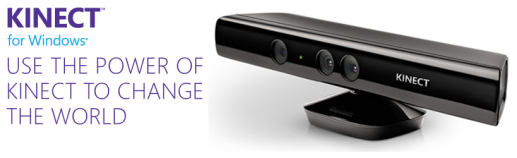
The day has finally come. Kinect is officially coming to Windows! On 9th Jan 2012, during CES Steve Ballmer announced that Microsoft would ship Kinect for Windows on February 1st and yesterday, version 1.0 of the commercial SDK and runtime were made available for download. Also, the distribution partners in twelve launch countries are starting to ship Kinect for Windows hardware, with suggested retail price $249. Kinect has changed the way people play games and experience entertainment. Now, Kinect for Windows offers the potential to transform how people interact with computers and Windows-embedded devices in multiple industries, including education, healthcare, retail, transportation, and beyond. Kinect shows the promise of Natural User Interface (NUI) and the role Microsoft plays as a thought-leader and technical innovator in this exciting space. Since the last beta, the updated SDK has picked up a number of new features including support for up to four Kinects being used simultaneously and near mode for monitoring motion from just 40cm away. See the complete product features here. Looking for great on content on how to build apps for Kinect? Visit Channel 9 where we have updated quick starts and open source projects. Get Started - Kinect for Windows Quickstart Series ...
HTML5Plase.us : “Use the new and shiny responsibly.” HTML5Please is a newly launched website that enables developer to look up HTML5 & CSS3 features to know if they are ready for use in your actual project. This reference site represent the collective knowledge of developers who have been deep in the HTML5 trenches, to be exact, created as a community project by the people behind HTML5 Boilerplate, Modernizr and CSS3 Please!. HTML5Please provides comprehensive & straightforward guidance for each element and property, with colored flags and information regarding browser support, including for IE10+, IE9, IE8, IE7, and non-IE browsers. It also helps you out with recommendations for polyfills and implementation so you can decide if and how to put each of these features to use. An integrated filter enables you to rapidly refine your search to just the features you’re interested in. You can read more the making of HTML5Please here. Other resources: http://caniuse.com/ – Compatibility tables for support of HTML5, CSS3, SVG and more in desktop and mobile browsers. http://modernizr.com – Open-source JavaScript library that gives you the power of feature detection to help you build the next generation of HTML5 and CSS3-powered websites. http://haz.io/ – gives a quick overview of your browser’s support for recent technologies in the world of HTML, CSS and JavaScript. http://mobilehtml5.org/ – Learn more about HTML5 compatibility on mobile and tablet browsers [wiki] Cross-browser Polyfills
Here we’ve compiled great amount of resources on Private Cloud. Learn from the basic on how the private cloud can help your business and your IT Pro career, using these useful links ranging from virtual event, MVA courses, videos to screencast. Upcoming Event on 19 Jan 2012 : “Transforming IT with Microsoft Private Cloud” MVA (Microsoft Virtual Academy) Courses : Planning, Building and Managing a Private Cloud Microsoft Virtualization for VMware Professionals – Management Microsoft Virtualization for VMware Professionals – The Platform Microsoft Private Cloud Infrastructure Enhancing Your Business and Career with the Private Cloud TechNet Radio (Videos) : ...
This is way COOL! From Nokia’s official site. On Monday 28th November Nokia Lumia 800 with Windows phonehttp://nokia.ly/uBVXxw brought deadmau5 and the world’s most advanced 4D technology together and created an amazing free light show at Millbank Tower, London. Millbank was plunged into darkness with the iconic tower acting as the canvas for a never-before-seen spectacular. Each of the 120 metre high building’s 800 windows were covered with vinyl as 16 powerful projectors, stationed 300 metres away on the other side of the river, beamed 3D images onto the structure. Huge butterflies flew across the London skyline and the tower was twisted, pulsated and even fell down. Billed as the “future of live events” the spectacular show was accompanied by music from super producer deadmau5, who created exclusive remixes for the performance — adding the 4th dimension. ...
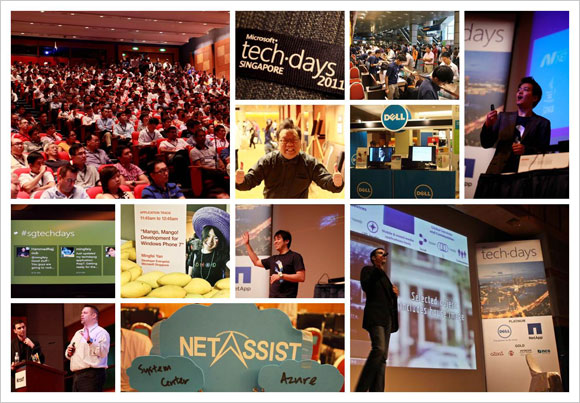
Our first Microsoft TechDays Singapore held on 13 October 2011 attracted more than 1000 delegates! If you missed the event, do check out the highlights.We hope to see you in TechDays Singapore 2012. (you may register your interest here) TechDays Singapore 2011 highlights Keynote video Watch Ziriad Saibi’s keynote on Microsoft’s cloud story. Breakout sessions videos and slides Track 1: Infrastructure Self-Service Private Cloud Management through Integrated Processes with Service Manager 2012 Maarten Goet and Raju Chellam (Dell Singapore) The Future of Infrastructure Monitoring: A Look at Application Monitoring and SCOM 2012 Raymond Chou, Simon Skinner and Wong Poey Yong (NetApp Singapore) Configuration Manager 2012 Technical Overview Teh Wei King SCVMM 2012 Building of Private Clouds and Federation to the Public Cloud Lai Yoong Seng Automating your Infrastructure: Microsoft System Center Orchestrator 2012 Technical Overview Kwan Thean Keong F5 Optimizations for Microsoft Platform Leslie Wong(F5 Networks) Track 2: Platform Cloud Computing with the Windows Azure Platform Ryan Crawcour Cloud Management with System Center Application Controller Lai Yoong Seng Microsoft Exchange Server and Office 365: Hybrid Deployment Sanjeev Thakur and Ram Muthkaruppan SCDPM 2012: The new feature of data protection Mike Resseler How to Run Middleware in the Cloud? Story of Windows Azure AppFabric Hammad Rajjoub Simplified Infrastructure Solutions Thomas Chua (Hitachi Data Systems) Track 3: Application HTML5: All the Awesome Bits Michael Kordahi Mango, Mango! Developing for Windows Phone 7 Mingfei Yan Revealing WebMatrix 2.0 Beta – the Swiss Army Knife of Web Development Thye Yeow Bok OData with WCF Web APIs: “There’s a URI for That” Alvin Lau NUI, Gooey and Louie Michael Kordahi Revenue Generator Suite Niger Tan (aZaaS) Making your first step to the cloud? Go Private or go Public? Check out the resources that will take you there. Private cloud resources: http://weshipcode.com/private Public cloud resources: http://weshipcode.com/public