Jason is a technology enthusiast who loves new apps and equipment that makes everyday life at least 20% cooler. Talk to him about students!

Jason is a technology enthusiast who loves new apps and equipment that makes everyday life at least 20% cooler. Talk to him about students!
“Binoculars” is the nickname that my friends give the Nokia Lumia 1020. A bold claim for a smartphone camera, and after testing, holds true, in all its 41 megapixels glory. But more on that later. I have been using the Nokia Lumia 1020 for about a week now, and its performance, both in its camera functions and other operations, have been nothing short of stellar. “We find ourselves in these kinds of situations very often, where some guy stands in the dark in front of you and talks and you can’t even see who he is, or, for that matter, people dancing with a couple of lights. If you want to capture that memory, it’s extremely tricky in those kinds of environments. Today, we’re going to share with you, a fabulous smartphone that has the capability to do those sorts of things.” - Eng Wah, Nokia Singapore ...
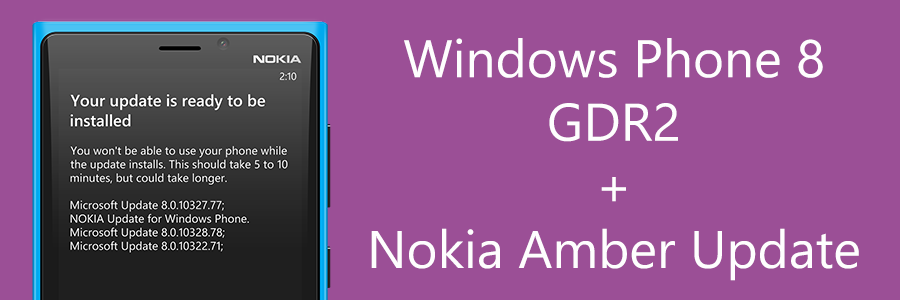
The Windows Phone GDR2 update (8.0.1032x.77) is now available for Windows Phone 8 devices in Singapore. This update brings the following improvements:- Xbox Music. Easier to select, download, and pin music. More accurate metadata and other performance improvements. FM radio. Possible to listen to FM radio from the Music+Videos hub. Data Sense. Possible to set a limit based on the data plan Skype. Voice over Internet Protocol (VoIP) apps like Lync and Skype features improved stability and performance. Internet Explorer. Better browsing experience with improved HTML 5 compatibility. Camera. Set favorite Lens so it opens automatically when pressing the camera button. Other improvements. Includes many other improvements to Windows Phone. [youtube]http://www.youtube.com/watch?v=XwKBy_yf7CA[/youtube] For Nokia Lumia devices, an additional update is bundled with the GDR2 update, titled the Nokia Amber Update (3047.0000.132x.xxxx). This update brings several improvements and features on top of the GDR2 update, including the enhancement of the phone’s camera, the glance screen, flip to silence, new wallpapers, ability to adjust the device’s color profile, call+sms filtering, and support for apps such as Nokia Smart Cam, Pro Cam, Video Upload, and more. You can check for updates by going to “Phone Update” under Settings and pressing “Check for updates”. Alternatively, your phone will tell you if an update is available if it is set to automatically check for updates. Once the Amber Update is complete, Nokia Lumia devices can download new apps and update existing system apps to gain more functionality. This can be done from the Store or via the QR Codes below (QR Codes courtesy of All About Windows Phone). It is worth noting that StarHub was the first to roll out the update. Kudos! For more information/reading, see:- Windows Phone 8 update history | Windows Phone How-to (Singapore) Windows Phone Amber Update - Nokia What’s new in the GDR2 and Lumia Amber Windows Phone updates? Availability in Asia Pacific - Nokia Note: If you do not see the update on your device, note that this update is a phased roll-out and should then be available to you shortly.
Nokia has just updated their extras+info app, adding a new “call+SMS filter” that as the name suggests, allow users to block calls and texts from specific numbers. Your phone needs to have the GDR2 Update, though. This said update is present on new Nokia Lumia 925s and 1020s, and will be coming to the Telco-variant older WP8 Lumias in the coming weeks. You can update your extras+info app by going to this link, or by scanning the above QR Code with your Windows Phone. ...
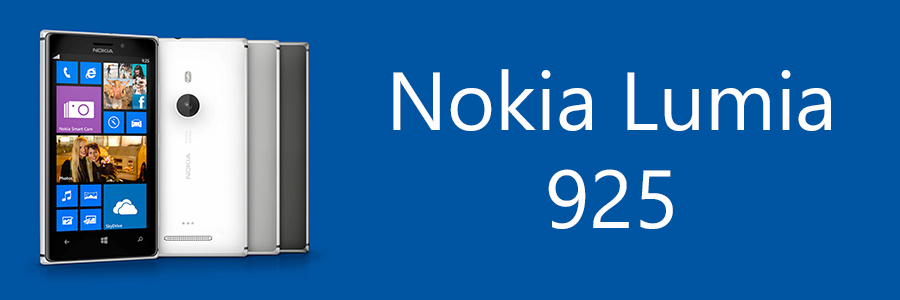
The Nokia Lumia 920 is no doubt the most powerful Windows Phone 8 device currently out in the market right now. Nokia put so many features into it, but there are some features that some don’t need such as the wireless charging. For some, especially working professionals, the bright colors of the Lumia 920 were not working out for them. Nokia has, however, just come out with the new Lumia 925, which is another Windows Phone 8 device that is similar to the Lumia 920, with some upgraded features and some removed. [youtube]http://www.youtube.com/watch?v=0uj99wKhhYw[/youtube] Compared to the Lumia 920, the Lumia 925 has no in-built wireless charging, but like the Lumia 820, an optional snap-on cover is available for purchase to enable it. It’s dimensions are also smaller at 127.5 x 70.5 x 8.5mm as compared to the Lumia 920 at 130.3 x 70.8 x 10.7mm. While the Lumia 920 is made from a full piece of polycarbonate, the Lumia 925 has aluminum sides and a polycarbonate back. The aluminum sides are interesting the phone’s antenna, meaning the phone will have great reception due to the open nature of the antenna. “And yes, you can hold it however you like”. ...
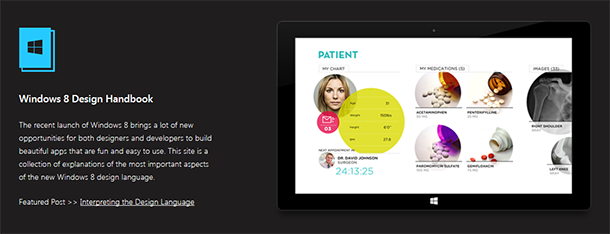
Ratio Interactive has published a new Windows 8 Design Handbook, a handy reference to those trying to design and style their app to match the design guidelines for Windows 8. The guide covers the following:- Understanding Live Tiles Choosing a Live Tile Designing a Splash Page Designing a Hub Page Key Windows 8 Terminologies Utilizing Semantic Zoom Mastering the App Bar Designing the Detail Page Interpreting the Design Language [vimeo width=“610” height=“345”]http://vimeo.com/52177075[/vimeo] Ratio Interactive goes in-depth in describing all the small details that make up the User Interface on Windows 8, from what Font to use to how to make your app engage your audience. They also have an “Inspiration Gallery” of well-designed apps that you can take a gander at and some pretty darn good Photoshop and Fireworks templates you can download to help with wireframing. It’s worth having as a bookmark and something to refer to when designing or updating your next Windows 8 app. Check it out here at the aptly named windows8designhandbook.com.
Microsoft has just published a Dev Center app for Windows Phone which helps developers monitor their apps in the Windows Phone Dev Center. A plethora of information is available, including downloads, reviews, details, and crashes. The information is provided in an extremely easy to read and simple format, with important information brought out front and foremost with highlights to mark them. Graphs are available just like in the web version of the Dev Center which help developers get lots of information at a glance. The app is still considered to be in preview stage but looks pretty complete. Check it out here. ...
Microsoft has released the “My Server” app for Windows 8 and Windows RT, which enables users to check on their Windows Server 2012. Description: My Server for Windows 8 is an application designed to help you keep seamlessly connected to your server resources through devices running Windows 8. With My Server, you can manage users, devices, alerts, and access shared files in Windows Server 2012 Essentials. In addition, files that you have recently accessed with My Server files continue to be available to you even when offline. Features: ...
App Reviews are essential to every developer to see how their app is faring in the Store. It tells developers what issues users face when using the app, suggestions on what to implement next, and even compliments on what they’re doing right. If you have created an app for Windows 8, you would have noticed that the current Windows 8 Developer Dashboard doesn’t report ratings in a very efficient manner, grouping it by country and requiring developers to scroll through an entire list to see the ratings for each country. They’ve noted that they are considering consolidating all the reviews so that you can see every country at once, but in the meantime here’s how to see all your app’s ratings. There’s a site called Windows 8 Review that has a service which scans through the Windows 8 Store and reports on app popularity and ratings. The ratings are pulled from every country and not just one, letting you see what users think about your app in a neat list. The site even includes an RSS Feed for your app reviews, so you can check on them easily if you’re using a feed reader such as Feedburner. ...
On the 22nd of January, the Windows Phone 7.8 SDK was released. The SDK update adds Windows Phone 7.8 emulator images, and adds Live Tile options for Windows Phone 7.8. Your app’s primary tile can have a customized small tile, support wide tiles, and also take advantage of the Flip tile template. Secondary tiles can be enabled to take advantage of all three of the new tile templates (Flip, Iconic, and Cycle). These new tile templates will allow Windows Phone 7.8 applications to look as beautiful as those on Windows Phone 8, therefore bridging the gap in terms of Start Screen experience. This can be tested on the new emulator images, which will enable one to see how their Windows Phone 7 app works on the new Start Screen, especially with the new ability to make the app’s tile smaller. With Windows Phone 7.8 about to roll out for older devices, and more and more devices coming out with Windows Phone 7.8, it is important to refresh your app to be ready for users who would no doubt love a great Start Screen experience, which could very well be the difference between pinning your app to the Start Screen and not. You can get the Windows Phone 7.8 SDK Update here. If you are having to maintain a WP7 and WP8 version of your app, it might be difficult to have different coding for the Start Screen. Fortunately, Rudy Huyn, creator of the famous Wikipedia and 9Gag apps on Windows Phone, has created a solution. Mangopollo introduces classes and launches that mimic WP8 functionality on WP7, therefore having no need to have different coding between versions. You can check out the project on CodePlex here.
Microsoft has launched a site detailing the design principles and concepts used for designing Windows Phone apps. This comes just after their release of the new Windows Phone 8 SDK recently, and contains excellent and helpful information on how to design a Windows Phone app that matches the unique Windows design. It delves in great depth the design principles and process in designing a Windows Phone app. Our design principles We believe in experiences that are defined by clean, uncluttered app screens that operate quickly, minimize typing, and surface new info automatically. ...