As Microsoft Technical Evangelist covering Private Cloud, System Center, Hyper-V, Azure and Datacenter, Richard is a recognized industry expert in server infrastructure, datacenter management, cloud and virtualization

As Microsoft Technical Evangelist covering Private Cloud, System Center, Hyper-V, Azure and Datacenter, Richard is a recognized industry expert in server infrastructure, datacenter management, cloud and virtualization
The wait is over! System Center 2012 SP1 is now available for download here. System Center 2012 uniquely delivers unified infrastructure, application and cloud management capabilities in a single product offering. Below blog post from the Microsoft Server and Cloud Blog highlights new cloud and datacenter capabilities introduced in SP1. http://blogs.technet.com/b/server-cloud/archive/2013/01/15/transform-your-datacenter-with-system-center-2012-sp1.aspx If you are interested to learn more about the new capabilities, we have just the event for you. You can now join a full technical session delivered by Microsoft System Center MVPs and industry experts. It is happening in Singapore on 31st January. There is no marketing fluff! Go to below link and register now! http://www.systemcenteruniverse.asia/index.html Learn more about System Center 2012 SP1 and start your evaluation.
I talked about the Server Posterpedia Apps for Windows 8 previously. It is a great app for IT Pros. Recently I notice more and more Windows 8 Apps are in the store for IT Pros. Most these apps allow you to perform certain IT Pro administration tasks right from your Windows 8 Apps. The best part is all of them can run in the snap view. You can keep an eye on thing while you working on your desktop. Sandy Berkouwer posted a blog called “Embracing the new Windows 8 Interface with these Three Free IT Pro Apps”, she highlighted three of her favorite FREE Windows 8 Apps for IT Pro. The Remote Desktop app The desktop RDP is still in Windows 8. The good thing about this app is you get to enjoy the entire screen for RDP. You can easily switch between Desktop and RDP session. Don’t have to worry about resolution and display settings etc. Another thing I like is the preview feature. You get to see the preview screen of recent RDP connections. The Hyper-V Manager App This app is like your small dashboard for Hyper-v Hosts and VMs. You can perform the following functions: ...
Hi Everyone, It is almost the end of year 2012. This is the time we look back the whole year, think about what we have accomplished and look forward to the new year. I hope it was a fruitful year for you. Year 2012 is a huge year for Microsoft. Many excitements around our new products and services. Here is a video. Enjoy! Last but not least, I would like to thank you for your time reading our blog here. See you soon in Year 2013. Happy New Year ! [youtube]http://www.youtube.com/watch?v=ismMaczcCzo&feature=player_embedded&ytsession=ZkB_Eb-kHtahwejUH2edpuECwN-zXWbGN3eA7lIFvyMsFzlBcdccXHVAwTgp9NmVmkikFHSZxLjClmQhtePG5OQtTh_JKWkBfxecFKEl9GcLCQjTph87uuE11bqJ7mJ3Cg86ekcnOT7xbX9F2BqXS6dHIY4_V2FPnTNsdytZwSjrDHEZk-dyasoNc43dKX4xoe_wTEWtY3sD82miZVk65v8sSwNbOxhVc86QQDW6qN4[/youtube]
How simple is Windows 8? Here is literally a “small” Demonstration. It is done by Microsoft Portugal, but with English subtitles. Enjoy :) [youtube]http://www.youtube.com/watch?v=_ODFvy1mjoY[/youtube]
One of the exciting new network capabilities in Windows Server 2012 is Quality of Services (QoS). QoS technologies allow you to meet the service requirements of a workload or an application by measuring network bandwidth, detecting changing network conditions (such as congestion or availability of bandwidth), and prioritizing - or throttling - network traffic. For example, you can use QoS to prioritize traffic for latency-sensitive applications (such as voice or video streaming), and to control the impact of latency-insensitive traffic (such as bulk data transfers). QoS provides the following features. ...
What is Storage Space? Storage Space in the nutshell is storage virtualization. It allows you to turn commodity server into a storage server almost like a SAN. Why Does Storage Space Matter? One important reason to virtualize is to have high availability, but it can be expensive. You always needed a share storage - SAN. Storage Space provides the SAN-like capabilities for your cluter or standalone server. Let’s face it, many organization cannot afford to have SAN everywhere. This provides a great alternative and allow IT to enable more high availability across the entire infrastructure. For small and medium size organization, IT can leverage it to have a enterprise grade deployment. Benefits and Limitations Some of the goals of Storage Spaces include the ability to: ...
Announcing the Early Experts Study Group for Singapore! Building on the efforts of the Early Experts group currently running in LinkedIn, the Singapore Windows User Group will be running a series of sessions and blog posts to help you prepare for your Windows Server 2012 exams. The series will focus on helping you achieve the Microsoft Certified Solutions Associate certification. The content will be relevant to both those taking the individual exams in the track and to those who are upgrading their 2008 Certifications. ...
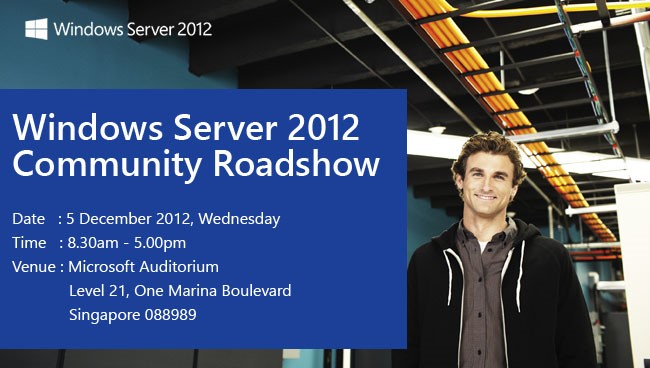
The Windows Server 2012 Rocks Community Roadshow is here! Windows Server 2012 is built from the cloud up, offering a scalable, dynamic, multitenant platform that allows IT to respond to business needs faster and more efficiently. Microsoft MVPs bring you all of the information you need to know—and provide demos to bring this technology to life! Join our industry experts and register for a Windows Server 2012 Community Roadshow event today. ...
Well, Have you ever thought about the idea to use Public Cloud resources on demand to server as part of your datacenter? Many did, but how to securely connect the Public Cloud resources back to your own Datacenter and function as a collective unit is the biggest challenge. Well, Windows Azure has something to offer now. You can now connect Windows Azure Virtual Network to an on-premises network via site-to-site VPN connection as shown in diagram below. What is the requirement? You need a VPN gateway device in your on-premises datacenter. Here is the list of currently supported devices ...
Server Manager is entirely different in Windows Server 2012, but it is a great server management tool now. From a single management point, you can manage almost the entire server infrastructure. There are many server administrator tasks can be done through server manager now. Let’s see how things works in the new Server Manager. The Dashboard The new server manager dashboard shows everything happens around the servers in your infrastructure including a overview on Manageability, Services, Events, and Performance. All your servers will automatically grouped based on the roles and features installed on that server. This includes both physical hosts and Virtual Machines. You can click on any warnings or critical errors directly to see the details. ...