Developer Feature: Ben Goh

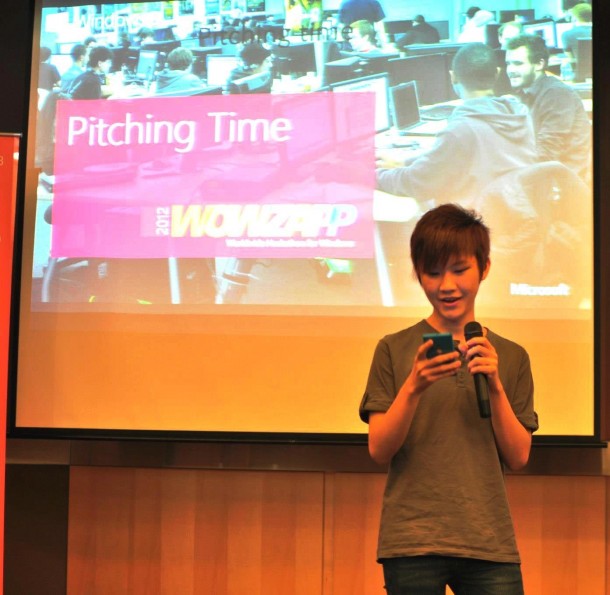
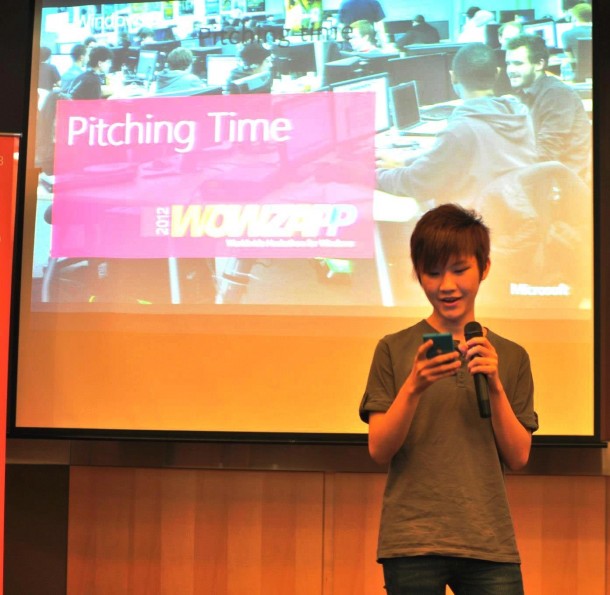
In this Developer Feature series, Spiffy talks to up-and-coming developers to learn what makes them tick. For December, we have 35-year-old Ben Goh, a software engineer at Autodesk. He created Asher’s Maze for his son’s birthday, a game released exclusively on the Windows 8 and Windows Phone Store that took a year to develop. Describe yourself in three words. Approachable, funny, nonsensical. What motivated you to start building Asher’s Maze? I tried to build many things before: MP3 player, isometric web game, UI skin engine, 3D turn-based game… but none of those got completed. I realized that they didn’t get done because of a very simple reason – I was building them for myself, but I got attracted to different technologies all the time. Obviously having a moving target did not go too well with delivering something. Until a year ago, I found the “right reason” for me to do the next project – my son Asher. ...

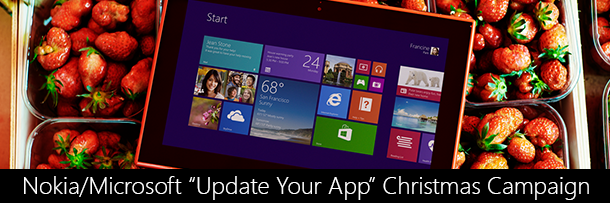
Nokia/Microsoft "Publish New Apps" and "Update Your App" Christmas Campaign

Edit: Added “Publish New Apps” section Hi Folks, Microsoft and Nokia is running a campaign from 26th November 2013 till 31st December 2013 to encourage developers to Update your apps or Publish New Apps. We have great prizes to be won. Here are the different category of “Update your apps”: 1. Competing Categories for “Update your apps”: Operational - Major overhaul of UX/UI, including improved operation of app, improvement in speed, implementation of user feedbacks and conversion to latest OS capability such as Live Tiles, Speech, NFC, Lock-Screen, Push Notification etc. ...

Developer Feature: Yan Zheng Hao (Part 2)

In this Developer Feature series, Spiffy talks to up-and-coming developers to learn what makes them tick. This is part 2 of our interview with 16-year-old Yan Zheng Hao, a first-year Game Design & Development student from ITE College Central (tertiary student) in Singapore. What is your app about and how did you come up with your idea? The first few apps published on the Windows Phone Store are admittedly quite gimmickly such as Metal Detector, & Nokia Lumia Ringtone as I’m still trying to get used to C# and Silverlight. Those 2 apps are perhaps my foundation to building better apps. A few months later with much support from the Nokia Developers community when Nokia embraced the Windows Phone platform. That is when my third app is released, with the hope of bringing xin MSN video (Localized version of MSN for Singapore market) to Windows Phone. As MSN video at that point of time only supports Flash and Silverlight, and neither one of them could be watched on Windows Phone. I used techniques such as HTML parsing to retrieve the data off the website since I do not have access to the APIs. http://www.windowsphone.com/en-sg/store/app/xin-videos/7c906b24-e928-47e0-a911-f682ed89f203 It was rather encouraging to see myself actually accomplishing it, something that I once thought it was impossible without the APIs. A Windows Phone exclusive app to watch xinmsn video, where Android and iOS couldn’t. – Something I can tell my friends, this thing is only on Windows Phone and do you have it on Android or iOS? Then came BUILD 2012 that got me excited. I knew Windows 8 it is going to be a huge ecosystem, and I really want to get into the market as soon as possible in terms of apps. That was when I started joining events hosted by Microsoft Singapore such as Hackathons, Talks, Workshops, & etc with much support from the team (Joyce Huang, Chun Siong, Yizhe Shen and many more) as the new WinRT APIs were really quite unfamiliar to me. Those events are rarely held by Apple and Google, Singapore is mostly neglected and I have never considered building apps for those platforms. The process & tools needed to building apps for the Windows platform is unmatched too! One of the app that was released a 3 weeks after Windows 8 was launched was MegaTube, which is a third party YouTube client for Windows 8. It is again something that I got the idea when I need to download a YouTube video for offline use, and many websites out there have enormously long delay (advertisements) before you get your video or requiring you to install software that cannot be run on the Windows RT platform such as Surface RT. I was rather reluctant to create a third party YouTube client at first, as this space was rather competitive with established players such asPrimeTube, YouTube+, MetroTube (Windows Phone), & YouTube Player. Starting out & focusing as a ‘downloader’ really gave me an entry to the market, gradually I improved the app to a full pledged YouTube experience. I was glad that I have made the right choice as it was well a success, with the app currently sitting on the top 100 free apps under the US store and over 1.4 million downloads to date. One key marketing strategy was AdDuplex that really propelled my app to the top since its release, with over 100 million impressions served and 200,000 users acquired all for free. Great deal, considering that there will be times where there is no ads available from Microsoft PubCenter. AdDuplex is a fall back to advertising. It proved that there is a market for Windows 8 even for individual developer like me that is not too saturated yet. What’s your process for designing the user journey? In terms of designing the user’s journey, I always start with my needs. As a Windows Phone & Windows 8 user, it is relatively easy to identify what the users are looking for. I typically ship just 1-2 weeks right after I got the idea of what I want to do next and it is gradually improved over time. App reviews are a crucial part to that improvements, often I spend more than 10 minutes each day reading it and iron out issues or the things that they demand. The other aspect of my process of designing the user’s journey is to be the user myself. I tend to constantly use the app that I make over and over again to look for flaws, and ways I can improve it even further. What’s next for you? I am always looking out for new opportunities, there are certainly emerging technologies and ecosystem that I’ll be willing to try out. For instance, the Xbox One that I’m looking forward to. With Windows NT kernel on board and probably some pressure from Apple TV, PS4 that Microsoft may one day open the platform for indi developers like me. Or perhaps the smart watch, glass, etc. At the moment, I’ll be writing more apps for Windows 8 and Windows Phone as and when there is a gap that needs to be filled. Such as#2InstaWithMassiveLove that I am currently developing. (A fully featured Instagram app for Windows Phone, as Facebook is reluctant to make one)

Hackathon Perspectives

With AngelHack Singapore Fall edition drawing nearer, I decided to find out more about the history of the hackathon and the various perspectives of hackathons. Brief History of Hackathons [youtube]http://www.youtube.com/watch?v=QZbtzTIuvqw[/youtube] Oxford dictionary defines a hackathon as “an event, typically lasting several days, in which a large number of people meet to engage in collaborative computer programming”. Personally, I prefer the definition given by UC Berkeley’s The Daily Californian: “Hackathon = programmers’ gathering (but more efficient)” “Hackathon = any other CS project (with potential awards)” “Hackathon = there’s food (usually)” “Hackathon = venture capitalists (they look for cool ideas)” “Hackathon = you can leave whenever (no one stops you)” [vimeo]http://vimeo.com/68314739[/vimeo] Jon Gottfried, Developer Evangelist at Twilio, gave a brief presentation at Open Tech NYC 2013 on the history of hackathon. The first hackathon was OpenBSD which occurred at Calgary from June 4 to 6, 1999. Interestingly, the term, “Hackathon”, was first used to refer to an event at the JavaOne Conference from June 15 to 19, 1999. According to Jon, the mother of the modern hackathon was created in 2005 with Super Happy Dev House that involved developers and technical expertise gathering to “build things, simply for the love of building”. It was a public community event that people could meet their friends, socialize, work on projects, and find collaborators. Since then, the hackathon has evolved into various formats that can be largely categorized into startup hackathons, open source hackathons, competitive community hackathons, brand hackathons, and non-technical hackathons. Are Hackathons Worth Your Attention? Critics feel that hackathons might not be focusing on the social good. Jake Porway, founder and executive director of DataKind, wrote a Harvard Business Review article titled “You Can’t Just Hack Your Way to Social Change” which acknowledged that hackathons “give the technology community great social opportunities and reward them with money and fame for their solutions, and companies get free access to a community of diligent experts they otherwise wouldn’t know how to reach.” However, they “are not ideal for solving big problems like reducing poverty, reforming politics, or improving education and, when they’re used to interpret data for social impact, they can be downright dangerous.” NewTechCity did an unofficial poll from 40 hackers and found that individuals primarily attend hackathons to make connections that can eventually lead to job opportunities and startup investments. More importantly, hackathons provide an opportunity for individuals to “solve a problem and to change the world”. It is a great platform to get media exposure on issues, such as Hack//Meat for sustainable agriculture and FWD.us hackathon spearheaded by Facebook CEO Mark Zuckerberg for undocumented immigrants. Despite criticisms that “nothing ever happens to their ideas” generated at hackathons, these events are a great way for individuals to learn more about themselves and to socialize with other like-minded people to “keep their creative juices flowing”. It provides a great opportunity for potential entrepreneurs to learn to handle unexpected situations during a startup, such as technical failures and team conflicts, and to test their ideas and collect feedback from potential users, collaborators, and investors. Personally, I am excited about attending AngelHack Singapore to catch-up with old buddies and to make new friends while picking up great ideas on the latest trends in the industry. Interested in joining AngelHack Singapore? Sign up at https://apphack13singapore.eventbrite.com/ Keep track of the latest event news at AngelHack Singapore Facebook: https://www.facebook.com/AngelHackSingapore Stay tune for our coverage of AngelHack Singapore Fall 2013 at the end of the month!

Windows Phone Challenge #3

Hi Folks, following our Windows Phone Challenge #1, and Windows Phone Challenge #2…. We are back! This time round, we are going for 5 x 10²⁰s, 5 x 1520s and lots of Sudden Death challenges for 920s Updated as of 26th Nov 2013, 3:17pm Challenge Completed for Sudden Death (SGAG Client) Challenge Completed for Sudden Death (TV Guide) Challenge Completed for Sudden Death (Overseas Notification) Added #5 Challenge for Sudden Death (Inori Aizawa Fan App) Added #5 Challenge for Lumia 1520 (SG Buses Competitor App) Added #4 Challenge for Sudden Death (Big sweep for Singapore) Added #4 Challenge for Lumia 1020 (Optical Object Recognition App) Added #3 Challenge for Sudden Death (sgag client for Windows Phone) Added #4 Challenge for Lumia 1520 (iTown@SG App) The rules will be very identical to previous rounds, and this time (from your votes) we will shorten the challenge period to 4 weeks :) The competition will start once this article is live, and the deadline will be set at 8th December 2013, 2359 hours! We will be limiting the wins per developer to 2 phones maximum this time round. (there will be no limit for Sudden death challenges) Do note that some of these ideas might be really hard to implement, but if you have a great idea, let us know and we’ll replace / place it in the challenge list below. Multiple developers can compete in the same idea. The best submission for each challenge will be awarded a Nokia Lumia. If you have questions or have an idea to suggest, drop us an email at win8sg@microsoft.com How do i join this challenge? 1. Join our community group on http://www.facebook.com/groups/apolloexplorer 2. Drop us an email at win8sg@microsoft.com and let us know which challenge(s) you are interested to work on. If you have a great idea, let us know and we will list it below. While you may work on multiple (or even all) ideas, we will be limiting the maximum prize an individual can get is limited to 2. 3. Publish an a live version to the Windows Phone store before 8th December 2013 . (For Sudden Death Challenges, just be the first publisher to fulfill the challenge criteria to win.) 4. Read the FAQ all the way below Nokia Lumia 1020 Challenges 1. A filter application which allows users to show filter effects in real time while taking picture and add the filter effect after taking a picture. This application should provide the user with 10 interesting filter effects (you are to come up with these effects), and you are encouraged to use the Nokia Imaging SDK for this. The application would provide users In-App-Purchase features to purchase additional interesting filters. You are free to come up with the revenue dynamics of this application, but the app should be 100% free to download from the store. The application should also save a 38MP picture into isolated storage if the detected phone is a Lumia 1020. Here’s a guide to help you with this .To maximize your potential of getting revenue from purchases of filters, you should add a gallery of user generated photos with the effects. You should also provide a “trial” to some of these paid filters, example use for 3 times. Developer(s) working on this idea : 2 2. A photography application which can trigger one or more other Windows Phone to take pictures. The intention of this application would be to great a bullet time effect. There is a sample of what HTC has done [youtube]http://www.youtube.com/watch?v=oD26Mrf1mck&feature=player_embedded[/youtube]. The master phone should be able to connect or sync up with the slave(s) phones via NFC or other means you deem fit. Once synced, the master phone should be able to trigger the slave(s) phones in a continuous manner. The slave phones should send the pictures taken back to the master phone in chronological order in which the photos are taken. If possible, the delay time between 2 slave phones taking pictures should be less than 10ms. You can considering doing a burst mode of each of the slave phones, and selecting the ones which makes the chronological order. Developer(s) working on this idea : 2 3. A video diary clone application of the popular iOS and Android application, one second everyday. Here’s the original idea One Second Everyday ; but we would love to have you take it further. While the application strictly follows the calendar, this windows phone version of the application should also allow the user to use it during holiday and during events to take lots of 1 seconds snippets. Do note that you would have to save the videos into isolated storage (when you are travelling, there is no Internet) and then onto an online storage services. The online service would then trim these videos to exactly 1 second each and stitch them together. If you are confident, you can do the processing of trimming and stitching on the phone itself. Developer(s) working on this idea : 1 4. An optical object regconition app comparable to CamFind. You can find an API for this on mashape Check out their video below [youtube]http://www.youtube.com/watch?v=M3VQkuu3uUM[/youtube] Developer(s) working on this idea : 1 5. Coming Soon Developer(s) working on this idea : 0 Nokia Lumia 1520 Challenges 1. An application to show the dengue hotspots in Singapore. You should make use of Here Maps for this application. This application show make use of Live Tiles to rotate information about the dengue hotspots in Singapore. The application should also users to voice query for hotspots in a region and response with speech. Example users will ask “appname, is bukit panjang a dengue hotspot?”, the application should reply “Yes or no” and show the map of the region. If possible, implement a push notification update which will show the users what are the newest reported dengue hotspots. Here’s a website you can start off with Dengue Developer(s) working on this idea : 1 2. An application to check the timing of SMRT Trains at different stations and provide news of Breakdown. This application should allow user to pin their favorite station(s) as a live tile(s), and this live tile should show the arriving timing of the next train. User may pin more than 1 station live tiles. There should also be a “status watch " live tile which would show the general status of the trains running. If there is any delay or breakdown, this live tile should show the information in text. Developer(s) working on this idea : 2 3. An application which is similar or comparable to myENV application from NEA Developer(s) working on this idea : 2 4. An application which is similar or comparable to iTown@SG from Town Council Developer(s) working on this idea : 1 5. A competitive application similar or comparable to SBS Iris NextBus. The application should allow users launch the application via Speech to query by Buses Number / Bus Stop Number. Example “app name, timing for bus 190” or “app name, bus timing at bus stop 12345”. The application will then launch and ask you for more information (if necessary) before displaying the wait time. The application should also allow you to pin a secondary live tile with the wait time for a specific bus at a specific bus stop. Pressing this live tile will launch the application to give you more information on the bus and its bus route. Developer(s) working on this idea : 2 Nokia Lumia 920 Sudden Death Challenges 1. An application to help create SMS for overseas notification. You have to follow the list of countries available from www.ns.sg for overseas notification. This application should allow the user to use speech to launch the application from the start screen. Example “appname overseas notification to australia from 1st October 2013 to 10th October 2013” will help you to create the SMS template to 36767. “MNC NRIC Country of Visit Departure Date (DD/MM/YYYY) Return Date Contact Number” This application should prompt you for your NRIC and Contact Number on first launch and store it into the isolated storage. Developer(s) working on this idea : 3 (completed) 2. An application to show the programme schedule for MioTV and Starhub Cable TV Developer(s) working on this idea : 2 (completed) 3. An client application for reading sgag post, Singapore’s version of 9gag. Developer(s) working on this idea : 3(completed) 4. An client application similar to 4DTOTO@SG, but showing big sweep results for Singapore Speech is optional for this as Big Sweep numbers are really long. :) Developer(s) working on this idea : 1 (completed) 5. A fan application for Internet Explorer Mascot Inori Aizawa. You are free to use this as a template, please use this Theme Pack link for the “soundboard” section. Do change the background, fonts, wallpapers and videos to suit the theme of IE or Inori Aizawa. Also include the video from Anime Festival Asia Special Video and add the video theme song as a Windows Phone Ringtone. If you need pictures for wallpaper, refer to this skydrive account to select relevant ones. Do ensure that the sounds from the soundboards are savable as SMS and other alert tones on the Windows Phone Here are some additional resources you might find useful for this challenge Piano Theme Song Collateral Damage Studios Developer(s) working on this idea : 2 Frequently asked question FAQ Q. Who is eligible for this challenge? A. If you have a windows phone developer account which is tied to a Singapore live id, you are eligible for this competition. Do note that if you are residing outside of Singapore and wish to compete this online, we will not ship the prizes overseas. Do contact us at win8sg@microsoft.com and let us know in advance if you wish to participate remotely. Q. If I’m competing for all ideas, is it possible for me to win in all the challenges? A. We will restrict the maximum number of prizes to 2 for each developer account. (there is no limit on Sudden death challenges) Q. So what’s the maximum number of phones can I win? A. 2 phones for each developer, and unlimited Sudden death challenge prizes Q. Can I work with a team, or is this an individual challenge? A. Yes you may work in a team. Q. If I have a team of 10, do we get 10 phones if we produced the best application for one idea? A. No. 1 phone for each challenge. Q. Are existing applications upgraded counted for this challenge? A. Nope. You application has to be a net new application published after 7th November 2013. Q. I’m interested in this challenge, but I do not have a developer account. What can I do? A. After you are done with your 1st working version, drop us an email at win8sg@microsoft.com. We will provide you with a complementary token for the developer account registration. Q. Can I exchange Lumia 1020/1520 for other phones? A. No, but I can help you ask if some other winning developers is/are willing to barter trade. Q. How are you going to judge the entries? A. We will compare the entries for each challenges. The best entry, which fulfills the minimum criteria above will be award the phone. On a case-by-case basis, if necessary, we would need you to improve on user experience and design before award on the phone. Q. Is design and UX important? A. Yes, please do put in effort on designing and planning for good user experience. Q. How do I know if my application (with speech capabilities) is supported for English (united kingdom) and English (united states)? A. After setting your “speech language” in “settings” -> “Speech” to “English (united kingdom)”, press and hold your windows phone’s “windows button”, click on the “?” button on the top right hand side, and look at the “apps” tab. Your application should be visible when “speech” is set either “English (United Kingdom)” and “English (United States)”. Q. Is there a restriction on Free/Paid app? A. At minimum, please make it free so that it can be judged.

Developer Feature: Yan Zheng Hao (Part 1)

In this Developer Feature series, Spiffy talks to up-and-coming developers to learn what makes them tick. We talk with with 16-year-old Yan Zheng Hao, a first-year Game Design & Development student from ITE College Central (tertiary student) in Singapore. What is your background and how did you get here? My background in programming started with mainly on the assembly side. Admittedly I was quite a heavy gamer back then when I was 12 years old, its this fascination for the things you can’t do normally (‘hacking’) for the game that I’m playing which is MapleStory. Rather than how most people started in programming with a Hello World app, I got to learn techniques like memory editing with CheatEngine (http://cheatengine.org) to change the game’s instruction according to what I want. (Schools in Singapore don’t teach programming until the age of 16 as a tertiary student) This soon became my foundation for programming when the first MapleStory game emulator, ‘odinms’ was released and open sourced back on 2008. I immediately downloaded it and start playing around with the source file written in Java 6 and Javascript. Again, this fascination and even addiction to the game that got me into learning Java and JS in order to customize it to my needs. It took around 1-2 years of copy and pasting, or rather the term ’leeching’ before making a breakthrough as I get to learn more things over time gradually. Every single emulator that’s publicity released was made for the global version of the game, and as a player for ‘MapleSEA’. I wanted to make one that’s based on the local edition, and that just took a month to successfully update the files for it. I soon got quite a lot of attention from other developers in this field and a public server was even opened at one point in time with a partner that lasted for 2.5 years. We have gotten over 1200 concurrent players at some point in time at peak. I learned even more during this process as I was really the only developer to handle everything on the game play. Me and my partner is reluctant to trust anyone out there after the source code was leaked once. For instance, the switch to Linux CentOS to save cost on hosting fees instead the usual Windows Server 2003/2008, security issues (dealing with constant DDOS/DOS attack), server side programming, emulating techniques to keep the game up to date with the official ones, database management & etc. However it have to be shut down due to some issues in June 2012 that I am unable to disclose. I am just an average scorer during my secondary school life, but the internet changed my life completely. In Singapore where the mentality of our society are towards education exclusively for a good future, why can’t anyone strike it on their own? What motivated you to start building apps? The shutting down of the server also means losing a source of my only revenue stream. That is when I made the switch my focus to mobile apps instead. Being already a rather passionate Windows Phone user with a HTC Trophy 7 and with Silverlight/.NET language available for development(means I am able to use my current Java knowledge and apply it, given that both languages were quite similar). I have chosen Windows Phone 7 as the platform. On top of that, as an early adopter of Windows Phone (Bought right after its launch in Singapore) there were a lot of missing gaps in terms of application required by me everyday. It can also be annoying at times when there is a lot of peer pressure from my friends, when at that point of time the trend is towards iPhone 3GS and I’m considered to have a ’low end’ or rather inferior phone without apps. I wanted to change that, and build it for myself as a start. ...

Developer Feature: Lim Cheng Lei

In this Developer Feature series, Spiffy speaks to up-and-coming developers to learn what makes them tick. We talk next with Lim Cheng Lei, the Singapore Lead of the Microsoft Student Partner Programme. What is your background and how did you get here? I studied Information Technology back in Singapore Polytechnic, where I joined the Microsoft Student Partner Programme (MSP). During my role as the Singapore Lead in MSP, I had been exposed to various Microsoft technologies. Windows Phone and Windows 8 were some of those which I spent my time learning from other developers out there. What motivated you to start building apps? Being a Windows Phone and Windows 8 user myself, there were times where I was unable to locate applications which fit my needs. Hence, I took up the chance to start working on applications to fill up the gaps I had, and to share them with others - I have to add that one application just led to another. What is your app about? StockFolio is an Windows 8 application which allows users to build up and track stocks that mean the most to them, and track them closely in multiple markets. Moreover, it allows the user to create various portfolios for individual markets. It also provides other key information such as news related to the stock or market and other key statistics. At the current stage, it only supports multiple markets in Asia. In time to come, StockFolio will bring support to other market regions such Europe and America. How did you come up with the idea? The idea came when there was a lack of a stock tracking application in the Windows 8 Store. At the same time, the built-in finance application powered by Bing has its own limitation, such as the unavailability to create customised, personal portfolios and carry personalised information. Hence, I thought that having a stock application on the Windows 8 Store to address this limitation would be good. Where did you get the inspiration from? I have gotten inspiration from consultation with my friends and family members who are into stock trading. They help in me in understanding the key concept of what they are looking for in a stock tracking application, such as what are the key information they would like to see at a glance. More importantly, what is the decisive factor to commit a spending on getting a stock tracking app. What’s your process for designing the user journey? In the designing of the UI, I have researched various stock-related applications out there in the market. These application come from both the mobile platform and tablet platform. All these apps out there allowed me to get more ideas and identify their pros and cons in their designs. These were extremely important, as I had to take into consideration how these controls would like good and meaningful in a touch-friendly and mouse-friendly environment. Feedback from close friends also allowed me to better alter my UI, to allow the mass audience to understand how to use the app at the initial launch. What’s next for you? I will be developing more applications for the Windows 8 and Windows Phone platforms. At the same time, I will continuously updating my existing applications to bring greater collaboration between those which are available on both the Windows Phone and Windows 8 platform. Check StockFolio out here.

Top 5 free IT courses

Whether you’re an absolute coding noob or an experienced developer, everyone benefits from free online resources. We’ve compiled what seems to be the most popular courses hosted on Microsoft Virtual Academy (MVA) in Singapore. #5. Windows Phone 8 development for absolute beginners Mobile app developers make their presence felt, as a Windows Phone 8 course comes in at number 5. What you’ll learn: Basics of installing and working with Visual Studio Express 2012 for Windows Phone and the Emulator XAML layout and events How to utilize many of the Phone’s built in features and additional open-source libraries Complete app walk-thoughs: The first app you’ll build is the SoundBoard app that allows you play pre-recorded sounds and record your own custom sounds. The second app you’ll build is the AroundMe app which integrates the Phone’s Map, GPS and Lock Screen capabilities with Flickr’s API. #4. Windows Server 2012 Training: Technical Overview What you’ll learn: ...

Labour-Saving Application Frameworks

For many app developers – novice and experts alike – application frameworks are huge life and time savers. Using abstraction, they support OOP techniques providing both reliability and reusability of program codes crucial to the foundation structure of writing an application. Creating a framework, however, can be an extremely complex and exasperating process that can drive even the most experienced developer insane. Fortunately, the popularity and rise of application frameworks for the Windows Platform means that it is now possible for any ordinary Janes and Joes to easily pick up app-development and create something they can proudly call their own. 1. Xamarin Xamarin delivers high performance compiled code with full access to all native APIs so you can create native apps with device-specific experiences. Xamarin supports cross-platform development with Visual Studio integration (Windows, iOs, Android), allowing you to finish your app quicker yet still look awesome. 2. Appery.io Appery.io offers a cloud-based rapid development environment with integrated back-end services and a rich catalog of API plug-ins that dramatically simplify integration with cloud services and enterprise systems. It is 100% cloud-based and combines the simplicity of visual development with the power of JS to create cross platform enterprise apps rapidly. 3. GameSalad GameSalad makes game creation easy by empowering you with the tools and platform to rapidly design, publish and distribute original games. Its visual, drag & drop interface and complex behavior library provides almost limitless freedom to game designers shortening weeks and months of work into hours and days. 4. Construct 2 Construct 2 is another powerful game creator that support HTML5 and 2D game development. For the new and even non-programmers, it makes building games easy as no coding is required. The user can simply click to select his desired features and code will be auto-generated. For the professionals, Construct 2 can be used to create mockups and prototypes or as a faster alternative to coding from scratch. 5. touchdevelop TouchDevelop lets you create apps on any devices (yes, even your phones) and export them to the both Windows Stores or as HTML5 web apps. TouchDevelop also comes with tutorials and high-level APIs that support direct use of sensors and media. It stores your scripts on the cloud so you can install, run, edit and publish them cross-platforms anytime and anywhere. More resources: http://msdn.microsoft.com/en-us/windows/apps Bonus for the lazy beginner: http://msdn.microsoft.com/en-us/windows/apps

September 8, 2013 · 2 min ·  agnes

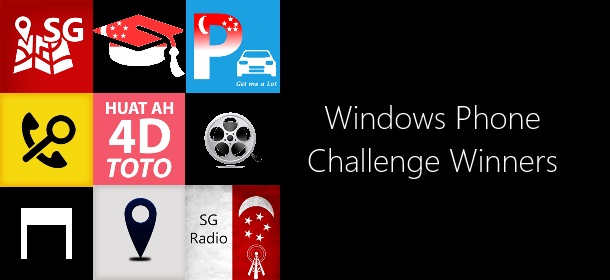
Winners for Windows Phone Challenge (Lumia 920 & Lumia 925)

Hi Folks, We have ended our previous windows phone challenge here, and these are the winners for the specific ideas :) We are opening up the rest of the applications for sudden death mode. This sudden death challenge will end after 14th September 2359hrs, after that we will be running an all new challenge! Be the first to publish the application meeting all the requirement and you will win the challenge! 1. Singapore 4D/Toto result application with Push Notifications whenever the results are available. Live Tiles and Lockscreen capable of showing latest results. Voice command to launch application (“what’s the 4D/Toto/Lottery result today”), (“what’s the previous 4D/Toto/Lottery result”),(“what’s the 4D/Toto/Lottery result last week”), and speech synthesis should read out the results in Mandarin and English. Optional: Location Based Services to find the nearest betting stations. 4DTOTO@SG 2. Address locator application with Live Tiles, Lock-screen and voice command. It will to let you know the civil/friendly address of “where you are”. Voice command for users to ask “where am i”, or “what’s the address of my current location”. The application will launch, read out the location you are and show the civic address (505 bukit panjang ring road)+map on the phone. Live tiles and Lock-screen will show on a periodic basis (using background task) current civic address + map of user. Locate Me 3. Singapore Weather Application with Push Notification, Secondary Live Tiles, Lock-screen and Voice command. You maybe assume that users of this application will only be from Singapore. Voice command to launch application “will it rain today”, “will it rain tomorrow”, “will it rain next Monday”, “will it rain on 4th July”, “is it sunny today”, “is it cloudy today”, “what’s the weather for the next 3 days”, “what’s the weather for the next 5 days”, “what’s the weather for the week”. Application should response with voice and necessary weather information. Push notifications should be implemented for flood warnings, haze level, and rains + probability for subscribed areas. Example user can subscribe to office (raffles place), school (clementi) and home (bukit panjang) location for rain notification. Users can pin secondary live tiles of raffles place, clementi and bukit panjang to start screen. Users should have the option to display the weather information on their Lock-screen. Open for Sudden Death 4. School planning application with Voice command, for parents to find out which primary/secondary schools are nearby for their child. After allowing users to set their home location via GPS/map selection/address/postal code, this application will be show nearby schools on the map control. The application will after which draw a transparent circle around the home location to show which schools are within the radius. Tapping the school on the map should launch the browser or show more information about the school. Voice command to launch application “what are the schools around 018989”, “what are the schools around me now”, “what are the schools around this area”, “what are the schools around 30 bedok north road”. Application to response with map and list of schools around user specified location. EDUHere 5. Singapore Pools Soccer Betting Information with Push Notifications when results are out for user-specified soccer league, Voice command, Live Tiles and Lock-screen showing latest results. Voice command to launch application (“what’s the latest results for champions league”). Application read out results in English, and show the available results on screen. Secondary live tiles should show results of user-specified soccer league. Lock-screen should show the latest soccer results. Optional: Location Based Services to find the nearest betting stations. Closed 6. CarPark lots availability application with Voice command, Secondary Live tiles, which shows a list of CarPark and lots. The application should have the capability of pinning specific CarPark secondary live tile showing the parking lots left. Voice command to query on specific CarPark lots left (“what is the available lots in marina bay sands”), with voice response (“there are 100 lots left in marina bay sands”). Get Me A Lot 7. Queue watch application for polyclinics in Singapore with Voice command and Secondary Live tiles. Users should be able to pin secondary live tiles of specified polyclinics to start screen, showing number of queue and waiting time. Lock-screen should allow users to display the number of patient and waiting time of specified clinic. Voice command to launch “how’s/what’s the queue at bedok polyclinic”. Application should read out number of queues, waiting time and display the live camera feed for bedok polyclinic. The list of polyclinic should be sorted by waiting time, and navigational directions should be given on how to transit to the selected polyclinic from current location. SG Polyclinic 8. Clinic finding application in Singapore. This application will list the clinics nearby or the entire list base on their affiliation. When working in companies, HR typically issues medical benefit cards to employees. Different medical benefit card requires you to visit different clinics. This application will show you the different type of benefit schemes, and the clinics/hospital/ Traditional Chinese Medicine Physician which you can visit. It should show information such as name, address, opening hours and contact number of the clinic. This application should also show the list (top 50) of nearby clinics on a map. Voice command should allow you to search for clinics base on name, or affiliations. Closed Nokia Lumia 925 Challenges 1. Singapore taxi fare calculator with Voice command. This application will estimated price and suggest the route to take. Voice command to launch application (“how much does it cost to take a cab from changi to yishun”), (“how much does it cost to take a cab to changi airport”), (“how much does it cost to take a cab from 505 bukit panjang to 100 bedok north road). Application should read out amount and show the map + route on screen. Do include CBD, Peak hours, Airport, Midnight and ERP charges. SG Taxi Fare 2. Singapore Movie Application to find out the vacancies of SG Cinemas for various movies. Voice command will be able to query “what is the availability of despicable me today”. The application should show the list of cinemas and the available number of seats in the cinema. SGFlix 3. Internet radio for Singapore channels, with capabilities to pin secondary tiles for specific radio channels. Voice command to launch application (turn on the radio for class 95), and secondary tile allows launching of app directly to radio channel. SG Radio 4. Voice command application to find commonly used / amenities around you, example AXS, ATM, SAM Machines, Convenient Store, Post Office, Supermarket, Police Station, MRT Stations etc…. Voice command to launch application “where is the nearest dbs atm”, and would show you the direction+map on how to get there. The list of amenities should be reliably accurate and recently updated. Places@SG 5. Phone book application with Voice command, which searches Singapore’s directory for the contact number and dials the number for you. Voice command enabled and allows you to search by voice. Example “call OCBC, call ministry of manpower, call Macdonald’s delivery, call crystal jade Holland village”. It should show to source of the number (google.com, hungry go where, yellow pages or other sources) before attempting to dial the number. Find A Number 6. Push notification, Secondary Live Tile and Lock-Screen application for Flights out of Singapore, it will send a push notification once the fare to the user once it drops below user’s specified price. The Lock-Screen should also be able to show/monitor a list of flights. The Secondary live tile should be able to show list of countries which fares are below a user specified threshold. The voice command will be able to query “what are the flights below $200”, “how much does it cost to fly to Kuala Lumpur” Closed 7. ERP monitoring application for Singapore with Voice command and Secondary Live tiles. Users should be able to pin secondary live tiles of specified ERP gantry to lock-screen, showing the price of crossing the gantry for different vehicle at last tile scheduled update time. Voice command to launch “how much does it cost to cross (gantry abc) at 3pm on weekdays/weekends”. Application should response with speech, speaking and showing the price of different vehicles of the queried gantry at the queried timing (do take note of weekdays and weekend differences. Show/response with free/nocharge if ERP gantry is turned off for these voice queries. SG ERP Rates 8. Tertiary education application in Singapore. This application will list the cut of points for courses in the 4 universities and 5 polytechnic in Singapore. It should show the history of cut of points published by the school across the years and there should be official writeup on what the courses are about. It should show information such as name, address, contact number of the tertiary institute. The application should allow user to search for institutes and courses filtered by cut off points / grades for A/O Levels. You should also show the transportation, bus services and MRT stations around the institute. It would be great if there is multiple direct bus route coverage show on a map for the particular institute. Voice command should be able to launch the application, allow user to query the cut off point of specific course. It should show the results for both polytechnic and university. Example “eduapp, show me what is the cut off point for computer science.”, “eduapp, what is the cut off point for business administration” EduSG 9. Singapore Post Application - This application will help to find nearby post office and post box. This application will also calculate the cost associated with the weight/size of a parcel. The application must support package tracking of Singapore Post registered packages, and live tiles + Lock-Screen should show the progress of these packages. Optional: there would be a push notification sent to the user when the item is delivered. SG Post 10. Singapore MRT Application - This application will show the map of singapore’s metro / MRT stations. Users would be able to search for a specific station and the station should blink if there is a match. It will also help the user to find the shortest route from one station to another station. Information on the first and last train should be provided to the user. The application should also show various top point of interest near the MRT station. Voice command would be able the launch the application by saying “what are the interesting places around jurong east”, and the application should show a list of point of interest around this MRT station.