Developer Feature: Imagine Cup 2013 Winners Team vSoft Studio

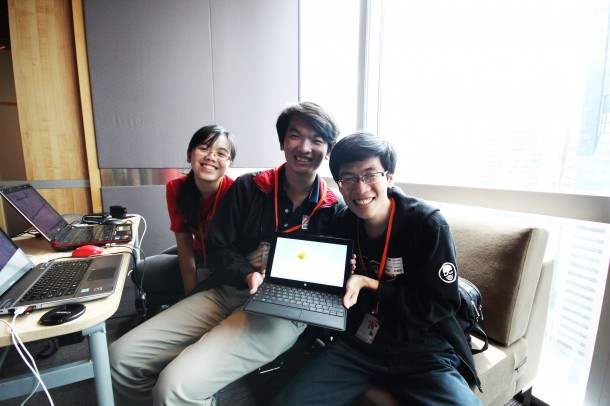
In this Developer Feature series, Spiffy talks to up-and-coming developers to learn what makes them tick. We kick off with Huy Quôc Cao Minh and Nguyen Quy Hy, recent champions of the 2013 Imagine Cup (Tran Nguyen Tu Quyen not pictured), and Thao Phuong Lý. What is your background and how did you get here? We are two computer science students from Nanyang Technological University in Singapore. We are very passionate about technology, especially the new Microsoft platforms like Windows 8, Windows Phone 8, Windows Azure… Therefore we take our chances to participate in various Microsoft Singapore competitions to improve our skills. This time, we also came with another friend as our artist and tester for the app. What motivated you to start building apps? We are computer science students, therefore writing code has become a hobby, coding for fun. Also, building apps and publishing apps to the Store give us a huge opportunity to strengthen our skill sets though real-life usage and user reviews. What is your app about? Project Timeline is a project planning app running on Windows 8 platform. Instead of providing a task list to users, Project Timeline takes a different approach using a timeline, where all the tasks can be viewed with start and end date details efficiently. We believe that start date and due date are essential parts of any tasks, so our users should be able to keep track of those dates easily all the time. Besides, Project Timeline also supports working with multiple collaborators, so planning tasks with and assigning tasks to your teammates have never been easier. How did you come up with the idea? We took the idea from our own needs. As students, we have multiple projects running concurrently, for example assignments, school projects, and also our own personal coding projects. So with this amount of projects running, it becomes quite difficult to manage all the tasks, especially planning and managing the time period and deadline for each task. We need a tool that provides some kind of timeline view to efficiently plan our tasks, like a Gantt chart. However a quick search on the Windows Store did not return any suitable result. Therefore we decided to build one to fill in that gap, and that’s how Project Timeline was born. Where did you get the inspiration from? We get the inspiration from the Gantt chart: all the tasks can be planned on a timeline, with task dependencies, relations… which assists a lot in the planning big projects. What’s your process for designing the user journey? As we have said, Project Timeline was born first to suit our own needs for a task management tools. When we designed Project Timeline, we took ourselves at the view of the users and used the app intensively on our own projects, so we can identify what functions we need or don’t need, and how we want the app to response. We also tried Project Timeline on both laptops and tablets, to make it efficient with mouse and keyboard and even more enjoyable with touch. In the view of a user, we can identify small but very necessary functions, such as dragging the tasks in the timeline to reschedule it. We always try to provide our users with as much flexibility as possible without compromising on the simplicity and fluidity of a tablet app, so we also take the approach of releasing features in many sets of releases and listen to reviews from our users to better fine-tune the app. What’s next for you? We are graduating students. So this is our last summer with a lot of free time. Building apps has become our hobby and fun. We will definitely continue what we have set up. There are more apps, new ideas to be implemented and there are also currently published apps to update and maintain. So we guess it will be a busy summer for us after all. J Specifically for Project Timeline, we were not able to implement everything we have envision in our first release, so we are working on making planning projects even more convenient through our future updates. We will also work on implementing Project Timeline on Windows Phone and the web to make sure that our users can always plan and track their tasks easily.

Windows 8 X Leap Motion Challenge

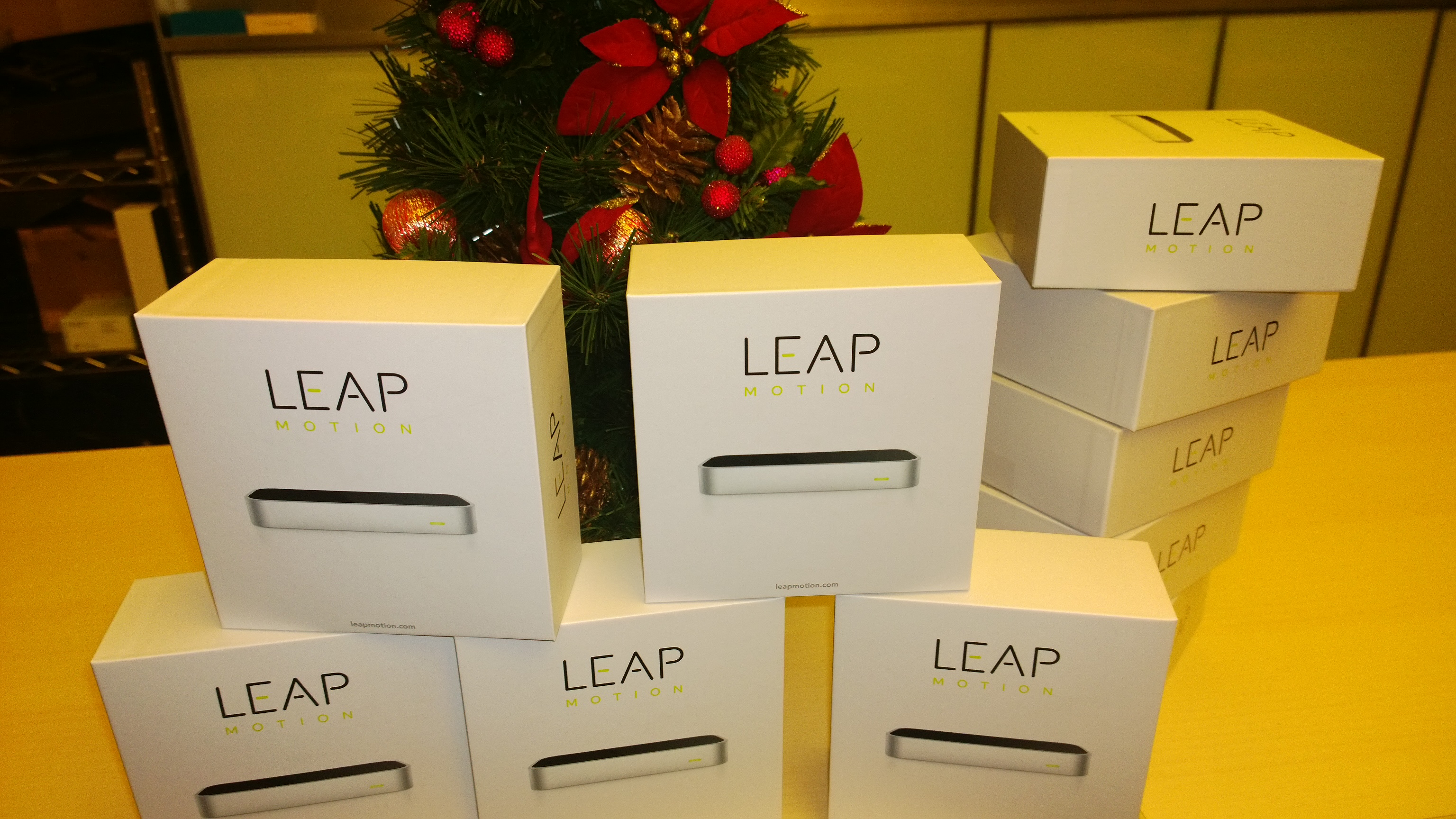
[youtube]http://www.youtube.com/watch?v=KsO8x_UXTbE[/youtube] Good things are worth sharing! Following our challenge campaigns on Windows Phone - AR Drone and Windows Phone - Lumia, we are proud to bring you Leap Motion Challenge on Windows 8! This time round, we will be giving out 10 Leap Motion Controllers to Singapore developers. We are looking for great applications on the Windows 8 store which already works great with Keyboard & Mouse, even better with Touch and freaking awesome with a Leap Motion 3D sensor! Think in term of interactive stories, eye-hand coordination games, psychomotor skill challenges, 3D object modeling and manipulation, art and painting, instruments playing, music mixing and creation, and even more… Drop us an email at win8sg@Microsoft.com with your app idea. We will validate your idea and ship you one of these awesome devices once your application is published onto the Windows 8 Store. Join our community group on Facebook for more updates on Windows 8 related stories. FAQ (Updated as of 7th August 2013) Q. Can the application work only with Leap Motion device, and not with keyboard/mouse and touch? A. The store requires application to work smoothly with keyboard/mouse and touch experience. We ask that you think of ideas which would make this experience even better. Q. Can I use the leap motion device on a Surface RT? A. As of today, the device drivers for leap motion are written for x86 architecture and Mac operating system. We hope in near future there would be the leap motion controller would be compatible with default USB HID drivers. Q. If I wish to write a native x86 desktop application for leap motion, would I qualify for this challenge? A. Nope, we are specifically looking for Store applications for the challenge right now. But…… if you really have a world changing application (x86 desktop) that would be beneficial to a lot of users, sure! Do drop us an email, we would love to evaluate it. Q. Do I need the leap motion SDK or the physical sensor to develop for Windows 8 Store app? A. Nope. You do not need the sensor or the SDK to develop for a Windows 8 Store app. We recommend that you stick to the Windows 8 SDK. Dependencies on 3rd party SDK such as leap motion’s JavaScript or C# library might not pass Windows Store certification. Q. Can I loan the devices for testing? A. We have limited sets of giveaways, and wish to award them to developers in a new, unopened, unused condition. However we do have a 2 extra sets, which would require you to be physically present in our office for testing. Besides, we love to talk to developers like yourself :)

Rise of UI Frameworks

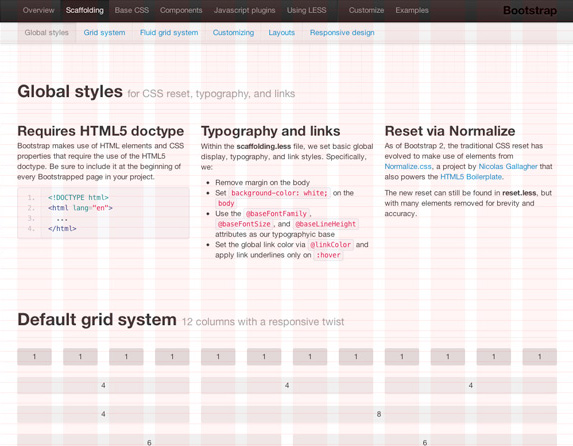
It’s no secret that there’s lots and lots going on in back-end web development these days. For instance, debates surrounding node and asynchronicity, have reached a fever pitch and have occasionally felt more like philosophical arguments than technical arguments. Similarly, there are a lot of things going on in the world of front-end development. There are tons of frameworks available to help you to build your websites or web apps, in terms of functionality and look and feel. In this particular post, UI frameworks will be our topic of interest. It was all pretty much started by Twitter Bootstrap. It has helped enable developers to whip up some quick templates for website or app without having to worry about getting involved in interface or app design. This will no doubt appeal to any seasoned web/app developer, as they could focus more on the functionality. Since then, more and more frameworks are emerging. As much as back-end developers can choose their preferred languages, e.g. PHP, Java, Ruby, Python, front-end developers have a variety of frameworks that they can utilise too. Before we go into the pros and cons of using a UI framework, let’s take a look of the features that UI frameworks offer in general. ...

Giveaway: Windows Store Starter Pack

Always wanted to build your own application and realize big ideas but never knew where to start? Well, here’s your chance! The friendly Windows 8 team at Microsoft has built a starter pack for the aspiring developer in you. In this pack, you will find: 1. Hands-on Labs (JavaScript & HTML / C# & XAML) 2. Windows 8 and 8.1 samples 3. 60+ Ready-to-use templates 4. Email consultations when writing your app 5. 1 on 1 consultation at Microsoft with our technical experts for feedback and revenue-growing tips on completion of your app 6. README file Email t-ciong@microsoft.com with your full name and receive your pack within 24hours. Students are also entitled to a free individual store account via the Microsoft DreamSpark programme. *For the purpose of app development, you will need to have Visual Studio installed. Get it free at http://bit.ly/13JIxLv. Visual Studio allows you to create Windows Store apps choosing between the languages of JavaScript, C#, Visual Basic and C++. You can even write components in one language and use them in an application written in another language

July 31, 2013 · 1 min ·  agnes

Windows Phone Challenge - Lumia 920 & Lumia 925

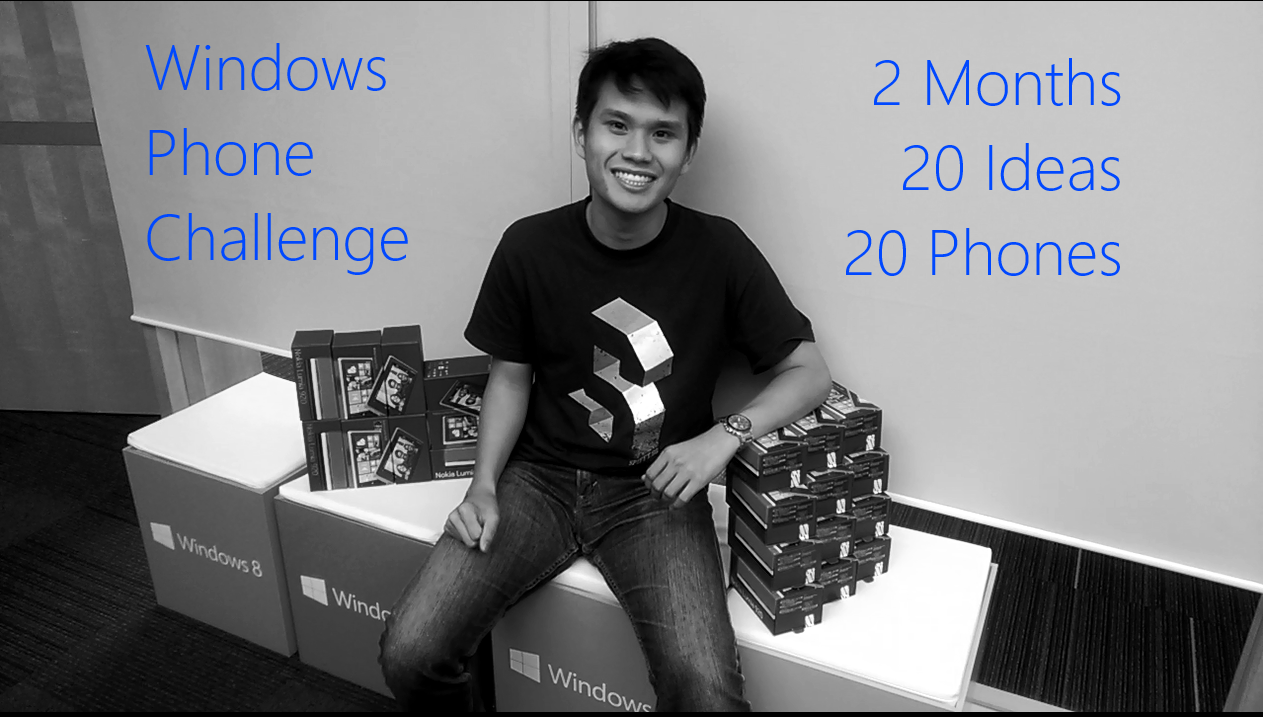
[youtube]http://www.youtube.com/watch?v=s8hap6jQJqk[/youtube] Updates Competition has ended. Results here at http://weshipcode.com/developers/winners-windows-phone-challenge-lumia-920-lumia-925/ Added challenge #9, #10 for Lumia 925 Added challenge #8, #8 for Lumia 920 and Lumia 925 Are there going to be challenges for the Lumia 1020 / Lumia EOS? Depending on the response for this challenge, we might run one (the next challenge) in near future when Lumia 1020 is available in Singapore market :) Added challenge #7 for Lumia 925 (ERP Monitoring Application) Please note for all speech recognition app, please support both English (united kingdom) and English (united states) Refer to FAQ on testing. Following up from our previous challenge, we are teaming up with Nokia Singapore for the next Windows Phone Challenge! We will be awarding 10 Lumia 920s and 10 Lumia 925s for the challenges stated below! Do note that some of these ideas might be really hard to implement, but if you have a great idea, let us know and we’ll replace / place it in the challenge list below. Multiple developers can compete in the same idea. The best submission for each challenge will be awarded a Nokia Lumia. If you have questions or have an idea to suggest, drop us an email at win8sg@microsoft.com How do i join this challenge? 1. Join our community group on http://www.facebook.com/groups/apolloexplorer 2. Drop us an email at win8sg@microsoft.com and let us know which challenge(s) you are interested to work on. If you have a great idea, let us know and we will list it below. While you may work on multiple (or even all) ideas, we will be limiting the maximum prize an individual can get is limited to 3. 3. Publish an initial submission to the Windows Phone store before 9th August 2013, and attend a review in person on 9th August 2013 and enjoy the fireworks afterwards in Microsoft Singapore’s office. Registration link will be out soon. 4. Implement improvement from the review(s) and publish your revised version(s) before the deadline 31st August 2013. 5. Read the FAQ all the way below Nokia Lumia 920 Challenges 1. Singapore 4D/Toto result application with Push Notifications whenever the results are available. Live Tiles and Lockscreen capable of showing latest results. Voice command to launch application (“what’s the 4D/Toto/Lottery result today”), (“what’s the previous 4D/Toto/Lottery result”),(“what’s the 4D/Toto/Lottery result last week”), and speech synthesis should read out the results in Mandarin and English. Optional: Location Based Services to find the nearest betting stations Developer(s) working on this idea : 2 2. Address locator application with Live Tiles, Lock-screen and voice command. It will to let you know the civil/friendly address of “where you are”. Voice command for users to ask “where am i”, or “what’s the address of my current location”. The application will launch, read out the location you are and show the civic address (505 bukit panjang ring road)+map on the phone. Live tiles and Lock-screen will show on a periodic basis (using background task) current civic address + map of user. Developer(s) working on this idea : 3 3. Singapore Weather Application with Push Notification, Secondary Live Tiles, Lock-screen and Voice command. You maybe assume that users of this application will only be from Singapore. Voice command to launch application “will it rain today”, “will it rain tomorrow”, “will it rain next Monday”, “will it rain on 4th July”, “is it sunny today”, “is it cloudy today”, “what’s the weather for the next 3 days”, “what’s the weather for the next 5 days”, “what’s the weather for the week”. Application should response with voice and necessary weather information. Push notifications should be implemented for flood warnings, haze level, and rains + probability for subscribed areas. Example user can subscribe to office (raffles place), school (clementi) and home (bukit panjang) location for rain notification. Users can pin secondary live tiles of raffles place, clementi and bukit panjang to start screen. Users should have the option to display the weather information on their Lock-screen. Developer(s) working on this idea : 1 4. School planning application with Voice command, for parents to find out which primary/secondary schools are nearby for their child. After allowing users to set their home location via GPS/map selection/address/postal code, this application will be show nearby schools on the map control. The application will after which draw a transparent circle around the home location to show which schools are within the radius. Tapping the school on the map should launch the browser or show more information about the school. Voice command to launch application “what are the schools around 018989”, “what are the schools around me now”, “what are the schools around this area”, “what are the schools around 30 bedok north road”. Application to response with map and list of schools around user specified location. Developer(s) working on this idea : 2 5. Singapore Pools Soccer Betting Information with Push Notifications when results are out for user-specified soccer league, Voice command, Live Tiles and Lock-screen showing latest results. Voice command to launch application (“what’s the latest results for champions league”). Application read out results in English, and show the available results on screen. Secondary live tiles should show results of user-specified soccer league. Lock-screen should show the latest soccer results. Optional: Location Based Services to find the nearest betting stations. 6. CarPark lots availability application with Voice command, Secondary Live tiles, which shows a list of CarPark and lots. The application should have the capability of pinning specific CarPark secondary live tile showing the parking lots left. Voice command to query on specific CarPark lots left (“what is the available lots in marina bay sands”), with voice response (“there are 100 lots left in marina bay sands”). Developer(s) working on this idea : 2 7. Queue watch application for polyclinics in Singapore with Voice command and Secondary Live tiles. Users should be able to pin secondary live tiles of specified polyclinics to start screen, showing number of queue and waiting time. Lock-screen should allow users to display the number of patient and waiting time of specified clinic. Voice command to launch “how’s/what’s the queue at bedok polyclinic”. Application should read out number of queues, waiting time and display the live camera feed for bedok polyclinic. The list of polyclinic should be sorted by waiting time, and navigational directions should be given on how to transit to the selected polyclinic from current location. Developer(s) working on this idea : 2 8. Clinic finding application in Singapore. This application will list the clinics nearby or the entire list base on their affiliation. When working in companies, HR typically issues medical benefit cards to employees. Different medical benefit card requires you to visit different clinics. This application will show you the different type of benefit schemes, and the clinics/hospital/ Traditional Chinese Medicine Physician which you can visit. It should show information such as name, address, opening hours and contact number of the clinic. This application should also show the list (top 50) of nearby clinics on a map. Voice command should allow you to search for clinics base on name, or affiliations. 9. Open slot - drop us an email at win8sg@microsoft.com if you have an idea 10. Open slot - drop us an email at win8sg@microsoft.com if you have an idea Nokia Lumia 925 Challenges 1. Singapore taxi fare calculator with Voice command. This application will estimated price and suggest the route to take. Voice command to launch application (“how much does it cost to take a cab from changi to yishun”), (“how much does it cost to take a cab to changi airport”), (“how much does it cost to take a cab from 505 bukit panjang to 100 bedok north road). Application should read out amount and show the map + route on screen. Do include CBD, Peak hours, Airport, Midnight and ERP charges. Developer(s) working on this idea : 1 2. Singapore Movie Application to find out the vacancies of SG Cinemas for various movies. Voice command will be able to query “what is the availability of despicable me today”. The application should show the list of cinemas and the available number of seats in the cinema. Developer(s) working on this idea : 1 3. Internet radio for Singapore channels, with capabilities to pin secondary tiles for specific radio channels. Voice command to launch application (turn on the radio for class 95), and secondary tile allows launching of app directly to radio channel. Developer(s) working on this idea : 2 4. Voice command application to find commonly used / amenities around you, example AXS, ATM, SAM Machines, Convenient Store, Post Office, Supermarket, Police Station, MRT Stations etc…. Voice command to launch application “where is the nearest dbs atm”, and would show you the direction+map on how to get there. The list of amenities should be reliably accurate and recently updated. Developer(s) working on this idea : 2 5. Phone book application with Voice command, which searches Singapore’s directory for the contact number and dials the number for you. Voice command enabled and allows you to search by voice. Example “call OCBC, call ministry of manpower, call Macdonald’s delivery, call crystal jade Holland village”. It should show to source of the number (google.com, hungry go where, yellow pages or other sources) before attempting to dial the number. Developer(s) working on this idea : 6 6. Push notification, Secondary Live Tile and Lock-Screen application for Flights out of Singapore, it will send a push notification once the fare to the user once it drops below user’s specified price. The Lock-Screen should also be able to show/monitor a list of flights. The Secondary live tile should be able to show list of countries which fares are below a user specified threshold. The voice command will be able to query “what are the flights below $200”, “how much does it cost to fly to Kuala Lumpur” Developer(s) working on this idea : 1 7. ERP monitoring application for Singapore with Voice command and Secondary Live tiles. Users should be able to pin secondary live tiles of specified ERP gantry to lock-screen, showing the price of crossing the gantry for different vehicle at last tile scheduled update time. Voice command to launch “how much does it cost to cross (gantry abc) at 3pm on weekdays/weekends”. Application should response with speech, speaking and showing the price of different vehicles of the queried gantry at the queried timing (do take note of weekdays and weekend differences. Show/response with free/nocharge if ERP gantry is turned off for these voice queries. Developer(s) working on this idea : 1 8. Tertiary education application in Singapore. This application will list the cut of points for courses in the 4 universities and 5 polytechnic in Singapore. It should show the history of cut of points published by the school across the years and there should be official writeup on what the courses are about. It should show information such as name, address, contact number of the tertiary institute. The application should allow user to search for institutes and courses filtered by cut off points / grades for A/O Levels. You should also show the transportation, bus services and MRT stations around the institute. It would be great if there is multiple direct bus route coverage show on a map for the particular institute. Voice command should be able to launch the application, allow user to query the cut off point of specific course. It should show the results for both polytechnic and university. Example “eduapp, show me what is the cut off point for computer science.”, “eduapp, what is the cut off point for business administration” Developer(s) working on this idea : 2 9. Singapore Post Application - This application will help to find nearby post office and post box. This application will also calculate the cost associated with the weight/size of a parcel. The application must support package tracking of Singapore Post registered packages, and live tiles + Lock-Screen should show the progress of these packages. Optional: there would be a push notification sent to the user when the item is delivered. Developer(s) working on this idea : 1 10. Singapore MRT Application - This application will show the map of singapore’s metro / MRT stations. Users would be able to search for a specific station and the station should blink if there is a match. It will also help the user to find the shortest route from one station to another station. Information on the first and last train should be provided to the user. The application should also show various top point of interest near the MRT station. Voice command would be able the launch the application by saying “what are the interesting places around jurong east”, and the application should show a list of point of interest around this MRT station. Developer(s) working on this idea : 2 Frequently asked question FAQ Q. Who is eligible for this challenge? A. If you have a windows phone developer account which is tied to a Singapore live id, you are eligible for this competition. Do note that if you are residing outside of Singapore and wish to compete this online, we will not ship the prizes overseas. Do contact us at win8sg@microsoft.com and let us know in advance if you wish to participate remotely. Q. If I’m competing for all ideas, is it possible for me to win in all the challenges? A. We will restrict the maximum number of prizes to 3 for each developer account. Q. So what’s the maximum number of phones can I win? A. 3 phones for each developer. Q. Can I work with a team, or is this an individual challenge? A. Yes you may work in a team. Q. If I have a team of 20, do we get 20 phones if we produced the best application for one idea? A. No. 1 phone for each challenge. Q. If I have a team of 9, we submitted 9 best applications, do we get 9 phones? A. If you have 3 developer accounts, and you submit 3 applications per account, and if all your submissions are the best ideas, Yes. A. If you have 9 developer accounts, and you submit 1 application per account, and if all your submission are best ideas, YES! A. But, if you submit all 9 best applications using 1 developer account, you will get at max 3 phones. Q. Are existing applications upgraded counted for this challenge? A. Nope. You application has to be a net new application published after 8th July 2013. Q. I’m interested in this challenge, but I do not have a developer account. What can I do? A. After you are done with your 1st working version, drop us an email at win8sg@microsoft.com . We will provide you with a complementary token for the developer account registration. Q. Can I exchange Lumia 920/925 for other phones? A. No. Q. How are you going to judge the entries? A. We will compare the entries for each challenges. The best entry, which fulfills the minimum criteria above will be award the phone. On a case-by-case basis, if necessary, we would need you to improve on user experience and design before award on the phone. Q. Is design and UX important? A. Yes, please do put in effort on designing and planning for good user experience. Q. How do I know if my application (with speech capabilities) is supported for English (united kingdom) and English (united states)? A. After setting your “speech language” in “settings” -> “Speech” to “English (united kingdom)”, press and hold your windows phone’s “windows button”, click on the “?” button on the top right hand side, and look at the “apps” tab. Your application should be visible when “speech” is set either “English (United Kingdom)” and “English (United States)”.

Ideas for your Hackathon

Want to join the RACE TO 100 or any other hackathon but don’t have an idea? Here’s some inspiration for you: 1. Education Campus News Campus Confessionals Lecture slots Booking of meeting rooms GPA calculator 2. News & Weather Centralized Subscription Service (mobile, deals, news, memberships) Breaking News Weather Forecasts 3. Lifestyle and Relaxation Nature Spots Relax Guides (Spas, Massage) 4. Photo Photo Sharing Photography and quotes Historic and cultural photography 5. Food & Dining Recipes Restaurant locator Special Dietary Recommendations (i.e Vegetarian, Halal) 6. Health & Fitness Gym guides Nutrition guide / Food tracking Calculators (BMI) Health and medical information 7. Social Community events Social Interaction 8. Transport Public guides and news updates Maps 9. Games and Entertainment Games Gamer Events and News Entertainment News TV and Movie guides 10. Others Shopping guides Sports updates Music and Videos Looking for some help and templates to get started? http://www.codeplex.com/site/users/view/win8templates and http://code.msdn.microsoft.com/windowsapps/

July 8, 2013 · 1 min ·  agnes

5 reasons to join a hackathon

Hackathons provide the perfect avenue for developers to explore big ideas, collaborate with other developers, and build something of value to the larger community. With our recent launch of the RACE TO 100 Contest, here are 5 reasons why you should join in the fun: 1) Learn and GROW Learn and grow from building something cool with your own two hands. Wreck your brains in the creative process of profound thinking and execution that encourages further exploration of the platform putting what you know and what you don’t know into perspective. Find that “a-ha” moment that keeps your heart racing and adrenaline pumping as you inch closer to your goal of winning. ...

July 5, 2013 · 2 min ·  agnes

Try out Visual Studio 2013 Preview... On the cloud!

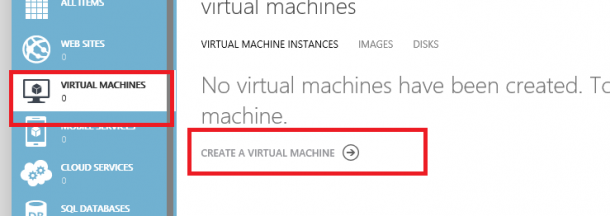
Developers! Planning to try out Visual Studio 2013 Preview? But too lazy to download and install? Don’t worry! There is a easy way out for you! You can simply use your Windows Azure Account* and create a VM that comes pre-installed with VS2013 preview! Totally save your hassle to download and setup VS on your environment. * it’s ok if you don’t have an existing Azure Account, you can simply create a free trial account . So here’s the steps: Create a new virtual machine in the Azure’s Virtual Machines tab. Select Compute > Virtual Machine > From Gallery. There you go! you can create a instance VM image preinstalled with VS2013 Preview!

Free training on how to administer TFS 2012!

For those who are administration Team Foundation Server 2012 OR are planning to set up TFS2012 in your development environment, you may be interested in this. Microsoft Virtual Academy recently did an online training that covers 6 hours’ worth of detail coverage on TFS2012 administration. This is a super duper useful video, so be sure to check it out if you are currently managing TFS2012 or are planning to use TFS2012 for your development team! http://channel9.msdn.com/Series/Administering-Visual-Studio-Team-Foundation-Server-2012 ...

RACE TO 100 Hackathon

UPDATE: Participants please join our FB group http://on.fb.me/18kpSdi Remember our Hackathon ala NDP Special last year? This year we’re back BIGGER and FASTER! Theme: Singapore Dates: 10am 3rd July – 10am 5th August 2013 RACE TO 100 is your opportunity to win big with your passion for coding and for Singapore. Develop one or more of the first 100 Windows 8 apps to hit 100 downloads within the contest period and win the race! Timeline of Events 3rd July – 10am Race Begins: Gadgets up and ready to go! 21st July – 11:59pm Qualifying Submission: You must submit your first app to the store by this date to qualify 5th Aug – 10am Race Ends: All entries should be submitted into the Windows store by this date 9th Aug – Winner’s Event (details coming soon) Prizes Publish 5 apps each with 100 downloads Acer Iconia W3-810 Publish 3 apps each with 100 downloads Xbox 360 Publish 1 app with 100 downloads XMINI II Speaker Capsule How Do I Join the Race? 1. Form teams of 1 to 3 2. Develop your first app, put it onto the store by 21st July, 2013, and email the title of your app to t-ciong@microsoft.com 3. Start collecting downloads for your app, until it hits 100 4. Develop more apps 5. Repeat 3 and 4 6. Submit the registration form provided here when you are ready to claim your prize (You may submit a new form each time you have a new eligible app, but only the latest will be taken into consideration) How do I know if I am still in the Race? We will be providing regular updates on Spiffy so that you can gauge your speed and standing. What else? We will be throwing an exclusive Winner’s Event on the 9th August where developers can come together for a unique NDP experience, good food, and company. Each winner will be given the opportunity to demonstrate their application to the community, share ideas, receive feedback, and interact with our technical evangelists. Download our official rules and terms and conditions here and bookmark Spiffy for regular updates. Need Help? Ideas | Templates | Marketing Got Questions? Email t-ciong@microsoft.com Everyone is a winner with Windows 8. ...

July 3, 2013 · 2 min ·  agnes