We Live to Code Results released!

We Live to Code has officially come to an end on 5th May, when we received the final app submissions from our participants! Great job to all the participants in this hackathon! So who are the winners of the Samsung Ativ PCs? *drumrolls* 3rd prize goes to StockFolio. StockFolio allows you to monitor the progress of your desire stock exchange market. It could support multiple stock exchange markets and keep their settings neatly separated. Interested to download, visit the Windows Store! ...

iCreate Mobility Challenge 2013

iCreate Mobility Challenge 2013 Come join the iCreate Mobility Challenge and bring your great idea and dreams to life! This year, we challenge you to unleash your skills and creativity to design a totally new cutting edge app experience that can enhance students’ experience at NUS to the next level. Winning entries will receive prominent recognition and great prizes. All participants who submit their apps will receive a certificate of participation and a token of appreciation. Certificates and tokens will be distributed during registration at the Awards Ceremony. The prizes for each of the categories are as follows*: ...

Windows 8 Design Handbook by Ratio

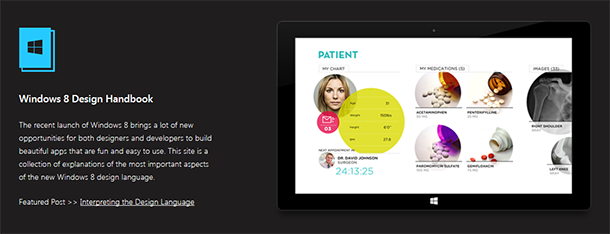
Ratio Interactive has published a new Windows 8 Design Handbook, a handy reference to those trying to design and style their app to match the design guidelines for Windows 8. The guide covers the following:- Understanding Live Tiles Choosing a Live Tile Designing a Splash Page Designing a Hub Page Key Windows 8 Terminologies Utilizing Semantic Zoom Mastering the App Bar Designing the Detail Page Interpreting the Design Language [vimeo width=“610” height=“345”]http://vimeo.com/52177075[/vimeo] Ratio Interactive goes in-depth in describing all the small details that make up the User Interface on Windows 8, from what Font to use to how to make your app engage your audience. They also have an “Inspiration Gallery” of well-designed apps that you can take a gander at and some pretty darn good Photoshop and Fireworks templates you can download to help with wireframing. It’s worth having as a bookmark and something to refer to when designing or updating your next Windows 8 app. Check it out here at the aptly named windows8designhandbook.com.

Windows Phone 8 Challenge : "AR Drone 2" 1st Release

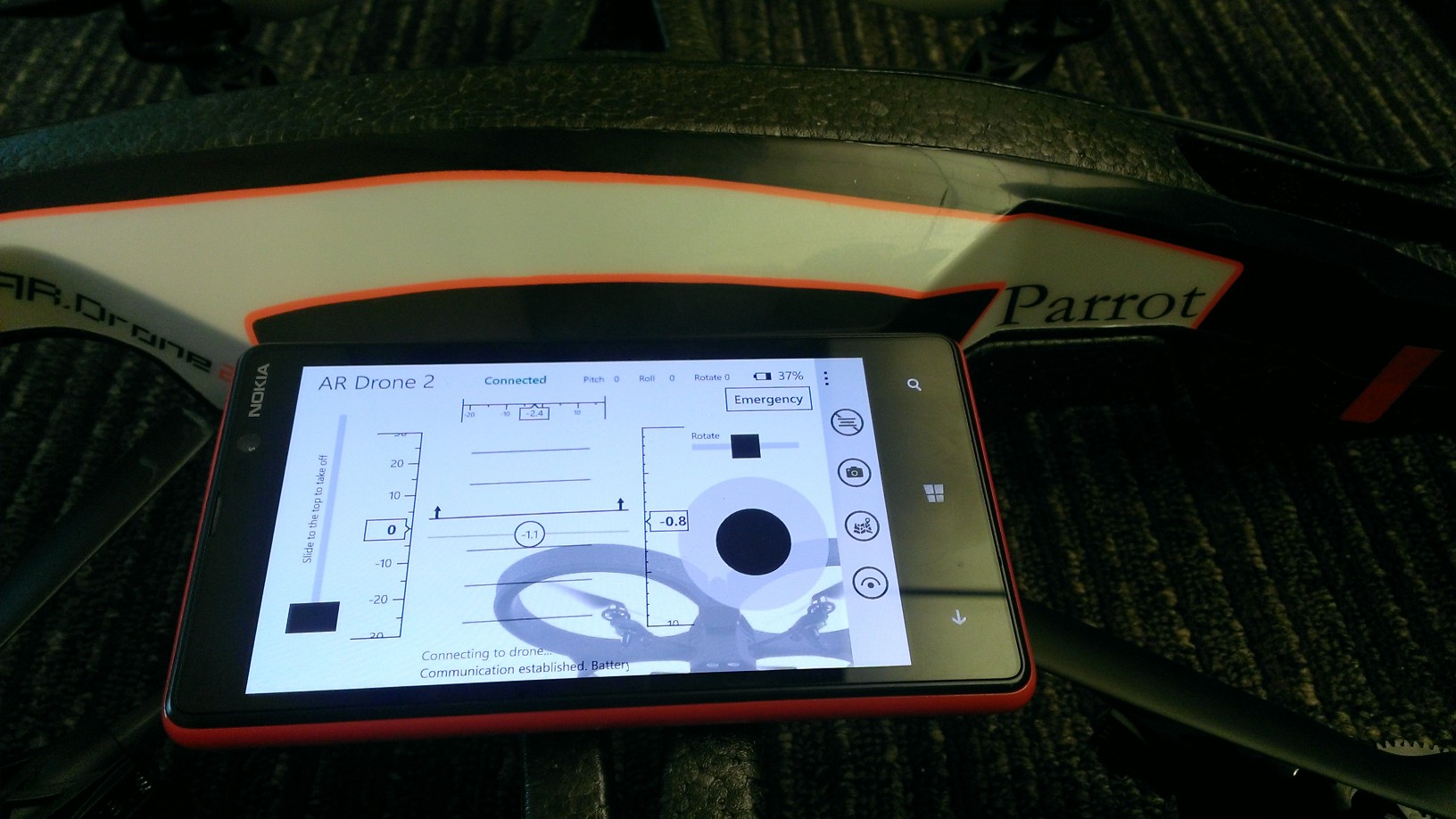
Remember our Windows Phone 8 Challenge Post 2 weeks ago? From the same developers who created Group Tiles and Speak Reminder, vSoft Studio have created an awesome application named “AR Drone 2” controller on the Windows Phone platform! Here are some of the amazing features this application has currently incorporated. Basic navigations of taking off, landing, moving around and rotating Compass, HUD, altitude, horizontal levels and battery level readout Text-to-speech capabilities when launching, landing and playing of animations Voice control for taking off and landing of AR Drone. Animations - These are pre-programmed stunt procedures which you can command your AR Drone to execute. The highlight includes a flip animation (refer to video below) of the AR Drone. Map and GPS Coordinates (Work in progress) Video Feed (Work in progress) Here are some screenshots of the application Here’s a video of it in action Download the app here! Alternative, scan the QR code on your Windows Phone http://www.windowsphone.com/s?appid=5a63f352-9022-4af4-b32c-a44c33bacaad

Do we still need collaboration tool (e.g. TFS) for our Agile team

If you have read the Agile Manifesto clearly, they state that “we value Individuals and interactions over processes and tools”. Does that mean that tools is not required for a Agile team? Think about it, given the complexity of the modern world, do you think it is possible to ignore things like Audit/compliance, distributed team? Hence, there is still need for tools to compliment a agile dev team to make them even more agile. My stand? Continue to focus on interaction, but use tools (like TFS) to assist and faciliate the interaction. My analogy: A productive team is like a champion RPG game character. agile is the reflection of your “skills” and VS-TFS is the “legendary weapon”. You can be fantastic in your skill only and hold a regular weapon, but you can never win someone who is fantastic in their skill and holding a legendary weapon that compliments their skills. Check out the following article that addresses this topic :) http://toolsforagile.com/blog/archives/795/do-you-really-need-an-agile-tool

Live to Code, Fight the Night!

Yesterday marked the end of our overnight We Live to Code hackathon hackathon in Microsoft office! This year, the hackathon was held in collaboration with Samsung Singapore and we hosted about eighty participants and 20 teams pitched their ideas on the final pitching session on Sunday, 7th April. The series of events in We Live to Code started on 5th April night, where participants came to pitch their ideas, network and find potential team mates to work with. Various interesting ideas were pitched and we were delighted to witness the creative juices of our participants. As the night wrapped up, the participants headed home to prepare for an early morning the next day. 6th April morning marked the start of the overnight hackathon! This year, we had exciting activities in store for the participants as well! There were sharings by Windows 8 developers on their app development journey. ...

Windows Phone 8 Challenge - AR Drone and Canon Selphy CP900

[youtube]http://www.youtube.com/watch?v=mo8yzeadjKY[/youtube] The Windows Phone 8 Challenge is a series of challenges we have inline for developers from today until the end of June 2013. We’re going to give out the following: 2 sets of Lumia 920 + AR Drone 2.0 to 2 developers who are able to deliver applications which controls the AR Drone from Windows Phone 2 sets of Lumia 920 + Canon Selphy CP900 to 2 developers who are able to deliver applications which prints to the Canon Selphy from Windows Phone ...

Developers' Pain Killer - OneCode

Releasing the new Sample Browser app OneCode Sample Browser 1.0 for Windows 8 and Windows RT was released globally in the Windows Store during the week of 2013 MVP Global Summit. It is a new relaxing way for Developers to search, download, learn, request and share thousands of code samples on any Windows 8 or Windows RT device! Developers love code samples, the Sample Browser Windows Store app can provide them with mobile agility while they develop their app. The Sample Browser Windows Store app is supported in both online and offline mode. Thus, making it easy to find and share code samples. Now, bringing you the spotlight features of Sample Browser Windows Store app! Fast sample search: you simply swipe and search. It is fast and direct. Free search conditions: you can filter samples by Visual Studio version, contributor, programming language, technology and update time. You can also sort the sample search results by relevance, popularity, release date, download count, ratings, title and author. You have full control of how you want to search for code samples. Big sample repository: the Sample Browser searches 5000+ code samples in MSDN Samples Gallery, including 400+ official Windows 8 samples, 300+ Windows Phone samples, and 1200+ Microsoft All-In-One Code Framework samples. The sample repository is ever growing. What if I cannot find the sample that I’m looking for? The Sample Browser is integrated with the Sample Request Service provided by the All-In-One Code Framework team. Developers are encouraged to submit code sample requests dealing with any Microsoft development technologies and any programming languages to the MSDN Sample Request Forum (http://code.msdn.microsoft.com/site/requests). At the same time, Developers can vote for newly submitted or existing code sample topics. Here’s the exciting part! In this active Developer community, your code request may be quickly resolved by the strong MVPs and other community members. Microsoft engineers will also pick the requests with high number of votes and provide the code samples, free of charge. Code is at hand: downloading the sample code, reading the documentation, browsing source code, searching inside the project – all of these can be done with one simple touch. You can get your “hands” on 5000 code samples. (read sample documentation) (browse source code) (search inside the project) Anytime, anywhere: Whether you have internet access or not, whether you are at home, in office, or in commute/airplane, you can learn your downloaded sample code anytime, anywhere. Swipe and share. It’s that easy! Do you want to share a code snippet? Select the code snippet: Swipe: And share! It’s that easy! The team is releasing a new version of the Sample Browser Windows Store app every few weeks. Your feedback will change it for the better. Please email us at onecode@microsoft.com. Hope the introduction of Sample Browser Windows Store app cured your headache, developers! :)

ALM, TFS, Agile, Scrum and Visual Studio posts on Spiffy!

Hey Developers, Business Analyst, Team leaders, project managers and testers listen up! We are going to pump in new content into Spiffy on the following topics that will interest you! Application lifecycle management (ALM) (What is this huh?) Team foundation server (TFS) (and this?) SCRUM methodology (SCRUM?) Visual Studio (i bet you know what this is) So keep a look out in Spiffy for these new content! First start! I am going to introduce you guys to a interesting Windows 8 store app that can give you a clear guide to ALM, and build you up to a ALM expert! Don’t have a single clue on what ALM or TFS is? No problem! Just try it out! Here’s the download link for the app :) http://apps.microsoft.com/windows/en-US/app/alm-readiness-treasure-map/98782e69-ba79-4ab9-890a-44139fa8cd7f CY

Want free Windows Azure training? Here's a deal!

Hey fellow dev-teams! Planning to build apps on the Azure Cloud? Expanding your dev-team and need more copies of Visual Studio & MSDN subscription? Here’s an awesome deal for you! You can buy 2 Microsoft Visual Studio Professional 2012 with MSDN, the right choice for building multi-tier applications for the web, cloud, devices and receive a FREE 1 day Windows Azure “Developing and Deploying your Application to The Cloud” Hands-On-Lab Training from Microsoft CPLS. Wondering what will be lining up for the training? Training schedule (subject to change) ...