Free virtual Windows 8 UX fundamentals training

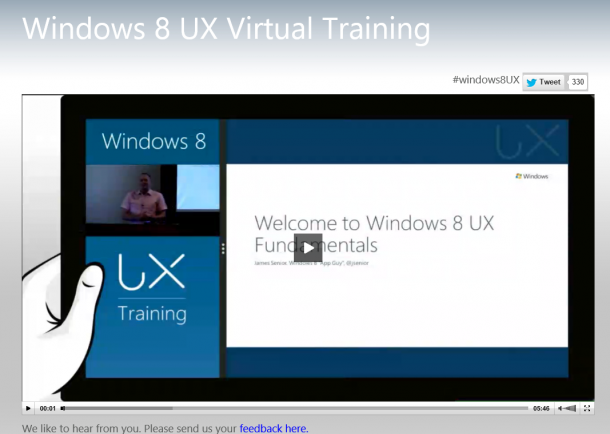
Building an app from scratch is never easy. Building a high quality, beautiful, intuitive and highly usable app is even harder. But here are some great (and did I mention free?) online sources to help you get started with Windows 8 Development :) Check it out: Windows 8 UX fundamentals–free virtual training [caption id=“attachment_10242” align=“alignnone” width=“610” caption=“Visit http://www.windowsuserexperiencetraining.com/ to get started!”][/caption] Metro style apps are the focal point of the user experience on Windows 8 Release Preview. Great Metro style apps share an important set of design traits that provide a consistent, elegant, and compelling user experience. With the first apps in the Windows Store, it’s exciting to see app designers begin to push the boundaries of the Metro style design principles on Windows 8. There’s plenty of innovation and beautiful apps to come. If you are a developer or designer creating a new user experience for your Metro style app and you want to learn how to get started, this free virtual training is perfect for you. The Windows User Experience team is running sessions on how to design great apps that use the platform in cool ways and follow UX guidelines. After the training, you’ll be able to design and build experiences that follow the tenants of great apps, use intuitive information architecture patterns, and use best practices for designing flexible layouts, touch, contracts, and much more. Agenda: •Embracing Metro style design – the principles of designing for Windows 8 •Less is more: Commanding, information architecture and navigation •Be fast and fluid: Designing for touch, mouse and keyboard •Be fast and fluid: Animations •Snap and scale beautifully: Designing apps with adaptive layouts •Using the right contracts •Connected and alive – how to design great tiles and notifications •Anatomy of an app: case study You can view the training anytime, in the comfort of your office or home!

A Day in the Life of a Developer Evangelist

Technology permeates our everyday lives. [caption id=“attachment_10157” align=“alignnone” width=“610” caption=“A Day in the Life of Developer Evangelist”][/caption] And in a time where “software is eating the world” , we’ve become so used to the smartphones, tablets, computers and apps that most of us can’t imagine living without. All of which are enabled not just by a single company, but by developers all over the world. The phenomenon of collaborative development for the success of a technological platform has given rise to a new breed of technologists that are required in a tech company, otherwise known as “Developer Evangelism”. Developer Evangelism hasn’t been around for a long time. Whether it’s at a tech conference or even in our own homes, I’ve realized that our unconventional jobs require some explaination - so starting from this month, we’d like to start telling you a bit more about what we do at Microsoft. [caption id=“attachment_10162” align=“alignnone” width=“610” caption=“Meet Chun Siong, a Developer Evangelist here at Microsoft Singapore.”][/caption] Not a typical career path in the IT industry “When I started my academic journey in polytechnic focusing on IT, I always thought that I might end up becoming a programmer or in a system administrator type of job. The first time I was exposed to “evangelism marketing” was through the Microsoft Student Partners program. Getting involved with the program for the past 5 consecutive years made me realize that this is a very unique and exciting role that exists in the IT industry. It’s definitely not your typical desk bound IT job.” [caption id=“attachment_10167” align=“alignnone” width=“610” caption=“Checking into office”][/caption] The role of the Developer Evangelist The DE is the tech company’s representative to the developer community helping to win the hearts and minds regarding the company’s platform. It is a technical role with the mission of engaging the broad community of developers and driving excitement around developer related technologies. DEs in general must be able to talk about technology intelligently and enthusiastically to developers, developer managers and senior management. Passion, curiosity, technical depth, and exceptional communication & presentation skills are key qualities that will help them succeed in this career path! [caption id=“attachment_10168” align=“alignnone” width=“610” caption=“Coffee is an essential part of a DE’s life - we all need a jolt of energy in the morning to get things started!”][/caption] Being an all-rounder While coding is an important facet of the job, there are many other hats that you need to put on as a developer evangelist. Most days you are out and about as an advocate for the company - speaking and doing demos at some tech event or sales call, but it’s not unusual to find yourself organizing events, brainstorming for marketing campaigns, being a judge for tech contests such as Imagine Cup, troubleshooting for other developers and so on. A typical work week for Chun Siong involves “…meetings, both internal and external are a common item on the weekly calendar. We hold regular events for developers and attend lots of events as well. These networking and communication opportunities with developers and business owners make your calendar more interesting. You never know who you’re going to meet and what’s going to surprise you in an industry that’s moving so quickly. On a daily basis, I spend a couple of hours catching up on technology news and doing hands on learning on new technologies.” [caption id=“attachment_10187” align=“alignnone” width=“610” caption=“Prepping for presentations and meetings, coding and replying questions from the developer community are a big part of a DE’s life.”][/caption] Noon comes and it’s time for lunch. For the DPE team at Microsoft, lunch is a great time to celebrate birthdays, catch up on each others’ lives and just in general enjoy all the good food that Singapore has to offer. We usually end up at Lau Pa Sat, where they serve up local dishes that are not bad (try the Ayam Penyet, the You Tiao, Porridge and Yong Tau Foo) [caption id=“attachment_10189” align=“alignnone” width=“610” caption=“Lau Pa Sat - for hungry people working in Raffles Place”][/caption] 2pm. Nothing beats the adrenaline rush (and sometimes fear) you experience speaking in front of a large audience. Depending on your schedule and the day’s event, you almost always find yourself having to present at a conference or meeting, speaking to a variety of audiences - government officials, students, teachers, developers, CIOs, CEOs, startups and IT professionals. DE’s have to be well versed in a broad range of technologies - from mobile to cloud, hardware to software. It’s a never ending learning journey for us, especially since the industry moves quickly. [caption id=“attachment_10188” align=“alignnone” width=“610” caption=“Getting ready for a presentation - the key is practice!”][/caption] What it takes to be an exceptional Developer Evangelist An exceptional Developer Evangelist not only speaks well and is truly passionate about enabling people with technology, but takes time to understand developers’ needs and is committed to the community. “Passion for technology and a willingness to share your knowledge with others is a must. While developer evangelists differ in their personality, expertise and how they engage with people, the common trait would be a strong interest in technology. If you are always following the startup scene /technology announcements /software and hardware development news, you are one step closer to what is required of you as a developer evangelist.” [caption id=“attachment_10190” align=“alignnone” width=“610” caption=“Public speaking - another important skill to have as a DE”][/caption] Some nights are burnt with Hackathons. While tiring, it’s an amazing thing to be part of, especially when you have so many people gathered together with a single goal bring their ideas to reality through code. Rob Miles once said that developers are possibly the luckiest people in the world right now, because we are given the many tools and capabilities to showcase our creativity. We couldn’t agree more. It’s our job to help you achieve those goals. [caption id=“attachment_10220” align=“alignnone” width=“610” caption=“Somehow, you can never escape from troubleshooting for others and debugging”][/caption] [caption id=“attachment_10215” align=“alignnone” width=“610” caption=“The beautiful view from our office - great to gaze out at when you’re coding”][/caption] What’s the first sign that you might be fit for a role as a developer evangelist? I think it’s to be a true geek at heart. “I started being interested in computers when I was 10. It was an exhilarating experience back then if you had a 486. This meant your PC could support cd-roms. Over the years I got curious about tweaking software and optimization for windows operating systems and occasionally testing out some Linux distros. At times I did some upgrading of computers like most folks do, playing around with PSU, RAM, CPU, HDD, Motherboard and more… In today’s context, I’m following really exciting development revolving around Mobile Devices, Cloud Computing, Search Engine Optimization, Solid State Disk and more… There are really amazing things and innovations coming out from student projects and the startup community as well.” [caption id=“attachment_10161” align=“alignnone” width=“610” caption=“Chun Siong is a Developer Evangelist in Microsoft Singapore - Geek at heart”][/caption] We thrive on collaboration. If you have an interesting idea or seek to explore creative ways of using our technologies, feel free to reach out to us and we will be glad to dive in the deep end with you. We thrive on your success, be it personal or professional. From Windows 8 to Windows Phone Development to Kinect Development, if you live and breathe codes, get to know Chun Siong. **POST UPDATE** We are searching for a Developer Evangelist who is specialized in HTML5, JavaScript, Ajax, jQuery, ASP.NET. If you think you have what it takes to become a Microsoft Developer Evangelist - Drop us an email at a-johua@microsoft.com with your resume, blog link (if you have) and a short description of your interests! Looking forward to hearing from you! Watch out for our next segment on what its like to be a Program Manager for Microsoft Bizspark!

Build a new class of apps for Microsoft Office and Sharepoint

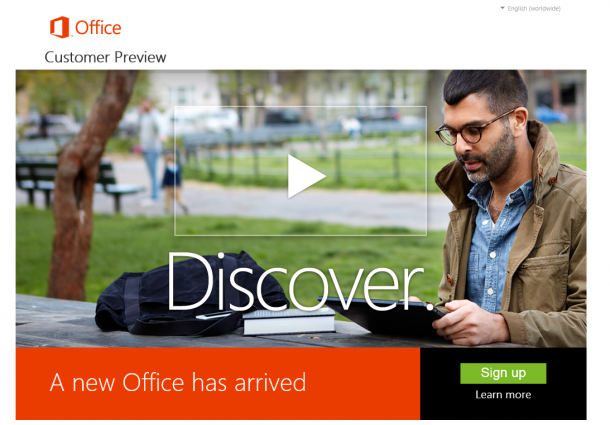
[caption id=“attachment_10171” align=“alignnone” width=“610” caption=“Download the consumer preview here: http://www.microsoft.com/office/preview/en"][/caption] Office is one of the most popular software products out there, one that we are most familiar with and almost can’t live without. Within 8 hours of announcement - the internet is already set abuzz with first looks, reviews and tonnes of screenshots of how the new Microsoft Office works. Here’s a quick video from CNET and their hands-on review. [caption id=“attachment_10182” align=“alignnone” width=“610” caption=“Watch and read CNET’s full review of the Microsoft Office”][/caption] ...

A Day at the Premier Field Engineer Excellence Labs

We’re excited to announce that we are opening up exclusive Premier Field Engineer (PFE) consultation sessions for Windows 8 applications with high potential on the Windows Store towards the last few weeks of July. In a 2-hour session, our Microsoft Engineer will provide you with comprehensive consultation services and feedback on your application’s design, user experience and attend to any of your questions on Windows 8 development. Once your application has been certified by our engineer, you will receive a free and early Windows store developer token to publish your app on the Windows Store. Send in an email to win8sg@microsoft.com if you’re interested and we’d love to meet you! When I first started learning development for Windows 8 apps, I was a little intimidated as I thought I would be faced with a steep learning curve. I wanted to create 2 Windows 8 apps, and subsequently attend 2 PFE sessions the following week. Despite only some background with web design, HTML and JavaScript, it turned out that my skills actually came in handy and that writing a Windows 8 app isn’t that hard after all! During the PFE consultation sessions, I worked closely with an engineer from Philippines, where she gave me lots of advice on how I can improve my user interface to make it more appealing to users. She was extremely detailed in her feedback, and even suggested to me how large and where a font should be placed. When she suggested adding in more Windows 8 features such as the Privacy Policy and also to conform to different resolutions screens, she was patient enough to show me how to obtain the code when I mentioned that I had no idea how to do it. It was an extremely casual session, and I felt that I could connect with her very easily when talking ’tech’ terms. I was extremely thrilled when I received and earned my first Windows store developer token shortly after the session. Through the PFE sessions, I made a friend, learned a lot about Windows 8 apps development and earned a free token to have my apps published in the Windows Store. :) After getting to know other developers through the Windows 8 Dream Build Launch hackathon, here’s what they have to share about their PFE experiences: ...

Sneak peek of 8 New Features of Windows Phone 8 for Developers

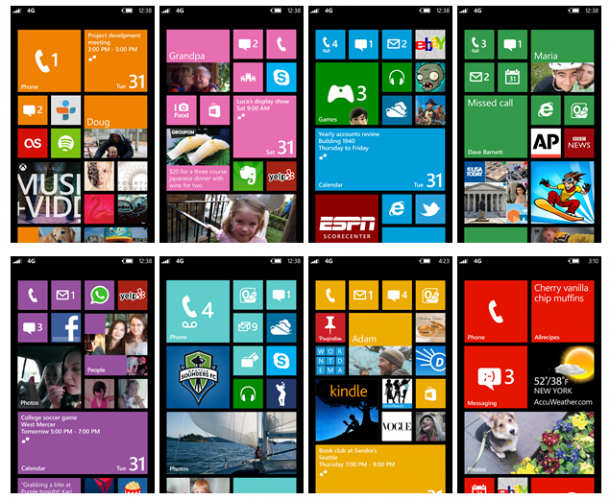
[caption id=“attachment_9873” align=“alignnone” width=“610” caption=“The new start screen on Windows Phone 8”][/caption] Windows Phone 8 was announced just a few hours ago by the Windows Phone team in San Francisco. As a consumer, Windows Phone 8 will enable new hardware capabilities and expanded features that deliver a uniquely personal mobile experience. One of the things that’s enabled with the new hardware (such as NFC) is the Windows 8 Wallet. Windows Phone 8’s new digital Wallet feature does two great things. It can keep debit and credit cards, coupons, boarding passes, and other important info right at your fingertips. And when paired with a secure SIM from your carrier, you can also pay for things with a tap of your phone at compatible checkout counters. The start screen will become more customizable to your preferences. As you can see, we’re making Windows Phone 8 even more personal, with a new palette of theme colors and three sizes of Live Tiles, all of which are under your control. We know Live Tiles are one of the things current owners really love about their Windows Phones, and we wanted to make them even more flexible and unique. This short video shows the new Start screen in action. Watch this video to find out more. For Windows Phone 7.5 users, we will rollout a Windows Phone 7.8 update separately that will bring some of Windows Phone 8’s user interface changes to existing devices. For developers, new hardware in Windows Phone 8 will enable a more unified Windows platform, creating more opportunities for developers and the Windows Phone ecosystem. Windows Phone 8 will share the same kernel, file system, media foundation, device drivers, and parts of the security model from Windows 8. The Windows NT architecture enables Windows Phone 8 to support multi-core processors, device encryption, removable storage with microSD cards, and a whole host of improvements for IT pros and businesses. Here are 8 New Features of Windows Phone 8 for Developers: 1. SQLite - embedded database engine SQLite,will be available for phone developers. SQLite has been previously unavailable on Windows Phone (as it’s written in C). Now you can have access to use these libraries. 2. Speech/ VoIP (Talking with apps) API - Windows Phone 8 will include a conversational speech recognition system based on the TellMe technology used in Windows Phone 7. What’s interesting though, is that developers will be able to add new nouns and verbs to TellMe so that users can use the same conversational style to perform specific actions within applications. 3. Gaming Middleware - Middleware partners such as Havok Technology and Autodesk will support Windows Phone 8 and Windows Phone 8 games developed using the Havok Technology Suite, will feature immersive and real 3-D worlds, highly realistic characters and cinematic visuals. 4. Native Code - Native code support: Windows Phone 8 has full C and C++ support, making it easier to write apps for multiple platforms more quickly. 5. Multitasking background location - With the next version of Windows Phone, real background multitasking will be opened up to all devs, thanks to libraries provided directly by Redmond. This means that Windows Phone 8 now allows location-based apps like exercise trackers or navigation aids to run in the background, so they keep working even when you’re doing other things on your phone. 6. HTML5, C# (For Both Win 8 and Phone 8 Devs) and C++ (For Games Dev) - Now developers can write native code, as well as XNA, C#, and HTML5. You can also now use the full Microsoft .NET suite instead of the previous Compact Framework. 7. Enterprise Hub (Custom App for internal information) 8. Enterprise Private App Store - Companies can create their own Windows Phone 8 Hub for custom employee apps and other critical business info. Follow more news about Windows Phone 8 here or check out the Windows Phone team blog to find out more new features!

Create a WordPress Blog on Azure within 2 Minutes

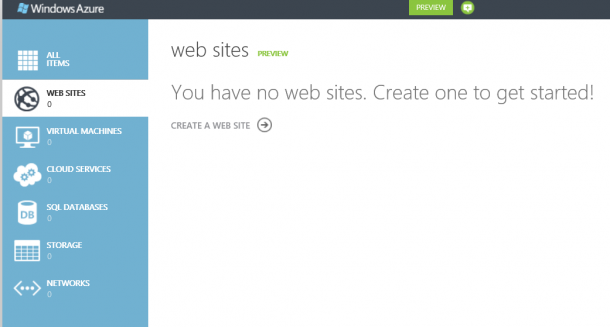
Microsoft just announced Windows Azure preview capabilities in a blog post from Bill Laing and a feature article on the Microsoft News Center. I am all excited about this preview capabilities especially capabilities to create Linux VM and Website. I just login my Azure account and created a WordPress Blog within 2 minutes. Here is how. I login to the Azure manage portal, activate the preview feature under Account. There I get to see the new Azure management portal. Go to website services and select create a website. There are options of creating website, VM, and storage etc. I select Web site -> From Gallery. I just choose BLOGS and select WordPress. Of course there are other options like ECOMMERCE, FORUMS, and CMS as shown in below. It will go ahead and install WordPress, then prompt me for some basic information like site title. Admin name and password. Once it is done, and I have my WordPress ready. I can then go in and install themes and plugin just like any other WordPress site.

Free ebook To Help You With Programming Windows 8 Apps

The Windows Team has decided to help celebrate the Windows 8 Release Preview and the Visual Studio 2012 Release Candidate, by releasing a preview edition of Programming Windows 8 Apps with HTML, CSS, and JavaScript, by Kraig Brockschmidt. Download a PDF of the ebook here (4.34 MB). Download the ebook’s sample code here (27.5 MB). (We’ll release EPUB and MOBI versions of the final ebook.) This book is about writing Metro style apps for Windows 8 using HTML5, CSS3, and JavaScript. The primary focus will be on applying these web technologies within the Windows 8 platform, where there are unique considerations, and not on exploring the details of those web technologies themselves. For the most part, then, the author assumes that you’re already at least somewhat conversant with these standards. We will cover some of the more salient areas like the CSS grid, which is central to app layout, but otherwise I trust that you’re capable of finding appropriate references for everything else. This version covers the first 4 chapters of the final e-book. Chapter 1 The Life Story of a Metro Style App: Platform Characteristics of Windows 8 Chapter 2 Quickstart Chapter 3 App Anatomy and Page Navigation Chapter 4 Controls, Control Styling, and Basic Data Binding Chapter 5 Collections and Collection Controls Chapter 6 Layout Chapter 7 Metro Style Commanding UI Chapter 8 State, Settings, Files, and Documents Chapter 9 Input and Sensors Chapter 10 Media Chapter 11 Purposeful Animations Chapter 12 Contracts Chapter 13 Tiles, Notifications, the Lock Screen, and Background Tasks Chapter 14 Networking Chapter 15 Devices and Printing Chapter 16 Extensions Chapter 17 Apps for Everyone: Localization, Accessibility, and the Windows Store Chapter 18 Services Have fun!

Kinect for Windows 1.5 released with face tracking SDK and much more!

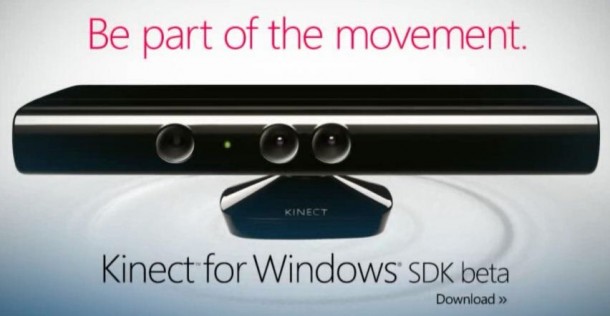
Ever since the Kinect for Windows sensor and SDK has been released, the team has been adding more cool features to the product to enable more creative uses for this sound/motion detection device. With that, we’re very pleased to announce that Version 1.5 of the Kinect for Windows runtime and SDK is finally here! The 1.5 SDK brings a number of exciting, new capabilities. Some highlights include: •Kinect Studio. A new tool which allows developers to record and play back Kinect data, dramatically shortening and simplifying the development lifecycle of a Kinect application. Now a developer writing a Kinect for Windows application can record clips of users in the application’s target environment and then replay those clips at a later time for testing and further development. •Face Tracking SDK. Which provides a real-time 3D mesh of facial features—tracking the head position, location of eyebrows, shape of the mouth, etc. •Seated Skeletal Tracking is now available. •New capabilities to enable avatar animation scenarios. The Kinect Accelerator teams are building with Kinect for Windows, which makes me even more excited to see what the new groups of developers who have access are going to build! Have fun developing on the Kinect!

Steve Clayton: How To Design Technology So It Becomes Natural

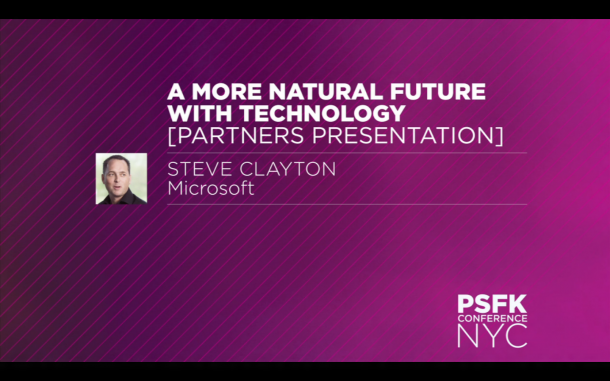
The advent of touch devices and motion sensing devices such as the Kinect has allowed us to start thinking more about how to design technology that is comes more natural to human interactions. In this interesting video, Steve Clayton talks about the drive at Microsoft to embrace what he calls ’natural user interface’. Clayton, who says his job is to find out what amazing projects the tech firm is working on and share it with the world, takes us through a future-forward vision where gesture, sound and artificial-intuition creates a world that extends the possibilities of our creativity. Enjoy!

The Sacred of Orders of Geek

Geek is the new cool. And we love our geek friends. What type are you? Source: BCO