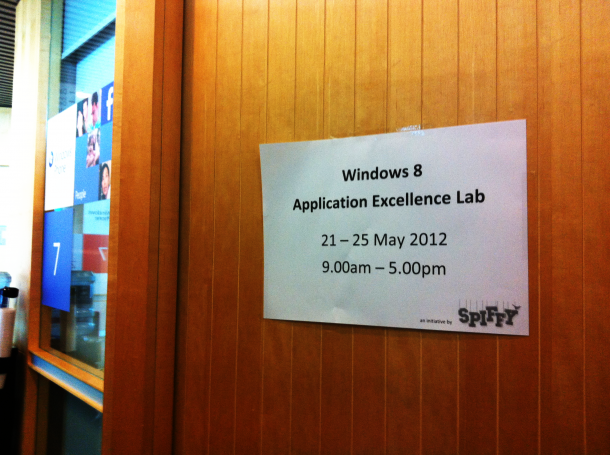
An Inside Peek into the Windows 8 App Excellence Lab

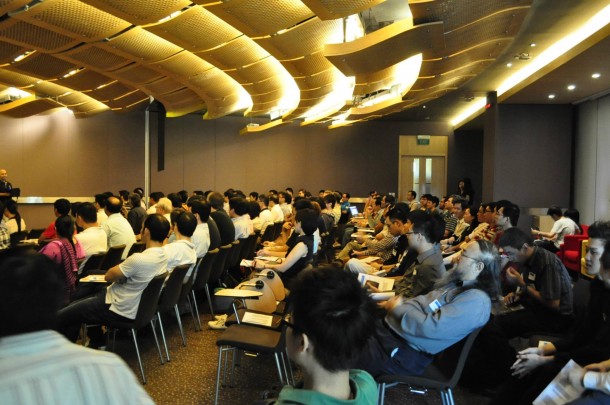
Guess what’s brewing in our labs? It’s the start of the Windows 8 App Excellence Labs! As a part of our Windows 8 Developer Camps, Microsoft Singapore has been offering a free 2 hour App Excellence Lab to App developers. What is the Application Excellence Lab? The App Excellence Lab is when our friendly and lovely Microsoft engineers go through your Windows 8 app together with you and help you with issues or problems that you might have. We’ll let you know what is good, what can be better and how to go about doing it! The best part? After each successful App Excellence Review, conducted remotely, each developer receives a free token to the Windows Store. Here’s an inside peek on what goes on inside, our friendly Microsoft engineer and Developer Evangelists helping Jonathan (a student from Singapore Poly with his Win 8 app) and giving him advice. And remember, the Release Preview is now due the first week of June 2012. There are limited timeslots available in which you can get your App reviewed. Get in early, or you will miss out!

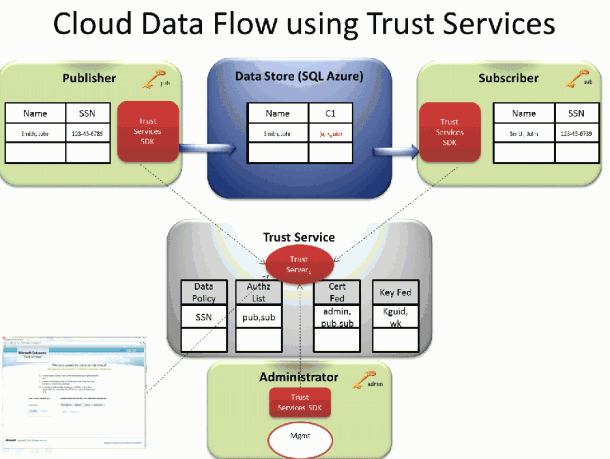
Learn More about Microsoft Codename "Trust Services"

Protect your data in the Cloud Trust and Security have been hot topics for the public cloud since its inception. Corporate IT departments and CIOs have repeatedly expressed concerns over the loss of control associated with moving various levels of sensitive data to a public cloud. At the same time, the overall benefits of a public cloud are tremendous and continue to gain momentum. This means that many organizations have a pressing need tomigrate to public cloud infrastructure in spite of ongoing concerns about security. Encryption is one of the fundamental required tools for protecting data in the cloud. However, encrypting the data in the cloud, and then storing the encryption keys in the cloud in order to be able to access the data, provides only a very minor improvement over simply storing the data in the cloud in the first place. Trust Services provides a unique combination of end-to-end application level encryption and power of the cloud to roam encryption keys in a totally secure way. It enables data driven applications to work with sensitive data, securely stored in different cloud-based storages while continuing to maintain control over access to this data. ...

@Home with Windows Azure Competition - Singapore

We are proud to announce the @Home with Windows Azure competition here in Singapore! Join us in this effort to give back to a very deserving cause, and get a solid understanding of the Windows Azure platform in the process. You will deploy an application to Windows Azure that directly contributes to Stanford University’s Folding@home effort, a distributed computing project that carries out simulations of protein folding. By simply running a piece of software, you can help scientists learn more about diseases like Alzheimer’s, ALS, Huntington’s, Parkinson’s disease and many cancers through banding together to make one of the largest supercomputers in the world. This distributed computing project was created by Stanford University researchers to help scientists unravel the mysteries of protein folding in hopes of helping cure diseases. Started by the US East Region DPE team, The @Home with Windows Azure project allows you to contribute to it by using your MSDN subscription or by using a free 3-Month Trial subscription to harness the power of Microsoft’s cloud computing platform. Prizes & Dates Your first prize will be the good feeling for contributing to a good cause! Also, globally, for every deployment of the @home with Windows Azure application Microsoft will donate $10 to Stanford University’s effort (up to $5,000 maximum). You also have the chance to win one of the following great prizes that will be randomly drawn between Singapore participants that enter before 11:59pm on 15 June 2012 and leave their solution deployed until at least 11:59am on 25 June 2012: ...

How to Hack Metro Design

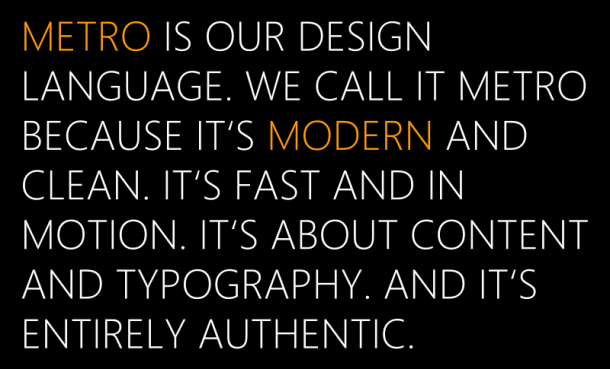
We’ve been hearing a lot of talk about Metro, which is code name for a design language for Windows 8, Windows Phone 7, X Box and other Microsoft software. What’s Metro about anyway? Metro draws from classic Swiss design, with its emphasis on simplicity, typography leading navigation and way-finding graphics found in transportation hubs. The bold, clear lettering and iconography are key to helping commuters find their way to subways and air travelers navigate to their boarding gates. The key element in this design language is to allow users to focus more on the content that is delivered, rather than the various frames that we are used to. With its’ straight lines and rectangular tiles, it might appear that Metro design is easy to implement for apps, but the reality is that Metro was made for motion and content. The animations, content make a big difference when it comes to attracting attention to your applications. Simply put, the content and images draw you to the application itself, while the animations help you bring it alive. How do you go about designing an awesome Metro App? Here is a list of tips and resources you can refer to. 1. Get the tools to prototype. MSDN has a good repository of templates, icons and styles that you may refer to. These include: ...

All Aboard: the Metro Design and what it means to you – Shane Morris

We’ve been hearing a lot of talk around Metro, which is at the center of the new Windows 8 experience. Shane Morris, ex-Microsoft User Experience Design Evangelist and currently Director at Automatic Studio, was recently in town and shared lots of great tips about how to navigate Metro design. Code named ‘Metro’; this design theme is inspired by one of the most common sights we see in our daily lives – the Metro (or the MRT in our case!) If you’ve noticed, the signs, guidelines at our Metro/MRT stations have a clean, clear, distinctive design theme. The straight lines, squares and circles make it easy to distinguish and identify the stations. This is the key objective of the new Metro User Experience with Windows 8 as well. Shane shared that Metro is quintessentially a design that immerses users in the content. Instead of trying to re-create real life experiences on your tablet, it makes use of clean, modern and motion design to bring apps to life. This design also makes it easy to distinguish apps from one another – and if you as a developer make the effort to, you can easily bring your app to life with the ‘live tiles’ and attract users back to your application. Here are Shane’s slides: ...

Resources from #MSCampfire and Highlights

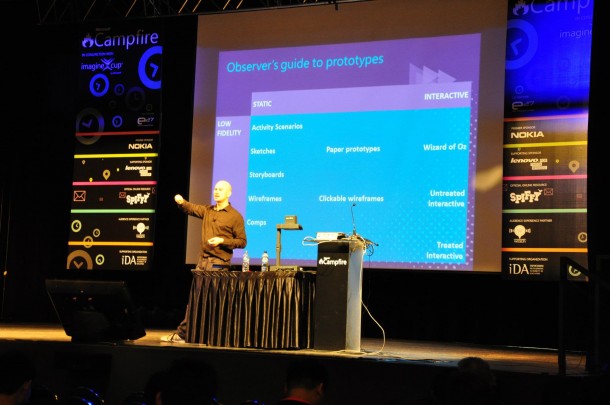
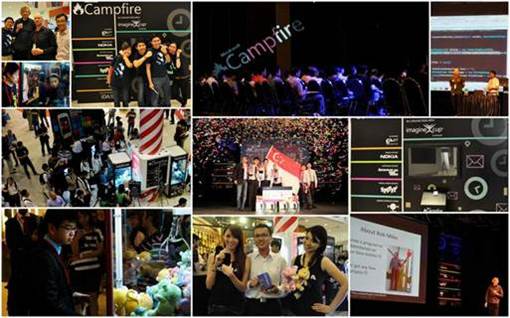
#MSCampfire was an amazing opportunity for us to gather developers, IT professionals, students and start-ups together. Over the course of 3 days we saw 600 attendees come together to discuss and share about the latest in web and mobile technology, had the brightest student minds pit their heads together in the Semis and Final of Imagine Cup SG to tackle some of the toughest real-world problems and saw the grit and passion from start-ups in Singapore from the Singapore Satellite of Echelon by our partner E27. All these wouldn’t have been possible without your support. Thank you so much for attending #MSCampfire and we hope to continually see you for the rest of our events. For those of you who missed #MSCampfire, fret not! Our next event happening on 10 May is HTML 5 on Metro. During this session, we’ll speak specifically about how HTML5 is changing the way applications are designed and how best to use it to create Metro-styled apps! Register now at bit.ly/html5onmetro Here are the slides from each session and the coverage on it. 10:30 – 11:30 Keynote – Rob Miles (Coverage by E27) 16:30-17:30 The Kinect Effect: Infinite Possibilities – Rob Miles Slides and (mostly working) code from the presentations - here C# Yellow Book, Windows Phone Blue book and other free stuff - here .NET Micro Framework embedded development - here Gadgeteer embedded development - here Three Thing Game student madness – here Windows Phone development - here Dreamspark, free software for students - here Microsoft Robotics Developer Studio – here Kinect For Windows SDK – here 11:30 – 12:30 Prototype, Prototype, Prototype – Shane Morris (Coverage by E27) ...

Experience HTML5 on Metro - 10 May

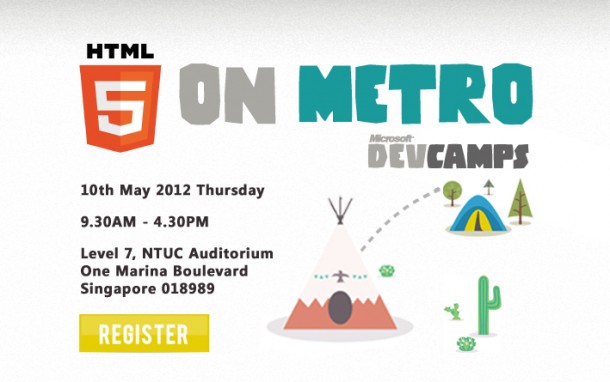
Windows 8 Developer Camp - HTML5 on Metro will be the biggest technical event Microsoft Singapore is organizing on Windows 8. HTML5 is here, and with it, web applications take on power, ease, scalability, and responsiveness like never before. HTML5 on Metro lets developers learn how to use the latest cutting-edge HTML5 web technology to build Windows 8 applications with unparalleled functionality, speed, and responsiveness. Featuring Giorgio Sardo, Senior Technical Evangelist, Microsoft Corporation Giorgio is a popular speaker worldwide and in the last 5 years he has presented at many conferences about HTML5, the Web and Mobile Platform. He is the mind behind many beautiful HTML5 applications and games at beautyoftheweb.com and Cut the Rope for IE. AGENDA 10 AM Behind the Scenes of Cut The Rope 11 AM Getting started with Window 8 Metro Apps 12 PM Lunch 1 PM Metro for HTML/JS Developers 2 PM Responsive App Design 3 PM Break 4 PM Client + Cloud integration with Azure ...

#MSCampfire Highlights - Get the latest updates

Welcome to #MSCampfire ! We’re so excited to have you join us on for this action-packed event today! Remember to check back here for more photos, details and live coverage of the event as we reveal more exciting details along the way. Tweet us at @gospiffy for your feedback and remember to include the hashtag #MSCampfire, we’d love to find out what you think and how the event is for you :) Enjoy! Here’s a summary of what’s happening at #MSCampfire on Day One and Two. You can click on the links to get the latest updates on each session. At the end we will also be posting the slides from each session here! Day One: // THE WAREHOUSE 10:00 - 10:30 Opening - Ziriad Saibi 10:30 - 11:30 Keynote - Rob Miles (Coverage by E27) 11:30 - 12:30 Prototype, Prototype, Prototype - Shane Morris (Coverage by E27) 12:30 Lunch 13:30-14:30 10 Key HTML 5 Features you must know - Juha Paananen 14:30-15:30 Windows 8 Development - Hammad Rajjoub and Bruce Wang 15:30-16:30 The Metro Design Language; what it means to you - Shane Morris 16:30-17:30 The Kinect Effect: Infinite Possibilities - Rob Miles // CACHE & THE GRID 9:00-17:00 Imagine Cup Semifinals Day Two // THE GRID 10:00-12:30 Imagine Cup 2012 Finals // THE WAREHOUSE 10:00-11:00 Gamification - Natalie from Humming Bird Interactive Sanjay from Replaid talking about good mobile design practices 11:00-12:00 Mobile Web Design 13:00-17:00 Echelon Singapore Satellite by E27 Enjoy the day at #MSCampfire and come say hi to us! Cheers, The Microsoft Singapore DPE team

April 12, 2012 · 2 min ·  Spiffy

Catch Shane Morris - one of Australia's most respected UX designers at Campfire

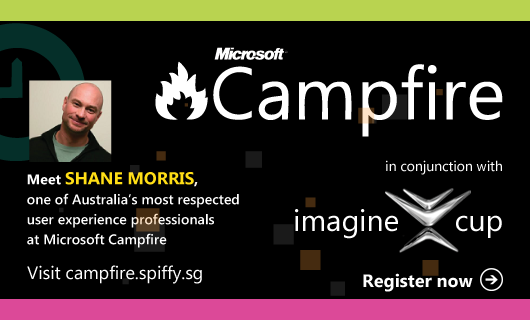
User Experience Design is quickly becoming an interesting component in the web and mobile space. Whether you’re building an app for your phone or for your website, you need to focus on the user experience to differentiate your product and company. As a developer, it’s crucial to know what to look out for when it comes to designing interactions for your users. We’re glad to have Shane Morris, one of Australia’s most respected user experience professionals join us at Campfire. Shane is currently Director at Automatic Studio. Through consulting, mentoring and training he has helped organisations create compelling digital experiences since 1991. In that time he has worked on desktop applications, internet applications, mobile user interfaces, physical devices and web sites. Shane has taught user experience topics around the world and is a key contributor to “101 Things I Learned in Interaction Design School” at ixd101.com. Hear him speak on day one about Prototyping and the Metro Design Language. Register now at campfire.weshipcode.com !

Resources from Build for Windows 8

Thank you for joining us for the Build for Windows 8 Event last Friday! We had fun with 200 fellow developers who came together to learn about the Windows 8 platform. Here are the slides for your reference. Do let us know if you have any questions and feel free to get in touch with us by leaving a comment, or tweet us @gospiffy for more information. Have fun developing for Windows 8! The Windows 8 Platform Designing Metro Apps ...

April 2, 2012 · 1 min ·  Spiffy