Office Lineup: Pricing and Availabilities

Factsheet Office Lineup: Pricing and Availabilities As of 15 April 2014 Office 365 subscription-based models WHAT Office 365 Personal (NEW) Office 365 Home Office 365 University PRICE (per annum) S$89 per year S$138 per year S$108 for 4 years PRICE (per month)1 S$9.80 S$13.80 N/A LICENSES ·1 PC or Mac and 1 Tablet ·5 PCs or Macs & select mobile device ·2 PCs or Macs & select mobile devices ...

Microsoft launches Office 365 Personal in Singapore

Microsoft launches Office 365 Personal in Singapore New addition to Office 365 line-up to cater to varying productivity needs of customers today Singapore, 15 April 2014-- Microsoft Singapore today unveiled Office 365 Personal, a new addition to the Office 365 line-up for consumers. Designed for the individual, Office 365 Personal allows for its users to install Office on one PC or one Mac, as well as one tablet device to be connected to the service. At an annual subscription rate of S$89.00, Office 365 Personal delivers the familiar features of Office in the cloud to subscribers which unlocks user scenarios previously not possible on desktop versions of Office. The new consumer subscription offering suits smaller households or individual users with single PC and tablet devices dedicated for productivity uses. Additionally, Microsoft will continue to offer Office 365 Home Premium subscription for households, now rebranded as Office 365 Home from today. With an annual subscription rate still at S$138.00 per year, Office 365 Home is perfect for households with multiple devices, where it can be installed in up to five PCs or Macs, and five tablets (including iPad). Office 365 Personal and Home usher in new ways to get things done in a new world of work and play through the most complete set of Office applications – Word, Excel, PowerPoint, OneNote, Outlook, Publisher, and Access.: ...

Apps Central: January

Apps Central is a monthly newsletter by Microsoft Singapore that shares a range of marquee apps, new apps & top rated apps on Windows and Windows Phone that we hope will help you get the most out of your devices. This is a delayed release (January), but the list of apps are still very relevant. Do check them out and discover some hot new apps! App Alert: Path Tired of social media updates from your entire network? Keep it closed and cosy with Path, a trusted place for your personal life. With a limit of only 150 “friends”, you’ll add only the people you care about, where you can be yourself, stay close to the people who matter most, and share life instead of links. With its beautiful design and simple experience, Path is loved by millions of people—and it’s ad-free! ...

What's 'Appening: The Education Issue

What’s ‘Appening is a series of lists by Microsoft Singapore detailing some must-have apps for your Windows 8 or Windows Phone device. Do check them out and discover some hot new apps! Learn as if you were to live forever History is filled with prominent figures who did not think much of the concept of a formal education. From Mahatma Gandhi to Albert Einstein, the wise saw education as something beyond what we are taught, and encouraged proactive questioning and learning any way we can. With modern technology, indulging in our love for learning has become easier than ever. Much of human knowledge has been digitized and readily accessible through easy-to-use apps on our smartphones and tablets. Have kids who use your smartphone more than you do and leave you with the task of ensuring they learn something from those fun games and apps? Or do you simply wish to fill your spare time with a few information nuggets? No matter the reason, you’ll be able to find apps for all of your learning needs on Windows and Windows Phone in this issue. Happy ‘Apping! ...

Don’t be exposed when support for Windows XP Ends on 8 April 2014

Don’t be exposed when support for Windows XP Ends on 8 April 2014 Still own a Windows XP machine at home? Microsoft launches two free tools to help consumers migrate from Windows XP Microsoft reminded consumers that it will be ending its support for Windows XP operating system (OS) and Office 2003 on 8 April 2014. This means that there are less than 30 days to go before consumers actively using Windows XP PCs and Office 2003 will be left without security patches and customer support. There are two new free tools from Microsoft to help consumers to migrate from Windows XP as well as a detection software to help users who are unsure find out what version of the operating system they may be using. Based on an estimation using data from StatCounter, a free public tracker, and IDC’s Worldwide PC Tracker, there are about 446,296 PCs in Singapore still running Windows XP. Microsoft will no longer provide security and software updates for 12-year-old Windows XP and 10-year-old Office 2003 after 8 April 2014. There will also not be customer technical service assistance for Windows XP and Office 2003. This means that individuals will no longer receive the updates that help protect their PCs from harmful viruses, spyware, and other malicious software. Joy Quek, Windows Business Group Lead, Microsoft Singapore, said: “Windows XP and Office 2003 were widely used and have helped hundreds of millions of people to get productive for both work and play. But 12 years later, times and technology have evolved. Just like you cannot imagine yourself using a mobile phone which is 12 years old, Windows XP and Office 2003 are not adequate for the new, always-on world that we live in.” When Windows XP was launched in October 2001, notebooks were brick-like with short battery life, as well as very expensive. About 8% of the world was using the Internet in 2001 compared to 39% today¹. We had personal digital assistant (PDA) devices with no access to the internet while the devices we know and love today are almost always connected via social tools and apps. The most popular mobile phones were feature phones and were not touch-enabled. “Always-on, mobile access has become the norm in all our lives. While internet access brings lots of goodness, it’s also a hotbed for cyber criminals who go where the people go. So it’s really critical that consumers who still own Windows XP devices recognise that it’s not just about upgrading to something new. This is about protecting your PC from security threats, especially if you are using the internet. Windows XP wasn’t designed for today’s mobile, always-connected lives, or for protecting businesses and individuals from the millions of new online security threats that have emerged,” Ms. Quek added. Many consumers brush off these security threats, thinking that malicious software and hackers will never target them. In reality, however, the personal information that we have amassed and shared throughout the years are valuable payloads for hackers. In addition, Microsoft’s latest Security Intelligence Report (Vol. 15) found Windows XP SP3 to be 5.68 times more vulnerable than Windows 8 RTM, along with a staggering 82.4% higher malware infection rate. The math is simple: the odds of one getting compromised and losing valuable personal information on a Windows XP machine is far higher than on a modern, Windows 8 devices. Retiring a product is a normal part of the product lifecycle. Windows XP was released in October 2001, and its development began in the late 1990s. While most Microsoft software is supported for 10 years, Windows XP has been supported for more than 12 years, longer than any other Windows version. To minimize this risk, consumers must upgrade to newer operating systems that not only offer enhanced security features like built-in firewall, anti-virus, and rootkit malware protection. Microsoft’s partners like Lenovo, Dell, HP, Asus, Acer have also continued to innovate will new form factors such as tablets and convertibles with a wide range of affordable choices to suit any lifestyle. Windows 8.1 is also well optimized for both touch and non-touch scenarios, where the user may prefer to a mouse and keyboard. “The average cost of a PC today is 40% less than in 2002. Millions of consumers in Asia Pacific have already made the move to Windows 8.1 and are enjoying the benefits of a clean, fast and integrated user experience,” said Ms. Quek. In addition, together with Office 365, Windows 8.1 offers a faster, safer, more productive and more personal experience that supports your work and personal life - from multi-tasking on Word, PowerPoint, and email while watching videos and music, to connecting with your friends and families. Microsoft launched two new free tools to help users migrate from Windows XP: ...

What's 'Appening: The Love Issue

What’s ‘Appening is a series of lists by Microsoft Singapore detailing some must-have apps for your Windows 8 or Windows Phone device. Many of these lists were meant for release weeks, or even months ago, but the app list is still more or less relevant. Do check them out and discover some hot new apps! Note: A flurry of What’s ‘Appening lists will be regularly published until the latest release has been caught up with. ...

Microsoft Announces Office 365 Personal

Microsoft has just announced Office 365 Personal, a great new option for individuals to experience Office 365. According to Microsoft, they recognize that there are households of all shapes and sizes and the company is committed to delivering the right Office for everyone – whether that be one person or an entire household. Coming this spring, Office 365 Personal will allow for one PC or Mac and one tablet to be connected to the service and will be available for $69.99 USD/year or $6.99 USD/month1. If you still want Office 365 for the whole family, Microsoft will continue to offer the Office 365 Home Premium subscription for households under a new name – Office 365 Home. Whichever Office 365 subscription you choose, you’ll get all of the subscription benefits including 60 minutes of Skype calling per month, 20 GB of additional OneDrive storage and always be up to date with the most recent version of Office, complete with the newest productivity features. For more information, head on over to the Office blog. ...

What's 'Appening: New Year

What’s ‘Appening is a series of lists by Microsoft Singapore detailing some must-have apps for your Windows 8 or Windows Phone device. Many of these lists were meant for release weeks, or even months ago, but the app list is still more or less relevant. Do check them out and discover some hot new apps! Note: A flurry of What’s ‘Appening lists will be regularly published until the latest release has been caught up with. ...

How to do a Speed Test on Windows Phone

Enter the Windows Phone Store Search for “Speedtest.net” Install Speedtest.net by Ookla Run the app and click start in the application bar Download and upload speed results will be shown Sharing and more options present in the application bar Originally done for StarHub Community, which lacked a tutorial for Windows Phone.

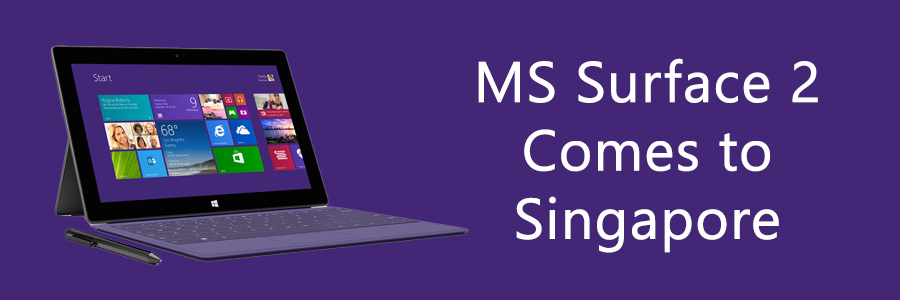
Microsoft brings Surface 2 to Singapore

Microsoft brings Surface 2 to Singapore Surface 2 is the one device for everything in your life, will be available for purchase from March 14, 2014. SINGAPORE — Feb. 27, 2014 — Microsoft Singapore on Thursday announced that the company is responding to worldwide customer interest by releasing Surface 2, as well as the Type Cover 2 and Touch Cover 2 in Singapore on March 14, giving customers in the city-state the opportunity to click in and do more. “We have been encouraged by the strong interest among consumers for the Surface line of devices in Singapore, where consumers are increasingly looking out for a tablet for both work and play,” said Ian Tan, Surface Consumer Lead, Microsoft Singapore. “Surface 2 builds on the strengths of Surface RT, enabling portability and productivity in one sleek device. With the inclusion of the Office RT productivity suite and a fast-growing Windows app store, you can truly get more done.” ...