Windows 8 App Starter Pack: Singapore Edition

If you’re looking for a list of Windows 8 apps you can’t live without, you’ve come to the right place. We’ve compiled the top five apps that give you access to your favourite local and international content right on your Start Screen. In the vein of all things Singaporean, they also happen to be completely free. 1) Turn up the radio. Listen to 17 local stations such as Class 95, Kiss 92 or 987FM on your Windows 8 device with SG Radio. Streaming continues in background mode, allowing you to use other apps or your desktop. Other useful functions include lyric search, Live Tile display of the currently playing song, and a saved favourite stations function. Audio quality varies with station. 2) Endless hours of fun. Growing up, who can forget reading about the escapades of this famous lasagna-eating cat on Life!’s comic strip section? Garfield’s awesome adventures are now in a physics puzzle game Feed Garfield! Experiment with various tactics to feed your favourite hungry fat cat. A perfect casual game for long trips on the MRT, or a handy tool to keep the kids occupied. (Free trial version) 3) Travelling made easy. Singaporeans made more than 8 million overseas trips in 2012. Plan your next one by searching millions of routes on over 1,000 airlines and find the lowest priced flights in seconds with the free Skyscanner Windows 8 app. Save money, save time. 4) Bargains at your fingertips. Top online local shopping mall Qoo10 Singapore is the one-stop shop for your dose of retail therapy. The app provides a detailed overview of daily discounts & special offers. 5) Print and scan on the cloud. Own a Dell Laser printer? Dell Document Hub is a convenient cloud service that simplifies document collaboration. The app is compatible with Win 8, 8.1 and RT devices and allows users to scan to, share, and print from a variety of common cloud document platforms. Easy to use, this free app enables digital collaboration through the cloud and offers convenience print settings configuration and information on printer and toner status. Got any other favourite Windows 8 apps you can’t live without? Tell us in the comments below.

Introducing Internet Explorer's Inori Aizawa

Singapore’s premier anime convention, Anime Festival Asia (AFA), was back in town and anime fans were treated to Microsoft Singapore’s exclusive unveiling of a new anime heroine, Inori Aizawa. Inori Aizawa was created by local art enthusiast group Collateral Damage Studios (CDS) in March 2013, and drew more than 20,000 likes and comments. Her immense popularity caught the attention of Microsoft Singapore who decided to unveil Inori especially for AFA 2013 to coincide with the launch of Internet Explorer (IE) 11. Microsoft Singapore also collaborated with Nanyang Technological University’s CACANi Animation to develop a special promotional video introducing Inori. The video has been a resounding success with fans, gathering more than 2 million views within three days of its launch and fans requests for a 24 episode television series featuring Inori. [youtube]https://www.youtube.com/watch?v=BHTUlF7NA2o[/youtube] Day 2 of AFA, Saturday morning 9:30am and Microsoft Singapore’s experiential booth for Inori Aizawa was already buzzing with activity as everyone queued up eagerly to experience Internet Explorer (Inori Version) on Surface tablets. Lucky fans who visited the Microsoft booth early were rewarded with a limited edition Inori Aizawa Internet Explorer t-shirt. The Microsoft booth was full of attractive displays featuring Inori which were extremely popular with fans and shutterbugs. Creative fans had a lot of fun with Inori by striking interesting poses with the character. At 2pm, the booth was graced by the presence of Valerie from Asian Pop Collective (APC) who is the voice of Inori. Her photo session drew huge crowds of people and even attracted the attention of a cute Iron Man cosplayer. Inori Aizawa has been a huge success at AFA and I am sure that fans will be seeing more of her in future Microsoft promotional events. Stay tune to Spiffy for more news about Inori! In the mean time, you can find out more about Inori and access exclusive content at the following links: ...

Pecha Kucha Night Singapore, Vol #9

Pecha Kucha, the Japanese term for the sound of conversation (“chit chat”), was recently held in Singapore. It created a space where people spanning multiple disciplines and fields of study shared their ideas and passions with others. This 9th installment of Pecha Kucha night was held at Home Club, Clarke Quay. The event is fundamentally quite unique, as it covers topics across a diverse range of industries. Pecha Kucha also has a quirky restriction: The speakers are only allowed to present 20 slides, each one on display for 20 seconds each. This style of presentation is known as the 20x20 format, which is aimed to keep individual presentations short, concise and interesting. The restriction also helps open up the stage for more speaker slots. Various people from all walks of life spoke, including Vanessa Kenchington of Plain Vanilla Bakery, Fakkah Fuzz, a stand-up comedian, and Alvin Ho of Atelier Hoko. Former lawyer Vanessa Kenchington left her job as a law firm associate to grow her bakery business without any formal culinary training. She had to learn how to frost and bake cupcakes from scratch, and reach a minimum quota of 100 cupcakes a day. As an entrepreneur, “Practice makes perfect” was a very important value to her, as she saw it as a sign of dedication to making any small business succeed. Vanessa also mentioned that her experiences, loved ones and family were the source of her strength that validated her business plan. Alvin Ho, co-founder of independent research platform HOKO, shared his research on void deck cat behaviour. This research includes investigations towards material and immaterial conditions that make up experiences in everyday life. He used to see some stray cats setting up their ‘home’ near his apartment and he began to question himself, “Why do these cats choose to live around the area? Is there any hidden potential embedded in my environment that the majority has failed to notice?” He then started his field study on 4 cats, in search for their ‘immaterial house’ embedded in the midst of our everyday environment. [youtube]https://www.youtube.com/watch?v=nJ2BnXdvjpg[/youtube] We also had Jonathan Wong, who represented Microsoft as the product manager for Internet Explorer. He talked about his life and how as a product manager, he markets IE to consumers - not an easy task, given that people’s perspectives of the new browser interface are heavily influenced by old stereotypes and impressions of IE. Pecha Kucha Night ended with the last speaker, Sam Chablani, who shared his journey training under Michelin-starred chefs at the Culinary Institute of America. He gave interesting insight into the world of professional kitchens, explaining how the modern-day chef had to master various aspects of not just cooking, but business, marketing and entrepreneurship as well. You should attend the next Pecha Kucha Night Vol #10, which is happening soon. For more information, visit: http://www.pechakucha.org/

The Giant takes over Trafalgar Square for a day

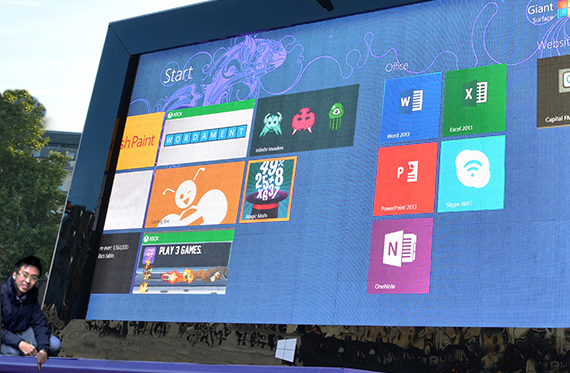
This giant surface was spotted in the heart of London last Thursday. Located in Trafalgar Square, the 82-inch giant surface instantly became the centre of attraction amongst the other historic buildings in the area. Microsoft set up the 27-foot wide and 17-foot tall structure in just around 12 hours. [caption id=“dialogue” align=“alignnone” width=“570”] The Giant Surface 2[/caption] On top of that, a fully-functional replica of a purple Type Cover 2 was attached to it, which enabled people to play games on the enormous keyboard simply by jumping on the keys. To mark the launch of the event, Dizzee Rascal, an English rapper, was called up using Skype on the giant device. [caption id=“dialogue” align=“alignnone” width=“610”] Dizzee Rascal at the launch event[/caption] Microsoft workers wearing blue hoodies were also happily demo-ing the new Surface 2 device throughout the day, and the public were given the opportunity to check out the new Surface 2 and also participate in numerous activities. Some of these activities included a competition to re-create a classic National Gallery painting on the giant, which could potentially earn them a ticket to a secret Dizzee Rascal gig. [caption id=“dialogue” align=“alignnone” width=“610”] People playing a game on the Giant[/caption] This publicity stunt was designed to market Microsoft’s recent release of the Surface 2 tablet. This reminds me of a similar stunt that Microsoft pulled in New York two years ago in 2011. Be sure to also check out the behind-the-scenes, as well as the Official Microsoft Surface website. Images courtesy of Andre Fryer and The Verge

Nokia Lumia 1020: Accessories

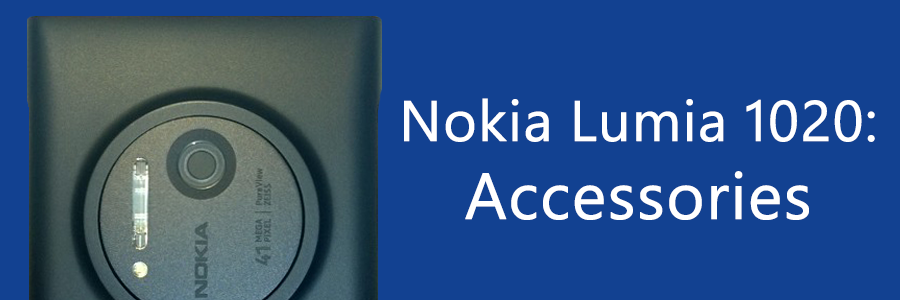
Many I know love to accessorize their phones with all sorts of things, like covers, stickers, even audio jack plugs. The Nokia Lumia 1020 may not be popular enough in Singapore for you to walk around say, Sim Lim Square and see a multitude of shops selling accessories for it, but it does have a wide assortment of accessories available that you can choose from. Let’s look at the official ones from Nokia first. If you got the Lumia 1020 hopefully you have the Camera Grip accessory as well, since they’re bundled together (black only, while stocks last, and apparently some places are out of stock already!). The Camera Grip accessory is an excellent companion for the Lumia 1020, especially for photographers or camera enthusiasts and chances are, if you bought the Lumia 1020 you fit in these categories. The grip makes it look more like a camera than a smartphone, with the familiar hold of a camera will be welcome to many trying to take a shot. It enables users to take a steady shot while holding the grip single-handedly as you would a digital still camera. The Camera Grip accessory includes a standard tripod socket for mounting on a tripod, and should fit into any standard tripod. Some Nokia Stores and Telcos appear to be giving a mini-tripod as a free gift when one buys the Lumia 1020 from them. That’s not all the Camera Grip does. It acts as a battery pack for your phone as well! When the Lumia 1020 is fitted in the grip, your phone is charged while you go about shooting. The battery capacity of the grip is 1020mAh, and can charge half that of the Lumia 1020 which has 2000mAh. You can also leave the phone in the grip while you charge the grip. What I found though, is that computers won’t recognize the phone while plugged into the camera grip. Also, the lights on the grip stay on while charging and can be considerably glaring in the dark. As an interesting note, the Camera Grip can be used to charge smaller phones like the Nokia Lumia 720 too! It weighs 72.8g, bringing the Lumia 1020 to 230.8g when equipped. If you didn’t get one bundled with the phone, you can get it at S$98 in white, black, or yellow. The Camera Grip also comes with a lanyard that can be attached to the Lumia 1020. There’s a small slit on the Camera Grip where the lanyard can go through, so no obstruction is caused. Like the Nokia Lumia 925 (and a few other Lumias), there’s a Wireless Charging Cover available for the Lumia 1020 that doesn’t come with in-built Wireless Charging like the Lumia 920. I find that the Lumia 1020?s cover is far easier to put on and take off as compared to the Lumia 925?s. It can easily be put on by pressing it into the cover and can be removed with little force. Even so, it feels secure and shouldn’t come off unexpectedly. I initially bought the Wireless Charging Cover as a means of making the back completely flat, just as I’ve done with the Lumia 925. However, I found that even with the Wireless Charging Cover, the back of the Lumia 1020 is not flat and is still slightly raised. I guess the enormous bulge of 1020 just can’t be contained! With my mission of having a flat back failed, I do find that it’s easier to hold the phone without the cover, since the cover does add an extra layer to hold, though not everyone feels the same. I also feel that the Lumia 1020?s cover may not offer as much protection as the Lumia 925?s, with the lack of protection around the top and bottom edges. The Wireless Charging Cover weighs 22g, which, added to the Lumia 1020 at 158g brings the total weight to 180g. This is still 5g lighter than the Lumia 920 at 185g. The cover is available at S$39 in white, black, and yellow. With the Wireless Charging Cover, users can use any Qi-Wireless Charging Standard devices to charge the Lumia 1020. Nokia has a Wireless Charging Plate (DT-900) available in Black, Cyan, Red, Yellow, and White, at S$88. A Wireless Charging Stand (DT-910) is also available that also contains an accessory app activated via NFC. It’s available in Black and White, at S$128. Nokia has partnered with JBL to come up with the JBL PowerUp Wireless Charging Speaker (MD-100W). It’s got amazing bass performance and comes with 3.5” audio jack, NFC, and Bluetooth support. Play music via Bluetooth from your phone with a tap, and charge it at the same time! You can get it for S$468 in Black, Cyan, and White. All above Nokia products are available from the Nokia Stores and Solution Partners around the country. Also, see other accessories not mentioned here on this page. Another kind of cover worth mentioning is the Carbon Fiber Armor from Bodyguardz, that must be bought from their online store. I have one for my Lumia 900 and it looks and feels great, so if you’re into that get one especially with its considerably cheap price tag. See it here. If you’re looking for other kids of accessories, like screen protectors, and a range of accessories for the Lumia 1020 to choose from, do check out Adix82, a local shop near Sim Lim Square. He has many covers and cases for the Lumia 1020 as well, if the official ones aren’t doing it for you head down and have a gander. That’s all folks! Thanks for reading, this is the end of my review on the Lumia 1020. I’ve got two more segments coming up that are more informative than review, so stay tuned for that! ...

3 reasons to blog for Spiffy.sg

Everyone has a point of view - from the recent flooding in Singapore to the latest scandals on social media - people are eager to share their perspectives. It establishes them as subject matter experts, expands their professional reach and gives them an opportunity to build a personal brand online. But I don’t have the time, you say. I don’t know what to write about. Never fear, we’ve put together some tips and reasons for you to join our growing team of crazy-smart spiffy contributors. From Rwanda to Tokyo, our writers share tech trends and updates from around the globe and in our own backyard. Here are three reasons to write with us: 1. Instant local techie audience with notable overseas impact In 2012, weshipcode.com got over 37,000 unique hits to our main site, with the bulk of our readers coming from Singapore, the United States and Australia. Content that generally performs well include product reviews, technical how-to articles and event coverage. In particular, our how-to articles have an incredible lifespan online, with returning hits in the hundreds even months after the article is published from search engine traffic. Our average reader spends around 2 minutes on each article with a very low bounce rate (percentage of people leaving landing page without clicking through) of 1.08%. On social media, we’re popular among the 25-34 crowd with a potential social outreach of half a million eyeballs. We publicise our writers’ articles to our active online communities with an engagement rate (calculated via shares, comments and likes) almost twice the ratio of the average social media site. 2. Introvert? No problem. Write what you’re passionate about - and build your portfolio with us Blogging - one of the best ways to share thought leadership - is one of the rare platforms where natural introverts may have an advantage. Take your time and build your personal brand on the value of your ideas alone. You can advance your professional reach by sharing your thoughts with the local tech audience base via spiffy. Whether it be product reviews, tech trends or how-to guides - your opinion matters, and our articles range from the hyper-technical to the completely random. Regardless of genre, we believe quality content about the fascinating world of tech, like the industry itself, transcends category. And if you ever encounter writer’s block, we also have a list of article kickstarters for you to use as a starting point. 3. Access to exclusive tech events We occasionally organise or have partner events, and would love for you to join us and write about what you learnt. People often say that even a bad idea is better than a good idea unshared. So we’ve told you all the reasons why you should leverage on us - the next step is up to you. To find out more, send an email to a-nitanz@microsoft.com. ...

Nokia Lumia 1020: Camera

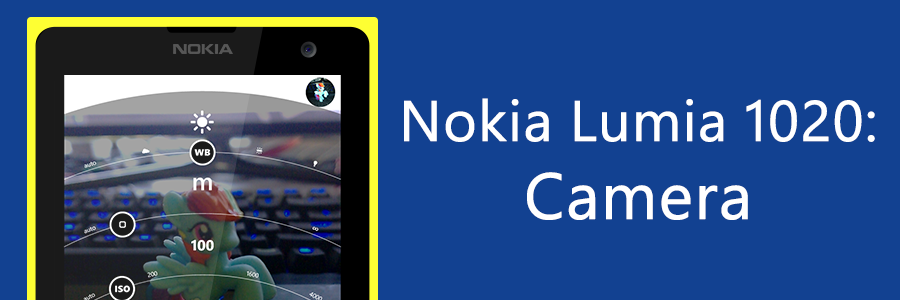
Gone are the days where one would need to carry a camera to take a decent shot. Yes, with Nokia’s innovation in the field of smartphone cameras, we can now shed the extra weight and carry both a smartphone and a camera in the same pocket. Apologies, we’re about to get quite technical. [youtube]http://www.youtube.com/watch?v=ezIZjFt80kQ[/youtube] Nokia’s PureView technology with Optical Image Stabilization (OIS) allows amazing quality shots, even in low-light conditions. Photos remain crisp and sharp, even with a shaky hand. This is especially great for video recording. Check out the beautiful illustration of the technology in Nokia’s video above. The OIS does rely on a ball bearing, which, if the phone is shaken hard, can be slightly audible. Nokia’s inserted a notice into the Lumia 1020’s box clarifying that it is, however, all okay. It’s just the “sound of blur-free photos”! The Nokia Lumia 1020 comes bundled with a whole suite of Nokia’s exclusive camera apps, such as Nokia Pro Cam, Smart Cam, Panorama, Cinemagraph, and more. In the Lumia 1020, the camera button opens Nokia Pro Cam by default instead of the default Windows Phone camera app. This can be changed in Windows Phone’s Settings, under ‘applications’, in ‘photos+camera’. Nokia Pro Cam’s beyond amazing, as an app it offers a manual photography experience better than every other smartphone, and in my opinion even the digital still cameras. Major options including flash, white balance, focus, ISO, shutter speed, and exposure compensation are just a touch away. Adjusting the white balance, focus, and exposure compensation reflects real-time on the screen, allowing users to easily get their shot right. While Nokia Pro Cam is available on other Nokia Lumia Windows Phones as well, there are differences in the manual controls such as the Lumia 1020 being able to shoot with a maximum ISO of 4000 while the others are capped at 3200. [youtube]http://www.youtube.com/watch?v=2vR4LeL0yzE[/youtube] Nokia Pro Cam also allows users to “reframe” an image, that is, to zoom, crop, and/or rotate the image. Lastly, it can show information about the shot in a very neat information page. Some say that the Lumia 1020 is better than a DSLR, but I’m more comfortable with saying that it’s the closest you’re going to get to a DSLR. With Nokia Pro Cam, it’s got several features making it like a DSLR but with the right lens and photographer a DSLR would easily win. It should be noted that Nokia Pro Cam does not allow the adjustment of the camera’s aperture like a DSLR, instead fixing it at f2.0. Still, its ability to fit in one’s pocket does trump its weaknesses here. I feel that the Nokia Lumia 1020, with Nokia Pro Cam, is perfect for amateur photographers who are willing to explore manual photography, or have more control over their shots. I should note that I am the worst at photography, by the way. Ever since I got the Lumia 1020 I’ve been delving more into the world of photography, even asking my camera-enthusiast friends about camera functions like “what does the aperture do”, much to their chagrin. However, with the easy adjustments offered by Pro Cam, one could say it offers a learning experience as well as with trial and error and experimentation learn what each of the controls do. One could still leave everything on auto and take a decent shot, but if that’s all you’re going to do there’s the Lumia 920 or 925. Of course, the ability to zoom in like a ‘binoculars’ is still a huge plus and a way to awe those around you. Which brings us to some shots taken by me (no post-processing was done):- And a comparison shot by my friend, LastBattle from HardwareZone Forums. The devil is truly in the details, note the color and noise levels of the below two: You can see a few albums of pictures from my Lumia 1020 here:- ...

Nokia Lumia 1020: Overall Hardware

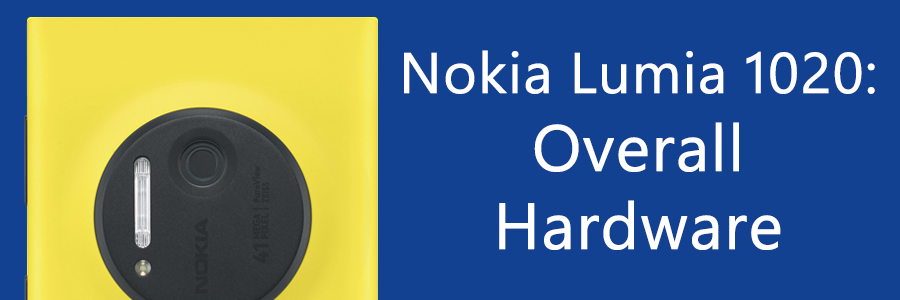
Before I write about the Nokia Lumia 1020’s camera, I’d like to first look into the overall hardware. Though the camera makes up most of the phone, both figuratively and literally, the rest of the hardware needs to compliment that camera. There are several aspects of the Lumia 1020 that gives it a special feel and look. Let’s start with the color. [youtube]http://www.youtube.com/watch?v=N1ujACrDMEM[/youtube] Did you know that Nokia is well-known for the colors they use in their smartphones? Nokia has long made pretty and colorful phone bodies that are now iconic to its brand. Examples of such are yellow and red, flashy colors that will no doubt draw attention and awe from passersby, and white, for people like me who like the good looking phone body but rather remain inconspicuous. The colors of the Nokia Lumia series have been one of the largest selling points, with competitors like Apple attempting to jump on the bandwagon with their iPhone 5C. As a fun-fact, Nokia’s witty remark against Apple has, of this posting, racked up more than 40,000 retweets, making it the most retweeted brand tweet. ...

Exclusive 30% off JSConf.Asia tickets for Spiffy readers

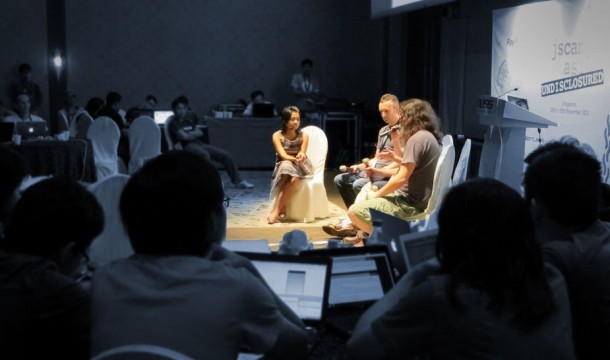
Known as JSCamp.Asia last year, the revamped JSConf.Asia is back from 28 to 29 November 2013. These two days are the dates that the web development community in Southeast Asia is putting up its 2nd installment of their largest independent gathering to discuss and learn about the latest advances in modern web technology. After JSCamp.Asia in Singapore, this year’s event will be hosted at the H2O Hotel and Ocean Club in Manila, Philippines. Over 2 days, 20+ of the best developers and speakers from around the world will share, educate and inspire the Asian audience. Some of them are: ...

Nokia Lumia 1020: General Overview

“Binoculars” is the nickname that my friends give the Nokia Lumia 1020. A bold claim for a smartphone camera, and after testing, holds true, in all its 41 megapixels glory. But more on that later. I have been using the Nokia Lumia 1020 for about a week now, and its performance, both in its camera functions and other operations, have been nothing short of stellar. “We find ourselves in these kinds of situations very often, where some guy stands in the dark in front of you and talks and you can’t even see who he is, or, for that matter, people dancing with a couple of lights. If you want to capture that memory, it’s extremely tricky in those kinds of environments. Today, we’re going to share with you, a fabulous smartphone that has the capability to do those sorts of things.” - Eng Wah, Nokia Singapore ...