How to Be Digitally Sociable

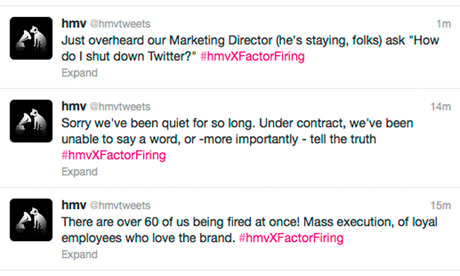
Companies and brands now want to be your Facebook friend Today, social media seems to be more of an afterthought to most businesses rather than a tool as important as traditional communication channels. All too often, corporate Facebook pages and Twitter feeds are left stagnant or used merely as a one-way announcement medium. Or worse still, things like this happen. Despite its relative infancy when compared to older, more established communication avenues, social media should not be underestimated. Or worse still, only thought of as a last-ditch, cheap marketing tool to be exploited. ...

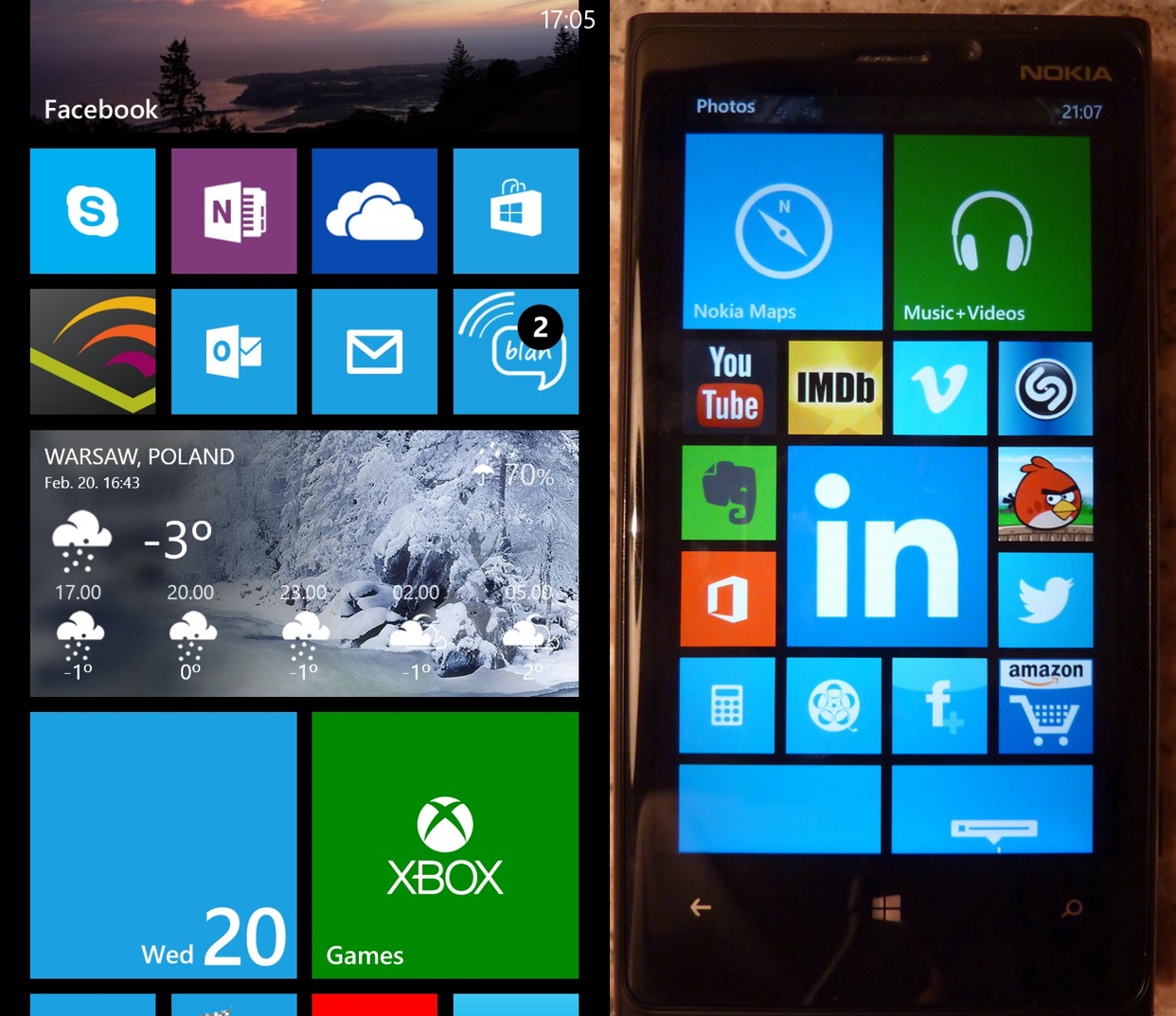
User Experience of Windows Phone 8, Lumia 920.

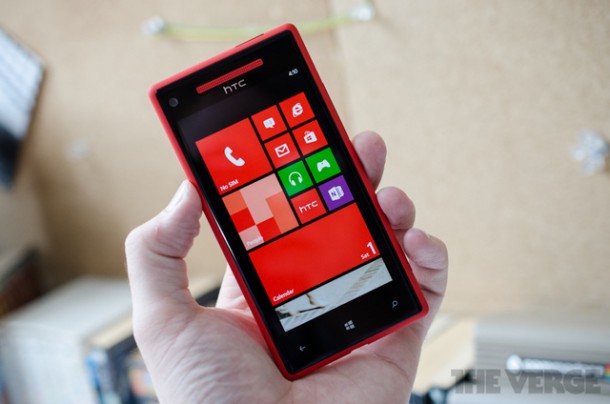
A windows phone 8 user, Ghislain, shares with us his experience using Lumia 920. Ghislain d’Adesky has been working in the mobile industry for the past 12 years. Ghislan has a strong multicultural background and is currently works at a multinational Chinese telecommunications equipment and services company as a Business Consultant. His specialties include competitive intelligence, international project coordination and networking. He holds a Master Degree in Management from SKEMA Business School (Lille, France) where he graduated in 2001. Here’s what he has to say: I have to admit, I am a bit of a smartphone addict. My first smartphone in 2003 was the Sony Ericsson P800 and it didn’t come out of the blue but rather as replacement for the Palms I had in the 90s. My next smartphones were T-Mobile branded HTC devices running on Windows Mobile (2003 SE, 5 and 6). In 2008 I moved on due to a mix of curiosity, peer pressure and availability issues of Windows Mobile devices in Bahrain, where I had moved. I became a Blackberry user for 3 years and I was quite happy with them. Nonetheless, I felt nostalgic after a while so I bought a Sony Ericsson Xperia X2 (Windows Mobile 6.5) to try it out at the beginning of 2010. The performance of this device and its size were disappointing and inconvenient. BBM also proved to be way too addictive so I ended up putting the device into a drawer and gave it away to a friend and that was probably not among the nicest gifts I ever made. At the beginning of 2011 I gave in and I bought the device I had sworn I would never acquire or even keep if offered: the iPhone (iPhone 4). After getting over the loss of a keyboard and BBM, I reluctantly had to admit that it was the most advanced smartphone I had ever used/owned. Being a frequent traveler I always need a second device and that I had the opportunity to discover Google’s Android, however the fact that these are mostly entry level devices that had their limitations i.e.: in terms of storage capacities or processing power, I couldn’t say that I had given Android a fair chance in comparison to iOS (since then I acquired a 7’’ tablet running on Android 4.0 and it changed my perspective of that OS). My iPhone didn’t age well e.g.: the pictures taken with it were all blurry after less than one year apparently because of too many scratches on the lens. With the release of Mango/Windows Phone 7.5 and the eye catching Nokia Lumia 800, I started to follow again what Microsoft was doing on the handset field. As I was starting to get bored with my iPhone and had already passed a first replacement opportunity: the iPhone 4S (couldn’t see how to justify an upgrade from the 4 to the 4S). Then Windows Phone 8 was announced. Microsoft’s new mobile OS looked nice, and despite wishing them success with it, I was waiting for the iPhone 5 to come out. I had grown accustomed to iOS but it was no longer a love match, habits/convenience had set in. However the iPhone 5 once again turned out to be a disappointment: only incremental changes and apparently made of shoddy material (I am thinking Scuffgate here). It made it at best uninteresting or unexciting as a replacement and at worst look like a rip off in any case it seemed Apple was taking its customers for granted. I didn’t like that so I decided that I would ditch the iPhone and move on to something new: the renewed version of the mobile OS I had been familiar with a couple of years before: Windows Phone 8. At first I was hesitating between the Samsung Ativ S and the Nokia Lumia 920. But the reviews, the partnership between Nokia and Microsoft and ultimately the availability made me choose the Lumia, my first Nokia ever. I ordered a black one in November, not my first choice: wanted a matt one but the gray seemed to exist only on pictures and the blue one exclusively sold in the US. However a delivery issue meant that I had to leave for weeks to Indonesia on a business without my new smartphone which was frustrating. It’s only shortly before the holidays that I could finally lay my hands on my Lumia 920 and it felt like Christmas came (several days) early! First impressions of WP8 Finally something fresh, it’s a mobile OS that is very user friendly and intuitive yet still exciting to discover and to use also for long time smartphone users. I instantly liked to “look and feel” of the OS, even the fonts look great, special attention to details had obviously been given. If you choose Bing as a lock screen, you will get a beautiful daily updated background picture. And every day I eager to see what it will be. The “Live Tiles” interface is absolutely brilliant. It is a smart and original way to combine icons and widgets and it makes every one’s Windows Phone unique. Yet personalization didn’t come at the expense of aesthetics and ease of use. Kudos Microsoft ! I noticed that even die-hard fans of competing mobile platforms are impressed or even jealous when they see WP8’s home screen. It is also the first time I get to experience the benefits of the ”Cloud” on a mobile. Skydrive enable eamless synchronization with my PC, my Android tablet or even my old iPhone. My pictures are automatically uploaded/shared, same thing goes for the notes taken with OneNote, or with the documents I wish to place on it. On my PC, Skydrive is actually a drive of its own right, appearing on Windows Explorer just as clearly as the local drives (C: D: ect.). It is a great experience, it’s very convenient and I told that this is just the beginning, that Microsoft is working hard a developing a fully integrated ecosystem Admittedly, Apple has the iCloud, tried to use it and couldn’t see the benefit of it. Teething problems with WP8 that will need to be addressed: ...

February 27, 2013 · 8 min ·  Spiffy

Get your Chinese New Year shopping done with App of the Week DBS Shopper and Indulge

App of the week is a weekly showcase of an awesome app developed on Windows 8 or Windows Phone. Got an app you love that you want us to talk about? Leave us a comment and tell us which app and why you love it! Ok, this might be a little early, but Happy Chinese New Year to everyone! As you may know, Chinese New Year is a time for young and old alike to stuff their faces, enjoy some family time, give or take some ang paos (red packets) and more importantly… buy new stuff!It’s times like these that make you glad that you’ve gotten yourself that credit or debit card that DBS offered you. There’s no better way to maximise that now than with our app of the week, DBS Shopper and Indulge. ...

Windows Phone 7.8 SDK Released

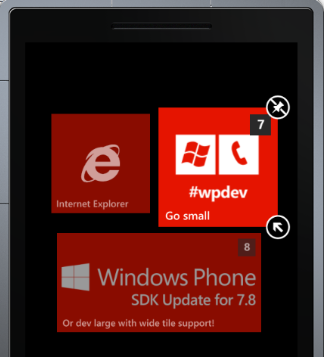
On the 22nd of January, the Windows Phone 7.8 SDK was released. The SDK update adds Windows Phone 7.8 emulator images, and adds Live Tile options for Windows Phone 7.8. Your app’s primary tile can have a customized small tile, support wide tiles, and also take advantage of the Flip tile template. Secondary tiles can be enabled to take advantage of all three of the new tile templates (Flip, Iconic, and Cycle). These new tile templates will allow Windows Phone 7.8 applications to look as beautiful as those on Windows Phone 8, therefore bridging the gap in terms of Start Screen experience. This can be tested on the new emulator images, which will enable one to see how their Windows Phone 7 app works on the new Start Screen, especially with the new ability to make the app’s tile smaller. With Windows Phone 7.8 about to roll out for older devices, and more and more devices coming out with Windows Phone 7.8, it is important to refresh your app to be ready for users who would no doubt love a great Start Screen experience, which could very well be the difference between pinning your app to the Start Screen and not. You can get the Windows Phone 7.8 SDK Update here. If you are having to maintain a WP7 and WP8 version of your app, it might be difficult to have different coding for the Start Screen. Fortunately, Rudy Huyn, creator of the famous Wikipedia and 9Gag apps on Windows Phone, has created a solution. Mangopollo introduces classes and launches that mimic WP8 functionality on WP7, therefore having no need to have different coding between versions. You can check out the project on CodePlex here.

Modern.IE: Testing made easier in Internet Explorer

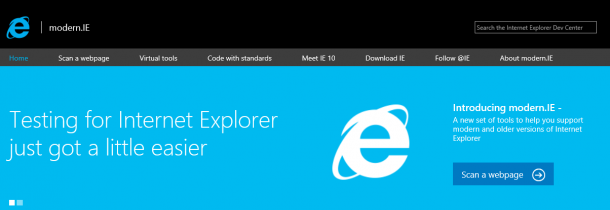
Sick and tired of testing your web apps on multiple versions of Internet Explorer? Modern.IE is here to save the day! Modern.IE is a new resource for web developers that offers tools to help optimize their sites for modern browsers like IE10. A new code detection wizard to detect common coding issues Developers start by entering a webpage URL that they want to test: In a few seconds, modern.IE reports the webpage results in the below three categories, and includes recommendations on how to update the site: ...

Get a scholarship to Founder Institute by joining BizSpark Launch Academy

 The Spiffy team is proud to partner Founder Institute to offer 3 scholarships to Windows Developers in their upcoming April Semester 2013! Developers can earn yourself a scholarship through BizSpark Launch Academy. BizSpark Launch Academy is a competition for startups and individual developers based in Singapore who are building applications for the Windows Store, Windows Phone 8 or on Windows Azure. You will stand the chance to receive expert training and feedback to launch startup companies with Founder Institute beginning in April 2013. And… that’s not all! You can also participate in Windows Startup Challenge with the app ideas that you pitch through BizSpark Launch Academy. This could lead you to launch your Windows Store app at DEMO Mobile, a global launchpad for the most innovative mobile startups held in April 2013 in San Francisco, California. So, if you have the ability to prototype a Windows Store app, quickly iterate to design, and bring your app to life, send in an image of the prototype to win8sg@microsoft.com with a quick overview of the app and personal particulars by 8th Feb 2013. More details of how to enter can be found at http://academy.weshipcode.com. You can also tweet about your app building process or prototypes with #app4theWIN. About Founder Institute The Founder Institute is an early-stage startup accelerator and global launch network that helps entrepreneurs create meaningful and enduring technology companies. Through a part-time four month program, existing and prospective founders can launch their dream company with expert training, feedback, and support from experienced startup CEOs - while not being required to quit their day job. Our unique Graduate Liquidity Pool also enables graduates and mentors to share in the equity upside of each class, creating local, teamwork-based ecosystems where great new businesses can flourish. In just over three years of operation, the Founder Institute has helped launch over 650 companies across 37 cities and five continents - making us the world’s largest startup accelerator. Our goal is to “Globalize Silicon Valley” by launching 1,000 meaningful and enduring technology companies per year in over 50 cities worldwide. The Founder Institute was founded in 2009 by serial entrepreneur Adeo Ressi, and is operated out of a small office in the heart of Silicon Valley.

App of the Week: Read HWM while you're on Windows

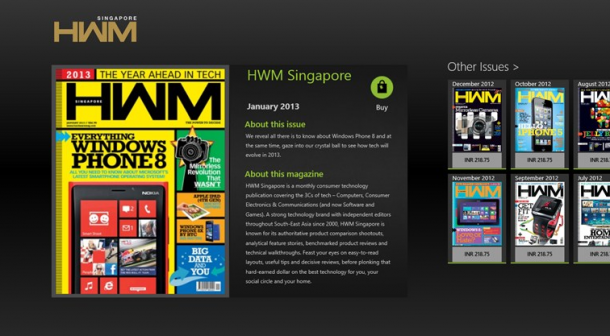
App of the week is a weekly showcase of an awesome app developed on Windows 8 or Windows Phone. Got an app you love that you want us to talk about? Leave us a comment and tell us which app and why you love it! HWM is one of Singapore’s most loved technology magazines. We’re really thrilled that it’s on the Windows Store! Here’s what it looks like : HWM adopted a sleek design for it’s Windows Store application. It automatically loads the most updated issue of the magazine and you can opt to purchase it. By scrolling right, you can see the rest of the issues of HWM! There’s never been a better time to save some trees. Once you select the magazine, the pages automagically load. All you have to do is sit back and enjoy all the gadget eye candy that’s going around. Great content presented by one of the leading technology magazines in Singapore. Try it out today and let us know what you think!

System Center 2012 SP1 GA and Register for System Center Universe to Learn More

The wait is over! System Center 2012 SP1 is now available for download here. System Center 2012 uniquely delivers unified infrastructure, application and cloud management capabilities in a single product offering. Below blog post from the Microsoft Server and Cloud Blog highlights new cloud and datacenter capabilities introduced in SP1. http://blogs.technet.com/b/server-cloud/archive/2013/01/15/transform-your-datacenter-with-system-center-2012-sp1.aspx If you are interested to learn more about the new capabilities, we have just the event for you. You can now join a full technical session delivered by Microsoft System Center MVPs and industry experts. It is happening in Singapore on 31st January. There is no marketing fluff! Go to below link and register now! http://www.systemcenteruniverse.asia/index.html Learn more about System Center 2012 SP1 and start your evaluation.

Windows 8 IT Pro Apps

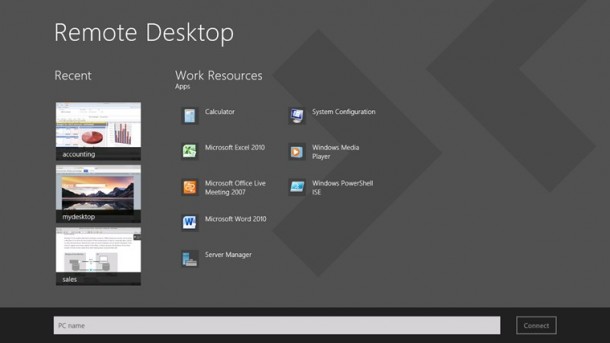
I talked about the Server Posterpedia Apps for Windows 8 previously. It is a great app for IT Pros. Recently I notice more and more Windows 8 Apps are in the store for IT Pros. Most these apps allow you to perform certain IT Pro administration tasks right from your Windows 8 Apps. The best part is all of them can run in the snap view. You can keep an eye on thing while you working on your desktop. Sandy Berkouwer posted a blog called “Embracing the new Windows 8 Interface with these Three Free IT Pro Apps”, she highlighted three of her favorite FREE Windows 8 Apps for IT Pro. The Remote Desktop app The desktop RDP is still in Windows 8. The good thing about this app is you get to enjoy the entire screen for RDP. You can easily switch between Desktop and RDP session. Don’t have to worry about resolution and display settings etc. Another thing I like is the preview feature. You get to see the preview screen of recent RDP connections. The Hyper-V Manager App This app is like your small dashboard for Hyper-v Hosts and VMs. You can perform the following functions: ...

Essential apps for your new Windows Phone 8

Happy New Year everyone! I’m quite sure a lot of you managed to get your hands on the brand new flagship Windows Phones by Nokia and HTC. If you didn’t because they were sold out, don’t worry! More stock will come soon. To kick start your new journey with Windows Phone 8 and perhaps to inspire you to build new ones, here are some of our top picks! Top featured App Make free Skype to Skype video and voice calls as well as send instant messages to friends and family around the world with this preview of Skype for Windows Phone 8. SKYPE for Windows Phone 8 Preview. ...