Admit it, you'll love reading our App of the Week - STOMP

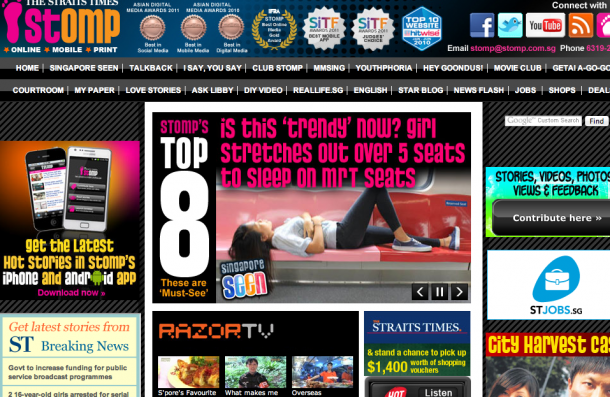
App of the week is a weekly showcase of an awesome app developed on Windows 8 or Windows Phone. Got an app you love that you want us to talk about? Leave us a comment and tell us which app and why you love it! One of my favourite sites to visit when I’m bored and want to know the latest gossip in Singapore is STOMP. I know a lot of people have criticised the site about the level of sophistication and discussion that goes on between the pixels on the screen, but I say it’s an accurate reflection of heartland life in Singapore. Some of the deepest Singaporean sentiments run deep in the articles, although at times it is masked by comments that doesn’t seem to have been well-thought out. I admit it - I love STOMP, without it who would report about Ah lians sleeping on trains and taking up 5 MRT seats? Oh and it really doesn’t hurt that the news on it is as bizarre and incredulous. Sometimes I wonder if people deliberately fabricate stories just to get the $50 reward by Singapore Press Holdings. And now you can continue to read about the latest craziest news and happenings on the MRT from STOMP on it’s Windows 8 application! I must warn you though, STOMP on Windows 8 looks much cleaner than what you may be used to on the regular STOMP website. Take a deep breath. Here it is. [caption id=“attachment_10562” align=“alignnone” width=“610” caption=“The STOMP home screen on Windows 8”][/caption] On the home screen you can view all the hot topics that are going on within the website. By scrolling right and left, you can also view other headlines in ‘Singapore Seen’ and many others. [caption id=“attachment_10569” align=“alignnone” width=“610” caption=“Browse inside each category swiftly and easily”][/caption] Inside each category you can quickly and easily glance through all the top news and updates on what’s going on without having to scroll too far! [caption id=“attachment_10570” align=“alignnone” width=“610” caption=“Easy reading on the interface”][/caption] What I first noticed is the key difference between the website and the app is the lack of clutter. I much prefer reading STOMP on the Windows 8 User Interface (UI) minus the ad banners and many other distractions from the content. This version of the UI is much easier to read and pleasant on the eyes. [caption id=“attachment_10573” align=“alignnone” width=“610” caption=“You can download STOMP on WIndows 8 by clicking here.”][/caption] Now go forth and gossip on!

The new Hotmail - Outlook.com

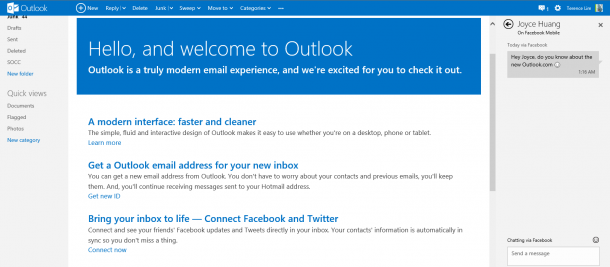
Microsoft is rebranding the Hotmail service, moving it to Outlook.com. In this new interface, the design and layout of Hotmail has been changed to bring it more in line with the minimalist design aesthetic of Windows 8 Metro and Windows Phone, which emphasizes on straight lines, thin fonts and white spaces. It only shows up a simple “compose a new message” if you have nothing selected, and you get a suite of action commands at the top once a message is selected. One of the most breathtaking features in Outlook is that it brings in social integration too! Depending on who you are conversing with, Outlook can automatically import their recent tweets and Facebook updates, including a link to their profile, if you allow it to. As you click on an email that is from another person, the ads at right panel goes away, and is immediately replaced by links to the person’s Facebook and Twitter profiles as well as his/her latest updates. You may even like, comment or retweet right from this panel. You may also call up a chat window any time by simply clicking the speech balloon at the top. Microsoft also says Skype will be integrated in Outlook. :) Be sure to check out the Outlook.com preview :) Find out more on the Outlook blog, written by Chris Jones.

Windows 8 Cheat Sheet: Get Started Easily!

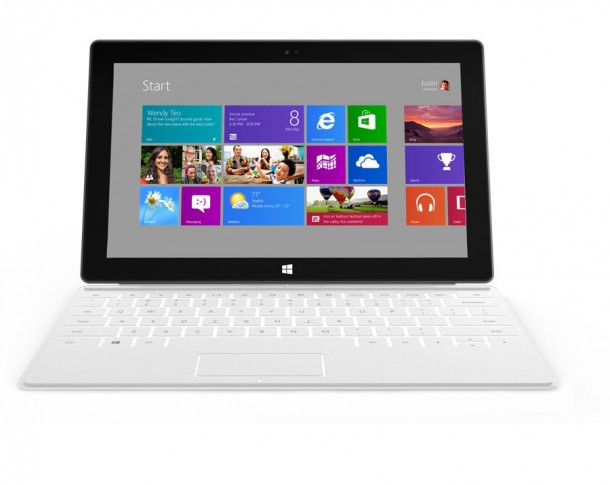
[caption id=“attachment_10428” align=“alignnone” width=“610” caption=“The shortcut keys work great on any PC and also the upcoming Microsoft Surface!”][/caption] Windows 8 Release Preview and Development tools released for a month now and many of you have installed and played with it. I am getting some common questions from time to time so I think it’s a good idea to share with you some useful information to help you get started with quickly. Hardware Requirement Windows 8 Release Preview works great on the same hardware that powers Windows 7: ...

Foodies rejoice with App of the Week - NomWhere

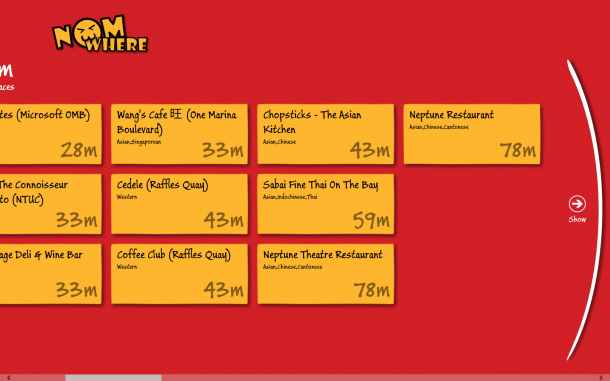
App of the week is a weekly showcase of an awesome app developed on Windows 8 or Windows Phone. Got an app you love that you want us to talk about? Leave us a comment and tell us which app and why you love it! If you’re a big foodie like most Singaporeans are, this week’s app of the week is for you! NomWhere is a location based food application on Windows 8 that allows you to find the nearest restaurants and eateries. Based on HungryGoWhere’s data sets on Project Nimbus, developer Kim Evangelista created this fun and easy to use application for hungry people looking for choices of food based on your current location. This is how to main screen looks like. It tells you the nearest restaurants found in the 100m, then 200m and 300m range, on and on till you find somewhere you’d like to eat! [caption id=“attachment_10415” align=“alignnone” width=“610” caption=“NomWhere tells you the nearest food destinations!”][/caption] [caption id=“attachment_10416” align=“alignnone” width=“610” caption=“Your location is detected by the app”][/caption] [caption id=“attachment_10418” align=“alignnone” width=“610” caption=“Once you’ve selected the restaurant, you can view useful information on it such as opening hours and phone numbers.”][/caption] The app is available for download on the Windows 8 Store - check it out! We hear that version 2 of the app will include comments and reviews - looking forward to it!

You can build a Windows 8 App in 30 days - Sign up for Generation App today

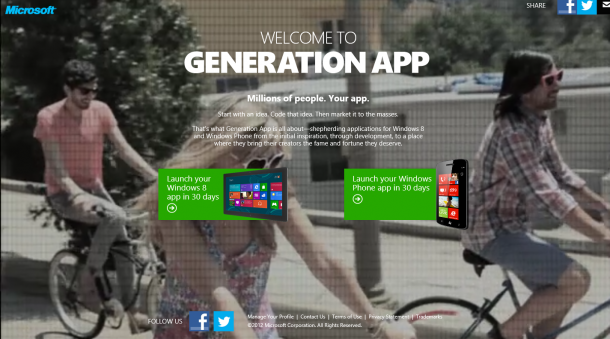
CARPE DIEM. [caption id=“attachment_10368” align=“alignnone” width=“610” caption=“Welcome to Generation App. Generation App is a movement that will unite everyone who has a stake in the future of applications—people with ideas for apps, people who code apps, and people who use apps.”][/caption] How do you develop a Windows 8 app in 30 days? Well, Generation App is here to help. What is Generation App about? CHALLENGE Every era has had its moment when technology drives its communication, ignites inspiration, and fuels exploration. Today our era is about apps. THE BIG IDEA We are going to recapture the hearts and minds of app lovers—both developers and people who have ideas for apps—by launching a movement called “Generation App” – representing an unparalleled business opportunity for developers in conjunction with Windows 8, Windows Phone and Windows Azure. HOW IT WORKS We believe that today’s app ecosystem consists of two personas: Coders (“I can build an app”) and Conceivers (“I have an idea for an app”). Generation App will connect these two personas, and create a social movement around the drama of app creation: On the Web: The Generation App website is a “match.com” for Coders and Conceivers. This website will enable visitors to view projects that are currently underway, or create a new project. It will include descriptions of each application in progress; the developers behind the applications and celebrating developers building apps. On the desktop: A “Generation App” app will be developed to help people create a W8 App, either by connecting Conceivers with coding resources; or by connecting Coders with development resources such as a Generation App-branded 30-to-Launch page Your journey starts now. From embracing the Metro style design to coding, testing, and integrating with unique Windows 8 experiences, you’ll learn the essentials to create a great Metro style app over the next 30 days. Now is the time to create the Windows 8 apps the world is waiting for. Find out more now. [caption id=“attachment_10370” align=“alignnone” width=“610” caption=“Carpe Diem - Sign up to build your apps today.”][/caption]

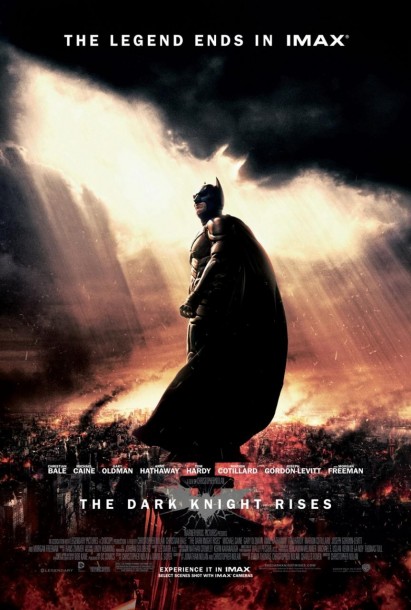
Top five gadgets we love from The Dark Knight Rises

Have you caught The Dark Knight Rises yet? If you haven’t …. seriously what are you waiting for? Go book your tickets now. Now. [caption id=“attachment_10340” align=“alignnone” width=“411” caption=“The Dark Knight Rises”][/caption] The Dark Knight Rises has got to be one of the most scintillating movies of 2013. The thing I love about Christopher Nolan’s movies are how believable the scenes are. If you’ve watched his movies before- Momento, Inception, Batman Begins and The Dark Knight, you’d notice that the fight scenes are mostly done by the actors themselves, without special effects. A geek’s dream come true take the form of the cool gadgets that Nolan’s team is able to come up without making it seem like hocus pocus magic. Here are the top 5 gadgets (sometimes vehicles) we love from the The Dark Knight Rises. 1. Catwoman’s Spy Goggles [caption id=“attachment_10350” align=“alignnone” width=“570” caption=“Anne Hathaway with Catwoman’s Spy Goggles that double up as her iconic cat ears.”][/caption] It’s refreshing to see how the costumes team interpreted Catwoman’s gear. It is clever, sexy and functional at the same time. In the image above. Anne Hathaway plays Catwoman and is seen above wearing the famous spy goggles that double up as her iconic cat ears. 2. The Bat Pod [caption id=“attachment_10351” align=“alignnone” width=“610” caption=“The Batpod”][/caption] The Batpod is intended as a kind of “escape pod” integrated into the Tumbler, it also served an auxiliary vehicle. Armed with dual front-mounted cannons, machine guns and grappling hooks, the Batpod affords Batman greater mobility at the cost of some protection. In the movie you’ll see Batman outrace and mislead his enemies by quickly changing the direction of the Batpod. Totally badass. 3. The Bat [caption id=“attachment_10352” align=“alignnone” width=“610” caption=“The Bat is an awesome flying vehicle”][/caption] [caption id=“attachment_10353” align=“alignnone” width=“610” caption=“Equipped for the ultimate super hero”][/caption] Dubbed The Bat, the vehicle is understood to be Christopher Nolan’s take on fictional aircraft the Batwing. In the final scene, the Bat takes on a big role (can’t tell you what for though - just watch the movie). You’ll see Batman shocking his enemies with the Bat, which can be used both on land and air. 4. The Batsuit [caption id=“attachment_10354” align=“alignnone” width=“610” caption=“The Batsuit”][/caption] Ever wondered by Batman never seems to get shot down? Wonder no more. The Batsuit is made of Nomex biweave with Kevlar plating and reinforced joints, enough to stop a knife or even a bullet. At 300 grand the outfit proved too expensive for the army, but that’s nothing to rich man like Bruce Wayne. Meanwhile in the second film, he upgrades to a lighter titanium-dipped tri-weave fibre armour with separate kevlar plates, which makes him faster but more vulnerable. 5. The EMP Device [caption id=“attachment_10355” align=“alignnone” width=“576” caption=“The EMP Device from The Dark Knight Rises”][/caption] This device is super powerful. Without wishing to give too much away, an EMP device is utilized in The Dark Knight Rises to deliver an electromagnetic pulse that’s able to cause disruption to electronic equipment. In the movie, it is used to stop villains from running away from Batman. The Dark Knight Rises is now open across cinemas in Singapore. Can’t get enough of Batman and the cool tools in the movie? Answer the call on your Nokia Lumia with The Dark Knight Rises app. http://nokia.ly/Mm2Oli [caption id=“attachment_10356” align=“alignnone” width=“496” caption=“The Dark Knight Rises Nokia Lumia app”][/caption]

MessagingTalk UG Meetup – Harnessing the Power of Lync!

We have a special guest in town, Alan Shen, Vice President Unify2 Inc, and would like to invite you to join in this session! [caption id="" align=“alignleft” width=“213” caption=“Alan leads the Unify2 Enterprise Voice practice, which includes enterprise deployments of all aspects of Microsoft Unified Communications Enterprise Voice, including bandwidth planning, voice quality, PBX interoperability, edge deployment, enterprise voice routing, and enterprise cellular telephony.”][/caption] Alan leads the Unify Square’s Enterprise Voice practice, which includes enterprise deployments of all aspects of Microsoft Unified Communications Enterprise Voice, including bandwidth planning, voice quality, PBX interoperability, edge deployment, enterprise voice routing, and enterprise cellular telephony. Alan brings over 10 years of Microsoft experience as a Program Manager in the Mobility, Networking, and Office Communications Server groups. As a Senior Program Manager for Microsoft Office Communications Server, Alan designed the Audio/Video Conferencing Edge solution for OCS 2007. This firewall traversal technology has been adopted by the Microsoft Windows Live Messenger service, now connecting more than one billion voice minutes per month. Most recently, Alan was a Senior Program Manager for the OCS Technology Adoption Program (TAP), which enabled dozens of global enterprise customers and over 100 Partners with their OCS 2007 deployments. Alan led the Voice TAP for Microsoft, which focused on enterprise deployments of OCS Voice. Alan was a key approver for over 100 customer designs for interfacing with Gateways & PBXs. During this session Alan will highlight the Power of Lync and share how he has assist enterprises design, architect and implement Lync successfully with the goals of leveraging it as the Enterprise Communication Platform to enable business transformation. Alan will highlight best practices, do and don’t. And, he will also share his thought about “What’s next for Lync” Session Details: Day/Date : Tuesday 24 July 2012 Time: 1830h light dinner, 1900h session starts till 2100h. Venue: Microsoft Singapore, One Marina Boulevard, Level 22 (conf room 12)

Catch up on your favourite TV dramas with App of the Week - Xin Videos

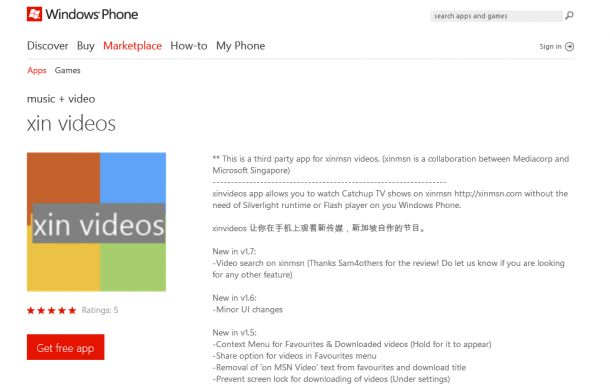
App of the week is a weekly showcase of an awesome app developed on Windows 8 or Windows Phone. Got an app you love that you want us to talk about? Leave us a comment and tell us which app and why you love it! I grew up watching local dramas and loving them. Somewhere along the way though, school, gatherings with friends and work started to dominate most of my life. I started missing out on these dramas and feeling slightly left out whenever my friends chatted about what was going on in the latest Channel 8 or Korean dramas. But now that’s changed with XinMSN - and even better, with Xin Videos! [caption id=“attachment_10318” align=“alignnone” width=“610” caption=“Click here to download.”][/caption] The xin videos app allows you to watch Catchup TV shows on Xin MSN without the need of Silverlight runtime or Flash player on your Windows Phone! Here are some cool features! Catch up on the latest pick your choice of LQ/HD/HQ video to watch in [WMV or MP4]! [caption id=“attachment_10319” align=“alignnone” width=“366” caption=“Watch all your favourite local dramas on the go with xin Videos!”] [/caption] If you’re one of those people who can’t help but read the synopsis of everything you’re about to watch before actually watching it (yup, I’m guilty of it too), then good news! You don’t have to go to Wikipedia to read about the dramas, it’s all in the app! [caption id=“attachment_10320” align=“alignnone” width=“366” caption=“Save money by reading the synopsis on the app itself! (Yay no need to buy 8 Days)”][/caption] Scroll through the dramas at the comfort of your bed, or even squashed on the MRT. [caption id=“attachment_10322” align=“alignnone” width=“366” caption=“Scroll through the dramas at the comfort of your bed, or even squashed on the MRT.”][/caption] Never miss another episode again on Catchup TV! [caption id=“attachment_10323” align=“alignnone” width=“366” caption=“Never miss another episode again on Catchup TV!”][/caption] Check out the app and let me know what you think!

The V Motion Project is a music spectacle that blows us away

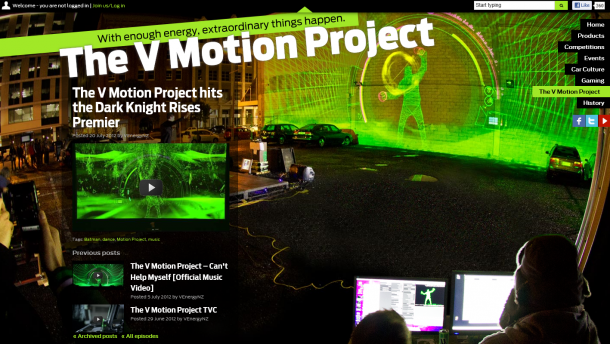
I was blown away by how the guys at the V Motion Project (they’re from New Zealand!) have managed to use the Kinect in such an impressive way. It shows how a cheap and powerful sensor such as Kinect can create amazing interactive experiences that everyone can leverage on - from students, to musicians and so on. Check out how the National University of Singapore’s HCI class is doing the same. Here’s the description of the project from their page: This project combines the collective talents of musicians, dancers, programmers, designers and animators to create an amazing visual instrument. Creating music through motion is at the heart of this creation and uses the power of the Kinect to capture movement and translate it into music which is performed live and projected on a huge wall. v.co.nz/#the-motion-project We created and designed the live visual spectacle with a music video being produced from the results. We wanted it to be clear that the technology was real and actually being played live. The interface plays a key role in illustrating the idea of the instrument and we designed it to highlight the audio being controlled by the dancer. Design elements like real time tracking and samples being drawn on as they are played all add to authenticity of the performance. The visuals are all created live and the music video is essentially a real document of the night. assemblyltd.com/ Check out the tech behind the project here: custom-logic.com/blog/v-motion-project-the-instrument/ Very very cool. Who thinks we should do this in Orchard?

Microsoft Assessment & Planning Toolkit 7.0 Goes Live – Supports Windows 8 and Server 2012

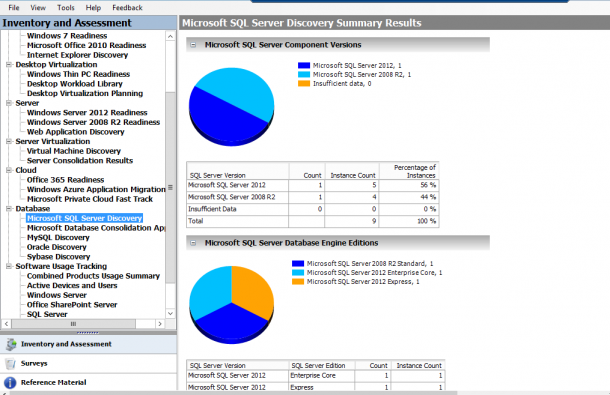
I just received an email informing me that MAP 7.0 is live, and it now supports assessment to help you plan the deployment of Windows 8, Windows Server 2012, and Windows Server 2012 Hyper-V. You can start planning now, with the products coming down the pipe soon. The new version which you can download now allows you to: Understand your readiness to deploy Windows Server 2012 in your environment Determine Windows 8 readiness Investigate how Windows Server and System Center can manage your heterogeneous environment through VMware migration and Linux server virtualization assessments Size your desktop virtualization needs for both Virtual Desktop Infrastructure (VDI) and session-based virtualization using Remote Desktop Services Ready your information platform for the cloud with the SQL Server 2012 discovery and migration assessment Evaluate your licensing needs with usage tracking for Lync 2010, active users and devices, SQL Server 2012, and Windows Server 2012 Assessment is a critical early step in a virtualization project, be it XenServer, VMware, or Hyper-V. MAP is a FREE and Agentless discover and assessment toolkit that really comes handy. Apart from assessing virtualization, MAP has wide coverage in this release. We can use MAP to assess SQL, MYSQL, Oracle, and Sybass. Application summary and Performance metrics will show details of Applications and performance in the environment. Try it out within your infra environment and see its magic!