Simple same on Export to Excel using OpenXML SDK in ASP.NET

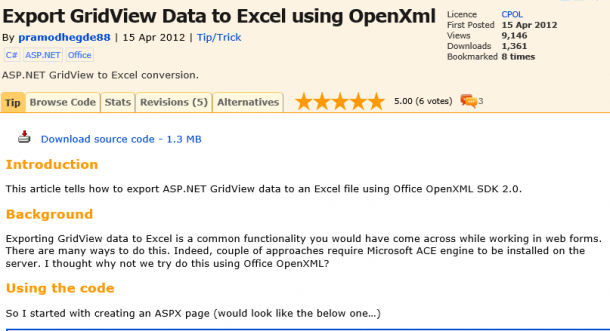
When you download the source code from [caption id=“attachment_10266” align=“alignnone” width=“610” caption=“Export GridView Data to Excel using OpenXml”][/caption] http://www.codeproject.com/Tips/366446/Export-GridView-Data-to-Excel-using-OpenXml and try to transfer it to Excel from a single cell to another Excel file, it is not easy. I have broken a big chunk into a smaller unit to just output one value to an Excel workbook using OpenXML SDK. Below is the part of code segments that doing this. //Simple private void CreateExcelParts(SpreadsheetDocument spreadsheetDoc, string str) { //Create a Workbook WorkbookPart workbookPart = spreadsheetDoc.AddWorkbookPart(); CreateWorkbookPart(workbookPart); //Create a worksheet Worksheet worksheet = new Worksheet() { MCAttributes = new MarkupCompatibilityAttributes() { Ignorable = “x14ac” } }; worksheet.AddNamespaceDeclaration(“r”, “http://schemas.openxmlformats.org/officeDocument/2006/relationships"); worksheet.AddNamespaceDeclaration(“mc”, “http://schemas.openxmlformats.org/markup-compatibility/2006"); worksheet.AddNamespaceDeclaration(“x14ac”, “http://schemas.microsoft.com/office/spreadsheetml/2009/9/ac"); //Create sheetviews SheetViews sheetViews = new SheetViews(); SheetView sheetView = new SheetView() { WorkbookViewId = (UInt32Value)0U }; //Create a cell or range Selection selection = new Selection() { ActiveCell = “A1” }; //Append range to sheetview sheetView.Append(selection); //Append sheetview to sheetviews sheetViews.Append(sheetView); int columnIndex = 0; SheetData sheetData = new SheetData(); UInt32Value rowIndex = 1U; //Create a row Row row1 = new Row() { RowIndex = rowIndex++, Spans = new ListValue() { InnerText = “1:3” }, DyDescent = 0.25D }; //Create a cell and put the value in it Cell cell = new Cell() { CellReference = ExcelHelper.ColumnCaption.Instance.Get((Convert.ToInt32((UInt32)rowIndex) - 2), columnIndex), DataType = CellValues.String }; CellValue cellValue = new CellValue(); //Create a CellValue to store the value //Assign the value to new cell cellValue.Text = str; //Append the cellValue into cell cell.Append(cellValue); //Append the cell to row row1.Append(cell); //Append the row to sheetdata sheetData.Append(row1); //Append the sheetData to worksheet worksheet.Append(sheetData); WorksheetPart worksheetPart = workbookPart.AddNewPart(“rId” + (101).ToString()); //Append the worksheet into workbook workbookPart.WorksheetParts.ElementAt(0).Worksheet = worksheet; //Save the workbook workbookPart.Workbook.Save(); } /// /// Creates the workbook part. /// /// The workbook part. private void CreateWorkbookPart(WorkbookPart workbookPart) { Workbook workbook = new Workbook(); Sheets sheets = new Sheets(); Sheet sheet = new Sheet() { Name = “Book” + 1, SheetId = Convert.ToUInt32(101), Id = “rId” + (101).ToString() }; sheets.Append(sheet); CalculationProperties calculationProperties = new CalculationProperties() { CalculationId = (UInt32Value)123456U // some default Int32Value }; workbook.Append(sheets); workbook.Append(calculationProperties); workbookPart.Workbook = workbook; } The code segment is pretty much self-explanatory. You can also download a single solution from http://skydrive.live.com. The sample file name is GridToExcelNew.rar If you have any questions, feel free to ping me. My MSN ID is chanmmn@hotmail.com.

July 19, 2012 · 2 min ·  admin

Windows 8 will be available on October 26th 2012

Steven Sinofsky, Microsoft’s president of the Windows and Windows Live Division, has just announced at Microsoft’s annual sales meeting that customers will be able to get Windows 8 starting 26th October 2012, just in time for Christmas :) It will be available on PC hardware and also software upgrades. This new operating system, used in most of the world’s computer systems will be adapted to the tablets, including the Microsoft Surface. In the meantime, if you can’t wait to see for yourself how fast, fluid and beautiful Windows 8 is, you can download the Windows 8 Release Preview. If you’re planning to buy a computer in the meantime, we’ve got you covered, as Microsoft is offering a Windows Upgrade Offer. Be sure not to miss out on this!

A Day in the Life of a Developer Evangelist

Technology permeates our everyday lives. [caption id=“attachment_10157” align=“alignnone” width=“610” caption=“A Day in the Life of Developer Evangelist”][/caption] And in a time where “software is eating the world” , we’ve become so used to the smartphones, tablets, computers and apps that most of us can’t imagine living without. All of which are enabled not just by a single company, but by developers all over the world. The phenomenon of collaborative development for the success of a technological platform has given rise to a new breed of technologists that are required in a tech company, otherwise known as “Developer Evangelism”. Developer Evangelism hasn’t been around for a long time. Whether it’s at a tech conference or even in our own homes, I’ve realized that our unconventional jobs require some explaination - so starting from this month, we’d like to start telling you a bit more about what we do at Microsoft. [caption id=“attachment_10162” align=“alignnone” width=“610” caption=“Meet Chun Siong, a Developer Evangelist here at Microsoft Singapore.”][/caption] Not a typical career path in the IT industry “When I started my academic journey in polytechnic focusing on IT, I always thought that I might end up becoming a programmer or in a system administrator type of job. The first time I was exposed to “evangelism marketing” was through the Microsoft Student Partners program. Getting involved with the program for the past 5 consecutive years made me realize that this is a very unique and exciting role that exists in the IT industry. It’s definitely not your typical desk bound IT job.” [caption id=“attachment_10167” align=“alignnone” width=“610” caption=“Checking into office”][/caption] The role of the Developer Evangelist The DE is the tech company’s representative to the developer community helping to win the hearts and minds regarding the company’s platform. It is a technical role with the mission of engaging the broad community of developers and driving excitement around developer related technologies. DEs in general must be able to talk about technology intelligently and enthusiastically to developers, developer managers and senior management. Passion, curiosity, technical depth, and exceptional communication & presentation skills are key qualities that will help them succeed in this career path! [caption id=“attachment_10168” align=“alignnone” width=“610” caption=“Coffee is an essential part of a DE’s life - we all need a jolt of energy in the morning to get things started!”][/caption] Being an all-rounder While coding is an important facet of the job, there are many other hats that you need to put on as a developer evangelist. Most days you are out and about as an advocate for the company - speaking and doing demos at some tech event or sales call, but it’s not unusual to find yourself organizing events, brainstorming for marketing campaigns, being a judge for tech contests such as Imagine Cup, troubleshooting for other developers and so on. A typical work week for Chun Siong involves “…meetings, both internal and external are a common item on the weekly calendar. We hold regular events for developers and attend lots of events as well. These networking and communication opportunities with developers and business owners make your calendar more interesting. You never know who you’re going to meet and what’s going to surprise you in an industry that’s moving so quickly. On a daily basis, I spend a couple of hours catching up on technology news and doing hands on learning on new technologies.” [caption id=“attachment_10187” align=“alignnone” width=“610” caption=“Prepping for presentations and meetings, coding and replying questions from the developer community are a big part of a DE’s life.”][/caption] Noon comes and it’s time for lunch. For the DPE team at Microsoft, lunch is a great time to celebrate birthdays, catch up on each others’ lives and just in general enjoy all the good food that Singapore has to offer. We usually end up at Lau Pa Sat, where they serve up local dishes that are not bad (try the Ayam Penyet, the You Tiao, Porridge and Yong Tau Foo) [caption id=“attachment_10189” align=“alignnone” width=“610” caption=“Lau Pa Sat - for hungry people working in Raffles Place”][/caption] 2pm. Nothing beats the adrenaline rush (and sometimes fear) you experience speaking in front of a large audience. Depending on your schedule and the day’s event, you almost always find yourself having to present at a conference or meeting, speaking to a variety of audiences - government officials, students, teachers, developers, CIOs, CEOs, startups and IT professionals. DE’s have to be well versed in a broad range of technologies - from mobile to cloud, hardware to software. It’s a never ending learning journey for us, especially since the industry moves quickly. [caption id=“attachment_10188” align=“alignnone” width=“610” caption=“Getting ready for a presentation - the key is practice!”][/caption] What it takes to be an exceptional Developer Evangelist An exceptional Developer Evangelist not only speaks well and is truly passionate about enabling people with technology, but takes time to understand developers’ needs and is committed to the community. “Passion for technology and a willingness to share your knowledge with others is a must. While developer evangelists differ in their personality, expertise and how they engage with people, the common trait would be a strong interest in technology. If you are always following the startup scene /technology announcements /software and hardware development news, you are one step closer to what is required of you as a developer evangelist.” [caption id=“attachment_10190” align=“alignnone” width=“610” caption=“Public speaking - another important skill to have as a DE”][/caption] Some nights are burnt with Hackathons. While tiring, it’s an amazing thing to be part of, especially when you have so many people gathered together with a single goal bring their ideas to reality through code. Rob Miles once said that developers are possibly the luckiest people in the world right now, because we are given the many tools and capabilities to showcase our creativity. We couldn’t agree more. It’s our job to help you achieve those goals. [caption id=“attachment_10220” align=“alignnone” width=“610” caption=“Somehow, you can never escape from troubleshooting for others and debugging”][/caption] [caption id=“attachment_10215” align=“alignnone” width=“610” caption=“The beautiful view from our office - great to gaze out at when you’re coding”][/caption] What’s the first sign that you might be fit for a role as a developer evangelist? I think it’s to be a true geek at heart. “I started being interested in computers when I was 10. It was an exhilarating experience back then if you had a 486. This meant your PC could support cd-roms. Over the years I got curious about tweaking software and optimization for windows operating systems and occasionally testing out some Linux distros. At times I did some upgrading of computers like most folks do, playing around with PSU, RAM, CPU, HDD, Motherboard and more… In today’s context, I’m following really exciting development revolving around Mobile Devices, Cloud Computing, Search Engine Optimization, Solid State Disk and more… There are really amazing things and innovations coming out from student projects and the startup community as well.” [caption id=“attachment_10161” align=“alignnone” width=“610” caption=“Chun Siong is a Developer Evangelist in Microsoft Singapore - Geek at heart”][/caption] We thrive on collaboration. If you have an interesting idea or seek to explore creative ways of using our technologies, feel free to reach out to us and we will be glad to dive in the deep end with you. We thrive on your success, be it personal or professional. From Windows 8 to Windows Phone Development to Kinect Development, if you live and breathe codes, get to know Chun Siong. **POST UPDATE** We are searching for a Developer Evangelist who is specialized in HTML5, JavaScript, Ajax, jQuery, ASP.NET. If you think you have what it takes to become a Microsoft Developer Evangelist - Drop us an email at a-johua@microsoft.com with your resume, blog link (if you have) and a short description of your interests! Looking forward to hearing from you! Watch out for our next segment on what its like to be a Program Manager for Microsoft Bizspark!

Travel around the world with the app of the week - Bing Travel on Windows 8

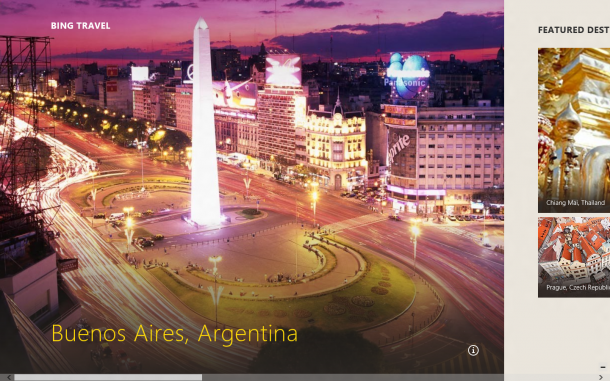
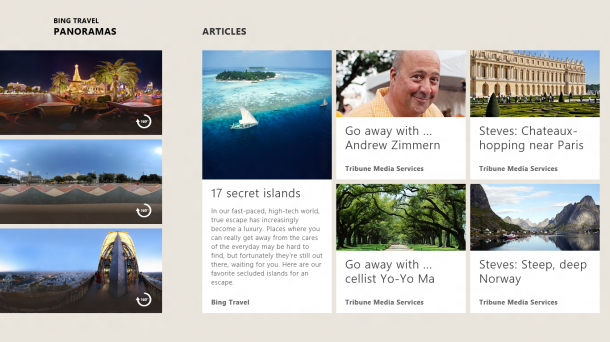
App of the week is a weekly showcase of an awesome app developed on Windows 8 or Windows Phone. Got an app you love that you want us to talk about? Leave us a comment and tell us which app and why you love it! I’m a big fan of travel - as I’m sure most people in Singapore are (it’s such a small island that we have to get out some time or another!) One of my favourite apps on Windows 8 is Bing Travel. There are actually has a couple of Bing-powered apps in the Windows 8 Release Preview: News, Sports, and Travel. The Travel app is no doubt the prettiest one! Here are some must-try features. [caption id=“attachment_10143” align=“alignnone” width=“610” caption=“Starting screen of the Bing Travel app - highlights a featured destination”][/caption] I love how the clean interface makes the pictures stand out - makes me feel like packing up my bags and book the next flight out! [caption id=“attachment_10144” align=“alignnone” width=“610” caption=“Can’t figure out where to go for your next holiday? Use the featured destinations feature to decide!”][/caption] By far the best feature of the app is the “Paranomas” View - for those consumed by wanderlust, indulge in the next best thing by visiting the landmarks in the comfort of your office or home with these views. [caption id=“attachment_10148” align=“alignnone” width=“610” caption=“Can’t get out? Well the next best alternative is to take a look at the Paranomas of all the beautiful landmarks that the country has to offer!”][/caption] [caption id=“attachment_10146” align=“alignnone” width=“610” caption=“A view of Paris from the Eiffel Tower”][/caption] Instead of paying for travel guide books, read all about the destination from the Travel app and plan for your trips! [caption id=“attachment_10150” align=“alignnone” width=“610” caption=“Planning your trips is much easier - get a quick overview of landmarks and things to look out for”][/caption] Once you’re all set and ready to make bookings - you can do it within the app itself with the Hotels and Flight search option. [caption id=“attachment_10151” align=“alignnone” width=“610” caption=“Booking made simple - Hotels and flight search is also available on the Bing Travel app.”][/caption] If you’ve downloaded Windows 8 RP - great! This is a default application! So try it out today and let me know what you think. Download the Windows 8 Release Preview ...

Playing with the new Photosynth app on Windows Phone to capture paranomas!

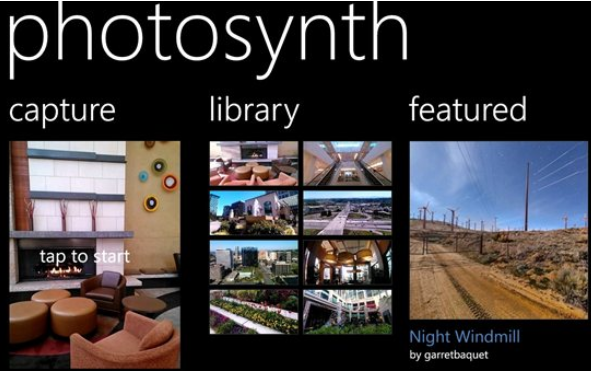
Today the Photosynth team announced on their blog that the Photosynth app on the Windows Phone is finally launched! This is definitely one cool tool for photography fans out there. Using Photosynth, you can take photos of places that cry out for a full 360 panorama. [caption id=“attachment_10101” align=“alignnone” width=“591” caption=“Photosynth for Windows Phone”][/caption] The Photosynth app for Windows Phone feels like magic. Start it up, move the camera around, and watch your panorama fill in. Make a 360 revolution and watch it join up. Capture the floor and ceiling too. When you’re done the shots are automatically stitched together, and the results are beautiful and immersive. Here are some shots I took in our office. :) In the pantry: In the meeting room - looking out to MBS: Definitely one of my favourite apps on Windows Phone! Get the Photosynth app on the Windows Phone it today if you haven’t!

Microsoft Cloud Summit 2012 Roundup

Thank you everyone who attended Cloud Summit 2012. It was a great event. I hope you guys enjoyed the keynote and all the breakout sessions. Next up is TechDays. Look out our blog for details of the event. Below is the Presentation decks from all presenters. Feel free to download and keep as reference. Keynote - http://sdrv.ms/P8UO82 Application Management with System Center Configuration Manager - http://sdrv.ms/N7FHvV Incident problem, Change and Asset Management - http://sdrv.ms/NyMe0Z Managing Private and Public Cloud - http://sdrv.ms/NAxZZv Microsoft Big Data - http://sdrv.ms/NrUm3z Service Delivery and Automation - http://sdrv.ms/NAyuTz SQL 2012 Always on High Availability Solution - http://sdrv.ms/NAz4ke SQL Server for Private Cloud - http://sdrv.ms/NOQ1pC The next generation of virtualization with Windows Server 2012 - http://sdrv.ms/NAzO95 Windows Azure Application Platform - http://sdrv.ms/NOQkRp Windows Azure Hybrid DC - http://sdrv.ms/NAAcEy

New! Microsoft Volume Licensing Training and Accreditation

I know many of you had licensing questions. There are couple of new Licensing Courses available now on http://www.microsoftvirtualacademy.com FREE to help you understand the fundamental of Volume Licensing. Microsoft’s new Licensing Training and Accreditation for customers will help you build foundational knowledge on licensing programs and solutions, and enable you to maximize the value of your software investments. Stand out from the crowd, and become a trusted advisor in your organization. Build expertise on Microsoft volume licensing and match your organization’s needs with the right licensing solution. Take this training at any time at no cost to you, enhance your skills, and become a Microsoft Licensing Expert. Preview Microsoft Licensing Programs Fundamentals and Licensing the Private Cloud today! ...

Highlights from Worldwide Partner Conference 2012

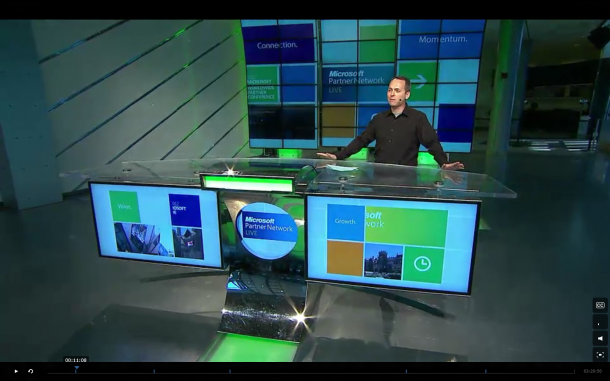
[caption id=“attachment_10081” align=“alignnone” width=“610” caption=“Listen in to updates from WPC 2012 here”][/caption] The Worldwide Partner Conference(or rather known as WPC) 2012 is held every year for Microsoft and our partners to share ideas, get feedback and keep updated with the multitude of changes that have been happening in the world of technology. [caption id=“attachment_10082” align=“alignnone” width=“610” caption=“Steve Ballmer provided an overview of new products coming to market in the next year, ushering in a new era for Microsoft that will present unprecedented opportunities for partners. Kurt DelBene, president, Microsoft Office Division, shared key news updates regarding Office 365. Tami Reller, CVP and CFO, Windows & Windows Live, provided updates and demos of the upcoming release of Windows 8.”][/caption] Some of the key highlights this year include (besides having Cirque de Soleil at the opening): • Windows Server 2012 will be released to manufacturers in August and be generally available in September. • A Community Technology Preview version is available now of a set of new technologies that will run on top of Windows Server and Systems Center. These new technologies will enable hosting-service providers to deliver capabilities consistent with services running on Windows Azure, our cloud-computing platform. That includes high-density website hosting and virtual machine hosting with self-service user interfaces that providers can use to service those websites and virtual machines. • A “Hyper-V Switch Program” for customers moving from competitor VMware to Microsoft’s Hyper-V. The program includes training and software tools. Visit the WPC homepage to find out more today!

Announcing Winners of our Spiffy.sg Mascot Voting Competition!

[caption id=“attachment_10074” align=“alignnone” width=“610” caption=“Mascot B has won!! Cat with a jetpack :)”][/caption] Not long ago, we held the Mascot Voting competition for our audience to decide which best represents Spiffy and we’re happy to announce that Option B: Cat with a Jetpack has won! Thank you everyone for sharing and helping us decide - we’re excited to have it colored and ready to go for our new website! Here are the winners of our contest (chosen at random): ...

How to create beautiful and meaningful apps - a prelude to Hackweekend

Our first Hackweekend is coming up and we thought it’d be good to help you start thinking about how to create beautiful apps. (By the way we heard there will be fireworks going on with NDP rehearsal and we’re pretty excited because we’ve got a good view of that!) [caption id=“attachment_10010” align=“alignnone” width=“610” caption=“A screenshot of the Bing Travel app - one of my favourite Metro apps”][/caption] Originality of idea - How important is it? Some of my friends have asked me how important is the idea for your application? Well, if your app idea is original and valuable, all the better. Sometimes, however, even if the your app isn’t completely original, you can get off to a strong start once you improve on the user experience of other apps that you’ve benchmarked yourself against. So start with a key sentence to determine the problem that you’re trying to solve. Once you’ve got a clear picture of the app you want to develop, you’ll need to validate your idea with wireframes by determining how it will fit into the existing market. The thing is, even if there are other apps like it on the market, you should establish how yours will be hotter, sharper, and catchier – not just in what it does, but how. Take 30 minutes to look at the competition on the app store, and what those other apps do well and not so well. What is the user experience like? Could you come up with a cleaner, simpler design for example? Start prototyping and make notes so you can refer back later to anything you thought was particularly good or bad. Alternatively, if you truly believe that your app idea is exceptionally unique and hasn’t be done before, it’s worth considering why that might be. Is there something you haven’t thought of – a reason why the idea might not work in practice? Hopefully it’s because you’ve hit upon an untapped opportunity, in which case - Awesome! Ultimately, remember that it’s about execution, execution, execution. [caption id=“attachment_10011” align=“alignnone” width=“580” caption=“This photo journal app is clean and simple. The interaction design makes it easy to keep track of your photos.”][/caption] Less is more - don’t pull a feature dump on your users While it might be cool, be realistic about any advanced features you plan to include in your app. As designers and developers, we sometimes tend to get carried away with our ideas and want to implement all of them into a single app. Recognize that the layman probably doesn’t need all the cool functions and features. For example, integrating GPS features drains battery and sometimes makes people nervous about privacy issues. What you need to keep in mind is that the killer feature of your application should only be one interaction away. Eg: Applying photo filters just takes one step on Instagram - upload and apply, tadah - you’ve got a pretty artistic photo. Identify core features, create a wish list of those features and how they fit into the core functions of the application. Attach priorities to the features based on your intentions and the feedback received. Getting feedback on your app ideas They say the best problems that you should start to solve are those that you face yourself. So if you’re not the target user - go out there and experience it for yourself. Want to make an app to help aunties curate their shopping lists? Then go shopping with an auntie. Don’t be an armchair anthropologist and imagine in your head that the auntie will immediately embrace your app with open arms. Find out about her lifestyle, her habits and whether it even fits into her life - for example, does she have a smartphone to begin with? When introducing your idea, ask for honest feedback, both about the concept, and the way you plan to execute it – the way you see the app working, what it will do differently, how it will look and feel. Again, take notes. Try to embrace criticism (I know it’s hard but it’s necessary!) – if this is constructive it will ensure you create the best possible product, avoiding any crucial oversights that could cost you user numbers once the app has entered the market place. Singaporeans are generally a nice and polite bunch, so even if your idea or prototype sucks they’ll say that it’s “nice’. I find that the best way to know if you’ve got a good idea is to ask if they would pay for your app immediately. Ask for the sale. If they’re not willing to do so, it probably means it’s not of value enough. Think about device choice With increasing fragmentation in devices, it important to find out about the range of different devices used by your sample group, to pin down anything that irritates them about the way existing apps perform on different screens. Use this valuable user research to help establish the platform(s) that will deliver the best user experience for your chosen app – and also the biggest potential audience. Will your app prove most useful, or come to life best, on a smartphone, tablet or PC/laptop? Are there particular features you’ll want to harness that will dictate the user device? Developing for multiple platforms all in one go may be taking on too much. There are a few options. The first is to start with the most popular platform for your app and for your user base and extend to other devices once you’ve gained some traction in the market. Alternatively, look at what you achieve with web-based development using HTML5 – while this may not let you exploit some of the features of individual platforms, it can offer a way to develop for multiple devices right from the start. You could also look at growing platforms like Windows 8 – there’s an opportunity to promote your product without the noise of a million other apps (but not for long!). Thinking ahead It’s important to think ahead however, so start to give some thought to the strategy you plan to adopt for developing, testing and promoting the product, as well as any external skills and resources you may need to draw on at each stage of the process. All of these measures will help shape your idea from the earliest stages so that your app is set up to be as successful as possible. Final tip: Don’t spend months on research – the app world moves quickly and you’ll have a valuable head start if you can get the first app of its type to market. Happy Hacking! Download the Windows 8 Release Preview ...