The Sacred of Orders of Geek
Geek is the new cool. And we love our geek friends. What type are you? Source: BCO
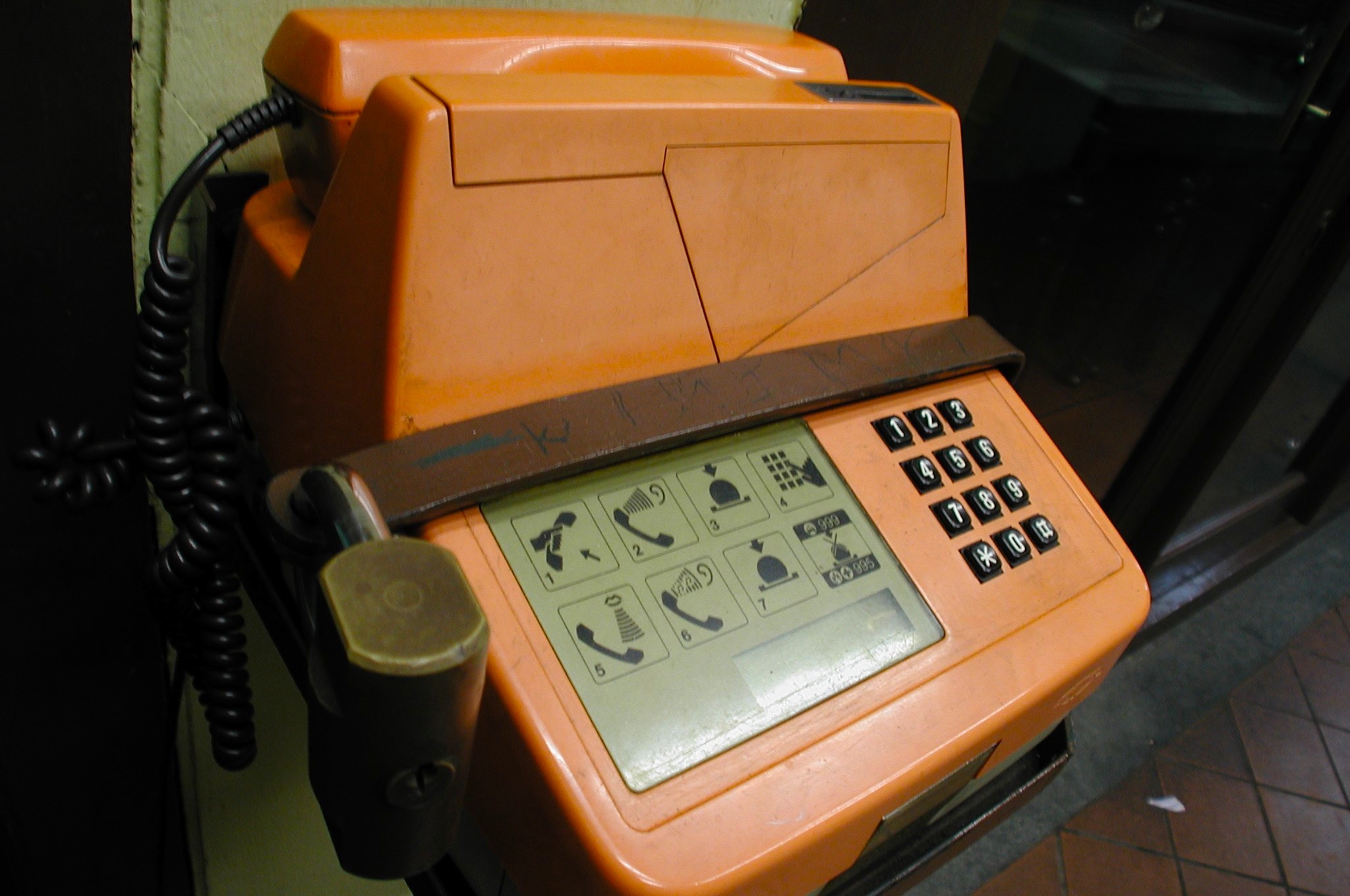
No other industry moves as quickly as the technology sector. Inspired by the Remember Singapore blog and the I Remember SG website, I thought I’d write a quick piece about forgotten technologies. For anyone who grew up in the 80s and the 90s, any form of tech was an unfamiliar but throughly exciting experience, from watching the first 28.8k modem boot up with its incessant beeps and shrieks, to that awkward first social encounter with that kid at the playground asking for a Digimon battle. Web 1.0 [youtube]http://www.youtube.com/watch?v=iHW1ho8L7V8&feature=related[/youtube] Remember that monster of a modem you had to use to connect to this newfangled thing called the Internet? Basically, in order to check an email, you had to inform everyone in your house and the neighbours next door that you were going online. Flavours of email addresses ranged from Hotmail to Excite to Mail.com. In an era where Geocities and BBS ruled, you would be lucky to get any sort of graphics. They loaded line by line, often freezing midway if the Internet happened to be having a bad day. Have fun looking at how websites today would look Geocities-fied here. Windows 95 Who can forget the melodic start-up sounds of Windows 95, as well as staring patiently at the colour-changing loading bar at the top of the loading screen. The OS of choice in every MOE computer lab, I remember doing really odd educational exercise programs in school as well as 10/10 PC Tutor at home. At least the latter sent you cool free postcards for finishing your assignments on time. Speaking of which… Taken from: http://someawesomeness.wordpress.com/ Floppy disks Games used to be no more than 2.8MB, because they had to fit on one of these. Bigger programs were stored on multiple floppy disks labelled “Part 1” and so on in black tape. For those who took electone classes at Yamaha, the programming for your exam pieces also all fit on one floppy disk. Tamagotchi and Digimon Taken from http://www.whotalking.com Yes, this is a shame-based admission, but I used to own one of these little clunkers. Banned in almost every primary and secondary school once they came out, these were the expensive toys every kid wanted. Cheap replicas with melting batteries were sold in every neighbourhood minimart, rapidly confiscated by exasperated teachers. Public coin/card phones For some reason there were always terribly long queues for these phones during recess, and I had no idea why. Once the value on your phonecard ran out, with a pair of scissors and some quick modifying you could create your very own discreet rubber band gun. Like so. The evolving Nokia Taken from: http://en.wikipedia.org/wiki/File:Nokia_3210_3.jpg The Nokia 3210 was my very first phone, and I think it could probably still work if I found it. As heavy as a brick and twice as resilient, this phone survived drops like a champ and would probably outlast the human race. Its green-lit screen soon became the epitome of uncool once the Nokia 8250 and its brethren arrived with the dazzling blue screens that could double as a flashlight. Feel free to share your own memories of technology growing up in Singapore in the comments section below, or on any of the memory websites listed!
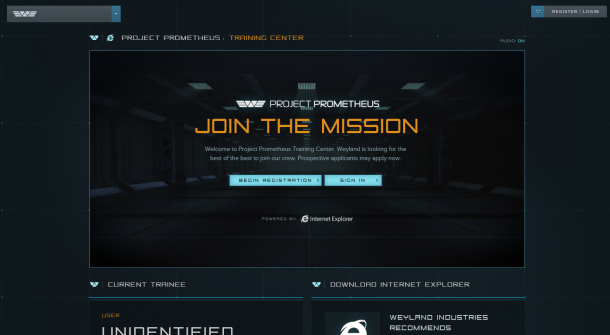
The search for our beginning could lead to our end. The new movie Prometheus sees a team of explorers discover a clue to the origins of mankind on Earth, leading them on a journey to the darkest corners of the universe. There, they must fight a terrifying battle to save the future of the human race. In preparation for the upcoming film Prometheus (in theaters on June 8), Weyland Industries is accepting applicants to join the crew of the Project Prometheus spaceship. Today, the Internet Explorer team is proud to announce our partnership with Fox Studios to create the Project Prometheus Training Center — designed entirely in HTML5 — giving fans the chance to demonstrate they are capable of being a crew member on the Prometheus ship. The Training Center hosts a series of online physical and cognitive assessments that will test your ability to be a functioning member of the Project Prometheus team, including testing emotional and intelligence quotients, spatial relations, agility, and even your ability to withstand 46 G’s. The HTML5 experience leans heavily upon jQuery for the UI and controls, and the team even created a special 3D library for the Spatial Relations and Prefrontal Cortex Assessments to import features such as 3D models, lighting, hit testing and camera rotation. The code library will be available for download on our Internet Explorer channel on GitHub in the coming weeks. Do you have what it takes to keep your head at 46 G’s? Good luck! Check out the center here. Read more about the building of the HTML5 site on the IE Blog or check out the Promethus Youtube Channel.
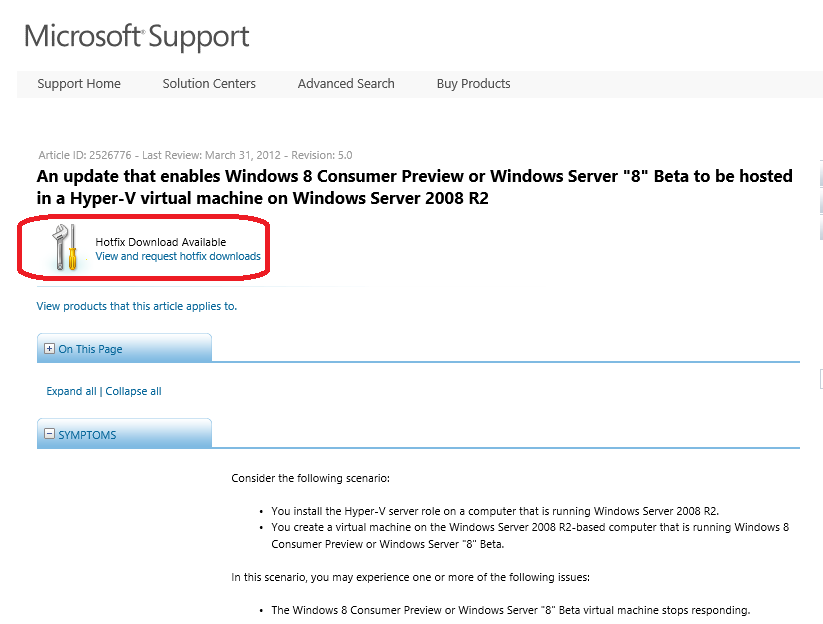
Let’s say you have Windows Server 2008 R2 and you are ready to run Windows Server 2012 or Windows 8 as VMs to try it out. I know some of you still prefer to run Windows Server 2008 R2 in your lab. Some of you may have to stay on Windows Server 2008 R2 because it is your testing or staging environment in your company. Previously you may experience one or more of the following issues while trying Windows Server 2012 or Windows 8 in Windows Server 2008 R2 Hyper-V ...
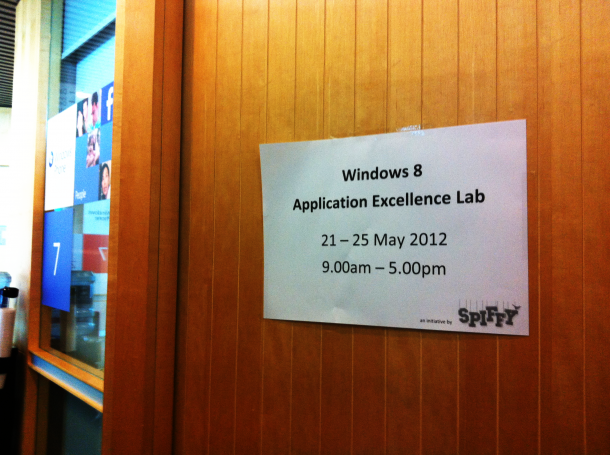
Guess what’s brewing in our labs? It’s the start of the Windows 8 App Excellence Labs! As a part of our Windows 8 Developer Camps, Microsoft Singapore has been offering a free 2 hour App Excellence Lab to App developers. What is the Application Excellence Lab? The App Excellence Lab is when our friendly and lovely Microsoft engineers go through your Windows 8 app together with you and help you with issues or problems that you might have. We’ll let you know what is good, what can be better and how to go about doing it! The best part? After each successful App Excellence Review, conducted remotely, each developer receives a free token to the Windows Store. Here’s an inside peek on what goes on inside, our friendly Microsoft engineer and Developer Evangelists helping Jonathan (a student from Singapore Poly with his Win 8 app) and giving him advice. And remember, the Release Preview is now due the first week of June 2012. There are limited timeslots available in which you can get your App reviewed. Get in early, or you will miss out!
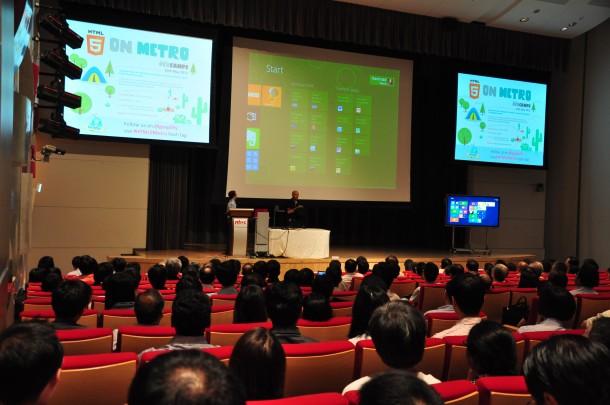
Held at the NTUC Auditorium on 10 May 2012, this developers’ camp introduced Singaporean developers and IT professionals to the power of HTML5, elaborating on how the markup language will feature prominently in creating software for the Windows 8 platform. A fully immersive experience Senior Technical Evangelist Giorgio Sardo and Architect Advisor Hammad Rajjoub opened the event, talking about the multiple touch capabilities of the Metro UI and demonstrating the fluidity of the tiled start menu. With its graphic-intensive approach, full-screen interfaces and standardisation of gestures across applications, the user experience is expected to be intuitive and effective. Rajjoub mentioned that Windows 8 works across a range of diverse platforms, despite the differences between specs such as mobile screens and large-screen monitors. He demonstrated how the search function is integrated across apps as well as web, with a one-stop “live updating” solution for the user. Placing emphasis on the new “snap” function, Rajjoub showed how switching from one screen to another would enable easy multitasking while running several apps at the same time. He also noted that coding processes for Windows 8 will feel familiar to those accustomed to C# and Visual Basic. Be it HTML, Javascript, C# or Visual Basic, all could be used to create Metro-style apps. Smooth gaming processes Sardo shared his experience with gaming on Windows 8, showing the camp participants an exclusive sneak preview of Resident Evil that smoothly rendered with little noticeable lag on his laptop. XBox games are “easily ported to Metro”, he said, opening up the platform to a whole new market of gamers. Going into his work on the award-winning game Cut The Rope, Sardo said that it was originally written in Objective C. As such, rewriting each line of code into Javascript in order to keep the user experience similar was a bit of a challenge, he shared. Sardo showed how he animated sprites by scrolling and looping images, explaining that this was a common graphics engine for most games in the industry. Animating the ropes was the biggest challenge, he went on, given that over 20,000 triangles and shadows that made up the ropes needed to be coded individually to run smoothly. Originally, Zepto Labs wanted to kill the projects as the ropes took too long to load, but ironically after a few tweaks, the game was running “too quickly” on HTML5! The game had to be slowed in order to deliver a consistent experience across platforms. Although existing code can be ported over quickly to Windows 8, Sardo warned that this demonstrated the power of HTML5, but shouldn’t actually be put into practice. Full-screen immersion is important for applications, often more so than websites. Fully integrated support for developers Digital Marketer Tan Chun Siong closed the event with his presentation on some tips and tricks to engage the user. Designing a good application, he said, must not be simply focused on making it “faster”, but a more holistic approach must be used in order to study how users actually utilise the application. With the standardisation of Windows Library Javascript tools, the open and customisable features shown to developers at the event is predicted to be most useful to applications that are information-heavy, such as recipe books or reference materials. This is due to the fact that there are already attractive templates available for developers to fill with their individual content. Be sure to follow our speakers on Twitter for the latest updates on Windows 8! Giorgio Sardo: @gisardo Hammad Rajjoub: @HammadRajjoub Bruce Wang: @linanw Tan Chun Siong: @tanchunsiong
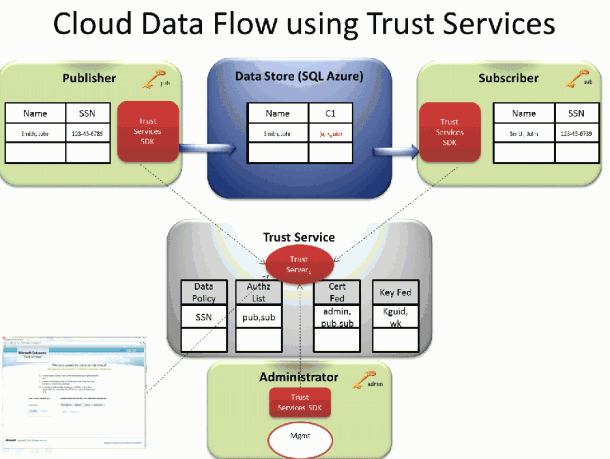
Protect your data in the Cloud Trust and Security have been hot topics for the public cloud since its inception. Corporate IT departments and CIOs have repeatedly expressed concerns over the loss of control associated with moving various levels of sensitive data to a public cloud. At the same time, the overall benefits of a public cloud are tremendous and continue to gain momentum. This means that many organizations have a pressing need tomigrate to public cloud infrastructure in spite of ongoing concerns about security. Encryption is one of the fundamental required tools for protecting data in the cloud. However, encrypting the data in the cloud, and then storing the encryption keys in the cloud in order to be able to access the data, provides only a very minor improvement over simply storing the data in the cloud in the first place. Trust Services provides a unique combination of end-to-end application level encryption and power of the cloud to roam encryption keys in a totally secure way. It enables data driven applications to work with sensitive data, securely stored in different cloud-based storages while continuing to maintain control over access to this data. ...
We are proud to announce the @Home with Windows Azure competition here in Singapore! Join us in this effort to give back to a very deserving cause, and get a solid understanding of the Windows Azure platform in the process. You will deploy an application to Windows Azure that directly contributes to Stanford University’s Folding@home effort, a distributed computing project that carries out simulations of protein folding. By simply running a piece of software, you can help scientists learn more about diseases like Alzheimer’s, ALS, Huntington’s, Parkinson’s disease and many cancers through banding together to make one of the largest supercomputers in the world. This distributed computing project was created by Stanford University researchers to help scientists unravel the mysteries of protein folding in hopes of helping cure diseases. Started by the US East Region DPE team, The @Home with Windows Azure project allows you to contribute to it by using your MSDN subscription or by using a free 3-Month Trial subscription to harness the power of Microsoft’s cloud computing platform. Prizes & Dates Your first prize will be the good feeling for contributing to a good cause! Also, globally, for every deployment of the @home with Windows Azure application Microsoft will donate $10 to Stanford University’s effort (up to $5,000 maximum). You also have the chance to win one of the following great prizes that will be randomly drawn between Singapore participants that enter before 11:59pm on 15 June 2012 and leave their solution deployed until at least 11:59am on 25 June 2012: ...
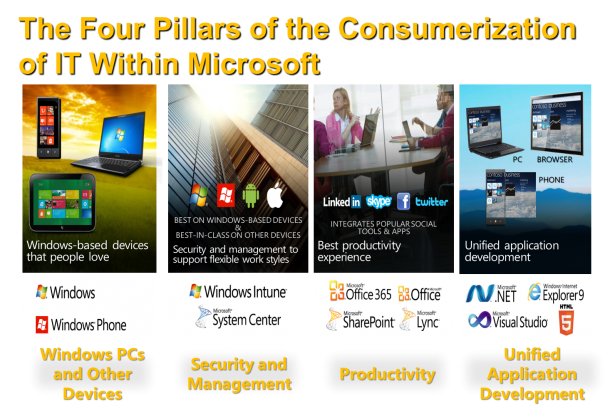
Consumerization of IT (CoIT) is a reality to many organizations today. Employees more and more want to use their personal electronic devices to do their jobs, and utilize the same technologies and applications at work that they use at home. This blending of consumer and enterprise technologies is the Consumerization of IT, and it boosts employee productivity and satisfaction. However, it can make it difficult for IT departments to ensure an enterprise’s data security and integrity. Many people think CoIT is only about “Devices Management”. To have a successful CoIT strategy, we also need to think about People, Security and Management, , and Productivity**.** Microsoft IT built the support for CoIT based on following four pillar. • Windows PCs and other devices: Classify what are enterprise-standard, consumer-standard, and nonstandard devices, and then determine the various support models for each. Look at your support model, think about how difference devices will be supported and what level of support each kind of devices gets. • Security and management: Determine how to manage and control these devices, and their users’ access to intellectual property, and then ensure data’s integrity and security once users place it on these devices. Different people may handle different information, HR and Finance Department typically handle more sensitive data and information. Classify different data and information then build access and control polices around it. For example, highly business impact (Like HR and Finance records) data and information should be only accessed from managed devices. Low business impact data and information may be accessed through unmanaged devices to enable flexibility. • Productivity: Determine which applications and technologies to support on employees’ devices to ensure that they continue to be satisfied and productive. •Unified application development: Establish best practices for line-of-business (LOB) application development, and ensure a secure development lifecycle and marketplace for these applications Below table (Click to enlarge) illustrate how Microsoft IT support Bring Your Own Device (BYOD) for both Windows and Non-Windows Devices. It also shows what kind of access each device can get. Here is list of technologies that involved to build this approach. ...
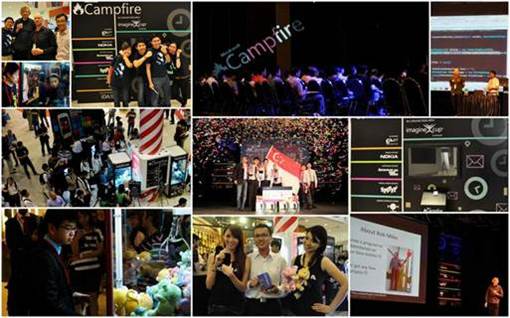
#MSCampfire was an amazing opportunity for us to gather developers, IT professionals, students and start-ups together. Over the course of 3 days we saw 600 attendees come together to discuss and share about the latest in web and mobile technology, had the brightest student minds pit their heads together in the Semis and Final of Imagine Cup SG to tackle some of the toughest real-world problems and saw the grit and passion from start-ups in Singapore from the Singapore Satellite of Echelon by our partner E27. All these wouldn’t have been possible without your support. Thank you so much for attending #MSCampfire and we hope to continually see you for the rest of our events. For those of you who missed #MSCampfire, fret not! Our next event happening on 10 May is HTML 5 on Metro. During this session, we’ll speak specifically about how HTML5 is changing the way applications are designed and how best to use it to create Metro-styled apps! Register now at bit.ly/html5onmetro Here are the slides from each session and the coverage on it. 10:30 – 11:30 Keynote – Rob Miles (Coverage by E27) 16:30-17:30 The Kinect Effect: Infinite Possibilities – Rob Miles Slides and (mostly working) code from the presentations - here C# Yellow Book, Windows Phone Blue book and other free stuff - here .NET Micro Framework embedded development - here Gadgeteer embedded development - here Three Thing Game student madness – here Windows Phone development - here Dreamspark, free software for students - here Microsoft Robotics Developer Studio – here Kinect For Windows SDK – here 11:30 – 12:30 Prototype, Prototype, Prototype – Shane Morris (Coverage by E27) ...