Updates on "Win Zenbook with System Center 2012"

We got a piece of good news and a piece of bad news to update on the contest! Let’s start with the bad news first. We have our winners for all Starbucks cards and 4gb thumbdrives but we won’t be announcing it here. GOOD NEWS is…. we are extending this contest till 11 May 2012! So start downloading System Center 2012 if you havent to stand a chance to win a Zenbook! details are here » with so many good reviews on UX31 (http://www.engadget.com/, http://www.pcmag.com, http://www.laptopmag.com) I’m sure you don’t want to miss this! Hint: Remember to sign up for MVA to triple your chances of winning! We also like to take this opportunity to invite you to get your hands on IT at Private Cloud Immersion! Learn how Microsoft is delivering cloud solutions now and in the future. For more click here »

SR-IOV Support in Windows Server 2012

Past couple of weeks, I shared at our community meetup and also partner briefings about some new fantastic features about Windows Server 2012 (formerly known as Windows Server “8”). SR-IOV is one of them. SR-IOV stands for Single-Root Input/Output (I/O) Virtualization. It’s is a standard defined by the PCI Special Interest Group. If you work for one of the member companies who have access, and are after some light bedtime reading, the specs are available on their website. To learn more, I want to point you to this outstanding 8 part blog series written by John Howard, a senior program manager on the Hyper-V team at Microsoft Here are the posts for you reading pleasure: Part 1: http://blogs.technet.com/b/jhoward/archive/2012/03/12/everything-you-wanted-to-know-about-sr-iov-in-hyper-v-part-1.aspx Part 1 discusses emulated versus software devices, the pros and cons and constraints of each and why Microsoft is investing in SR-IOV. —————————————————————————————————– Part 2: http://blogs.technet.com/b/jhoward/archive/2012/03/13/everything-you-wanted-to-know-about-sr-iov-in-hyper-v-part-2.aspx Part 2 discusses the SR-IOV standard, physical functions (PFs) virtual functions (VFs) and the hardware requirements to make SR-IOV even possible. —————————————————————————————————– Part 3: http://blogs.technet.com/b/jhoward/archive/2012/03/14/everything-you-wanted-to-know-about-sr-iov-in-hyper-v-part-3.aspx Part 3 discusses device drivers and how they function in an SR-IOV environment as well as screenshots of an SR-IOV NIC within a Hyper-V VM. —————————————————————————————————– Part 4: http://blogs.technet.com/b/jhoward/archive/2012/03/15/everything-you-wanted-to-know-about-sr-iov-in-hyper-v-part-4.aspx Part 4 discusses some of the low level necessary firmware and motherboard changes to make SR-IOV function and provides a pointer to an interesting presentation given 4 years ago at WinHEC 2008 by Jake Oshins that provides further insight into SR-IOV. —————————————————————————————————– Part 5: http://blogs.technet.com/b/jhoward/archive/2012/03/16/everything-you-wanted-to-know-about-sr-iov-in-hyper-v-part-5.aspx Part 5 explains the IO path with SR-IOV enabled, covers SR-IOV configuration via the UI and a deeper dive into PowerShell. —————————————————————————————————– Part 6: http://blogs.technet.com/b/jhoward/archive/2012/03/19/everything-you-wanted-to-know-about-sr-iov-in-hyper-v-part-6.aspx Part 6 discusses SR-IOV and Live Migration in detail. It covers the engineering challenge of making SR-IOV work with Live Migration (not trivial folks) and even includes a video that demonstrates a virtual machine with an SR-IOV NIC under load being Live Migrated. There’s even a link to a WinHEC 2006 presentation —————————————————————————————————– Part 7: http://blogs.technet.com/b/jhoward/archive/2012/03/20/everything-you-wanted-to-know-about-sr-iov-in-hyper-v-part-7.aspx Part 7 discusses SR-IOV and how it works with the new inbox Windows Server 2012 NIC Teaming. Yes folks, you can team SR-IOV NICs in the guest. —————————————————————————————————– Part 8: http://blogs.technet.com/b/jhoward/archive/2012/03/21/everything-you-wanted-to-know-about-sr-iov-in-hyper-v-part-8.aspx Part 8 discusses debugging SR-IOV and includes examples in PowerShell and covers troubleshooting through the Event Viewer.

Getting the most bang out of your bytes

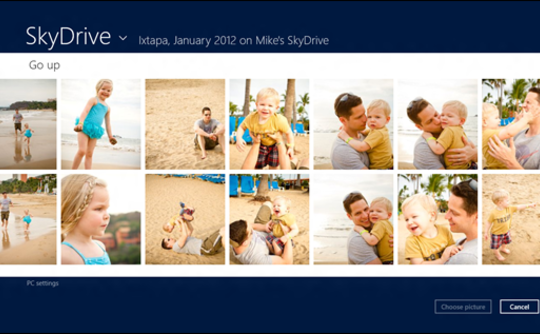
The recent announcements of Microsoft SkyDrive and Google Drive have thrown the spotlight on some of the most exciting changes in the global fight for cloud hosting services. As one of the most wired countries in the world, there is no better time to get onboard. Because like any true Singaporean, we all want the best value for our money. Even if it’s free. Here’s a quick summary of five cloud services available in Singapore. Microsoft SkyDrive Microsoft’s recently re-introduced their cloud hosting service SkyDrive, available across PCs and the Mac platform. Tips on how to install it here. (Psst. Quickly opt in now to re-upgrade your account to a 25GB storage for a limited period of time. Steps are here.) The SkyDrive desktop application’s compatibility with Mac extends only so far as Lion, so if you’re on an older Mac you’ll have to access SkyDrive through your browser. Points to SkyDrive must be awarded for its iOS app - photos taken on an iPhone were quickly uploaded and synced to my SkyDrive via an easy multiple selection screen. Around 30 photos took mere minutes to upload in their original uncompressed formats. Google Drive Image from https://drive.google.com/start Although Google very recently made headlines for Drive (and we do mean recently - this article was rewritten because of it), it unfortunately doesn’t seem to be available in Singapore as of yet. Anyone have any luck finding anything other than a “Google Drive is coming.” page? Originally, Google didn’t have a compiled cloud service per se. Sure, emailing files to your own email account might have done the trick, but your content was probably evenly spread among Gmail, Google Docs, Picasa, Google Calendar and so on. Some may argue that separate content requires separate services, but Drive, like the One Ring to Rule Them All, will probably be the consolidating platform that unites them. Watch this space. Apple iCloud Image from http://www.apple.com/icloud/what-is.html I would consider iCloud to be more of a behind-the-scenes sort of restore tool. You hardly realise it’s there until you need to use it. It backs up your mail, contacts, calendar and is needed to use native applications such as Find My iPhone. Personally, I don’t think I’ve ever used it much. Because Singapore doesn’t have access to the content on the Apple Online Store (music, movies and whatnot), there is no local option to backup such content on the cloud. Amazon Cloud Drive Image from https://www.amazon.com/clouddrive/learnmore This one’s a bit of a mystery since the online Amazon store is also not available in Singapore. A bit of an iCloud problem, if you could put it that way - why buy/use the service if you’re denied access to its repository of impressive content? I managed to log in with my Amazon account, but was slightly disappointed by its lack of features. Like iCloud, this service is closely tied in to the company’sproducts, so I would suggest giving this 5GB a miss unless you own a Kindle. Dropbox Image from http://www.dropbox.com The only service that isn’t tied in with a larger parent tech company, Dropbox has been around for a while and its strength lies in seamless syncing across various operating systems. There’s even a Public Folder option where you can generate a link to your uploaded files for public downloads. I’ve lost count of the times when I wanted to share a file quickly, then simply dragged and dropped and gotten an URL to copy and paste in a pinch. The Good News My advice? Why choose when you can literally have it all? Use SkyDrive for uploading photographs from your phone on the go, Dropbox for file-sharing with friends, Google for organising and editing group projects and Amazon Cloud Drive for… well, when you run out of free online storage space, I guess. Remember to upgrade your Skydrive to 25GB for a limited time too!

Access your personal cloud for Windows with SkyDrive anywhere, anytime

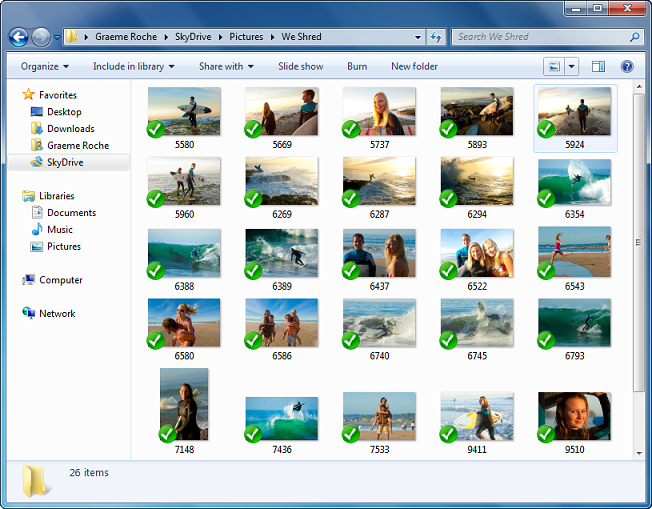
One of the things that can really bug a user is when you don’t have access to your data. Over the last year we’ve been hard at work building SkyDrive alongside Windows 8, setting out a unique approach to designing personal cloud storage for billions of people by bringing together the best aspects of file, app, and device clouds. [caption id=“attachment_8881” align=“alignnone” width=“652” caption=“Special folder stays in sync with your SkyDrive”][/caption] Today, we’re excited to take another big step towards our vision by making SkyDrive far more powerful. There are new storage options, apps that connect your devices to SkyDrive, and a more powerful device cloud that lets you “fetch” any file from a Windows PC. Starting today, we are now offering: ...

Introducing the Microsoft Virtual Machine Converter BETA (MVMC)

MMS2012 at Vegas last week was awesome. If you followed the keynotes, both keynotes were very good. You can watch Keynote and Breakout sessions at http://www.mms-2012.com/digitalmms. Same excitments are shared by medias too. I saw some good articles on some popular sites. eweek: Windows Server 8 is Now Officially Windows Server 2012 Meanwhile, at MMS, Microsoft’s Anderson said IT organizations that use System Center 2012 and Windows Server with Hyper-V for cloud computing are helping their companies move faster, save money and compete better. For example, EmpireCLS Worldwide Chauffeured Services, a luxury car service headquartered in New Jersey, has used a Microsoft private cloud to reduce data center costs by 50 percent, amid 30 percent company growth during the past 18 months. With more than 1,000 employees, EmpireCLS relies on the Microsoft private cloud to deliver a reliable reservation system to customers in more than 700 cities around the world. Using System Center 2012, EmpireCLS also used its cloud environment to create a new business with its BeTransported software as a service (SaaS) offering. The application is now in use broadly within the car service industry. Network world: Your move, VMware:Windows Server ‘8’ Becomes Windows Server 2012 BetaNews: Meet Windows Server 2012 Windows IT Pro: MMS 2012: The Evolution of Data Center Computing The Register: Microsoft goes global with System Center 2012 at MMC Windows IT Pro: MMS 2012: System Center 2012 Released, Windows Server ‘8’ Now Windows Server 2012 Network World: Hyper-V: Hyper Adoption TechTarget: Microsoft Deployment Toolkit 2012 released – and new Windows Intune is on the way ZDNet: Windows Server 8 officially dubbed Windows Server 2012 Windows IT Pro: It’s Official: Windows Server 2012 ...

Pushing the boundaries of HTML5 with ForestFly

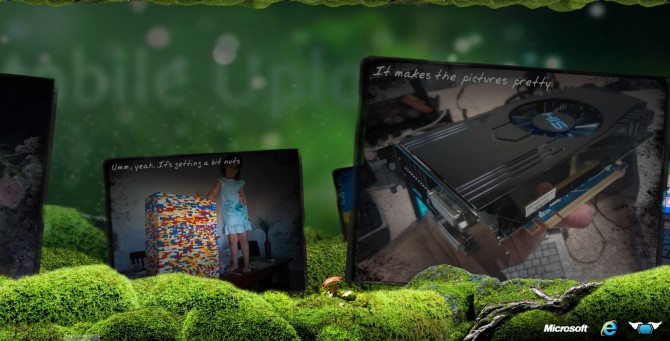
Check out this awesome project by our Australian DPE team! From their blog: We decided to push the boundaries for HTML5’s canvas tag in this beautiful photo gallery visualiser. So we at La La Ninja decided to make ForestFly – http://forestfly.lalaninja.com.au by Tom Knight from Xamling ForestFly was designed to provide a simple, yet visually appealing method of viewing facebook photo albums. With limited knowledge of Canvas, HTML5 Video and Audio elements, our designer and I managed to complete the project in less than 5 days thanks to broad community knowledge and relative ease of use. ...

Windows 8 Hands-on Lab and Application Consultation Session

Sign up for our workshops after submitting your app ideas to win8sg@microsoft.com Windows 8 changes everything. It is the single most important opportunity for developers right now. That’s why we’re going to get technical in these sessions. Come join us in one of these Windows 8 hands-on sessions that will allow you to the opportunity to go through the app development process with our Windows 8 experts. Topics to be covered, with focus on html and Javascript: ...

April 19, 2012 · 2 min ·  Spiffy

Watch MMS2012 Keynote tonight, discuss with APAC peers and get rewarded

Microsoft Management Submit 2012 is happening right now at Vegas. Brad Anderson, Corporate Vice President of Microsoft’s Management and Security Division delivered a fantastic keynote last night. The second day keynote will be happening tonight at 11:15PM - 12:45PM Singapore local time. You could watch it live (or on-demand) at http://www.microsoft.com/en-us/server-cloud/new.aspx. After watching, I’m sure you will have questions that you would like to bounce off to someone. You can do that by joining the conversation that’s happening concurrently at Facebook MMS APAC Chat Wall. MVPs, community leaders and industry peers from Asia Pacific will be there to answer all your questions. Here are what people are talking about now! Get into the conversation!

Move Your Career to the Cloud with the Microsoft Certified Solutions Expert certification

Microsoft Certified Solutions Expert (MCSE) is a reinvented certification for today’s technology solutions Microsoft has reinvented its certification program by building a broader and deeper set of technology solutions skills validation, starting with cloud-enabled solution skills. As one of the most recognized and respected certification programs, Microsoft is charting the path for IT Professionals and Developers to keep their skills relevant as new technology solutions are released. Reinvented, Not Just Renamed Microsoft Certified Solutions Expert (MCSE) emphasizes solutions Microsoft has reinvented its certifications to validate the skill sets needed to develop, deploy, and maintain Microsoft technology solutions. These certifications recognize IT Pros and Developers who have skill sets that run both broad and deep. Certifications are available at three skill levels: ...

Turning Virtualization to Private Cloud - How Orchestrator can help

What is Cloud? Okay, ‘Cloud’ is a over-used word these days in IT. Everyone is talking about Cloud, every IT vendor is talking about Cloud. So What is Cloud? Can you describe it? If you cannot, don’t worry you are not the only one. I always refer to the defination by National Institute of Standards and Technology (NIST): “Cloud computing is a model for enabling convenient, on-demand network access to a shared pool of configurable computing resources (e.g., networks, servers, storage, applications, and services) that can be rapidly provisioned and released with minimal management effort or service provider interaction. This cloud model promotes availability and is composed of five essential characteristics, three service models, and four deployment models**:** _On-demand self-servic_e, broad network access, resource pooling, rapid elasticity and measured service.” For the full defination, click HERE to visit the NIST website. The key word here is “Cloud Computing is a model” A model that delivers ...