Party Rockin' On Dance Central at Plaza Singapura!

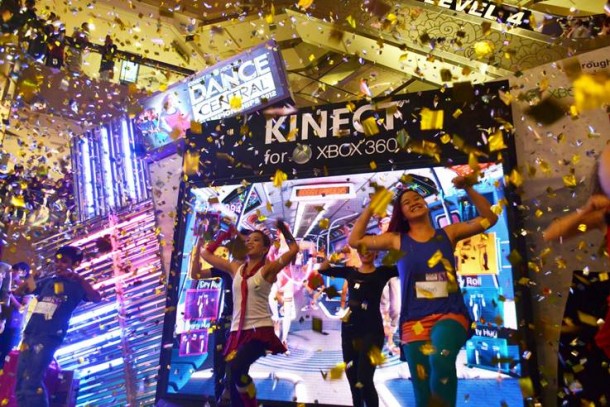
DCC Finalists bringing the house down with The Last Dance after all winners were crowned on 8th April It was an explosive weekend at Plaza Singapura as the inaugural Dance Central Championships came to its grand finale and Kinect Star Wars was officially launched! From 3rd to 8th April, at least 100,000 mall visitors came to experience the magic Kinect for Xbox 360 like never before. ...

April 10, 2012 · 2 min ·  Spiffy

Ready for MMS 2012 Keynotes and More Technical Documentation Available Now

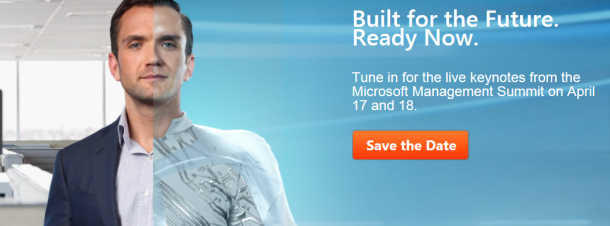
Well, we are near to MMS 2012 which is happening 17 April in Las Vegas. If you are late sleeper like me, you can watch the two Keynotes on 18 April and 19 April 12:00AM Singapore time. Click here to save the date A new bunch of technical documentation downloads for System Center 2012 is also released: •Technical Documentation Download for System Center 2012 – Operations Manager •Technical Documentation Download for System Center 2012 – Virtual Machine Manager •System Center 2012 Configuration Manager •Technical Documentation Download for System Center 2012 – Orchestrator •Technical Documentation Download for System Center 2012 – Service Manager •Technical Documentation Download for System Center 2012 – Unified Installer These are great resources for System Center 2012. If you have not tried System Center 2012, do it now through one Single download today!

Resources from Build for Windows 8

Thank you for joining us for the Build for Windows 8 Event last Friday! We had fun with 200 fellow developers who came together to learn about the Windows 8 platform. Here are the slides for your reference. Do let us know if you have any questions and feel free to get in touch with us by leaving a comment, or tweet us @gospiffy for more information. Have fun developing for Windows 8! The Windows 8 Platform Designing Metro Apps ...

April 2, 2012 · 1 min ·  Spiffy

Campfire - Two days of cutting edge learning and inspiration

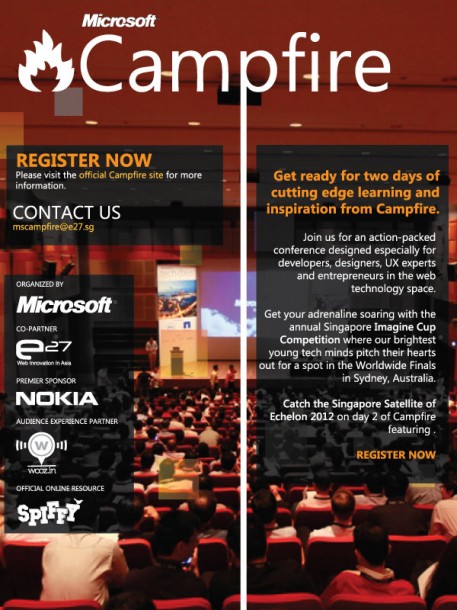
Campfire proudly presents two days of cutting edge learning and inspiration from April 13 - 14, 2012. Join us for an action-packed conference designed especially for developers, designers, UX experts and entrepreneurs in the web technology space. We’re flying in great speakers from across the globe specially to talk to you about trending topics like HTML5, The Kinect effect and so much more. If you’re looking to learn about the latest web development opportunities, then you’ve come to the right place. ...

March 29, 2012 · 1 min ·  Spiffy

Live Blogging from Build for Windows 8!

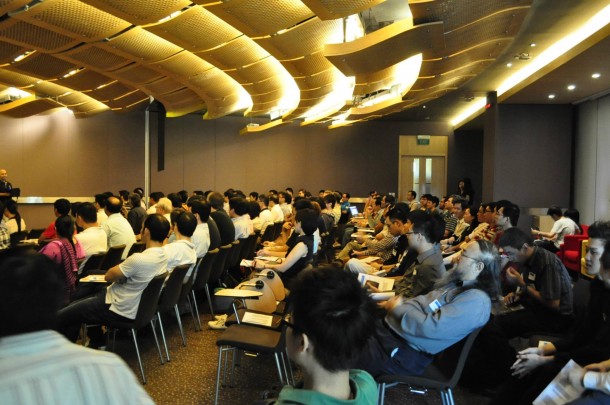
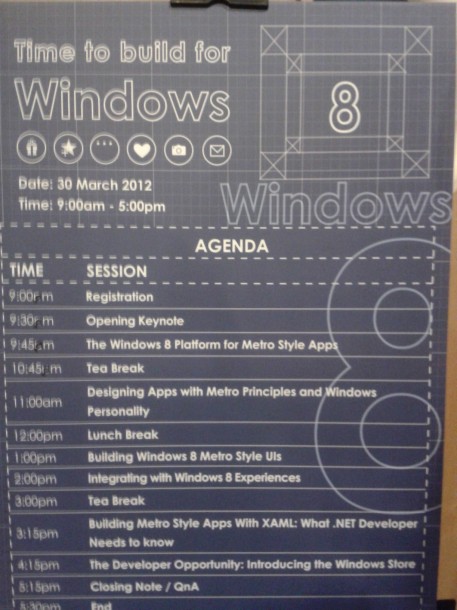
Build for Windows 8 is the first dev camp we are running here in Singapore and we’re really excited to share with you the opportunities that Windows 8 brings to you as a developer! We’re really happy to have around 200 developers join us in this session. If you couldn’t attend today, don’t worry, we’ll be live blogging and sharing with you resources from the dev camp! Slides will also be made available here so remember to check this page out. Tweet us @gospiffy and use the hashtag #BuildforWin8SG 930AM - We started the day with an introduction with Alex introducing the upcoming events for Windows 8, including Campfire. We’re flying in speakers who are experts in HTML 5 and other interesting subjects in the web tech space to talk to you from 13th - 14th April! Register here: campfire.weshipcode.com 945AM - Our awesome director, Ziriad Saibi talking about the opportunity for developers. Windows 7 numbers are at 500M. That’s not even including other Windows powered devices. 10.00AM - Hammad, architect evangelist, talking about the Metro UI and demonstrating the investments that went into Windows 8 to create a beautiful user experience for everyone (yes, even developers). 1030AM - Search is an interesting factor for developers, when a user is searching on Windows and if your app is relevant, it pops up immediately on the results screen without having to go into a browser! 1045AM - Are you a HTML5 / Javascript / .Net/ C++developer? Then you’re already equipped to be a Windows 8 developer. 11.00AM - Short break! Time for some tea. In meantime, meet Kim, our presenter for Metro UI later on! 1115AM - We are demoing a camera capture class. Its really easy to set up! Hammad just made the audience scream ‘Metro’ and we now have videographic evidence of your presence here - uploading to Facebook. (Just Kidding, you guys are great!) 1120AM - Tiles are a great mechanism for drawing users’ attention to your application! Make sure you take some time to customize it. 1130AM - Content before chrome. Interesting research shows that browser users are hardwired into thinking that our browser chromes are the main part of experience and not the content itself. The Metro UI allows content to come first. Immerse your users in the thing s they love instead of wasting space with the chrome. Let layout flow from edge to edge, pan only on a single axis to create a sense of stability. - more on that later during the UX session. 1140AM - Life is made a lot simpler when you use the templates from Visual Studio to create your first Metro style app. 1150AM - Introducing the App Bar: Most apps will have the app bar at the bottom that allow the user use common commands. 1157AM - Try Semantic Zooms to show richer, meta information on your groups. 1203PM - Design for touch first! Most people use the sides to navigate through the apps.. don’t expect them to use too many fingers at once! (Unless you want them to spill their Starbucks coffee all over their tablet.) 1215PM - Lunch! Did you guys enjoy it? 1.20PM - Full and ready to learn more about Windows 8 development! Kim is sharing about resources for developing on the Metro UI. He’s also giving great tips about the commanding surfaces that allows users to have greater interaction with the touch device. R. emember to check out our tutorial about Visual Blend, that will help you prototype UIs quickly. 1.35PM - Need design assests? Download them here. 1.45PM - Remembering to scale your graphics properly is important! Run it on the emulator to try how it looks like. 1.50PM - We love animations that make your app feel more alive. Built in controls are provided for free. You can also look for more in the Windows 8 Animation Library. Very useful. 2.00PM - 5 T-Shirts given to our awesome attendees! Great questions on the APIs, porting of apps. Keep the questions coming in! 2.05PM - Darren Sim, talking about integrating applications with web services. 2.13PM - Again, search is universally accessible and contextual. Darren is demo-ing it right now! 2.40PM - A really funny presentation from Darren who is sharing about how to call certain features using javascript. The tutorial is found on MSDN. 3.00PM - So many questions! And the IE T-shirts seem to be really popular. 3.15PM - Breaktime! We took some videos of the attendees, thanks for the feedback. Great to see Android and iOS developers here as well. Seem like the market share is an interesting factor when it come to deciding which platform to develop for. 3. 30PM - Hammad, our Win 8 champ, is on again. We’re learning about extension methods that bridge the gap between the new Windows Runtime and managed code. When you use Runtime, your apps are going to be super fast. 4.00PM - Ed Quek from Microsoft APAC is sharing about the Windows Store right now. 4.05PM - demoing the Windows Store, did you know that 70% of apps get buried in the app store? Windows is going to help you overcome that! Check out how to sell your apps and the descriptions you’ll need here. 4.30PM - As a developer you get 70% of whatever you sell on the store. If you get over US$25,000 you get 80%! It’s a tiered model. 4.38PM - Trials matter. You get a 70% better chance of converting users into paying ones by offering trials! Keep that in mind when you’re deciding the price and sales model. 4.40PM - Singapore is one of the countries with that will have the Windows Store supported. Go little red dot! 4.45PM - The cost to register for a Windows Store developer account in the United States is 49 USD for an individual and 99 USD for a company. For the price in your local currency, see Developer countries and regions.

Attention Developers: Windows Phone SDK 7.1.1 Update Has Landed

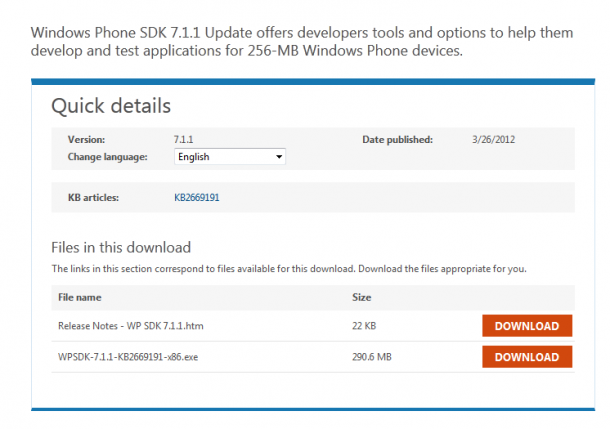
Hurray! More integration with Windows 8 powered devices! The Windows Phone team announced on their blog today that the release of the Windows Phone SDK 7.1.1 Update is now available for immediate download on the Microsoft Download Center. The two highlights of this update are: Develop apps that work well on the new 256 MB devices Use the WPSDK 7.1 to develop on machines running Windows 8 This update goes a long way to making it easier for folks to build apps that target both Windows Phone and Windows 8; the WPSDK 7.1.1 runs quite well side-by-side with Visual Studio ‘11’. Particularly with the Consumer Preview out, the ability to run the IDEs side-by-side has been a major request from our developer community. For Windows Phone developers, this is a great opportunity to explore the Windows 8 marketplace as another channel for your applications. Find out more about developing on Windows 8 in our ‘Build for Windows 8’ workshop this Friday as well.

TechNet Radio: Microsoft MVP Sainath K.E.V on Hyper-V, System Center 2012 and Cloud Security

One of our local MVPs, Sainath K.E.V is featured on TechNet Radio. Tune in to this TechNet Radio to hear from him about his view on cloud computing. He also talked about his expereinces on System Center Virtual Machine Manager 2012 and Hyper-V related deployment from his actual day job, more importantly he talked about Cloud Security. Take action and try out System Center 2012 products yourself, download System Center 2012 through one Single download today!

Build for Windows 8 Comes to Singapore

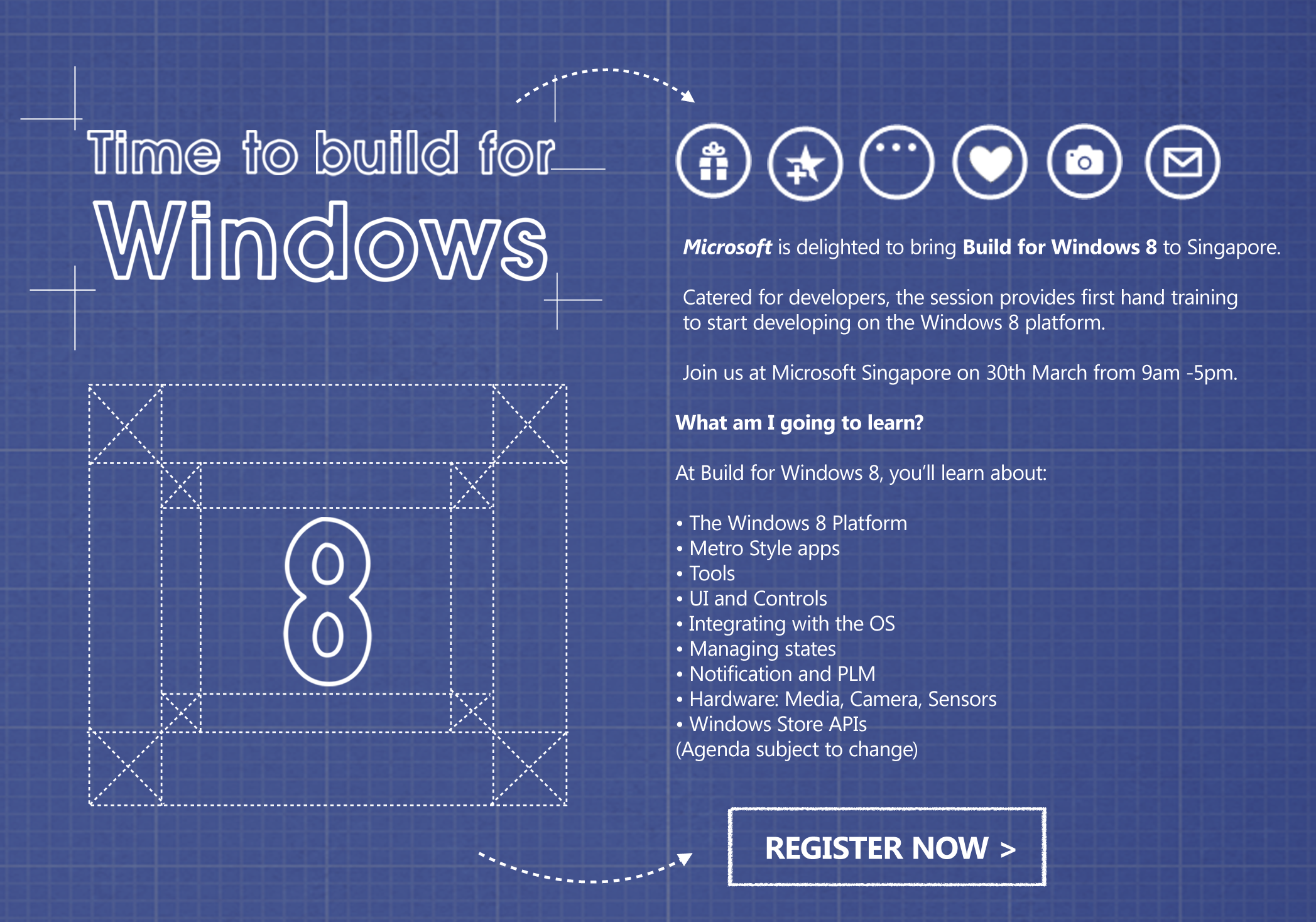
Apps are going to be at the center of the new Windows 8 experience. As a developer, you will be given unprecedented access to millions of Windows users worldwide. Microsoft is proud to bring Build for Windows 8 to Singapore, a free, fun, no-fluff event for developers, by developers. This full day event will let you experience developing on the new Windows 8 platform. You will learn from experts in a low-key, interactive way and then you’ll get to apply what you’ve learned. Spaces are limited, register at bit.ly/buildforwin8 now! Time and Date - 9am to 5pm, 30th March 2012 Location - Level 22, Microsoft Singapore,1 Marina Boulevard, One Marina Boulevard, Singapore 018989 ...

March 22, 2012 · 4 min ·  Spiffy

FREE resources for Microsoft SQL Server 2012

If you are looking to learn about the new SQL Server 2012. Here are some great resources to help you. Over at Microsoft Virtual Academy , there are 5 FREE online training modules for SQL Server 2010. Sign up for FREE and enjoy the great content. Breakthrough Insights using Microsoft SQL Server 2012 - Analysis Services Breakthrough Insights using Microsoft SQL Server 2012 - Scalable data warehouse Breakthrough Insights using Microsoft SQL Server 2012 - Reporting Services Cloud on your terms with Microsoft SQL server 2012: Scale on demand Mission Critical Confidence using Microsoft SQL Server 2012 The Final and Complete edition of of Introducing Microsoft SQL Server 2012 is also now available for FREE download. Introducing Microsoft SQL Server 2012 includes 10 chapters: PART I DATABASE ADMINISTRATION (by Ross Mistry) 1. SQL Server 2012 Editions and Engine Enhancements 2. High-Availability and Disaster-Recovery Enhancements 3. Performance and Scalability 4. Security Enhancements 5. Programmability and Beyond-Relational Enhancements PART II BUSINESS INTELLIGENCE DEVELOPMENT (by Stacia Misner) 6. Integration Services 7. Data Quality Services 8. Master Data Services 9. Analysis Services and PowerPivot 10. Reporting Services

Thank You And A Preview Of Apps From #WhereIsMyLumia Campaign

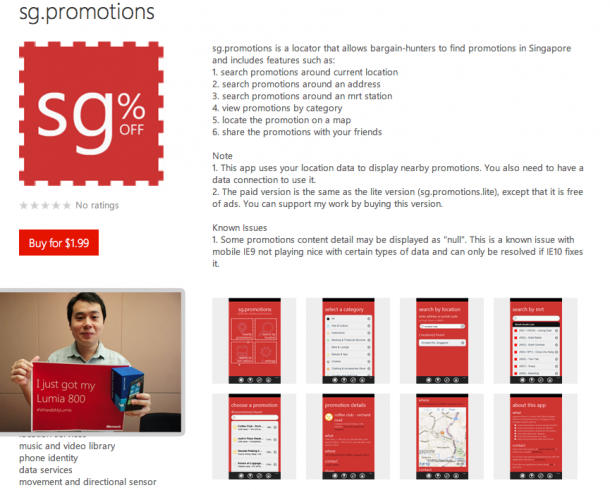
The Lumia series represents a significant milestone of Microsoft & Nokia’s partnership in bringing a new experience to Windows Phone users. Developers play a big role in shaping this experience with us. To allow more developers in Singapore the experience of developing on the Windows Phone platform, we announced the #WhereIsMyLumia campaign a little over two months ago. So far we have been overwhelmed by the response, with more than 100 developers applying with their wonderful app ideas. Although we couldn’t give everyone theirs this time, we are still committed to supporting you with the resources needed in the development process. THANK YOU FOR YOUR PARTICIPATION AND SUPPORT! Look out for our upcoming campaigns and training sessions for the Windows Phone and Windows 8 platforms as well! We sincerely thank you for you support and feel free to drop us an email, a tweet or facebook message if we could help you with anything else. In meantime, here’s a sneak peak of the first few apps developed from #WhereIsMyLumia: 1. SG Promotions by Steve Teo - sg.promotions is a locator that allows bargain-hunters to find promotions in Singapore For the lite version. 2. Gradulator by Tan Jianhao Steve - Gradulator is a one-of-a-kind application that allows users to aim for the grades that they want, by calculating how much they need for their final exam! (Definitely a handy app for all students out there.) 3. Pics on Geo by Lim Hong Wei Kelvin - Pics on Geo automatically geo tags the users photos when taken. At the same time, users can see photos geo-tagged and recommended by other friends. 4. SP Render by Tan Eik Chor Christopher - This app is particularly useful for those thinking of taking a course in Digital Media. It showcases the best works by the graduating cohort of 2012, School of Digital Media and Infocomm Technology (DMIT), Singapore Polytechnic (SP), with award-winning spectra of projects. Congratulations again to all the developers who took part in #WhereIsMyLumia and got their Lumia 800! We’re looking forward to your apps and hope you have a fun time developing them. Look out for our upcoming campaigns for Windows 8 and Windows Phones as well!

March 20, 2012 · 2 min ·  Spiffy