.NET Developers Community Singapore

Hi there, We would like to invite you all to join the .NET Developers Community Singapore.The community is for anyone who are passionate/interested in developing software application in .NET ecosystem and its related technologies. If you happen to be a C#, WPF, ASP.NET, WebAPI 2.1, SignalR, Roslyn, Microsoft Azure, server-side, .NET enthusiast, etc. the community is certainly for you and you should join in. Development using .NET is very exciting, easy and it’s open-source now. We welcome to all developers for the new era of .NET related development and for non .NET developers as well. Try .NET. .NET Core in Linux and Mac The .NET Core project is under the stewardship of the .NET Foundation. We believe that to be a critical part in promoting and advancing the .NET Core stack. You can create all of back-end codes and client side using C# and .NET for cross-platform and multi-platform (Xamarin, Unity 3D, Mono, etc.). One framework, one language that works for all platform and devices. ...

Learning Javascript API for Office

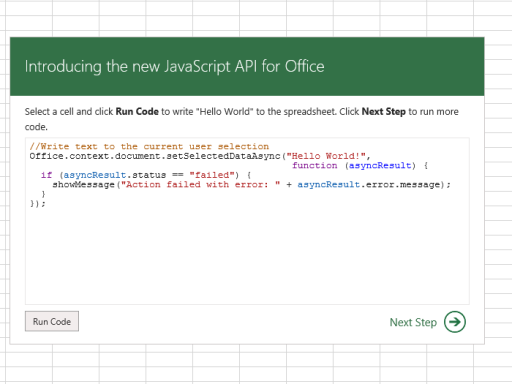
Did you know you could build apps for Office? Microsoft already created a JavaScript API tutorial for Office in the form of an app, a long while ago. Really, what the app teaches you are the basic development tasks by letting you interactively run and edit JavaScript code directly in Microsoft Excel! You can start running the tutorial online, but make sure that you’re running at least Internet Explorer 9, Safari 5.0.6, Firefox 5, Chrome 13, or a later version of one of these browsers. If not, you can also download a Windows App version of the tutorial, that will run Microsoft Excel directly, from the Windows Store. [caption id=“attachment_18920” align=“aligncenter” width=“640”] Javascript API Napa Tutorial[/caption] Now when we mean basic, the tutorial itself covers: reading and writing text, ranges, tables (including updating data in a table), getting and setting coordinates, and most importantly, making persistent settings. As a bonus, the app allows online access to all tutorials using the “Napa” Office 365 Development Tools too. Also if you didn’t know, because the API Tutorial app references the jQuery library (version 1.7.1), you can also use jQuery in your script! When you run the app from the Excel Web App (and because script is running in the context of the browser you opened it with), most JavaScript supported by that browser should run as well. Neat, huh? If you want a total walkthrough on learning the Javascript API tutorial, you can find out more on the Microsoft Apps for Office and SharePoint blog.

IT Camp – Moving to Hybrid Cloud with Windows Azure Virtual Machines & System Center 2012 R2

Join us at our Microsoft IT Camp – Moving to Hybrid Cloud with Windows Azure Virtual Machines & System Center 2012 R2. Microsoft IT Camps are no cost, hands-on technical training events for IT professionals led by Microsoft experts. Attend the IT Camp: Moving to Hybrid Cloud with Windows Azure Virtual Machines & System Center 2012 R2 and learn how Microsoft’s Cloud OS technologies can provide an elastic infrastructure to transform your IT resources into a datacenter that is capable of handling the dynamic needs of enterprise businesses. This camp will focus on successfully configuring, monitoring, and managing operation of a hybrid cloud environment and provide a hands-on, interactive experience on how to integrate Windows Azure resources, such as virtual machines and storage, into an on-premises System Center 2012 R2 infrastructure. This camp will dive deep into the end-to-end process of connecting your System Center components to Windows Azure using operational aspects of DevOps as example scenarios. Date : 21 Mar 2014 Time : 9.00am to 5.00pm Venue : New Horizons Computer Learning Center 298 Tiong Bahru Road, Level 18 Central Plaza Singapore 168730 ...

Automate System Center Deployment with PDT

What is PDT? PDT refers to PowerShell Deployment Toolkit. It is a community Toolkit to help automate System Center deployment. PDT is posted to the TechNet Gallery here. PDT consists of 5 files: Installer.ps1 is the PowerShell script that you run to actually perform the deployment. It should be run from a system that is not a target system for the deployment itself – it can even be run from a workstation. Workflow.xml contains all the “knowledge” of how to deploy system center – we will look in more detail at the content of this file in later posts. Variable.xml is the file that you modify to define your deployment. Downloader.ps1 is a utility to allow you to obtain all the software required to deploy. Using this utility will be the topic of another post. VMCreator.ps1 is a utility to quickly create domain joined VMs on which to deploy. Using this utility will be the topic of another post If you are interested, also check out the MMS2013 session on this topic: http://channel9.msdn.com/Events/MMS/2013/SD-B302

Got what it takes to be the Tech Elite?

With the cloud revolution in full swing, there’s never been a greater need for live migration and responsive virtualization, dynamic and cost efficient storage, multi-tenant network virtualization, tight access control and data protection. Get to know how Microsoft Technologies deliver all these and more! Revolutionize your business and your career in IT. Join Tech Elite today! Virtualization, Live Migration, and Multi-Hypervisor Support Provides an integrated and high-performance virtualization platform with a host of new capabilities including live migration compression and live migration with RDMA as well as integrated virtualization management across different hypervisors. ...

Windows 8.1 Deployment Jump Start on 12 March 2014

Do you want to deploy Windows 8.1 the “right way”? Find out how to avoid deployment pitfalls and how to streamline the process with a team of experts, including a key Developer of the Microsoft Deployment Toolkit (MDT). Benefit from their real-life experience with early adopters, in this recorded session with live Q&A. They start with the basics and then dive deep to teach you how to plan, configure, and manage client deployment to Windows-based computers in Microsoft System Center 2012 R2 Configuration Manager and the MDT. Get tips on saving time and money by automating some (if not all) of the process. Why learn the hard way? Join us here on Microsoft Virtual Academy to find out more. Course Outline: ...

New Windows Azure Network Security Whitepaper Available

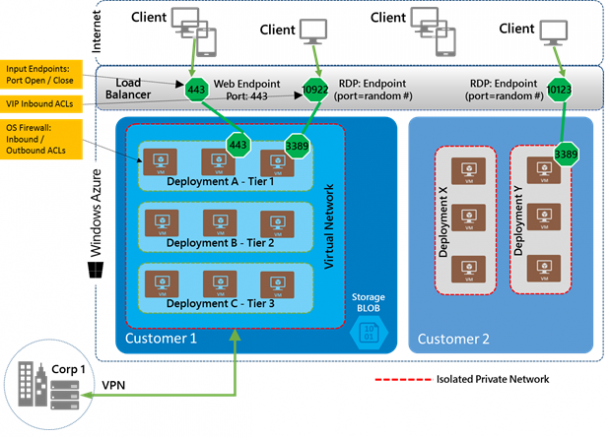
When comes to public cloud like Windows Azure, security is always a popular area for many customers. A new technical whitepaper on Windows Azure Network Security is released to help IT Administrator to understand the security mechanisms within Windows Azure. Windows Azure networking provides the infrastructure necessary to securely connect your virtual machines to one another, as well as bridge between the cloud and your on-premises datacenter Few of the questions I get asked a lot are around protection against DDOS and intrusion detection. The whitepaper explains those points in detail. ...

Windows Azure Backup Service is now available

Windows Azure Backup Service is now available! This means it is now live in production, backed by an enterprise SLA, supported by Microsoft Support, and is ready to use for production scenarios. What is Windows Azure Backup? Windows Azure Backup is a cloud based backup solution for Windows Server which allows files and folders to be backed up and recovered from the cloud, and provides off-site protection against data loss. The service provides IT administrators and developers with the option to back up and protect critical data in an easily recoverable way from any location with no upfront hardware cost. How does Windows Azure Backup Work? Windows Azure Backup is built on the Windows Azure platform and uses Windows Azure blob storage for storing customer data. Windows Server uses the downloadable Windows Azure Backup Agent to transfer file and folder data securely and efficiently to the Windows Azure Backup Service. Along with providing cloud backup for Windows Server, Windows Azure Backup Service also provides capability to backup data from System Center Data Protection Manager and Windows Server Essentials, to the cloud. All data is encrypted onsite before it is sent to the cloud, and customers retain and manage the encryption key. How to do it? Click New->Data Services->Recovery Services->Backup Vault to do this: Learn more on how to do it from: ...

Greater flexibility and agility with Windows Server 2012 R2

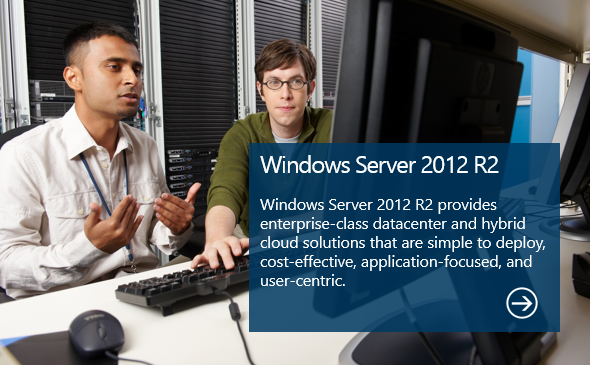
At the heart of the Microsoft Cloud OS vision, Windows Server 2012 R2 brings Microsoft’s experience delivering global-scale cloud services into your infrastructure with new features and enhancements in virtualization, management, storage, networking, virtual desktop infrastructure, access and information protection, the web and application platform, and more. Here’s are some resources to help you get started with Windows Server 2012 R2; > Start your evaluation > Start your Microsoft Academy Courses > What’s New in Windows Server 2012 R2 > Read the Windows Server 2012 R2Datasheet > Read the Windows Server 2012 R2 White Paper

Windows 8.1 - New Start Screen Features

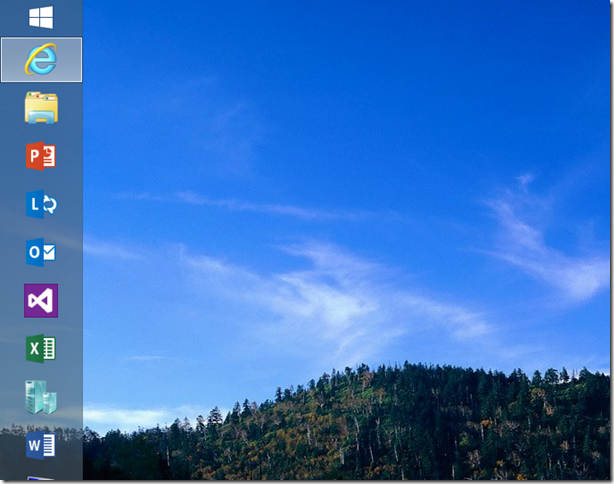
Windows 8.1 has just been released with many new features to explore. In this article, I am going to discuss more about the New Start Screen. There has been many expectations among business people with the release of Windows 8, with some wondering why their Start button is missing. Now with Windows 8.1, the Start button is back! So what are some other key differences? Let’s see what’s new - the new Start screen has the features below: ...