Windows Server 2012 QoS Common Configurations

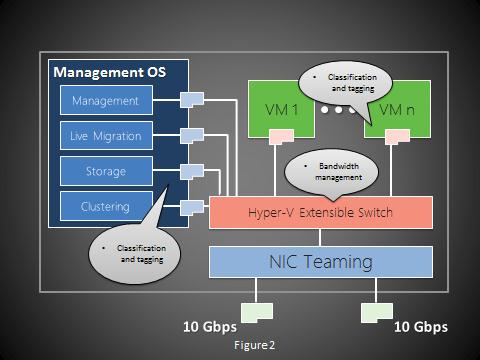
One of the exciting new network capabilities in Windows Server 2012 is Quality of Services (QoS). QoS technologies allow you to meet the service requirements of a workload or an application by measuring network bandwidth, detecting changing network conditions (such as congestion or availability of bandwidth), and prioritizing - or throttling - network traffic. For example, you can use QoS to prioritize traffic for latency-sensitive applications (such as voice or video streaming), and to control the impact of latency-insensitive traffic (such as bulk data transfers). QoS provides the following features. ...

Why I Love Windows Server 2012 Part 4 - Storage Space

What is Storage Space? Storage Space in the nutshell is storage virtualization. It allows you to turn commodity server into a storage server almost like a SAN. Why Does Storage Space Matter? One important reason to virtualize is to have high availability, but it can be expensive. You always needed a share storage - SAN. Storage Space provides the SAN-like capabilities for your cluter or standalone server. Let’s face it, many organization cannot afford to have SAN everywhere. This provides a great alternative and allow IT to enable more high availability across the entire infrastructure. For small and medium size organization, IT can leverage it to have a enterprise grade deployment. Benefits and Limitations Some of the goals of Storage Spaces include the ability to: ...

Annoucing Windows Server 2012 Early Experts Study Group: Singapore

Announcing the Early Experts Study Group for Singapore! Building on the efforts of the Early Experts group currently running in LinkedIn, the Singapore Windows User Group will be running a series of sessions and blog posts to help you prepare for your Windows Server 2012 exams. The series will focus on helping you achieve the Microsoft Certified Solutions Associate certification. The content will be relevant to both those taking the individual exams in the track and to those who are upgrading their 2008 Certifications. ...

Windows Server 2012 Rocks Commuity Roadshow is Here!!

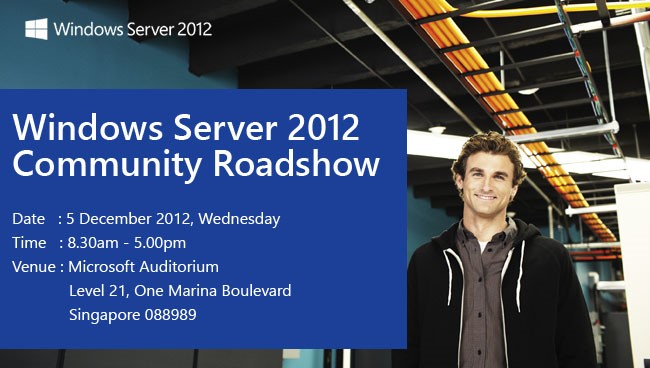
The Windows Server 2012 Rocks Community Roadshow is here! Windows Server 2012 is built from the cloud up, offering a scalable, dynamic, multitenant platform that allows IT to respond to business needs faster and more efficiently. Microsoft MVPs bring you all of the information you need to know—and provide demos to bring this technology to life! Join our industry experts and register for a Windows Server 2012 Community Roadshow event today. ...

Hybrid Cloud - Expanding Datacenter into Azure IaaS

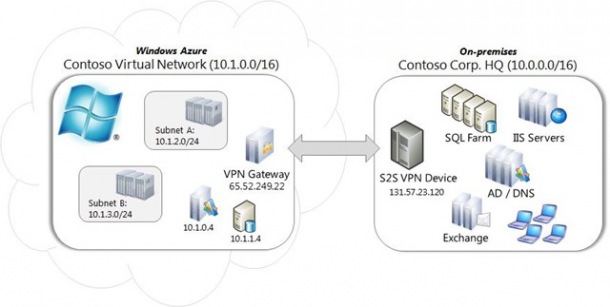
Well, Have you ever thought about the idea to use Public Cloud resources on demand to server as part of your datacenter? Many did, but how to securely connect the Public Cloud resources back to your own Datacenter and function as a collective unit is the biggest challenge. Well, Windows Azure has something to offer now. You can now connect Windows Azure Virtual Network to an on-premises network via site-to-site VPN connection as shown in diagram below. What is the requirement? You need a VPN gateway device in your on-premises datacenter. Here is the list of currently supported devices ...

Why I Love Windows Server 2012 Part 3 - Server Manager

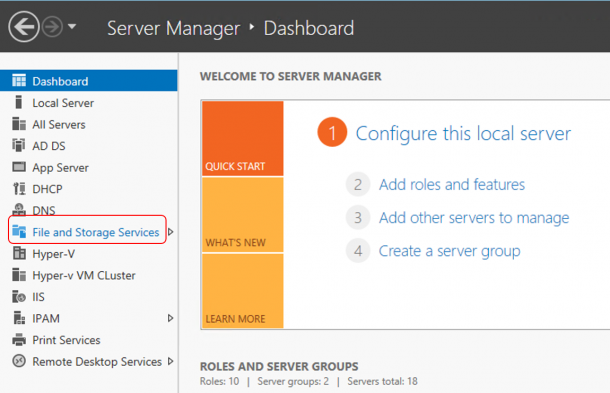
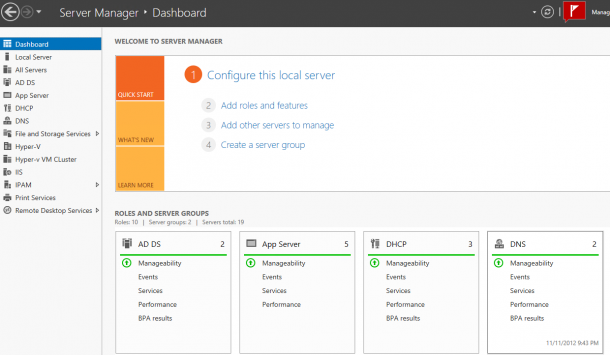
Server Manager is entirely different in Windows Server 2012, but it is a great server management tool now. From a single management point, you can manage almost the entire server infrastructure. There are many server administrator tasks can be done through server manager now. Let’s see how things works in the new Server Manager. The Dashboard The new server manager dashboard shows everything happens around the servers in your infrastructure including a overview on Manageability, Services, Events, and Performance. All your servers will automatically grouped based on the roles and features installed on that server. This includes both physical hosts and Virtual Machines. You can click on any warnings or critical errors directly to see the details. ...

Microsoft Learning Tech Showcase

This is the product launch year for Microsoft. You have new products from the server all the way to the client. To help understand these technologies better, you can find Tech Showcase from all Microsoft Learning Partners. It comes with Hands-on experience on new technologies like Windows Server 2012, Windows 8 Development, SQL Server 2012, SharePoint Server 2013, Lync Server 2013 and many more. To find out more and have a first-hand look at the latest product features and enhancements, you can visit the following CPLS for more detail Tech Showcase details ...

Get Ready for Windows 8

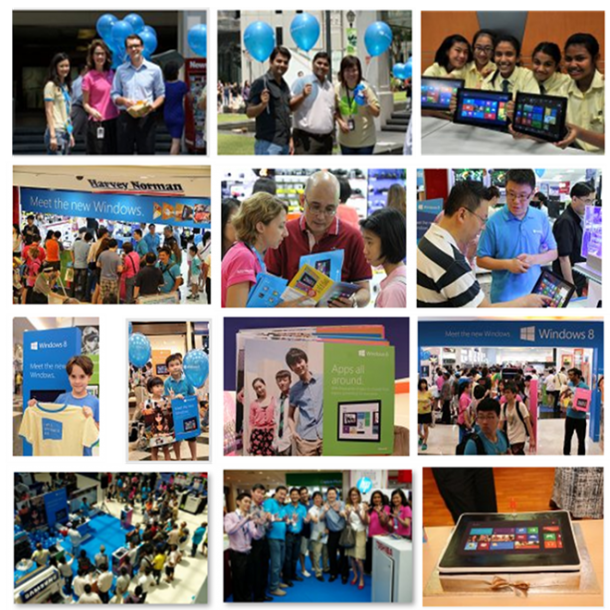
The wait is over, Windows 8 is finally here. There were a lot of excitement across media, online and our launch events at different locations across Singapore. Many people already got their hands on Windows8. Now comes the next step. How can IT Pro be prepared and get ready for Windows 8? Here are some very good materials to get you up to speed on Windows 8 Management and Deployment. Watch the Windows 8 Jump Start for IT Pro: http://technet.microsoft.com/en-us/windows/jj687764.aspx there are total 6 modules including ...

Why I Love Windows Server 2012 Part 2 - DHCP Failover

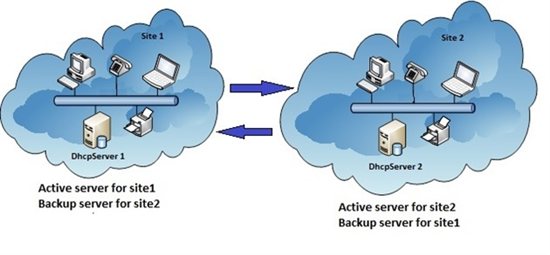
Well, we all know how important DHCP server is. It used to be difficult to create failover for DHCP server. In Windows Server 2012, this is super easy. You can pick any server (with DHCP role installed and Authorized) in your datacenter and create a DHCP failover partnership. You can configure this in two model Load Balance or Hot Standby. Do you need a cluster? No For a Single site deployment, it is pretty straight forward. ...

Why I Love Windows Server 2012 Part 1 - IIS 8.0

Welcome to a blog series about Windows Server 2012. Recently many people asked me about what are the exciting things about Windows Server 2012 apart from Virtualization. Well, there are many of them. One thing probably left in the shadow of the over 375 new features is IIS 8.0. Let’s look at what are the improvements. Why do i care abou these new features? Here is a table how IIS 8.0 in Windows Server 2012 can address some challenges today. Let’s dive into each one of them ...