“OneDrive can’t transfer files right now” – Fix

You’ve just hooked your PC up to OneDrive, and perhaps you’re trying to download a large folder (or everything) off it. Halfway through, you get an error: “OneDrive can’t transfer files right now”. This is actually caused by your PC hitting a local transfer limit (not server sided) of about 500GB. Generally, you can wait a day and it’ll eventually start syncing again. Chances are though, you’d like to fix it immediately. Here’s how: The fix is relatively simple. ...

Photography Guide - PASM & EV

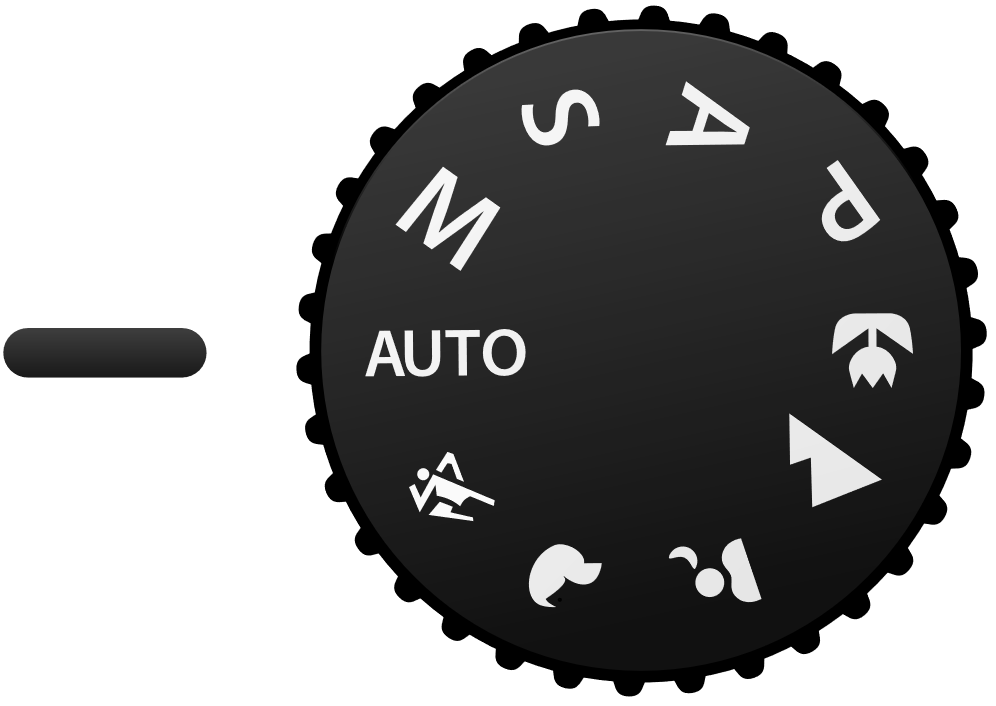
If you have a DSLR, you must have seen the mode dial with 4 letters P, A/Av, S/Tv, M. So what does that mean? P - Program Mode Basically, it means auto. Camera will set everything for you. A - Aperture Priority This mode lets you decide how much background blur (bokeh) you have. If you look at your camera, there is a setting with “F” follow by a number. Example: “F8”, “F2.8”, “F2”. The smaller the number, the more background blur you have. This is the most commonly used mode. If you want to know how to do bokehlicious photo. Please watch [this video](https://www.youtube.com/watch?v=LDcS4zN92rA “How Do You “Do” Bokeh?”). If you don’t want the introduction part, just jump straight to [2:43.](http://www.youtube.com/watch?v=LDcS4zN92rA&t=2m43s “How Do You “Do” Bokeh?”) S - Shutter Priority This mode lets you control the shutter speed. High shutter speed allows you to freeze moving subject and slow shutter speed allows you to take special photos like light trail photography. This mode is usually used in situation with lots of movements and you want to “freeze” them without motion blur. They are usually displayed in 1/X if the speed is less than 1sec and X" if the speed is more than 1 sec. A rough guide for everyone. To prevent motion blur, the minimum shutter speed I will recommend are as followed. Stationary group shots - 1/25 Moving people (Walking/Presenting) - 1/60 Running man - 1/125 Moving car - 1/250 Of course these do not work all the time, take more photos and you will slowly understand how it works. M - Manual Mode Well….. this is the most complicated mode. This mode required you to set aperture and shutter speed by yourself. Unlike the other modes, they will auto adjust the rest of the setting to adapt the different brightness condition. However, this mode allows you to achieve the most amazing photo effect. ...

Exploring Gravity and Space

[youtube]http://www.youtube.com/watch?v=17jymDn0W6U[/youtube] Konnichiwa! It has been almost a month since I returned to Singapore after completing my MBA degree at GLOBIS University, Japan. Recently, I was fortunate to be invited to a preview screening of the latest film by Alfonso Cuarón, “Gravity”, which starred Sandra Bullock and George Clooney. The movie was inspirational and its breathtaking scenes in outer space left the audience wanting more. Here are some great apps and online resources to satisfy your cravings for space exploration: Windows Applications a. Star Chart. [caption id=“attachment_15890” align=“alignnone” width=“300”] Star Chart[/caption] http://apps.microsoft.com/windows/en-us/app/6df7e745-782f-44e7-b408-6259a8da6a7f Explore the galaxy using this great app to learn more about the various planets, moons, and constellations. b. Explore the Moon. [caption id=“attachment_15891” align=“alignnone” width=“300”] Explore the Moon[/caption] http://apps.microsoft.com/windows/en-us/app/382ee911-b93e-4da0-85ca-8fcdc1d9ed7f Admire the beauty of the moon by exploring the app’s great 3D model based on the Worldwide Telescope from Microsoft Research. c. Satellites. [caption id=“attachment_15892” align=“alignnone” width=“300”] Satellites[/caption] http://apps.microsoft.com/windows/en-us/app/52b351ea-6226-4d33-8d00-dc4f2d48cbb5 Track over 1,300 satellites and their latest orbital positions to determine their visibility and the required azimuth and elevation to receive broadcast signals. Online Resources a. Flash Earth. [caption id=“attachment_15893” align=“alignnone” width=“300”] Flash Earth[/caption] http://www.flashearth.com/ Explore aerial images of the Earth based on Bing and Yahoo Maps. b. Digital Universe. [caption id=“attachment_15894” align=“alignnone” width=“300”] Digital Universe[/caption] http://www.amnh.org/our-research/hayden-planetarium/digital-universe/ Marvel at the beauty of the three-dimensional mapping of the Universe that was jointly developed by the American Museum of Natural History (AMNH) and the Hayden Planetarium. c. TED Talk Series - “Are we alone in the universe” and “Way, way out there”. [caption id=“attachment_15895” align=“alignnone” width=“300”] TED Talk[/caption] Learn more about the various topics on the universe and space exploration in two great TED talk series: ...

Conversion Centered Design & Getting Better Landing Pages

A startup founder recently shared with me a book called Conversion Centered Design. It’s a handy guidebook on learning how to build, publish & A/B Test landing pages without fussing too much about the technology. What is Conversion Centered Design? “CCD is a discipline targeted at designing experiences that achieve a single business goal. It seeks to guide the visitor toward completing that one specific action, using persuasive design and psychological triggers as devices to increase conversions.” - According to the authors of the book and founders of the company Unbounce (who used to be interaction designers). Focus on Landing Pages “Landing pages are the perfect medium to facilitate CCD due to their ‘less is more’ approach. Landing pages use congruent design – having a single collective purpose – to usher your visitors toward the finish line.” The Seven Principles of Conversion Centered Design If you are too lazy to read the full 70 pages of the book, then the above slideshare presentation gives a good overview of the 7 Principles of Conversion Centered Design. The 7 core elements of CCD can be broken down into two groups; design and psychology. ...

How You Unknowingly Helped Transcribe Over 40,000 E-Books

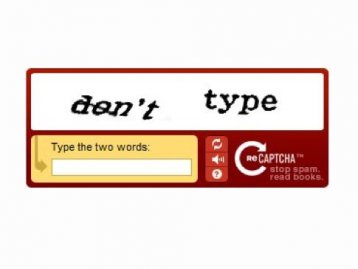
If you’ve ever signed up for a Facebook account or tried to change your password on Twitter, you would have encountered the odd distorted section of the online form which asks you to type in the words or numbers generated in an image. This little tool to distinguish a human from a bot is called CAPTCHA, or a Completely Automated Public Turing test to tell Computers and Humans Apart. [caption id=“attachment_10404” align=“aligncenter” width=“358”] Taken from http://www.businessinsider.com/dont-type-and-9-other-awkward-and-hilarious-captchas-2011-3?op=1[/caption] ...

Helping Rwanda move forward with technology

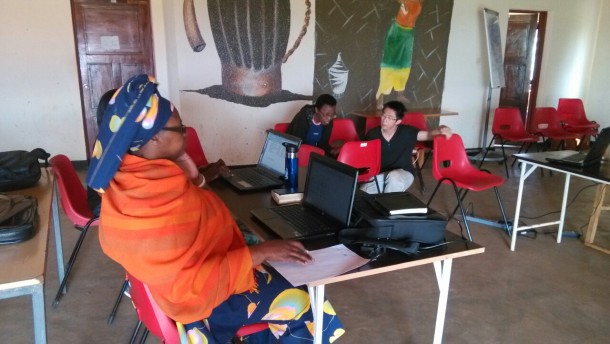
Hello World! It’s a different world out here. :) I’m currently in Rwanda, Africa, where I have a unique and meaningful opportunity to serve as a volunteer here. I work in Agahozo-Shalom Youth Village, a healing place that house orphans and vulnerable youths (mostly affected by the Genocide in 1994 where 800,000 people lost their lives and 95,000 children left as orphans) and help them realize their maximum potential. These children have witnessed unspeakable violence as they saw the lost of their parents, and their country destroyed. I have been here for a couple of weeks now serving as an IT consultant. Unknown to many (even myself before I came), despite being one of the world’s poorest countries, Rwanda is actually very safe, and very similar to Singapore in many ways. Despite the lack of natural resources, both countries have its own strategic entrepot location. That said, Rwanda has a vision to be the “Singapore of Africa” in terms of being a high-tech hub. Part of my goal here is to help raise the IT knowledge of the locals. While in our world where we are exposed to and taught how to use computers at a very young age, many of the locals here have not used a computer until university or the start of their working life. Here, I was teaching a class of “Mamas”, who take care of “Family houses” in the village, how to use Microsoft Word and Excel to write their daily reports. Some of my other work scope involves helping the village obtain and sustain a Wifi & Internet connection using satellite dishes and Wireless Distribution Systems from towns some 20 km away, simply because it is too expensive to lay cables underground. I also plan to help them build an integrated Student Information System to track the youths before they come into the village, all their activities in the village & school, and ultimately how the students have changed or have been impacted after they graduate from here. Information Technology is an extremely important tool to empower Rwandans with, in order for them to recreate their nation. It enables the country to leap-frog the key stages of industrialization, and to remain competitive in the fast-paced world. Technology is slowly integrated into the people’s lives, in terms of how they communicate, pay for goods and services etc. Like Singapore, Rwanda’s most valuable resource is it’s people, and fortunately, the people and youths here are extremely friendly, inquisitive, and eager to learn. While Rwanda still has a long way to go, let’s not forget to help them along the way, and also to be appreciative of what we Singaporeans have today, in terms of our economic developments - due to our advances and use of Information Technology. Click here to see more photos and posts on my experiences in Rwanda.

Game Contre Jour Comes to the Web via HTML5

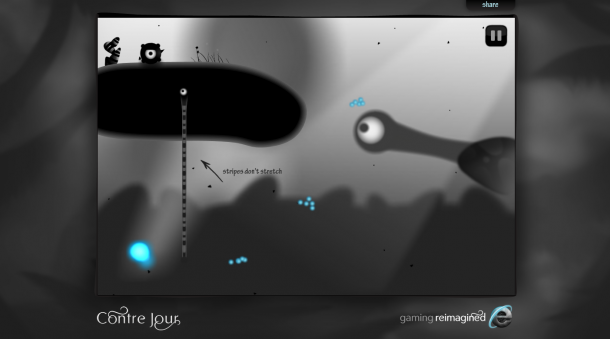
If you loved Angry Birds, my guess is that you’re gonna love Contre Jour, a puzzle game that’s been recently very popular on iOS. The IE team has cooked up with the developers of Contre Jour to bring the popular game to the Web with HTML5. The Web-based version of Contre Jour, available now at Contrejour.ie, includes the first three chapters of the game, or 30 levels. It offers the same look, feel, and performance of the native app, complete with 10 levels exclusively for modern browsers that support multi-touch, like Internet Explorer 10. Contre Jour, which was named the 2011 iPad game of the year, is based on the French phrase “against daylight.” Set to an orchestrated soundtrack from composer David Ari Leon, the game challenges you to navigate and survive a dark and dangerous game world. Using your finger, you morph the landscape — by pulling, swiping, and tapping tendrils, air geysers, and pulleys — to complete clever puzzles and propel a mysterious creature named Petit to safety. ...

Spiffy attends a web development conference in Japan

Konnichiwa! I am currently based in Japan and I was kindly invited to attend Pycon Japan 2012 that is held from 15th September to 17th September at Advanced Institute of Industrial Technology located at Shinagawa, Tokyo. Here’s a brief account of my adventure at my 1st developer conference in Japan. It was a great Saturday morning at 9am in Shinagawa, Tokyo. The Advanced Institute of Industrial Technology is the host venue for Pycon Japan 2012. After walking for 5 minutes from the Shinagawa Seaside Train Station, I finally reached the venue. It was an exciting sight to see the sheer amount of Pycon passes available for collection by the eager participants from all over Asia. I was so excited about the event that I arrived at the main event hall 30 minutes before the start of Pycon Japan 2012. Here’s a closer look at my press invite for the event. At 9:30am, Pycon Japan 2012 is officially opened. The main theme of the convention is to connect and communicate with fellow developers and to share our ideas freely. Everyone embraced the idea of communicating ideas freely during the convention and proceeded to introduce ourselves to each other. The keynote of Pycon Japan 2012 is “Happiness Through Ignorance” by Armin Ronacher. I felt that the keynote was inspiring as it encourages everyone to have the courage to try our ideas. The most important part of developing an idea is the journey and what we can learn from it. We should not be too concerned with failing or else we would never develop or create anything. And of course, Armin also highlighted our love for Python, which is easy to learn and fun to use. After the end of the keynote, everyone dispersed to their respective Japanese and English sessions for the day. A big thank you to the Pycon Japan committee and Advanced Institute of Industrial Technology for a successful convention. I had a great time at the convention and I will be returning for Pycon Japan 2013. Here’s the Youtube video for Pycon Japan 2012 keynote speech by Armin Ronacher: http://www.youtube.com/watch?feature=player_embedded&v=EDlFk1hc8kc Other Pycon Japan 2012 Youtube videos are located at: http://www.youtube.com/user/PyConJP Pycon Japan 2012 information are located at: http://2012.pycon.jp/en/index.html Here’s also a quick python trick for setting up on Windows Azure! All you need to do is go to this link http://www.windowsazure.com/en-us/develop/python/and you can start implementing a simple Hello World application written in the Django Python web framework and deploy the application to Windows Azure! Have fun! What do you think of Pycon Japan 2012? Do you have other great tech events to recommend for us to participate? Do share with us your recommendations in the comments below and we might just do a special report based on your recommendations!

Product Review: $7 Fish Eye Lens from eBay

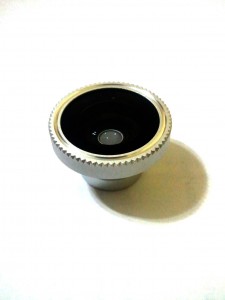
This is a new series of blog post titled “Product Reviews” where we will be testing out various products and posting reviews on them. In this first series of “Product Reviews” post, we will look at the Fish Eye Lens for Mobile Phone available on eBay. I initially came across this lens via word of mouth from a Microsoft Student Partner named Phyo during NDP Hackathon. You can check out Phyo’s blog here. While he managed to purchase this locally, I went ahead to a very popular e-commerce site :) to look for the keywords “mobile phone fish eye lens”. While there are numerous sellers offering seemingly identical product, what you want to do would be to sort by lowest price + shipping as shown below. Look for those with “Buy It Now” and proceed to checkout the item via Credit Card or Paypal. From experience, shipping will take around 2-4 weeks depending on different sellers and location of the goods. How does this attach to your mobile phone? Samsung Omnia Front with Fish Eye Lens on the side Magnetic Ring is double sided taped to the back of the Samsung Omnia. This is universal for all mobile phones and will work across different devices. Samsung Omnia 7 with Fish Eye Lens Magnetically Attached First Person POV of Samsung Omnia Camera App without Fish Eye lens attachment First Person POV of Samsung Omnia Camera App with Fish Eye lens attachment Sample shots off Camera Picture off camera Skyline of One Marina Boulevard Close focus from Fish Eye lens attachment Picture of close up off camera In Summary, the eBay Fish Eye lens is an inexpensive attachment to your photography addition. While it is great for landscape and macro shots, it is also possible to get creative and use the fish eye lens for portrait shots of people with dramatic and distorted effects. However I will leave that experiment to you after you get one for yourself :) Previous Product Review Posts: Product Review: $7 Fish Eye Lens from eBay

Teaching Machines to Speak Is Helping Save Languages

[caption id=“attachment_10096” align=“alignnone” width=“610” caption=“Microsoft Translator Hub empowers businesses and communities to build, improve, and deploy customized automatic language translation systems”][/caption] Today Microsoft announced the launch of its latest translation tool, the Microsoft Translator Hub. The tool enables people to customize translation and in some cases teach machines new languages. At the Worldwide Partner Conference today, Microsoft announced the commercial availability of the Microsoft Translator Hub, which enables people such as those who speak the Hmong language, businesses, developers, and partners to not only translate content, but build their own customized machine translation system. [caption id=“attachment_10097” align=“alignnone” width=“505” caption=“Microsoft Translator Hub”][/caption] A shrinking planet Microsoft Hub Translator is now translating billions of words a day, and the new Microsoft Translator Hub gives people and businesses a more customizable translation tool than ever before. The technology called “machine learning” relies on a large amount of data and on algorithms to help the machine create a model and learn about the data—in this case, a language. At Microsoft, the technological threads of machine translation go back nearly 20 years to the company’s Natural Language Processing Group. Find out more about the project here!