Microsoft Web Camp

What is Web Camp? Calling all students out there! Do join us for this 1-day Microsoft Web Camp event. Web Camps are free, fun, no-fluff events for developers, by developers. You learn to build cutting edge web sites with the new release of ASP.NET and Web Tools for Visual Studio 2013… and then deploy and scale them with Windows Azure. You will also learn how to deploy and scale your web sites with the cloud. ...

Students: Attend Microsoft Build Developer Conference 2015 for FREE!

Registration is right around the corner for Microsoft’s premier developer conference, Build 2015. It’s a 3-day conference held in San Francisco from the 29th of April to the 1st of May, 2015, with registration costing USD 2095 - but if you’re a student who wants to attend, you’re in luck! As long as you can provide proof that you’re a current, full-time student (at the time of Build), you’ll be eligible to get a free ticket (on a first-come-first-serve basis) to Build 2015 by registering your interest by emailing build@eventcore.com. This complimentary ticket will only cover the cost of the conference and not any travel or accommodation. If you’re going, do let us know at win8sg@microsoft.com!

.NET Developers Community 2nd Meetup Will Share On Developing Web

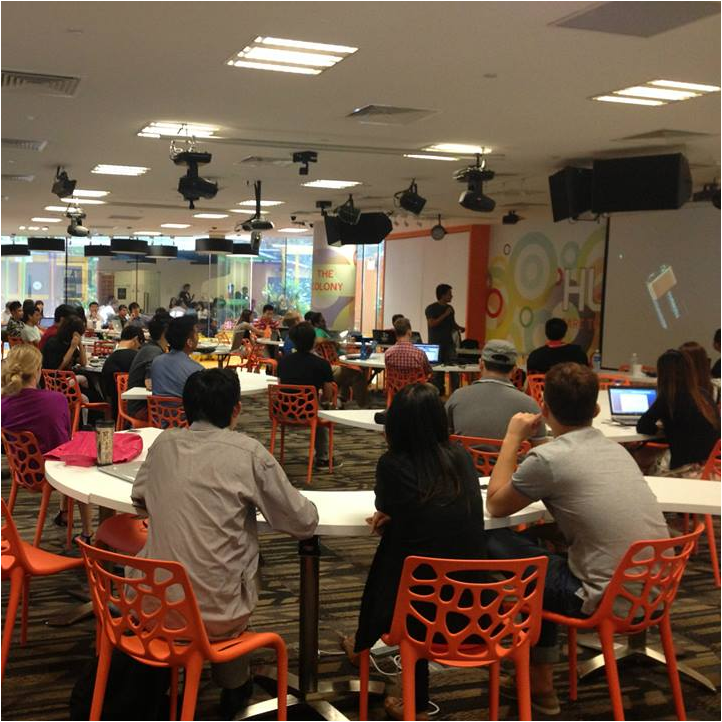
The .NET Developers Community Singapore will have the second meetup. Join the community and meetup. This month the community will share on developing web using .NET. The event will be at *SCAPE The Colony on January 28, 2015, 7.00 PM - 9.00 PM. If you want to know or learn .NET, this community is the best place for you. [caption id=“attachment_19000” align=“aligncenter” width=“722”] *SCAPE The Colony[/caption] Here is the details; http://www.meetup.com/NET-Developers-SG/events/219106052/ Lucky member can win one Western Digital Passport Ultra 1TB (White) door prize for free. ...

Join Azure Community Singapore (ACS)

Hi All, I would like to invite you to join this Azure Community in Singapore. We will be having the first meetup on February 10. If you want to meet the Microsoft Azure experts, masters, developers, Microsoft MVPs and wants to be friends with them and can learn/share knowledge, than this is the place to be. Come and join this first meetup and bring your friends as well so you be able to know the Azure community member in Singapore. Here is the Agenda for the meetup: ...

Announcing the Imagine Cup Singapore 2015 Top 16 Semi-Finalist

Hello fellow students, Thank you for your proposal submission. Here are the top 16 teams (in team name order) who have been short listed for the Round 1 Proposal Submission, and will be moving on to the Semi-Finals Team Name 3DiMS 3DiMS Blue Monocle Blue Monocle Concept Crew Easy Bus Trips DevelopToServe Constellation Tele-care System eSpeech Therapists Electronic Speech Therapist Fay Huang Smart Walking Stick Follow Me Follow Me ...

.NET Developers Community Singapore

Hi there, We would like to invite you all to join the .NET Developers Community Singapore.The community is for anyone who are passionate/interested in developing software application in .NET ecosystem and its related technologies. If you happen to be a C#, WPF, ASP.NET, WebAPI 2.1, SignalR, Roslyn, Microsoft Azure, server-side, .NET enthusiast, etc. the community is certainly for you and you should join in. Development using .NET is very exciting, easy and it’s open-source now. We welcome to all developers for the new era of .NET related development and for non .NET developers as well. Try .NET. .NET Core in Linux and Mac The .NET Core project is under the stewardship of the .NET Foundation. We believe that to be a critical part in promoting and advancing the .NET Core stack. You can create all of back-end codes and client side using C# and .NET for cross-platform and multi-platform (Xamarin, Unity 3D, Mono, etc.). One framework, one language that works for all platform and devices. ...

Imagine Cup Singapore 2015

Microsoft’s premier student technology competition, Imagine Cup, returns for its 13th year with three big competitions: Games, Innovation and World Citizenship. You could win a trip to compete in Seattle, Washington, U.S.A., the home of Microsoft for the coveted Imagine Cup trophy and $50,000. Imagine Cup Timeline: 29 October 2014: Pitch Video 3 December 2014: Online Blueprint 7 January 2014: User Experience Challenge April 2015: Singapore Finals Get your team together, learn about the competitions, and write out your proposal (sample attached), and email us at chunsiong.tan(AT)microsoft(DOT)com! ...

Adventures at the Youth Spark Kids Camp

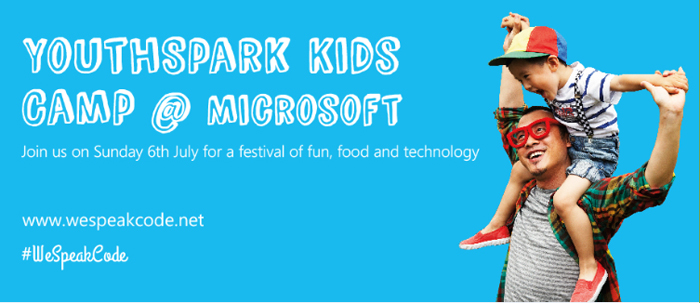
On July 6th, Microsoft Singapore welcomed over 400 kids and their family members to a special YouthSpark Kids Camp. This camp is part of the WeSpeakCode movement to promote coding as the second language of the Asia Pacific region. During the camp, kids are invited to take part in a variety of activities, such as the “Hour of Code” which teaches kids to code their first programs and “Glimpse into the Future” which provides a rare look into the latest Microsoft technologies powering the future. My little niece acted as my special field reporter as I observed the camp through her eyes. During registration, participants with Microsoft devices were rewarded with a specially designed WeSpeakCode t-shirt. Kids were encouraged to explore and learn about the various devices and technologies that are sprinkled all over the Microsoft Singapore office. My niece enjoyed the various activities immensely, and she was very interested in finding out how all of the different technologies and devices worked together. To commemorate the event, my niece took a picture with her parents at the photo booth. Thank you Microsoft Singapore for hosting a fantastic Youth Spark Kids Camp. My niece is looking forward to the next WeSpeakCode event! What do you think of Youth Spark Kids Camp? You can share your experiences in the comments below and tag all event photos with #WeSpeakCode and #YouthSpark.

Introduction to Linux Computing

So I’m sure most of our readers have heard of Linux before? No? Maybe you have seen this linux penguin before? [caption id="" align=“alignnone” width=“307”] Tux the Linux Penguin[/caption] Nonetheless this is for those of you who have heard of Linux or the many distributions of Linux but perhaps think it’s too complicated or a long list of other reasons why you never used Linux. So now you may ask me, so what in the world is Linux? The straight answer to this question is It’s an Operating System like Windows or Macintosh. Some of you may have never had the chance to utilise Linux but Linux is more prevalent in systems than you think. Have a router, smartphone, network access storage or media streaming player? They all basically have Linux at their core. Let me introduce you to a flavour(distribution) of Linux. It’s called Ubuntu. The image below is how Ubuntu 14.04 looks like. Looks sleek and neat right? You were thinking Linux looked more like white text on a black box right? Like the image below perhaps? Well this is true in both senses but let’s not delve too deep into that area as that will just complicate things for now. If you want to try out Linux, there are tons of ways to do it but I’m going to propose the simplest way for all of us to do this and that is to use a virtual machine! So let’s move on to what we need. 1. VirtualBox [link] 2. VirtualBox Extension Pack [link] 3. Ubuntu 32-bit [link] 4. A Working Computer running Windows, OS X 5. Yourself Now that we have download all of the above, Install VirtualBox as well as the Extension Pack. Get Ready with the Ubuntu ISO you just downloaded and let’s proceed to install Linux! Create a new Virtual Machine below by pressing on the obviously blue new button. Fill up some details about your machine, go crazy here. Suggestion for names: “Superman’s Fortress of Solitude”, “The Bat Cave”, “Winterfell”, “King’s Landing” and many more great ideas you may have. I went with a boring name. Just hit next all the way and proceed with the default options. Let’s turn on our Virtual Machine. Press on the bright and beautiful green arrow “Start”. You will see the below and will have to select the Ubuntu ISO that you previously downloaded. I have selected the ISO and we are roaring to go! Hit Start. The Boot Screen for your Virtual Machine. Yay we have booted into the Ubuntu Menu. Let’s proceed straight to Installing Ubuntu. Select the second option with your keyboard and hit enter. You’ll see both options if you let your virtual machine autoboot without seeing the screen above. If that’s the case, just hit on the “Install Ubuntu” button. Select the options like in the image below and continue. Erase the whole disk and install Ubuntu. Select your country. Select your keyboard layout. Usually it would be English (US) unless perhaps maybe you are special? Fill in your name below! We can get creative here again. Some examples could beeeee “Clark Kent, “Bruce Wayne”, “Ned Stark”, “Robert Baratheon” and maaany more you can think of. Now Ubuntu is beginning to install. It will be done in quite a jiffy. Yay! It’s done. Let’s reboot. You might see this when it’s rebooting. Oh look! We have just installed Ubuntu on your computer. Time to login with the password that you typed above. We will need to set-up Guest Additions for Ubuntu to enable some features for VirtualBox. Select the menu below and select Insert Guest Additions CD image…. The Guest Additions Image will appear as below and all you have to do is click Run Software. It will give you a warning prompt, just hit Run. Your password is required again for this. Compiling… Installation done! Press Enter and it will close the window. We should reboot our Virtual Machine again so at the top right just select reboot. Whew. Wow, that was such a long post with so many images. Hopefully the images helped you along the way to put one leg into the Linux Computing world. Ubuntu is a very popular Linux OS that can be installed on almost every Laptop. Now is the time to play around with Ubuntu, try using the Operating System by itself and see if you can figure out some stuff. I’ll write another follow-up post to this one and explore even more of Ubuntu and perhaps we will start that post off with Installing some packages. Have fun with your new Linux System. If you have any issues, feel free to comment below and I’ll address them there.

Let's Geek Out @ Microsoft's //publish/

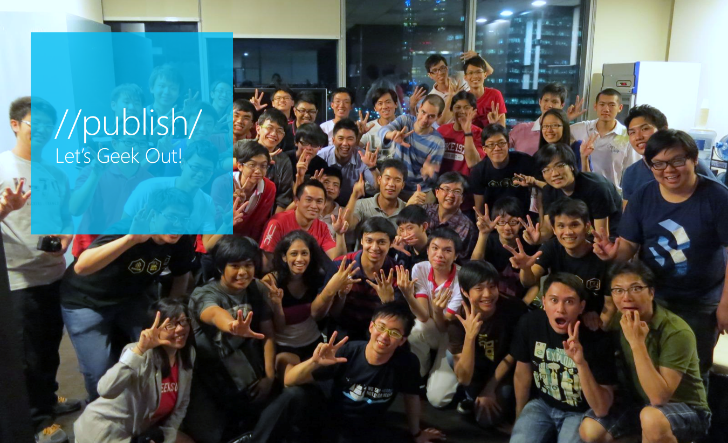
…….. What’s happening? Join us for a fun, free overnight event. You can bring your existing app and game projects to Microsoft’s //publish/ event to code with developers from around the world. Collaborate and get help with app design, performance, testing, publishing, porting from Unity – you name it. It’s 32 straight hours devoted to getting your app up and running smoothly on Windows phones, tablets, and PCs. Receive onsite support from Microsoft and community experts to remove blockers and add the finishing touches to your project. Join a testing group of your peers and try your app out on a range of devices Connect online with developers and Microsoft product specialists from all over the globe in simultaneous worldwide events. Show off your completed project at the App Showcase. ...