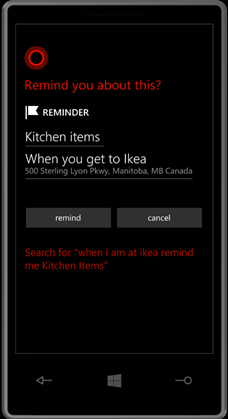
I use Cortana a lot to do some of the reminder tasks and the activation of Apps. Nowadays there are several apps which are integrated with Cortana for the easy access. Some of the frequently used commands are below
Action to do
Cortana
Setup Required?
Set a reminder
Remind me to Water the plant at 10 am
No setup required
Set alarm
Wake me up at 8 am
Set reminder based on location
When I am at Work remind me to submit claim form
Yes, Need to add Work as favorite in Map
Set reminder based on location
Next time I am at Ikea remind me to check kitchen accessories
Yes, Ikea to be in favorites on Map (see below)
Based on Nick Name of location
When I am at Grocery remind me to check shopping list
Grocery needed to be added as a Nick name in Fav maps. (See below)
Set Reminder based on person
When my Wife call me remind me to say school teacher spoke
Yes, Set Nick Name with Inner circle
Find the song / music which is playing around us, similar to soundhound app
What’s playing right now?
Yes, Works only in US. Make sure you logged in to Xbox music in web at least once.
Take a note immediately
Note: Remember to send MOM later
No
Play the play list from Xbox Music
Play
Playlist to exist in xbox music
Finding a restaurant
Find best Indian Restaurant near me
No
Finding restaurant which is open at the time of asking Cortana.
Find restaurant that is open now near me
No
Find specific place
Is there a Starbucks near me?
No
Money conversion
Convert 1 Singapore dollar to Indian rupee
No
Calling nick names
Call Boss Mobile
Yes, make sure Boss nick name added in inner circle. Learn More
Calling on speaker mode
Call wife on speakerphone
Wife to be a nick name. Learn More
Action to do
Cortana
App Name
Use Facebook command, to see news feed from a person
Facebook what’s up with Joel Oleson
To check the next MRT train in Singapore
Sing MRT open Jurong East
SingMRT
Skype call
Skype video call Senthamil
Skype
Remote desktop connection
Remote Desktop connect Production Server
Remote Desktop. Make sure Production Server is created in the connection list
Lync meeting
Lync join next meeting Lync show current meeting
Lync
Create new tweet
Twitter new tweet
How to get Music Playing which is around us (like soundhound App)
Launch the Cortana by tapping the search button
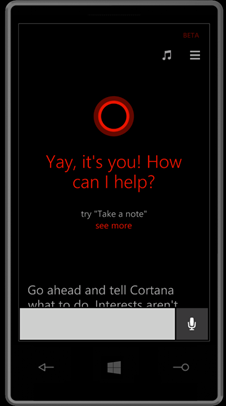
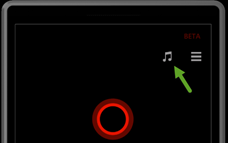
The music icon on the top right corner. If you cannot see this try logging into the xbox music both on phone and in web and restart the phone. Also it is available only in US. You can also use the text to type “Whats playing right now?” in the search text.
How to add Favorite Location, to be able to use in Location based reminder by Cortana
Launch the Maps app. Tap on the … menu on the bottom of the Maps app. You would see Favorite places option. Tap that to add your favorite places.
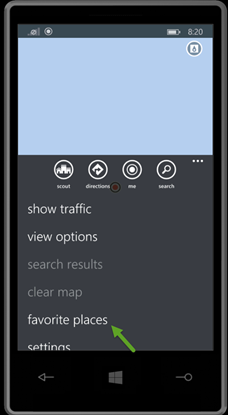
The favorites will have + icon at the bottom of the page. Use the + to add your favorite place.
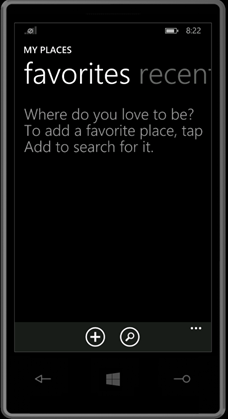
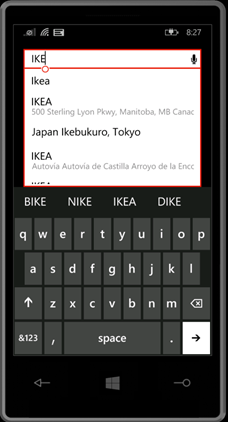
Once you tap + icon the below screen will appear. Type the place you want it to search. Once you find the place select it from the drop down. This will pop up the next screen for Nick Name.
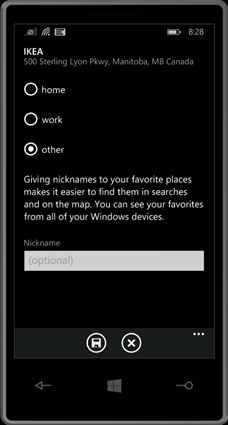
You can choose whether the place is Home or work or other. If you choose Home it will tag it to home and Cortana can use Home for reminder and other info. Same as Work. Other option is to have custom Nick Name for the place. Example in my case I usually tag the NTUC to be Super Market and Mustafa to be Grocery. The Nick name used here can be used by Cortana to assign reminder.
Once added as location good to use it with Cortana.
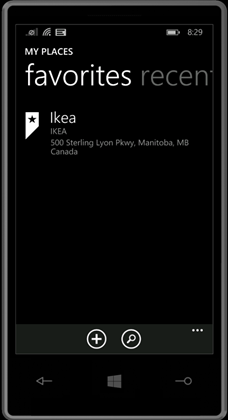
Now you can say to Cortana “When I am at Ikea remind me Kitchen Items