Consuming Data from Nimbus Using LINQ to XML on iPhone + WP7!

I’ve been starting to explore iPhone development lately. At first I was taking my time at learning at Objective C which went fine for a while but one of the guys on the project was asking if I could help build some apps for Project Nimbus, translation: build stuff fast. We talked about MonoTouch.NET which is basically a framework that will allow you to code apps with .NET. JOY!! First a quick intro about Project Nimbus: as Chewy would put it, it’s basically a supermarket for data here in Singapore. The team is hard at work at securing data from all sorts of providers. They currently have Hungry Go Where, Land Transport Authority, National Environment Agency, and National Library Board onboard as data providers, and i know they have quite a few more coming. What this means for developers is that if they have a great idea, they don’t have to go out by themselves with these big agencies and possibly spend tons of money on acquiring the data. If you want to find out more, check out http://projectnimbus.org/about/ for more information. They also very keen on getting input from developers as to what types of data they think would be useful, as well as feedback on the project as well. If you’re interested, the about page has a link to contact them :) So back to my application. Right now, I’m figuring out how to actually get the data from the service. Looking at this entry, they actually provide a link to the data that’s returned when you make a call to the service. Check out the post, and towards the end, you’ll find a few links that shows how the data looks like. First we create a webrequest to the URL that gives me the dataset we want. In this case, we want to get access to the NowcastSet i.e. current weather. The service actually gets authentication from the headers so we add these two keys & values. We then make the request and read it into a string for parsing later on. ...

MISV Exclusive: Get Trained, Get Certified!

Summary What: Microsoft sponsored certification for Managed ISVs in Singapore When: Promotion runs until June 30, 2010 Details In an effort to encourage skills upgrading, we’re launching the Get Trained and Get Certified promotion exclusively for developers in our Managed ISV program where we’ll pay for your certification. All you have to do is take any 3 trainings from the sources below, send me information on the trainings you’ve taken and we’ll send you your details on how to get certified for free. Online Sources: Partner Learning Center at the Microsoft Partner Network (formerly Microsoft Partner Program) https://training.partner.microsoft.com/learning/ Sign in with the live ID associated with your company and register for trainings online. We have a huge catalog of live webcasts as well as on demand webcasts that you can search through for topics that are relevant to your projects. Channel 9 Learning Center http://channel9.msdn.com/learn/courses/ A free for all resource for technical training on the latest products from Microsoft including : Windows Azure Platform, Office 2010, SharePoint 2010, Silverlight 4 and Visual Studio 2010 Hands On Labs: Microsoft Innovation Centre Hands-On Labs Keep an eye on this site for announcements on hands-on labs for Microsoft sponsored trainings for partners. Courses held at Certified Partner for Learning Solutions Partners http://www.microsoft.com/singapore/learning/cpls.mspx Trainings you attend on your own or with company support at any of our CPLS partners above will count to your credit as well. Do note that our CPLS partners such as Avantus Training participate in funding schemes through IDA’s CITREP (Critical Infocomm Technology Resource Programme) that will subsidize training fees for your developers as well. All you need to do is take 3 trainings from any of the sources above, send the following information to sgisv@microsoft.com and we’ll give you a voucher to take your next Microsoft Certification Exam for free. Training Title: Date Completed: Training details (url / source / venue): Training Title: Date Completed: Training details (url / source / venue): Training Title: Date Completed: Training details (url / source / venue): This offer is exclusive to developers in Managed ISVs so do send us the above information through your company email address.

Photo 360 Challenge Kick-off!

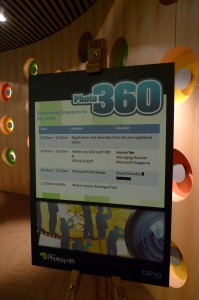
The Photo 360 Challenge Kick Off was just held last Saturday at the Microsoft Office. If you don’t know what the Photo 360 Challenge is take a look at the Photo 360 Challenge Contest Page. The day was filled with technology and fun. Everybody got to try out the Microsoft Surface and Xbox 360. It’s quite interesting to see young kids and their dads playing with the Surface games, creating music, looking at DNA and all other things. The event started with some magic 3d eye contest. Until now I still don’t know how they saw those images. ...

The Lazy Man's "PHP Hello Cloud"

Due to the popular demand on how to actually host a PHP application on Windows Azure, this post teaches you the easiest way to deploy your PHP applications on the Cloud with the least effort and there is no need to use Windows Azure. Resources Needed PHP Binaries for IIS (http://windows.php.net/) MySQL PHP Solution Accelerator (http://code.msdn.microsoft.com/winazuremysqlphp) VS2008 SP1/VS2010 Beta 2 w/ Windows Azure SDK Steps Install the MySQL PHP Solution Accelerator. Extract the PHP binaries for IIS to the “php” folder in the PhpMyAdminWebRole directory. E.g. “C:SamplesAzureMySQLPHP_x86PhpMyAdminWebRolephp” Create a new “Windows Azure Cloud Service” solution in Visual Studio. Add an existing project, “PhpMyAdminWebRole” (From the Solution Accelerator), to the solution you created. Right click on “Roles” and select “Add-> Web Role Project in solution” and select the project you added in your solution previously. Add a new text file in “PhpMyAdminWebRole” and name it “index.php”. The contents of the file is “ <?php echo ‘Hello Cloud’; ?> “ (Optional). Open Web.config and replace “ <add value=“Admin.aspx”/>” to “ <addvalue=“index.php”/> “ And you are all set! Hit F5 in your Visual Studio to see your work in action on the Development Fabric.

Did You Know: ISV Royalty Program

I realize that not a lot of people have heard about the ISV Royalty Program here in Singapore. The program is available to ISVs and what this allows you to do is license Microsoft products as part of your unified solution, that way, you can be your customers one stop shop for getting your software as well as the Microsoft licenses required to run it. There are 2 license types offered: ...