ACE Lunchtime Workshops - Cognitive Services and Bot Framework Workshop

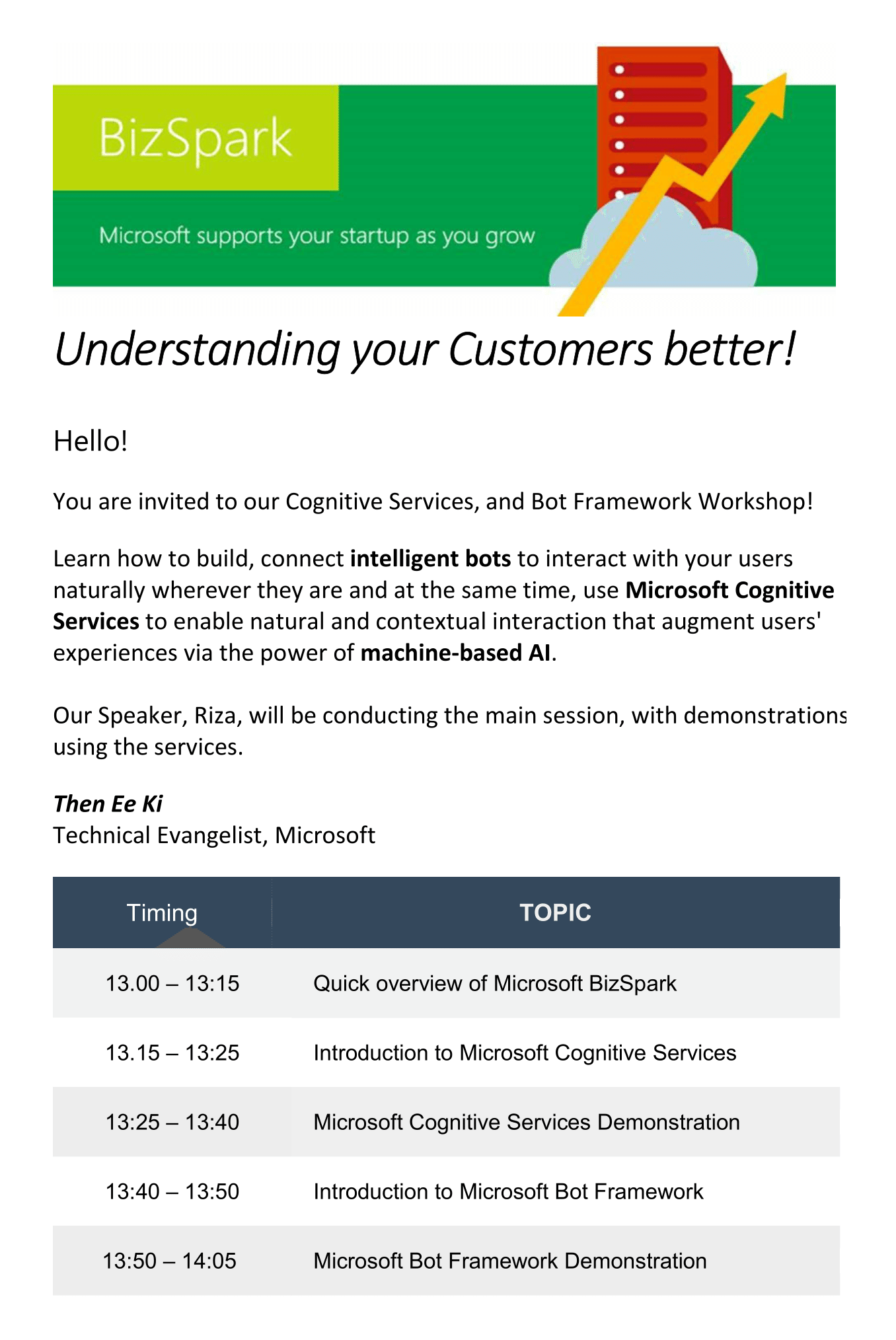
Register for the ACE Lunchtime Workshop - Microsoft Cognitive Services and Bot Framework! aka.ms/acelunchworkshop
Microsoft Developer Day Students Robotics Challenge (exclusive for onsite student attendees only)

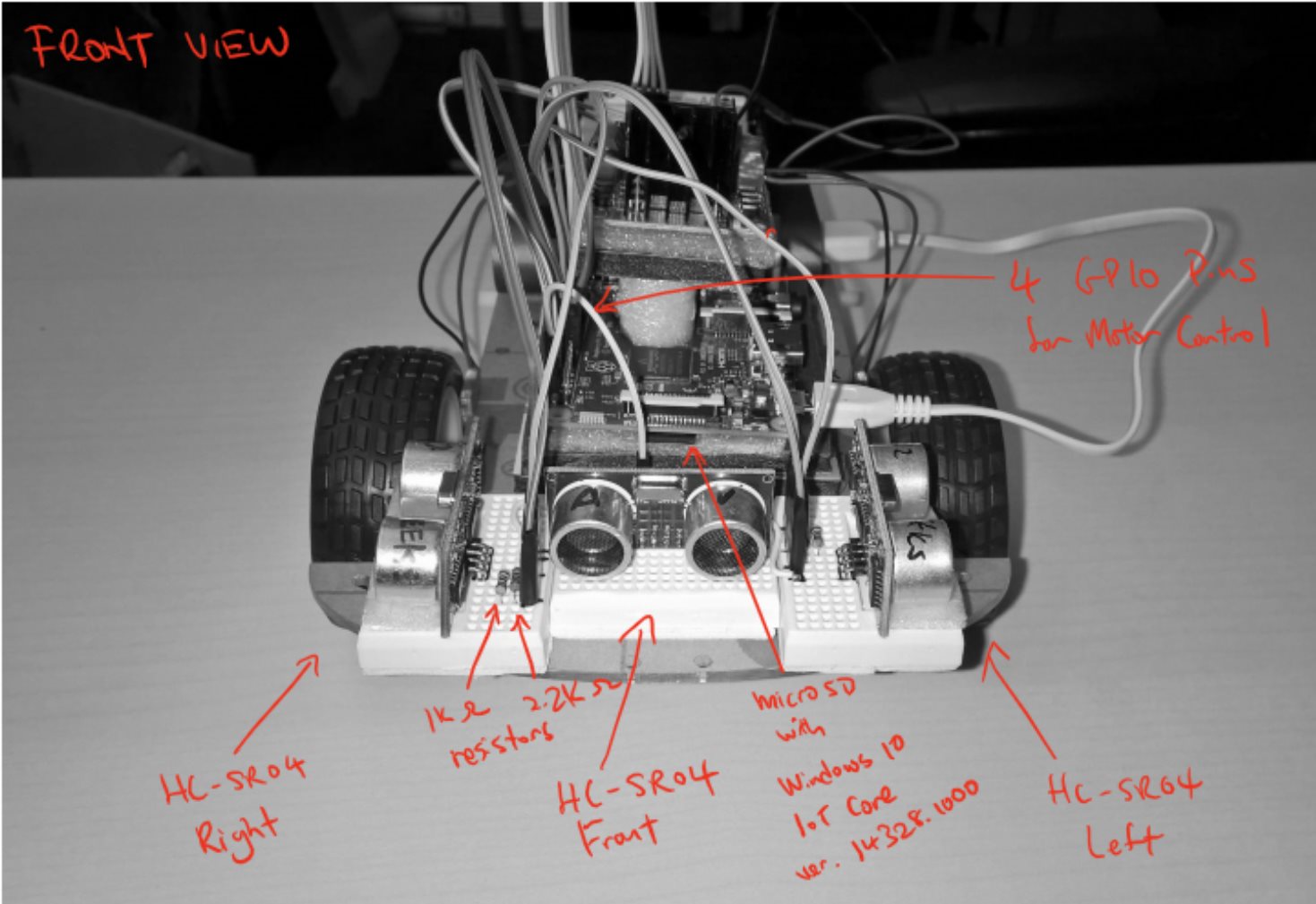
[embed]https://www.youtube.com/watch?v=Z5lmwALOdH4[/embed] Credit: If you are interested (not necessary part of this competition) about the robot, it is based off the Rover Project by Prasantha Jayakody and Robot Kit by Windows IoT Background With Windows 10 Universal Windows Platform, developers can target small devices such as Raspberry Pi, Minnowboard Max and DragonBoard running Windows 10 IoT Core. “There’s no problem in Computer Science that can’t be solved by adding another level of indirection to it", well most…. Hence we were thinking, what if we gave student developers a challenging constrain to work around with? This basis of the challenge revolves around cheap affordable sensors. This competition is a fun activity which will test your problem solving skills when working with such constrains. On the surface, these challenges might seem shallow and easy. Here are some strategies you can consider. ...

MSP16 Website: Developer Commentary

We recently concluded the Microsoft Student Partners 2016 registration exercise, but what most people didn’t catch is that the website was full of Easter eggs and puzzles. Let me walk you through the backstage. For this year’s MSP recruitment, Microsoft reached out to a much larger student audience than we’ve ever handled. That meant we needed to implement some form of “noob filter”, taking the form of the 4 main questions: ...

Microsoft Student Partners Singapore 2015 Graduation

It has been one amazing year for the Singapore Microsoft Student Partners - one abundant with firsts and achievements. At the MSP15 Graduation Dinner on 22nd April, Microsoft Singapore’s Senior Leadership Team and Education Team sat down with the graduating MSPs as well as faculty members from various institutions. Jessica Tan, Managing Director for Microsoft Singapore thanked the MSPs for their hard work throughout the year. Dave Miller, Director of DX in APAC talked about working at Microsoft. Finally, Cheng Lei, University Recruiter gave advise to MSPs on moving from an MSP to securing a role at Microsoft. [caption id=“attachment_21833” align=“alignleft” width=“300”] Campus Surprise at NP[/caption] Since the 2015 batch of MSPs started in April 2015, there have been numerous workshops and hackathons across all campuses, celebrating and evangelizing Microsoft technology. Between October and November, for example, the MSPs ran Campus Surprise, a consolidated effort to bring Microsoft to Polytechnics and Universities that reached over 50,000 students who represent the next generation of innovators and creators – for Windows 10, DreamSpark, Azure, and Office 365. Aside from reaching their fellow schoolmates, the MSPs have also made an impact on their faculty staff and educators, helping them better understand and collaborate more closely Microsoft. [caption id=“attachment_21831” align=“alignright” width=“300”] MSP Volunteers at Code for Change[/caption] Through Microsoft’s Code for Change, We Tech Care, and TechFemme events, MSPs played key roles in teaching younger children how to code, and raised awareness for Computer Science. Through such events in support of Singapore’s Smart Nation initiative, MSPs also encouraged young women to take up careers in Infocomm media. MSP15 comprised of 21% female, an encouraging number compared to the previous year’s 6%. Diversity and inclusion is something that Microsoft is passionate about and deeply committed to, and this is a number we hope will grow as time passes. [caption id=“attachment_21832” align=“alignleft” width=“300”] Imagine Cup Singapore Finals 2016[/caption] Several MSPs attained notable achievements as well - the inaugural Microsoft Student Partner of the Year title, IT Youth Award finalists, Imagine Cup champions, and representing Singapore in Microsoft Office Specialist World Championships and Adobe Certified Associate World Champions are just the tip of the iceberg. With the new relationships built with many faculty members in the past year - bringing SUTD, SIM, and SIT on board the MSP programme, MSP16 is no doubt something to look forward to as we calibrate every part of Microsoft to deliver on our mission to empower every person and every organization on the planet to achieve more.

Coding comes to ITE College West with Microsoft Code for Change

Coding comes to ITE College West with Microsoft Code for Change More than 700 students across specialisations introduced to basic app creation and computational thinking SINGAPORE – 11 April 2016 – Microsoft today conducted coding workshops for some 700 ITE College West students under its Code for Change programme, introducing them to the basics of coding for app creation and computational thinking. Held over two sessions for students across the four schools at the College – the School of Electronics & Info-Comm Technology, School of Hospitality, School of Engineering and School of Business & Services – the workshops provided students across various fields of study with the opportunity to learn and share the experience of coding alongside their peers. The activity also marks the first large-scale on-campus training for post-secondary students under the Code for Change programme. Launched in July 2015, Code for Change is a three-year nationwide initiative spearheaded by Microsoft, supported by the Infocomm Development Authority of Singapore (IDA) and the Science Centre Singapore, to boost next-generation talent development in support of Singapore’s Smart Nation vision. Through Code for Change, Microsoft is leading specific programmes to help young talents nationwide develop computational thinking skills. Defined as the ability to dissect problems and formulate solutions in a way that computers can understand and evaluate, computational thinking is an increasingly important skillset in the technology-permeated landscape. During the workshops held today, the ITE College West students tried their hand at building apps through Touch Develop, an interactive programming environment developed by Microsoft Research. Using their mobile phones or laptops, the students were exposed to how they can easily code on familiar everyday devices in a fun and accessible manner. [caption id=“attachment_21809” align=“alignleft” width=“300”] A Microsoft instructor shows ITE College West students how to build apps through Touch Develop, an interactive programming environment developed by Microsoft Research[/caption] The workshops were designed to allow all students, regardless of knowledge of coding or course of study, to create their own app by the end of the session. Besides those enrolled in the four courses from the School of Electronics & Info-Comm Technology (Higher Nitec in Information Technology, Higher Nitec in Cyber and Network Security, Higher Nitec in Electronics Engineering and Higher Nitec in Security System Integration), ITE College West students who participated in the training also come from other fields of study including the Higher Nitec in Hospitality Operations course from the School of Hospitality, the Nitec in Automotive Technology (Light Vehicles) and Nitec in Automotive Technology (Heavy Vehicles) courses from the School of Engineering and the Higher Nitec in Leisure & Travel Operations and Higher Nitec in Service Management courses from the School of Business & Services. “As Singapore transforms into a Smart Nation, it is important for the workforce of tomorrow to understand how technology works and how it can be used to improve the way we work, live and play. Coding and computational thinking are no longer areas that are important only to those in the Science, Technology, Engineering and Mathematics (STEM) fields. In fact, computational thinking is also embraced for its wide applicability to solve everyday problems. We are proud to be able to work closely with partners, schools and institutions such as the ITE to introduce coding to even more students and equip young talents with the necessary skillsets to become innovators of the future. Through Code for Change and our other initiatives, Microsoft will continue to get more people started on their coding journey and contribute towards the development of computational thinking as a national capability,” said Nobuhiro Ito, Director, Developer Experience & Evangelism, Microsoft Singapore. “As we prepare our students to be ready for their careers, we hope this coding workshop will help them develop computational thinking skills such as analytical and problem solving skills, creativity and logical thinking. These skills are transferable assets across industries and will certainly allow them to contribute more in their future jobs,” said Tan Kay Chuan, Director, School of Electronics & Info-Comm Technology, ITE College West. [caption id=“attachment_21810” align=“alignright” width=“300”] Students from ITE College West creating their own apps at Microsoft’s Code for Change workshop[/caption] Since its launch last year, Code for Change has reached over 147,000 learners and youths through various coding programmes such as learning experiences through on and off-campus curricula, events and competitions that impart the fundamental concepts of programming for software, applications and websites. Examples include Kodu coding workshops for lower primary students, Hour of Code programmes for upper primary and lower secondary students, Touch Develop and Project Spark workshops for secondary school, post-secondary and junior college students, and the Microsoft Imagine Cup Competition for institutes of higher learning. Microsoft and Science Centre Singapore also joined hands to achieve a record-breaking feat that made its way into the Singapore Book of Records for the Largest Number of People Wearing Illuminated LED TShirts. The event saw over 180 students from 17 schools across Singapore, as well as participants from Microsoft and Science Centre Singapore, come together to design and code individual LED T-Shirts, which lit up in unison to complete the record-breaking milestone. In addition, Microsoft has leveraged its partner network to conduct coding workshops for students and adults at Science Centre Singapore, and support Science Centre Singapore’s efforts in fostering widespread interest in the STEM fields. Code for Change events are running throughout the year and upcoming events opened to the public include: ...

Co-Residency Program Now Open for new intake!

Keen to work with us? The BizSpark Residency programme offers selected startups in Singapore the opportunity to share co-working space at Microsoft Singapore, as well as business and technical support.To qualify, startups need to be: An approved and active BizSpark startup (www.bizspark.com) Have a technical/developer Founder(s) Creating a product on Windows/Windows Phone/Microsoft Azure stack Benefits of the programme include: 3+3* months complimentary co-working space at Microsoft Singapore Technical expertise Facilities support No equity taken To apply, please send the follow documents: Proposed timeline of the 3-6 month project you want to work on with specific deadlines and deliverables (sample attached) Specific support expected from Microsoft (e.g. technical expertise) Any sales/pitch decks that will help us understand your business If successful, we will arrange for a face-to-face meeting for subsequent follow up. Drop us an email at a-saneo@microsoft.com or a-eethen@microsoft.com ...

Microsoft @ IoT Asia 2016

Introduction to IoT Asia 2016 IoT Asia is an annual event that is held across Asia and it is the region’s leading platform in the Internet of Things (IoT). As for IoT Asia 2016 held from 30-31 March 2016, Singapore was chosen to be the venue host for the event. The theme of the event which was “From Vision To Reality” which reveals new insights on emerging trends, new key technologies and directions for IoT’s proliferation in the region. The goal of the event was also to stimulate in-depth discussions to drive business collaborations in the region and undertake real nuts and bolts of IoT implementation. ...

Microsoft Imagine Cup Singapore 2016 Winners

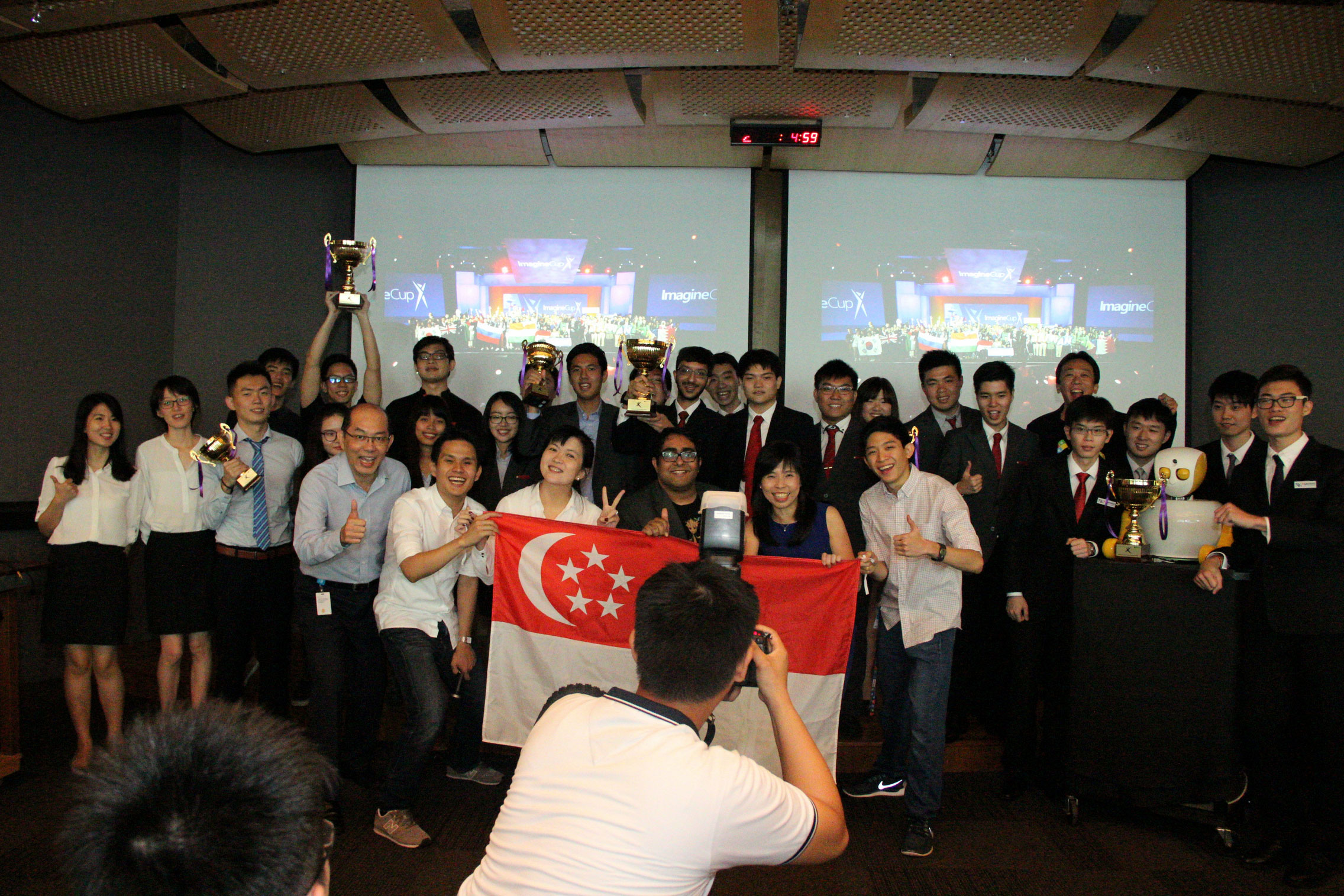
Singapore Polytechnic and Nanyang Polytechnic Students Crowned Champions at the Microsoft Imagine Cup Singapore 2016 Standing out with innovative projects that demonstrated potential to influence gaming, healthcare and customer care fields, three teams now stand a chance to represent Singapore at the Imagine Cup 2016 World Finals in Seattle, Washington, USA SINGAPORE, 1 April 2016 — Microsoft Singapore today crowned three outstanding student teams from Singapore Polytechnic and Nanyang Polytechnic as the Games, Innovation and World Citizenship champions of Microsoft Imagine Cup Singapore 2016. Centred upon the theme “Creating with Code”, this year’s Imagine Cup competition saw a total of 65 project entries from 150 tertiary students, presenting a wide range of innovative applications, games and solutions that have the potential to influence gaming, healthcare, education, environment and customer care fields. Into its 14th edition this year, Microsoft’s premier student technology competition has inspired countless students over the years to dream and build original solutions that can change the world. This year, the winning projects – Imagine by Team Holy Trinity from Singapore Polytechnic, NYX by Team Natural Conquistadors from Singapore Polytechnic and Ruth by Team Yuuy from Nanyang Polytechnic outshone their competitors with their innovation and soundness of ideas, to emerge as victors in the Microsoft Imagine Cup Singapore 2016 Finals. ...

Microsoft Build 2016: Keynote Highlights

Microsoft’s annual developer conference, Build, begun earlier today with some fantastic announcements to Windows 10 during the opening keynote. Here are some highlights for me. Linux will be integrated into Windows 10. You won’t see the Ubuntu desktop UI, but tools like bash will be made available and this will aid open-source developers by presenting them a familiar environment. Windows 10 is poised to be the best platform for development work, even for developing for other platforms. Announced during last year’s Build, Project Centennial will be released soon and will allow developers to repackage their program as a modern Windows app. This lets them submit their app to the Windows Store, creating a one-stop portal for users to download programs, including games like Witcher 3 and Age of Empires 2. With some code additions, the .NET or Win32 application will also be able to leverage modern APIs such as Live Tiles too, and will remain backward compatible with previous versions of Windows. https://www.youtube.com/watch?v=O4XHCg1NxzM As part of the Windows 10 “OneCore” family, Xbox will soon be opened to app developers to deploy their Universal Windows Platform (UWP) apps. Previously, developers would need a special Xbox to deploy on. Soon, all retail Xboxes will have the ability to enter (and exit) a Developer mode where you can remote deploy apps to via Visual Studio. Windows Store will also be merged with the Xbox to bring the familiar Store experience to the entertainment console. Microsoft HoloLens Dev Kits start shipping to developers who managed to apply for one. Examples of how the HoloLens can impact lives include medical students interacting with a 3D model of human anatomy, receiving input from another user offsite. NASA has also set up a “Destination Mars” tour with HoloLens that will be featured in Kennedy Space Center, allowing visitors to experience Mars with 3D guides such as the likeness of Buzz Aldrin. Satya brought up bots with a poke at Tay – “we want to build technology such that it gets the best of humanity, not the worst”. Major improvements to Cortana, the Windows 10 personal assistant, were shown including her inclusion onto the lock screen and Outlook, as well as the ability to push text messages from mobile (not just Windows Phone) to the desktop and let the user respond. Bots are now coming to Skype too – Cortana will be integrated in a way that allows users to message her just like a personal assistant. She’ll be able to discover and pass information to other bots, including contextual information so the users don’t have to repeat themselves. Examples demonstrated included a courier bot letting the user know a package was on the way, letting Cortana track its whereabouts, and asking for a place to stay connected the user to a Westin Hotel bot. Next, the new Microsoft Bot Framework was demonstrated, allowing developers to create their own bots that can interact with users via text messaging, Twitter, Skype, Office 365, Telegram, and more. Developers can easily create rules to teach the bot how to understand and serve users better, and hand off more complex requests to a human assistant. Finally, Microsoft’s Project Oxford has now graduated to Microsoft Cognitive Services, bringing 22 Machine Learning APIs in categories such as Vision, Speech, and Language, Knowledge, and Search – allowing developers to harness the power of Artificial Intelligence such as breaking down an image and describing the scene (e.g. a man doing a trick on a skateboard). https://www.youtube.com/watch?v=R2mC-NUAmMk We have two Microsoft Student Partners from Singapore over at Build today, look out for their post on Spiffy when they get back to share their newfound knowledge and experience! Also check out what The Verge’s thinks are the 10 most important announcements at Build.

Microsoft Build 2016! - BASH on Windows 10

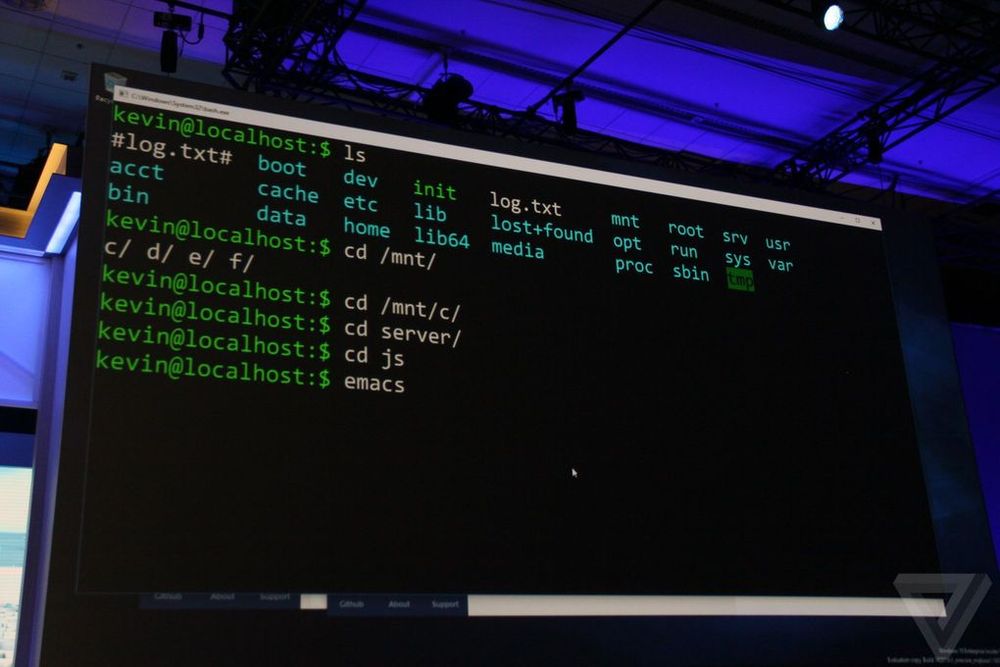
Its that time of the year, where Microsoft will be unveiling new technologies at Build 2016. Microsoft is reaching out to Linux developers in a way that the company never has before. “The Bash shell is coming to Windows. Yes, the real Bash is coming to Windows,” said Microsoft’s Kevin Gallo on stage at Build 2016 keynote. The announcement received an uproarious applause from the crowd. The new functionality will be enabled as part of this summer’s Anniversary Update to Windows 10. “This is not a VM. This is not cross-compiled tools. This is native,” he said. “We’ve partnered with Canonical to offer this great experience, which you’ll be able to download right from the Windows Store.” Third-party tools have enabled this sort of thing for years, but a direct partnership between Microsoft and Canonical should offer even more flexibility and convenience for developers who prefer using these binaries and tools. All of the Linux commands are shown to be running natively, as shown in the video below: https://sec.ch9.ms/sessions/build/2016/P488.mp4 With this added functionality, developers can now code and develop in Linux natively ...