Become a better software professional at Agile Singapore Conference 2014

Happening on the 12-14 November at Marina Bay Sands, the second annual Agile Singapore Conference will feature three days of learning and interactions with some of the world’s most insightful and experienced Product developers. This year’s conference features world-class keynotes by Linda Rising on “The Power of an Agile mindset”, Dave Snowden on “Enabling the organisation as a complex eco-system” and Richard Sheridan on “Build a Workplace People Love - Just Add Joy”. The programme also features workshops and lectures conducted by world-class contributors including James Grenning, co-author of the Agile Manifesto, Rachel Davies, Michael Feathers, Kevlin Henney, Bas Vodde and Steve Freeman. With over 35 sessions in Organisation Agility, Agile Project Management and Technical Practices, the Agile Singapore Conference brings together together a truly exceptional group of enthusiastic Agile practitioners from around the world! Check out the full programmes schedule here: http://2014.agilesingapore.org/programme.html Get your tickets at: http://2014.agilesingapore.org

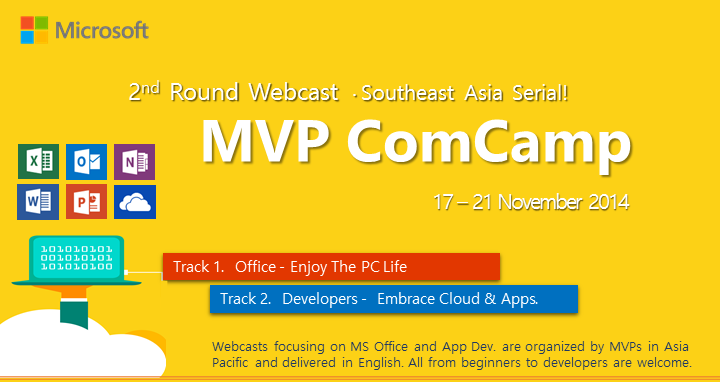
Microsoft MVP Community Camp - Live Webcasts

Join us for the Microsoft MVP Community Camp (ComCamp), a series of ICT seminars delivered by the technical experts, a.k.a. Microsoft Most Valuable Professionals (MVPs), and other technical community leaders in 5 languages and 11 countries, for all IT consumers and the communities.

Unlimited Storage with Office 365 on OneDrive

Microsoft has announced that all Office 365 subscribers will start receiving unlimited OneDrive storage space. This feature will be rolling out to subscribers over the next few months and will first come to Office 365 Home, Personal and University subscribers. OneDrive is available on most platforms with the Windows Phone and Android versions of the app getting major updates recently. Mobile users can use OneDrive to automatically upload photos they have taken to the cloud, great for backing up files or having them synced across devices. If you have not received this feature and would like to get it faster, you’ll want to visit this page. For more information, check out the OneDrive Blog and Office Blog.

Imagine Cup Singapore 2015

Microsoft’s premier student technology competition, Imagine Cup, returns for its 13th year with three big competitions: Games, Innovation and World Citizenship. You could win a trip to compete in Seattle, Washington, U.S.A., the home of Microsoft for the coveted Imagine Cup trophy and $50,000. Imagine Cup Timeline: 29 October 2014: Pitch Video 3 December 2014: Online Blueprint 7 January 2014: User Experience Challenge April 2015: Singapore Finals Get your team together, learn about the competitions, and write out your proposal (sample attached), and email us at chunsiong.tan(AT)microsoft(DOT)com! ...

Skype Launches New App - Skype Qik

Microsoft has announced a brand new standalone app from Skype - Skype Qik. Skype Qik is a video messaging app that was created specifically for spontaneous video messaging for group or 1:1 chats. The app runs alongside Skype, and allows users to share videos which are only stored for two weeks. Skype Qik is now available on Windows Phone, Android and iPhone. For more information about Skype Qik, please check out the Skype Big Blog here.

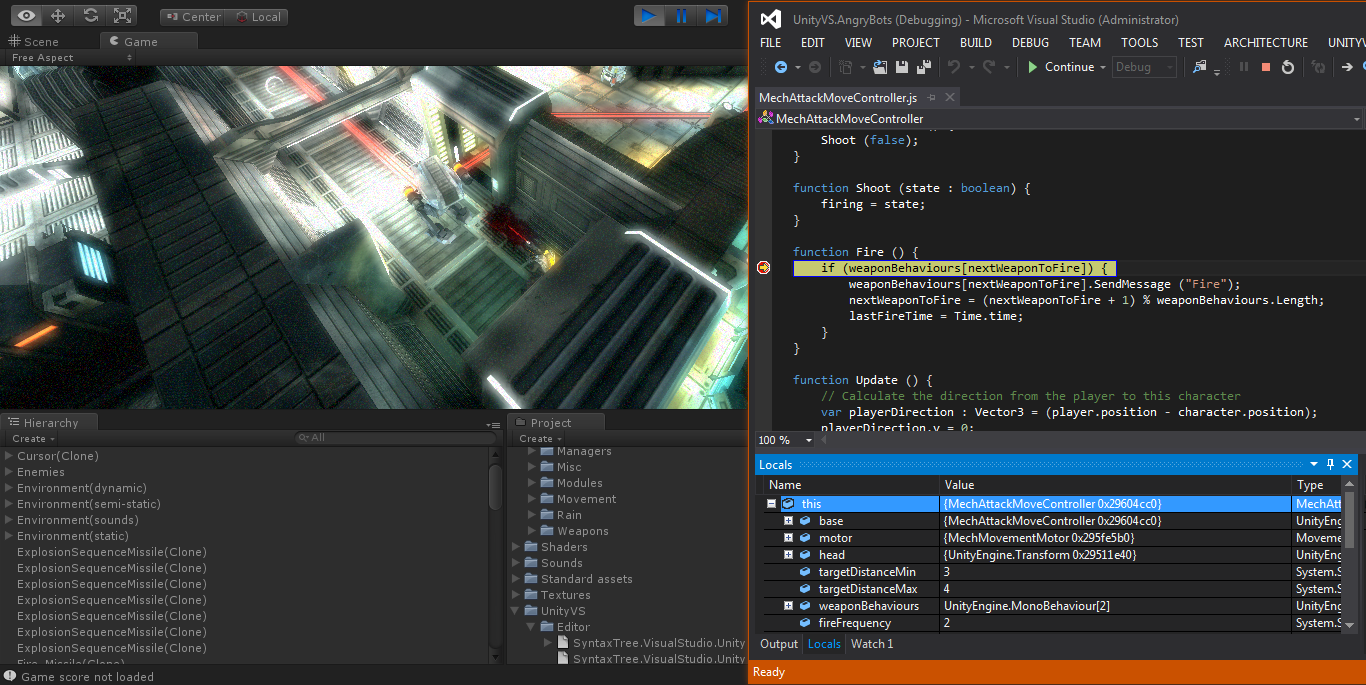
UnityVS: Visual Studio as an alternative for developing Unity Games

What is UnityVS? Building a Unity Game but looking for an alternative IDE to develop in? Look no further as UnityVS might be a solution for you. Developing games on the Unity Game Engine has traditionally restricted developers to just Monodevelop IDE. Recently, the creator of UnityVS, SyntaxTree, was acquired by Microsoft and together that had improved on UnityVS to provide an alternative development environment to game developers. UnityVS enables Unity developers to take advantage of the productivity of Visual Studio to code and debug their Unity applications in a more sophisticated C# development environment. It can support Visual Studio 2010 and newer versions. To learn more about Unity Game Engine, do visit Unity website at https://unity3d.com/ ...

Microsoft ModernBiz: Re-imagine Finance & Marketing Events

Microsoft ModernBiz: Re-imagine Finance Event Date: Wednesday, 5 November 2014 Time: 8.00am to 1.00pm (Registration starts at 8.00am) Event Venue: Microsoft Auditorium, Level 21 Address: One Marina Boulevard, 1 Marina Boulevard, Singapore 018989 Who should attend: Finance Directors, Financial Controllers, Head of Department, Finance Professionals, Bankers, Operations Managers, Finance Executives. With economic uncertainty, globalization and intense competition, there’s been an increasing pressure on the finance function to play a more strategic role in the business. There’s a perceptible change in emphasis from traditional scorekeeping and cost control to value creation and business partnering. In a constantly shifting business environment, there’s a need to manage complexity to deal with new threats and seize opportunities than ever before. In particular, the rise of digital technology presents the finance function with new and unique tools to rise to these challenges. It represents opportunities for the finance function to increase its strategic influence as well as meet the digital needs of a new generation of young finance professionals which it aims to attract and retain. In addition, the right technology can be a major differentiator for finance professionals from small and midsize businesses. Modernizing your IT can set you apart from your competitors, whatever size they may be. In fact, a study from Boston Consulting Group found that technology leaders—defined as businesses who adopt new technology early—far outperform their peers in the marketplace. ModernBiz Event Topics: ...

Microsoft’s We Tech Care Open House

Come 1 November 2014, Microsoft Singapore will launch the all-new We Tech Care initiative in line with its ongoing support of the President’s Challenge. The new initiative goes beyond regular fundraising activities by combining the volunteering of time and technology expertise by Microsoft employees, with fundraising efforts, to empower people through technology. To celebrate the launch of the We Tech Care initiative, Microsoft Singapore will holding a We Tech Care Open House on Saturday, 1 November 2014 at One Marina Boulevard. This complimentary public event brings together a committed group of volunteers which includes Microsoft employees, President’s Challenge representatives, partners as well as beneficiaries SPD (formerly the Society for the Physically Disabled) and RSVP (The Organisation of Senior Volunteers) who are volunteering their time to conduct IT-related workshops, activities and games for all members of the public. President Tony Tan Keng Yam will also be gracing the event, where he will participate in fun-filled activities and the We Tech Care launch ceremony to present certificates of appreciation to Microsoft Singapore and its partners for their support of the President’s Challenge. The day’s programme features a variety of IT-related workshops, activities and games for families including parents, children, teenagers and grand-parents. These include: ...

Photography Guide - PASM & EV

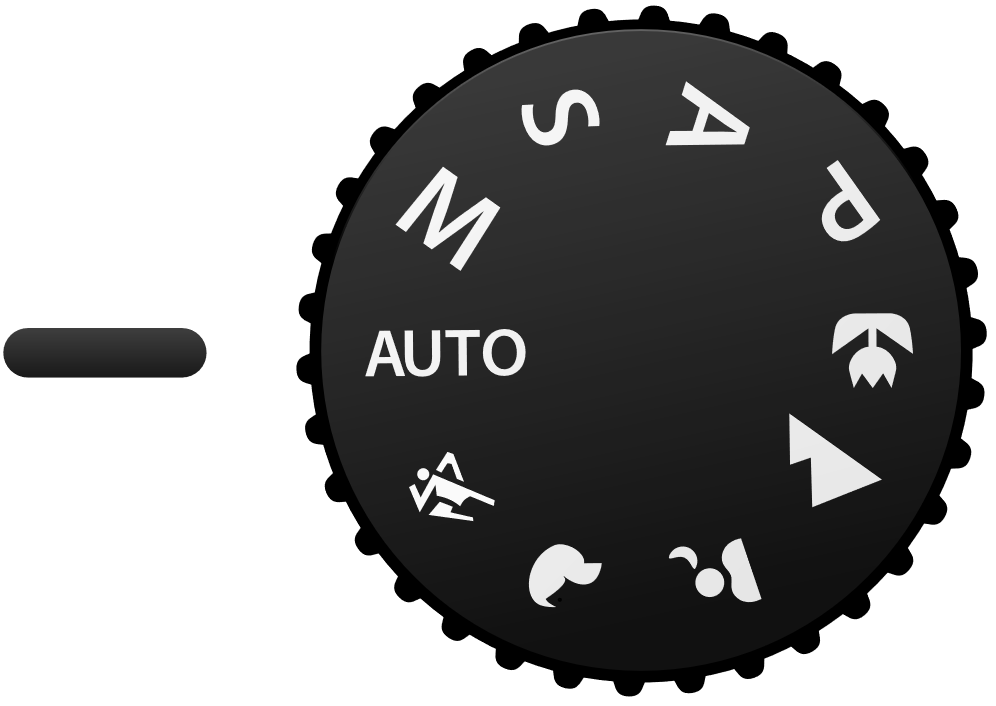
If you have a DSLR, you must have seen the mode dial with 4 letters P, A/Av, S/Tv, M. So what does that mean? P - Program Mode Basically, it means auto. Camera will set everything for you. A - Aperture Priority This mode lets you decide how much background blur (bokeh) you have. If you look at your camera, there is a setting with “F” follow by a number. Example: “F8”, “F2.8”, “F2”. The smaller the number, the more background blur you have. This is the most commonly used mode. If you want to know how to do bokehlicious photo. Please watch [this video](https://www.youtube.com/watch?v=LDcS4zN92rA “How Do You “Do” Bokeh?”). If you don’t want the introduction part, just jump straight to [2:43.](http://www.youtube.com/watch?v=LDcS4zN92rA&t=2m43s “How Do You “Do” Bokeh?”) S - Shutter Priority This mode lets you control the shutter speed. High shutter speed allows you to freeze moving subject and slow shutter speed allows you to take special photos like light trail photography. This mode is usually used in situation with lots of movements and you want to “freeze” them without motion blur. They are usually displayed in 1/X if the speed is less than 1sec and X" if the speed is more than 1 sec. A rough guide for everyone. To prevent motion blur, the minimum shutter speed I will recommend are as followed. Stationary group shots - 1/25 Moving people (Walking/Presenting) - 1/60 Running man - 1/125 Moving car - 1/250 Of course these do not work all the time, take more photos and you will slowly understand how it works. M - Manual Mode Well….. this is the most complicated mode. This mode required you to set aperture and shutter speed by yourself. Unlike the other modes, they will auto adjust the rest of the setting to adapt the different brightness condition. However, this mode allows you to achieve the most amazing photo effect. ...

Flipboard arrives on Windows Phone

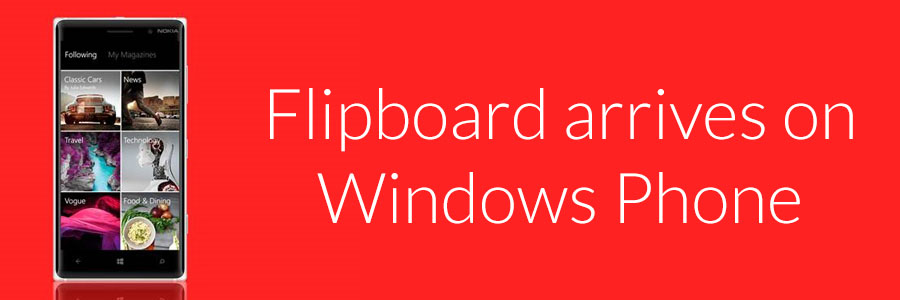
With Flipboard on Windows Phone, you can now create personalized magazines with stories that interest you most. Just start by picking a few of your favorite topics, like tech, EPL and yoga, and Flipboard will start building your custom magazine from a variety of sources including The New York Times, People magazine and more. Read something interesting? You can also add it to your collection or share it on Facebook, Instagram and Twitter. Flipboard can be loaded on devices with at least 1GB of RAM such as the Lumia 830, Lumia 920, Lumia 1020 and Lumia 1520. You can download Flipboard for Windows Phone via this link.