Sneak preview for Windows 10 app developers

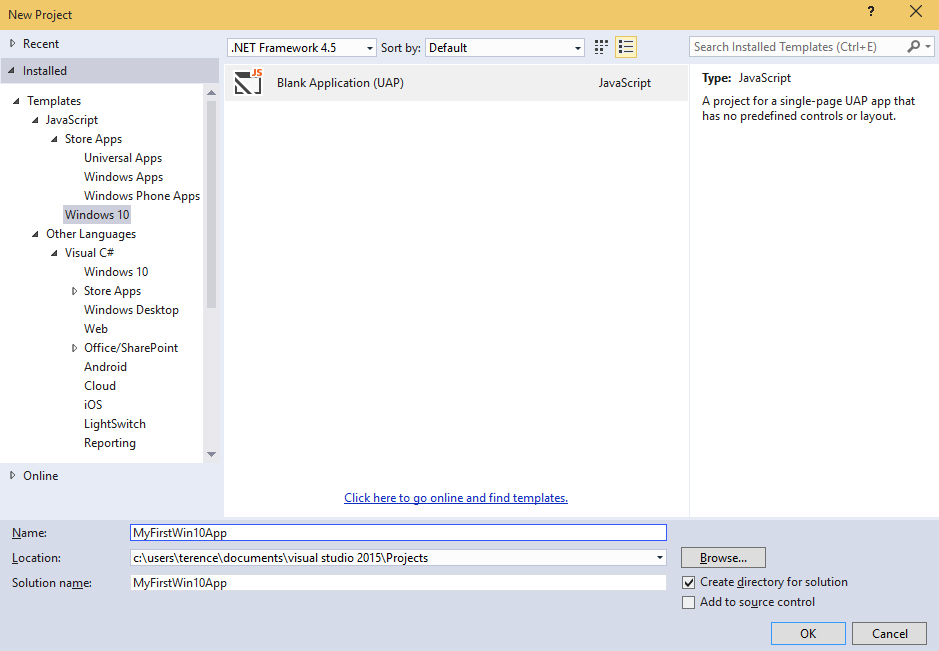
Microsoft has just released an initial SDK preview for Windows 10 developers to start experimenting with the new platform capabilities for building Windows 10 apps. Just to explore the new platform and see how quickly I can launch a new app, I installed the latest Windows 10 Technical Preview Build 10041 through the Windows Insider program, and also the latest Visual Studio 2015 CTP 6 and the Windows 10 developer tools. The cool thing about the Windows 10 Universal App is that it is able to run on all Windows 10 devices - PC, Tablet, Phone, and even Xbox! How awesome is that! Similar to building Apps for Windows 8, the templates allow developers to select a language of their choice, such as C#, VB, C++ and JavaScript. For my case, I chose to use JavaScript. I added in a few of my designs for my app logo and updated their path in the package.appxmanifest. For a quick trial, I reused the code for a Windows 8 app I made in the past. After adding in the code, I can deploy my app for testing purposes on the different platforms. In this preview, the feature to deploy the app to a phone running Windows 10 and Xbox is not yet supported. In the meantime, I can deploy it on the Windows 10 Local Machine, as well as a Windows 10 Phone emulator. Subsequently, I tried to run my Windows 10 app on my Local Machine and Phone Emulator, and this is what I see! As I was checking out on Windows 10 Universal App development, something interesting that I thought was worth mentioning is the Application Insights, which is a service that now allows developers to monitor their published apps and visualize data such as application usage or diagnostic reports in the Azure Preview Portal. Here is a guide that shows you how this can be added to your Windows 10 Universal App. Interested in creating your first Windows 10 Universal App too? There’s a lot of free resources available on Microsoft Virtual Academy, such as A Developer’s Guide to Windows 10 Preview, that you can leverage on! It will show you how you can quickly set up your “Hello World!” app, extension SDKs, App Services and more. Also, if you are familiar in developing on Windows 8, it also guides you on the migration process. Do check it out :)

Why is the world in love with Docker?

There is a feeding frenzy when it comes to buzzwords and “Docker” has now become THAT GUY. If you’ve been subscribing to technology blogs, there’s been an active trend with this new buzzword: docker. The cool kids on the block now seem to revolve around anything “Docker” related. There’s even a local Meet-up Group popping up with event #2 under their belt. The momentum is growing and in fact, even large tech giants like Azure and Amazon Web Services just announced their support behind it not too long ago. Not to be outdone by their industrious cousins, startups that are flocking to Docker are making the VC’s fall in love with them, bringing their founders million dollar valuations seemingly overnight!. So what the heck is Docker and why should I care? Background: Docker is actually an open-source project, written in GO (developed by the G-men of Google, born out of their hate of C++) to do one simple thing: ship applications faster. And the cool part is that this drastically changes all the ways we did things in the past. The problem: There is an inherent issue with how we work with the hardware and software. Applications are tied to an Operating System, and because of this, you can’t simply just move an app from one place to another without a whole lot of stuff that happens by the tech guys. Think back to moving your application icons from the desktop of a computer to a new computer…never worked for you did it? And for good reason! & solution: So what Docker did was they created a portable “container” to do just that! Move your applications without having to worry about where it’s running. What this means for the engineers & developers out there, is that they can use any language they prefer and push, pull, move back and forth to any server in be it cloud or virtual/physical machines. Translation: Engineers can focus on developing applications and can get it to your business or users faster because they no longer have to worry about the “back room” stuff. The future: The current eco-system that supports Docker as of today lists some of the big giants like Google and our friends at Microsoft. But not to be outdone, there are some recent startups focused on this as well, even here in Singapore. Specifically… us, Apvera! Stay tuned as we share our process on integrating new tech to solve old problems on our blog. In the mean time, check out a local startup event in the area on docker and try to run into us. For more info go to apvera.com Connect with Paul on 

December 22, 2014 · 3 min ·  Paul Kim