Kinect in NUS HCI Class

A few weeks ago, I was very lucky to have been invited by the NUS School of Computing to provide feedback to students for their project in Module CS4202. This module is focused on Human Computer Interaction and the teams were assigned to use the Kinect system for their projects. All of the teams used the Kinect to some extent. Of course some utilized it better than others and it really shows through the projects. It was interesting to see how the teams approached the problems given to them and how they thought of incorporating the Kinect. It reminded me of a video released by Microsoft sometime back after it noticed how people are innovating on the Kinect. A cheap, yet powerful sensor that has infinite uses only limited by one’s imagination. [youtube]http://youtu.be/T_QLguHvACs[/youtube] Prof. Sheng from NUS gave me the link to their blog and it shows all the projects that was presented. You can check it out here A couple of projects that stood out for me were Human Kinect Exhibit [youtube]http://youtu.be/mDweANoZAZk[/youtube] The Human Kinect Exhibit focused on providing a fun learning environment for children to learn about the human anatomy. The game they created was fun and engaging and provided a learning environment for children to learn some information about bones. On first glance the project seems like a simple game but what really fascinated me was the reaction and interaction of the audience once they have set the application up at the Science Museum. The feedback and the reaction of the users was very valuable for the team as this proves that their game is enjoyable and educational. For me, nothing beats getting your product out and getting people to try it out. ChopChopMirror [youtube]http://youtu.be/1kllEzn9Wgk[/youtube] ChopChop Mirror is a great concept. They treated the Kinect as an interface for your digital assistant. I think this will be a common feature in our bathroom mirrors as we enable more screens with touch and intelligence. The concept itself is in it’s infancy but I can really see intelligent houses in the near future once interfaces and components become cheaper. I liked the project because of their forward thinking and how they designed the interface. Aside from that, it also reminds me of one video from Microsoft envisioning the future. Microsoft releases envisioning videos every year, giving us a glimpse of what the future has for us trough the eyes of the largest software company in the world. This year’s envisioning video has something similar to ChopChop Mirror in some shape or form. [youtube]http://youtu.be/a6cNdhOKwi0[/youtube] I’m really grateful to have been invited by Prof. Sheng to his class. I saw some great projects and realized how much potential a student has given the right technology. Looking forward to their future projects!

Campfire - Two days of cutting edge learning and inspiration

Campfire proudly presents two days of cutting edge learning and inspiration from April 13 - 14, 2012. Join us for an action-packed conference designed especially for developers, designers, UX experts and entrepreneurs in the web technology space. We’re flying in great speakers from across the globe specially to talk to you about trending topics like HTML5, The Kinect effect and so much more. If you’re looking to learn about the latest web development opportunities, then you’ve come to the right place. ...

March 29, 2012 · 1 min ·  Spiffy

Windows Embedded, Surface 2.0, Microsoft Tag, Windows Phone and Kinect come together for "5D" experience

[vimeo width=“600” height=“300”]http://vimeo.com/35533524[/vimeo] At the 2012 NRF Convention & Expo in NYC, in partnership with NEC and Microsoft, the team from Razorfish has created the first ever Retail Experience Platform code-named “5D”. Leveraging Windows Embedded, Microsoft Surface, MS Tag, Windows Phone and Kinect for Windows, they created a prototype around a fictitious brand “Razorfashion” that demonstrates how various touch points along the customer journey can attract consumers into the store, drive product engagement and arm store associates with more contextualized digital tools. The 5 in 5D itself refers to the integration of digital devices (such as kiosks, large-screen displays, smartphones), content, experiences, analytics and CRM - with a touch of digital magic. It’s very exciting to see how they have successfully shown us the potential of combining Microsoft technologies to build new digitalized user experience in retail platform. Hopefully we’ll see more of this in the future market! And now, 5D is available as a beta version. You can read the full press release here, and also the official announcement on the Emerging Experiences blog.

Kinect for Windows is Here!

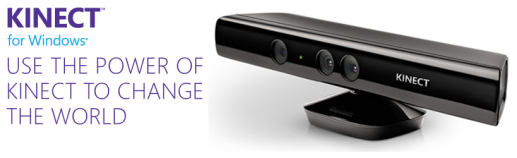
The day has finally come. Kinect is officially coming to Windows! On 9th Jan 2012, during CES Steve Ballmer announced that Microsoft would ship Kinect for Windows on February 1st and yesterday, version 1.0 of the commercial SDK and runtime were made available for download. Also, the distribution partners in twelve launch countries are starting to ship Kinect for Windows hardware, with suggested retail price $249. Kinect has changed the way people play games and experience entertainment. Now, Kinect for Windows offers the potential to transform how people interact with computers and Windows-embedded devices in multiple industries, including education, healthcare, retail, transportation, and beyond. Kinect shows the promise of Natural User Interface (NUI) and the role Microsoft plays as a thought-leader and technical innovator in this exciting space. Since the last beta, the updated SDK has picked up a number of new features including support for up to four Kinects being used simultaneously and near mode for monitoring motion from just 40cm away. See the complete product features here. Looking for great on content on how to build apps for Kinect? Visit Channel 9 where we have updated quick starts and open source projects. Get Started - Kinect for Windows Quickstart Series ...

February 1, 2012 · 2 min ·  Alex Goh

Microsoft CES Keynote - Kinect, Windows 8 and Windows Phone

This is Microsoft’s last keynote for Consumer Electronics show(CES). And keynote started with a Microsoft history video at CES. [youtube]http://www.youtube.com/watch?v=MdIfSDwfTqA[/youtube] If you missed the keynote, you still could watch it here. Here are some of the recaps for today’s CES Keynote. 1. Windows Phone with cooler devices Nokia announces its biggest yet thinnest Windows Phone to date with the Nokia Lumia 900, its first phone to support high-speed LTE data transfers. The Nokia Lumia 900 allows data downloads up to 50Mbps on AT&T’s 4G LTE network. Here is the video for more detail. During the Keynote, Steve also demonstrated HTC Titan II. The HTC Titan II is basically an HTC Titan with LTE for AT&T and a 16 megapixel camera with backside illuminated sensor, f/2.6 AF lens and dual LED flash. You can see more details via Engadget as well. 2. Better PC runs Windows A video was played with various PC laptop updates. - SONY VAIO Z with Jaw Dropping Picture at 1080p, 15 hours of fun with attachable sheet battery - Asus Zenbook UX21 - Acer Aspire S3 with 1/2" inch thin (Acer announced new Aspire S5 - the thinnest laptop in the world) - Toshiba Portege Z830 - World Thinnest 13" Laptop - DELL XPS 14Z - LENOVO IDEAPAD U300S - SAMSUNG Series 9 - HP Envy Spectre - Cool Ultrabook with a Gorilla Glass Cover - More 3. Windows 8, Windows Store and Cut the rope Moreover, Windows 8 beta is coming end of Feb, according to Chief Marketing Officer of Microsoft. Meanwhile, Windows Store will be available to 231 markets worldwide. Windows Store was showed and we see how Cut the Rope this game in HTML5 and run well on Windows 8. Meanwhile, we’re excited to announce a new experience on the web – a HTML5 version of the popular Cut the Rope game is now available online for free! And Visit www.cuttherope.ie to play with it! 4. Kinect and Two way interactive TV. More, Kinect with PC! Microsoft demonstrated how Kids could experience Sesame Street – going from watching the show to jumping into Elmo’s world with Kinect-enabled two-way TV. Also Microsoft announced a new partnership with NewsCorp to bring new apps for Xbox LIVE that will feature content from their leading broadcast, news and Web properties, including Fox Broadcasting, Fox News Channel, IGN Entertainment and The Wall Street Journal. Even better, starting February 1, 2012: you could use the Power of Kinect for Windows to Change the World. Here is the official announcement from Kinect team. Again, if you missed the show, you could watch it here. Enjoy CES!

Live Streaming now on for the Kinect + Developer Conference

Due to over whelming response for the Kinect + Developer conference held in National University of Singapore, we have decided to host a “Live” Streaming of the event. This is once in a lifetime chance for you to directly interact and hear first-hand from them with Kinect experts from Microsoft Research. The conference will be stream from 2.15pm – 4pm, with a short 10 minutes break in between them. Flow of event ...

Over 1000 attended Microsoft TechDays Singapore 2011!

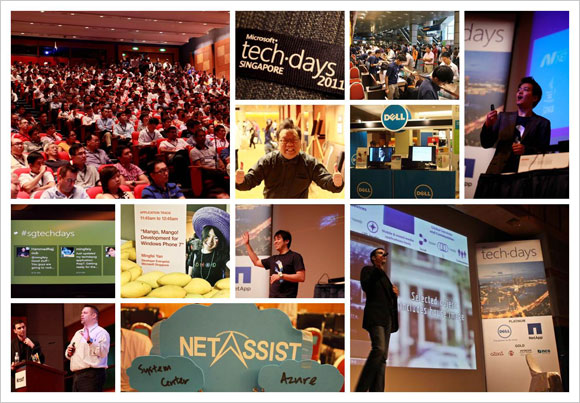
Our first Microsoft TechDays Singapore held on 13 October 2011 attracted more than 1000 delegates! If you missed the event, do check out the highlights.We hope to see you in TechDays Singapore 2012. (you may register your interest here) TechDays Singapore 2011 highlights Keynote video Watch Ziriad Saibi’s keynote on Microsoft’s cloud story. Breakout sessions videos and slides Track 1: Infrastructure Self-Service Private Cloud Management through Integrated Processes with Service Manager 2012 Maarten Goet and Raju Chellam (Dell Singapore) The Future of Infrastructure Monitoring: A Look at Application Monitoring and SCOM 2012 Raymond Chou, Simon Skinner and Wong Poey Yong (NetApp Singapore) Configuration Manager 2012 Technical Overview Teh Wei King SCVMM 2012 Building of Private Clouds and Federation to the Public Cloud Lai Yoong Seng Automating your Infrastructure: Microsoft System Center Orchestrator 2012 Technical Overview Kwan Thean Keong F5 Optimizations for Microsoft Platform Leslie Wong(F5 Networks) Track 2: Platform Cloud Computing with the Windows Azure Platform Ryan Crawcour Cloud Management with System Center Application Controller Lai Yoong Seng Microsoft Exchange Server and Office 365: Hybrid Deployment Sanjeev Thakur and Ram Muthkaruppan SCDPM 2012: The new feature of data protection Mike Resseler How to Run Middleware in the Cloud? Story of Windows Azure AppFabric Hammad Rajjoub Simplified Infrastructure Solutions Thomas Chua (Hitachi Data Systems) Track 3: Application HTML5: All the Awesome Bits Michael Kordahi Mango, Mango! Developing for Windows Phone 7 Mingfei Yan Revealing WebMatrix 2.0 Beta – the Swiss Army Knife of Web Development Thye Yeow Bok OData with WCF Web APIs: “There’s a URI for That” Alvin Lau NUI, Gooey and Louie Michael Kordahi Revenue Generator Suite Niger Tan (aZaaS) Making your first step to the cloud? Go Private or go Public? Check out the resources that will take you there. Private cloud resources: http://weshipcode.com/private Public cloud resources: http://weshipcode.com/public

October 27, 2011 · 2 min ·  Alex Goh

Kinecting the dots - Augmented reality and Kinect Programming

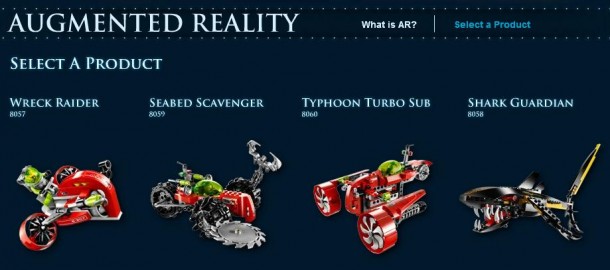
Recently I presented Kinect programming in Geekcamp Singapore 2011. Here is some of the resources related to my Kinect talk. Firstly, I talked about Augmented Reality. It is about putting a virtual layer on top of physical world. Therefore, after computer gets to know about our physical world through all types of sensors, such as camera, GPS, compass, audio, it will be able to provide a virtual information layer on top of the real world. One example could be BMW Z4 campaign. By using a paper logo, you could see 3D Z4 car appear on screen and you can drive around the car using keyboard control. You can check out video below and download this cool toy here. [youtube]http://www.youtube.com/watch?v=cTUJKvXIkSU[/youtube] And here is another interesting campaign down by Lego that you could view 3D toy model by using a paper logo as well. Download demo: http://atlantis.lego.com/en-us/augmented/default.aspx Here is how Kinect works as a much more complicated sensor to help computers understand the real world. Kinect captures image stream, depth stream, audio stream to NUI library, which application could interact with. Here is a simple application I did by using Kinect SDK which you could download here. I used one of the samples presented in Kinect SDK quick starts here: http://channel9.msdn.com/Series/KinectSDKQuickstarts. I think this series of videos really cover all the fundamentals you should know for starting Kinect development. Lastly, I presented two Kinect hacks: - Transform into Ultraman yourself: http://code.google.com/p/kinect-ultra/ [youtube]http://www.youtube.com/watch?v=RUG-Uvq-J-w[/youtube] - Kinect with Dragon Ball: http://code.google.com/p/kinect-kamehameha/ [youtube]http://www.youtube.com/watch?v=lajP7HO7ZyE[/youtube] I spent quite long time to configure this. Kinect hack is using open source driver so it will have conflicts with offical Kinect driver. And these comments are very useful for setting up: http://code.google.com/p/kinect-kamehameha/wiki/Comments. Enjoy your Kinect!

Having fun with Kinect connected to PC

This post will get you up and running apps for Kinect connected to PC using open source libraries. Mine is running on Windows 7. We’ll assume that you don’t know what you’re doing, and you couldn’t care less about what libraries you’ll use to run this. (You can learn that later). You just want to follow the instructions, run that demo, and start to impress your friends, right? Obviously you need to have the Kinect sensor device with the power adapter for this. ...

MIX11 Day 2 Keynote–Windows Phone 7 (Mango), Silverlight, Kinect!

Wow tons of announcements and cool demos here at MIX11 this morning! Too many to list here, so I’ll just point you to the video and provide you the timeline and conveniently skip to the section you’re interested in http://live.visitmix.com/Keynotes You can also read the Press Release here. Windows Phone Announcements! WP7 will add 16 new languages, extend to +8 more countries where developers can submit their apps, and +18 more countries where users can purchase apps. Nokia’s value and commitment to the WP7 ecosystem was also re-emphasized 11:18 – 18:48 ...