Microsoft Build 2016! - BASH on Windows 10

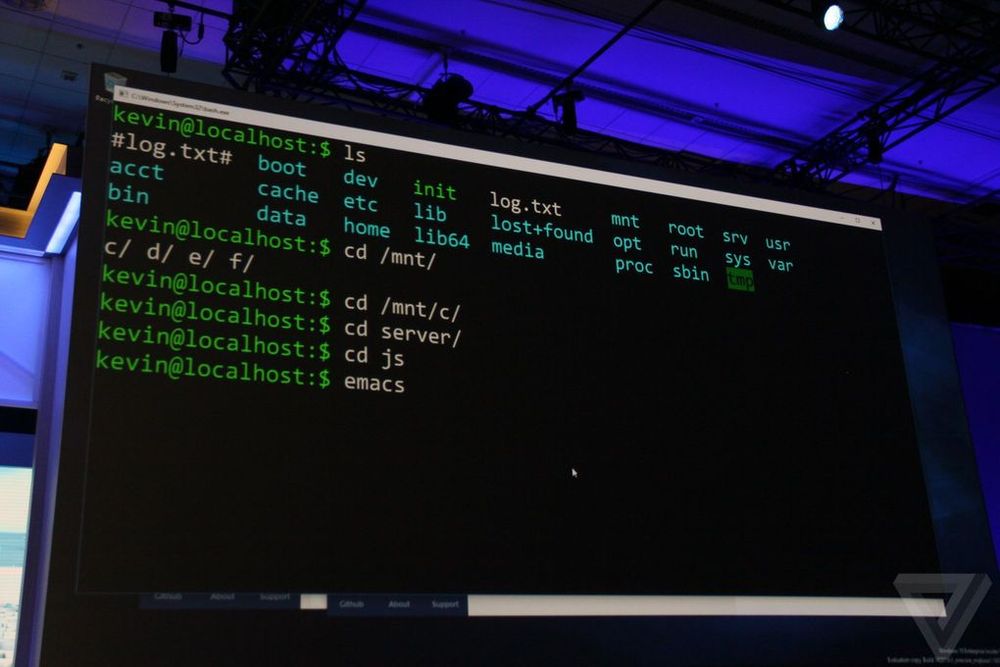
Its that time of the year, where Microsoft will be unveiling new technologies at Build 2016. Microsoft is reaching out to Linux developers in a way that the company never has before. “The Bash shell is coming to Windows. Yes, the real Bash is coming to Windows,” said Microsoft’s Kevin Gallo on stage at Build 2016 keynote. The announcement received an uproarious applause from the crowd. The new functionality will be enabled as part of this summer’s Anniversary Update to Windows 10. “This is not a VM. This is not cross-compiled tools. This is native,” he said. “We’ve partnered with Canonical to offer this great experience, which you’ll be able to download right from the Windows Store.” Third-party tools have enabled this sort of thing for years, but a direct partnership between Microsoft and Canonical should offer even more flexibility and convenience for developers who prefer using these binaries and tools. All of the Linux commands are shown to be running natively, as shown in the video below: https://sec.ch9.ms/sessions/build/2016/P488.mp4 With this added functionality, developers can now code and develop in Linux natively ...

Windows 10 Group Policy Settings

Windows 10 is great! As a typical Windows administrator, you might ask so what is new in the Group Policy? Well all the group policy is well documented at the link below: https://www.microsoft.com/en-us/download/details.aspx?id=25250 Download the file by selecting Window 10 ADMX spreadsheet. Open up the file, you can filter all the new to Windows 10 group policy through the last column Here are three questions that came up quite a lot DISABLE Cortana in Windows 10, via GPO or Regedit This is possible by editing below registry key HKLM\SOFTWARE\Policies\Microsoft\Windows\Windows Search!AllowCortana This policy setting specifies whether Cortana is allowed on the device. If you enable or don’t configure this setting Cortana will be allowed on the device. If you disable this setting Cortana will be turned off. When Cortana is off users will still be able to use search to find things on the device and on the Internet. DISABLE Windows Update Delivery Optimization (WUDO) in Windows 10 This is possible by editing below registry key HKLM\SOFTWARE\Policies\Microsoft\Windows\DeliveryOptimization!DODownloadMode Set this policy to configure the use of Windows Update Delivery Optimization in downloads of Windows Apps and Updates. Available mode are: 0=disable 1=peers on same NAT only 2=Local Network / Private Peering (PCs in the same domain by default) 3= Internet Peering DISABLE WiFi-Sense in Windows 10 There is no GPO for this. Some organizations want to turn this option off as they may see this as a risk to corporate Wi-Fi. An enterprise can disable in the following ways: ...

The happenings at Build Singapore!

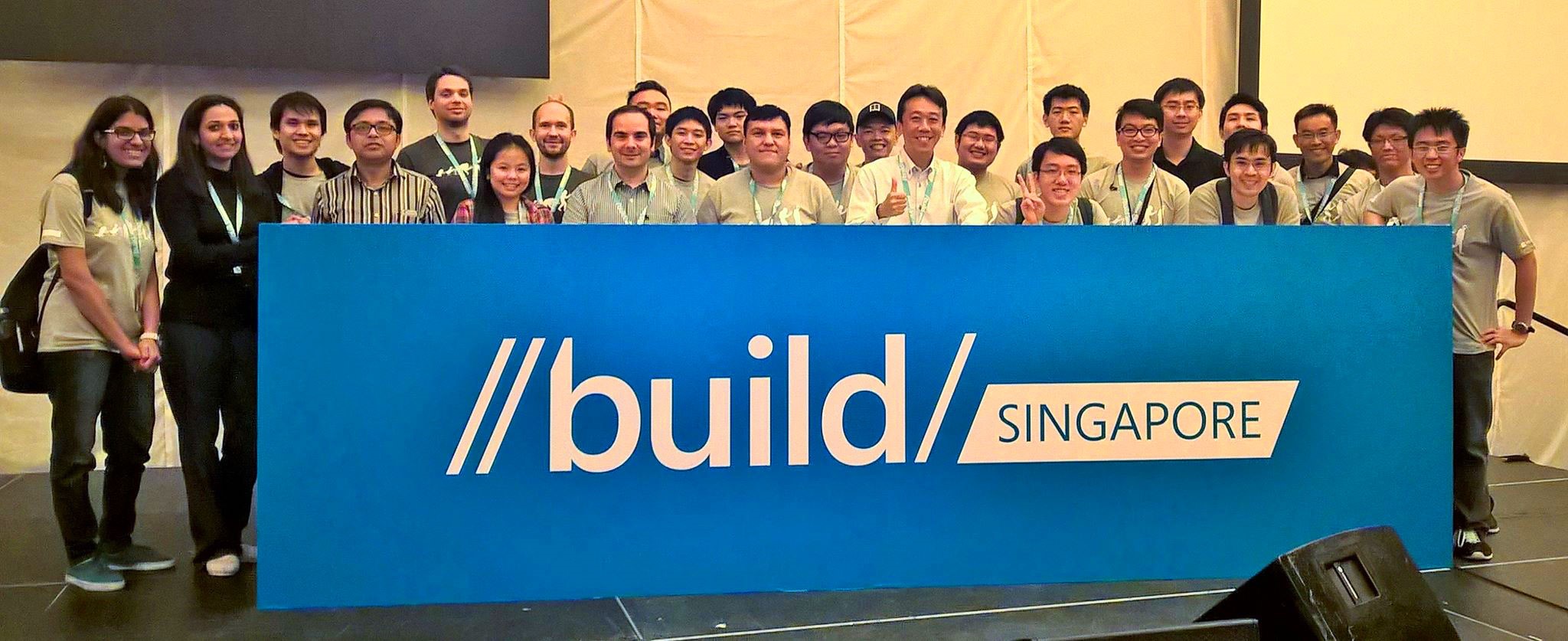
Microsoft’s Build Developer Conference is an annual event that introduces the latest cutting-edge products and services offered by Microsoft. This year, Build 2015 takes a twist to go on the road to promote Windows 10 app development to software creators all over the globe. And the Build Tour, which includes one-day stops at 26 cities worldwide, arrived in Singapore on May 28! [caption id=“msp_guides” align=“alignnone” width=“100%”] Our MSP guides getting ready for the day! [/caption] Jointly organized by the Developer Experience and Evangelism (DX) teams from Redmond and Singapore, Build Singapore attracted more than 400 technology enthusiasts, including myself, all ready to spend our day with the best Microsoft Technical Evangelists and lead engineers at Resorts World Convention Centre! The team prepared for the crowd from as early as 7am on this Thursday morning. We were joined by our Microsoft Student Partners (MSPs), and everyone was excited to bring this long-awaited event to our audience! As a starter to thank our attendees for their presence and support, we distributed exclusive Microsoft swags at registration! #goodies [caption id=“registration” align=“alignnone” width=“100%”] All excited to meet the crowd and distribute our Microsoft swags! [/caption] Build Singapore kicked off at 9am, with the Managing Director of Microsoft Singapore, Jessica Tan, delivering the opening address to warmly welcome the crowd and get everyone in anticipation for the day’s program. [caption id=“jessica-opening” align=“alignnone” width=“100%”] Jessica welcomes the crowd to Build Singapore [/caption] [caption id=“audience” align=“alignnone” width=“100%”] More than 400 participants attended Build Singapore [/caption] The first keynote was delivered by Giorgio Sardo, Senior Director of Client and Devices Evangelism at Microsoft. Giorgio introduced the key highlights of Build 2015, and how all these started off with Microsoft’s goal to bring Windows 10 to 1 billion devices - that’s a huge ambition, but I am confident we will get there (more details to Build 2015 available here). [caption id=“giorgio-keynote-1” align=“alignnone” width=“100%”] Giorgio demonstrates a flight simulation app with Windows 10 and Microsoft Band [/caption] [caption id=“giorgio-keynote-2” align=“alignnone” width=“100%”] Giorgio and Nobu show how IoT with Azure helps farmers track and manage their cows [/caption] Saranya Sriram, Technical Evangelist of Windows Azure APAC, also shared about Microsoft’s improved Azure app services. I got to learn more about the key characteristics that make Azure stand out as a preferred cloud computing platform, such as the durability, fault tolerance, scalability and flexibility it offers. Azure is surely the up and coming cloud OS that is constantly unveiling its potential by leaps and bounds. [caption id=“saranya-presentation” align=“alignnone” width=“100%”] Saranya gets the crowd excited with the improved Azure offerings [/caption] Next was Nikola Metulev, Program Manager at Microsoft, who showcased more demos on Windows 10 and the Universal Windows Platform (UWP). One of which was a Peek-a-Boo application that uses facial recognition technology to identify user presence. Imagine the potential this could have in other applications such as biometric authentication (and yes, that means we don’t have to memorize more passwords). [caption id=“nikola -presentation” align=“alignnone” width=“100%”] Nikola demonstrates IoT with Windows 10 [/caption] And then came lunch! It was a good break for everyone to freshen up, and also mingle with other participants in a comfortable setting. Wondering how comfortable was it? Check out the photo below! [caption id=“lunch” align=“alignnone” width=“100%”] Lunch was a hearty feast (drools) [/caption] We then had Lightning Talks, which was a refreshing switch to concise, relevant and interesting talks that each lasted for no more than 10 minutes. Our Microsoft partners from TV Thailand demonstrated their apps on Windows 10, Edge and Azure, and aptly highlighting the business value Microsoft brings to organizations. [caption id=“lightning-talks-1” align=“alignnone” width=“100%”] Our speakers gearing up for Lightning Talks [/caption] [caption id=“lightning-talks-2” align=“alignnone” width=“100%”] Gamurai demonstrates their hair styling simulation web app with Dave as our model. Looking good, Dave! [/caption] Dave Crawford, Microsoft’s Senior User Experience Program Manager, also engaged the audience with app design tips, and hearing this from a seasoned UX guy, it was definitely a rare experience! A little pity that it only lasted for 10 minutes though… Other impressive technologies such as Cortana, Windows Store and Bluetooth Beacons also wowed the crowd. [caption id=“dave-presentation” align=“alignnone” width=“100%”] Dave, the UX guy, sharing his valuable insights on design [/caption] The event proceeds with a Panel Question-and-Answer, where our distinguished speakers, Giorgio, Dave, Nikola and Saranya, were seated on stage to address any questions from the ground. Some clarified technical ones, while others questioned the viability of the strategies undertaken by Microsoft. I personally gathered much insight from the discussions, for example, someone was skeptical about the user reach of Windows mobile apps, but with the UWP, developers are in fact expanding their potential user base as they can easily deploy their apps across multiple platforms, including PCs, Xbox and Raspberry Pi 2. [caption id=“panel-qna” align=“alignnone” width=“100%”] Our panel having some face-to-face time with the audience during Q&A [/caption] I think the best were those who asked when would Windows 10, HoloLens and the like be introduced in Singapore. They totally displayed the kind of eagerness and anticipation that many of us have for these really cool technologies. I can’t wait! And the eventful day concluded with our very own Technical Evangelist from Microsoft Singapore, Terence Lim, who shared with the audience about how they can get involved with our local programmes - ME@MS, weshipcode.com, DreamSpark, Imagine Cup, BizSpark and Microsoft Visual Academy. [caption id=“terence-closing” align=“alignnone” width=“100%”] Terence concludes the event with a bang, what an eventful Thursday! [/caption]

June 2, 2015 · 5 min ·  May Lim

Sneak preview for Windows 10 app developers

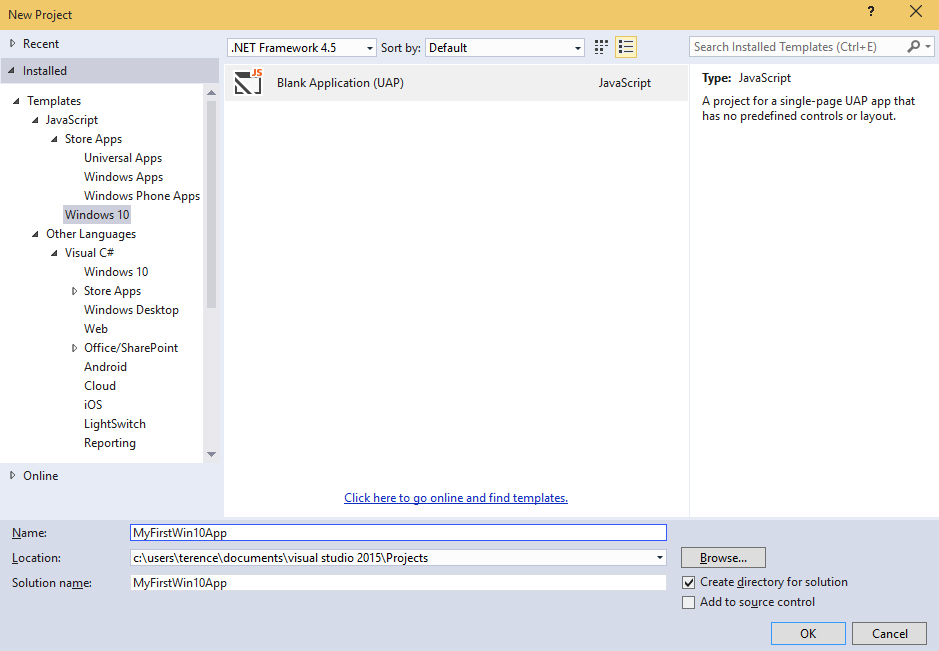
Microsoft has just released an initial SDK preview for Windows 10 developers to start experimenting with the new platform capabilities for building Windows 10 apps. Just to explore the new platform and see how quickly I can launch a new app, I installed the latest Windows 10 Technical Preview Build 10041 through the Windows Insider program, and also the latest Visual Studio 2015 CTP 6 and the Windows 10 developer tools. The cool thing about the Windows 10 Universal App is that it is able to run on all Windows 10 devices - PC, Tablet, Phone, and even Xbox! How awesome is that! Similar to building Apps for Windows 8, the templates allow developers to select a language of their choice, such as C#, VB, C++ and JavaScript. For my case, I chose to use JavaScript. I added in a few of my designs for my app logo and updated their path in the package.appxmanifest. For a quick trial, I reused the code for a Windows 8 app I made in the past. After adding in the code, I can deploy my app for testing purposes on the different platforms. In this preview, the feature to deploy the app to a phone running Windows 10 and Xbox is not yet supported. In the meantime, I can deploy it on the Windows 10 Local Machine, as well as a Windows 10 Phone emulator. Subsequently, I tried to run my Windows 10 app on my Local Machine and Phone Emulator, and this is what I see! As I was checking out on Windows 10 Universal App development, something interesting that I thought was worth mentioning is the Application Insights, which is a service that now allows developers to monitor their published apps and visualize data such as application usage or diagnostic reports in the Azure Preview Portal. Here is a guide that shows you how this can be added to your Windows 10 Universal App. Interested in creating your first Windows 10 Universal App too? There’s a lot of free resources available on Microsoft Virtual Academy, such as A Developer’s Guide to Windows 10 Preview, that you can leverage on! It will show you how you can quickly set up your “Hello World!” app, extension SDKs, App Services and more. Also, if you are familiar in developing on Windows 8, it also guides you on the migration process. Do check it out :)