Setting Up Office Remote for Android

Recently, Microsoft released Office Remote, a new Android app in the Play Store. Office Remote connects a PC to your Android Phone using Bluetooth, allowing you to control your Office documents over your phone. The app lets you control Word, Excel, and PowerPoint from across the room, so you can walk around freely during presentations. It also shows you your speaker notes and the presentation timer to help you present more effectively. ...

Transform your pictures to frame-worthy art pieces with Photo Monkey

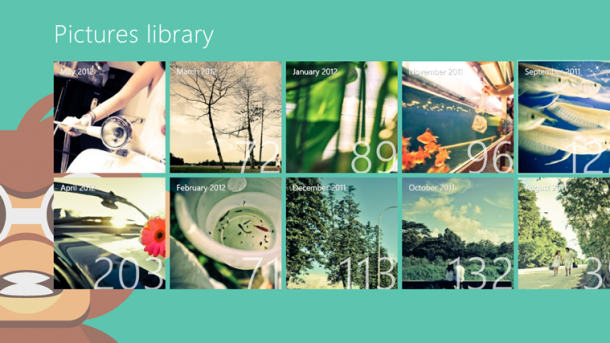
App of the week is a weekly showcase of an awesome app developed on Windows 8 or Windows Phone. Got an app you love that you want us to talk about? Leave us a comment and tell us which app and why you love it! Our app of the week is Photo Monkey, proudly made in Singapore! Photo Monkey a fast, beautiful and fun way to turns your photos into beautiful bits by applying effects to them. We hear it’s already gotten over 10,000 downloads worldwide as well, not bad for an app that’s only been launched a couple of weeks! [caption id=“attachment_10924” align=“alignnone” width=“610” caption=“Photo Monkey lets you scroll through your photo albums and quickly apply filters.”][/caption] I first downloaded this application from the store because of the beautiful screenshots. Photo Monkey automatically loads the thumbnails of the images from your Windows 8 picture library. From the albums you can quickly select and apply filters to the images that you like. While there are a ton of photo filtering apps out in the market, the bright cherry interface and great user experience definitely makes Photo Monkey stand out. [caption id=“attachment_10925” align=“alignnone” width=“610” caption=“Select from a variety of filters in Photo Monkey”][/caption] Some of the filters include - lomography, vignette, pinhole, nostalgia and many more. After applying filters, they are automatically saved to your album. No hassle, seriously easy to use! [caption id=“attachment_10926” align=“alignnone” width=“610” caption=“You get to preview the images after applying filters as well.”][/caption] If you’re a photo nerd like I am, download Photo Monkey on your Windows 8 Device and making your photos into frame-worthy art pieces now. *Psst* We hear it’s free for now! So download it now!

Hackweekend #02 - Apps Galore and more

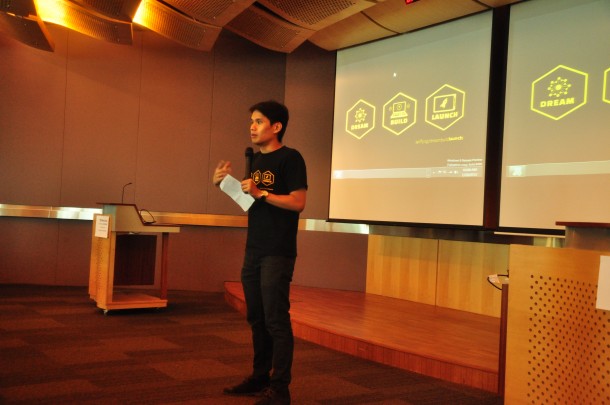
We started Hackweekend as a way to get to know our developers, have fun, build the community and boy, it’s been an exhilarating experience. It’s great to see that there are so many developers working on interesting problems and tackling difficult technical issues. At our first Hackweekend, we had people coming up with some great ideas for their applications. At the second Hackweekend, we could see their fruits of labor, with many demoing almost complete Windows 8 applications! What’s especially encouraging is to see that people are helping each other with their own expertise and making new friends through the event. Here are some photos from the event: [caption id=“attachment_10448” align=“alignnone” width=“610” caption=“Chun Siong introducing Hackweekend #02”][/caption] [caption id=“attachment_10449” align=“alignnone” width=“610” caption=“Participants listening in to the introduction”][/caption] [caption id=“attachment_10450” align=“alignnone” width=“610” caption=“Our youngest developer - presenting his project about augmented reality.”][/caption] [caption id=“attachment_10451” align=“alignnone” width=“610” caption=“The idea wall where every pitch went up!”][/caption] [caption id=“attachment_10452” align=“alignnone” width=“610” caption=“Getting ready for the demo after the fireworks!”][/caption] [caption id=“attachment_10453” align=“alignnone” width=“610” caption=“Our first presenter, Luther, did an app to help NS men and people going for re-service find the nearest locations to take their IPPT!”][/caption] [caption id=“attachment_10454” align=“alignnone” width=“610” caption=“Luther’s app presentation - Helps you find nearest IPPT locations”][/caption] [caption id=“attachment_10458” align=“alignnone” width=“610” caption=“My Little Pony - Windows Phone to Windows 8 app”][/caption] [caption id=“attachment_10457” align=“alignnone” width=“610” caption=“Jason Chee - demoing his app”][/caption] [caption id=“attachment_10455” align=“alignnone” width=“610” caption=“Everyone who attended Hackweekend #02”][/caption] We’re looking forward to celebrating National Day with you - if you’ve got a Windows 8 app to show and tell, join us for the NDP special of Hackweekend! [caption id="" align=“alignnone” width=“610” caption=“Celebrate National Day, hack some code and enjoy the fireworks on 9 Aug”][/caption] Sign up here: http://bit.ly/ndpspecial Download the Windows 8 Release Preview ...

Windows 8 Cheat Sheet: Get Started Easily!

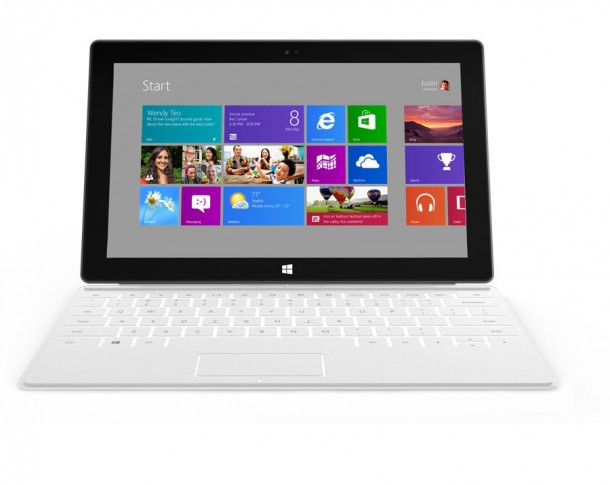
[caption id=“attachment_10428” align=“alignnone” width=“610” caption=“The shortcut keys work great on any PC and also the upcoming Microsoft Surface!”][/caption] Windows 8 Release Preview and Development tools released for a month now and many of you have installed and played with it. I am getting some common questions from time to time so I think it’s a good idea to share with you some useful information to help you get started with quickly. Hardware Requirement Windows 8 Release Preview works great on the same hardware that powers Windows 7: ...

Foodies rejoice with App of the Week - NomWhere

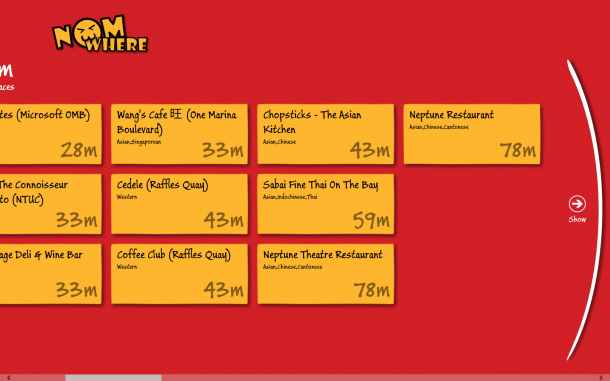
App of the week is a weekly showcase of an awesome app developed on Windows 8 or Windows Phone. Got an app you love that you want us to talk about? Leave us a comment and tell us which app and why you love it! If you’re a big foodie like most Singaporeans are, this week’s app of the week is for you! NomWhere is a location based food application on Windows 8 that allows you to find the nearest restaurants and eateries. Based on HungryGoWhere’s data sets on Project Nimbus, developer Kim Evangelista created this fun and easy to use application for hungry people looking for choices of food based on your current location. This is how to main screen looks like. It tells you the nearest restaurants found in the 100m, then 200m and 300m range, on and on till you find somewhere you’d like to eat! [caption id=“attachment_10415” align=“alignnone” width=“610” caption=“NomWhere tells you the nearest food destinations!”][/caption] [caption id=“attachment_10416” align=“alignnone” width=“610” caption=“Your location is detected by the app”][/caption] [caption id=“attachment_10418” align=“alignnone” width=“610” caption=“Once you’ve selected the restaurant, you can view useful information on it such as opening hours and phone numbers.”][/caption] The app is available for download on the Windows 8 Store - check it out! We hear that version 2 of the app will include comments and reviews - looking forward to it!

WIM2VHD for Windows 8 and Windows Server 2012

The New version of WIM2VHD is now available for Windows 8 and Windows Server 2012. Download the tool from here What is WIM2VHD? It is a tool that allows you to create sysprepped VHD and VHDX images from any official build of Windows 7, Windows Server 2008 R2, Windows 8, and Windows Server 2012. This new release is completed rewritten in PowerShell. Support for creating VHD and VHDX images from .ISO files has been added! One more thing for those who prefer UI, A new (and completely optional) graphical user interface has been added, making the creation of VHD and VHDX images as simple as a few mouse clicks! Here is how it works 1. Run PowerShell as Administrator on your Windows Client or Windows Server. Run the following commands to allow PowerShell Scripts to run on your PC: set-executionpolicy unrestricted 2. Go to the directory where the WIM2VHD script is stored. Run the following PowerShell commands: .\convert-WindowsImage.ps1 -ShowUI 3. The UI tool will be loaded. Choose the .WIM file. For Windows 8 and Windows Server 2012, you can find the file at .\Sources\install.wim You can choose different parameters like VHD or VHDx Format, Fixed or Dynamic disk. 4. Just wait for the PowerShell Commands to be fully executed and you will have a VHD or VHDx file ready

Free ebook To Help You With Programming Windows 8 Apps

The Windows Team has decided to help celebrate the Windows 8 Release Preview and the Visual Studio 2012 Release Candidate, by releasing a preview edition of Programming Windows 8 Apps with HTML, CSS, and JavaScript, by Kraig Brockschmidt. Download a PDF of the ebook here (4.34 MB). Download the ebook’s sample code here (27.5 MB). (We’ll release EPUB and MOBI versions of the final ebook.) This book is about writing Metro style apps for Windows 8 using HTML5, CSS3, and JavaScript. The primary focus will be on applying these web technologies within the Windows 8 platform, where there are unique considerations, and not on exploring the details of those web technologies themselves. For the most part, then, the author assumes that you’re already at least somewhat conversant with these standards. We will cover some of the more salient areas like the CSS grid, which is central to app layout, but otherwise I trust that you’re capable of finding appropriate references for everything else. This version covers the first 4 chapters of the final e-book. Chapter 1 The Life Story of a Metro Style App: Platform Characteristics of Windows 8 Chapter 2 Quickstart Chapter 3 App Anatomy and Page Navigation Chapter 4 Controls, Control Styling, and Basic Data Binding Chapter 5 Collections and Collection Controls Chapter 6 Layout Chapter 7 Metro Style Commanding UI Chapter 8 State, Settings, Files, and Documents Chapter 9 Input and Sensors Chapter 10 Media Chapter 11 Purposeful Animations Chapter 12 Contracts Chapter 13 Tiles, Notifications, the Lock Screen, and Background Tasks Chapter 14 Networking Chapter 15 Devices and Printing Chapter 16 Extensions Chapter 17 Apps for Everyone: Localization, Accessibility, and the Windows Store Chapter 18 Services Have fun!

Dream Build Launch - Windows 8 Hackathon for Students

Be part of the Windows 8 Hackathon in Singapore, a one-day event focused on hardcore hacking of your Windows 8 Metro Style apps! Join us for a low-key, informal day of coding. Don’t worry, plenty of coffee will be available. We will start off with introductions and then quickly go into hack-mode so that you can work on your app. At the end of the day, you can show off your app in its current state (no worries, we are all friends here!) and then find out how to get your app into the Windows Store. Please note that attendees of the Windows 8 Hackathon will be given priority for registration to the Windows 8 Application Excellence Lab. You will need to attend an Application Excellence Lab in order for your Windows 8 Metro Style app to be one of the first from Canada in the Windows Store! The theme for this Hackathon is I <3 SG. We want to have more apps for our sunny island in the Singapore Windows 8 App Store. :) We’ve lined up a number of great prizes for you, so don’t miss out! REGISTER HERE: http://bit.ly/LRvSjN Event details Start Date/Time: 16 June 2012 (Sat), 9am End Date/Time: 17 June 2012 (Sun), 11am Venue: Microsoft Singapore 1 Marina Boulevard, Level 21 Auditorium Singapore 018989 16 June (Sat) 9:00am - 9:30am Registration 9:30am - 9:45am Welcome and Introduction 9:45am onwards Commencement of Hacking 9:45am - 10:45am Metro Design Step-by-step (Optional) 10:45am - 12:15pm Javascript + HTML5 Workshop (Optional) C# Workshop (Optional) 12:15pm - 1:15pm Lunch 5:30pm-6:30pm Dinner 9:30pm – 11:00pm Supper 17 June (Sun) 9:00am – 10:00am Breakfast 11am Submission of Apps ...

June 6, 2012 · 3 min ·  Spiffy

New Updates With Windows 8 Release Preview and Windows Store

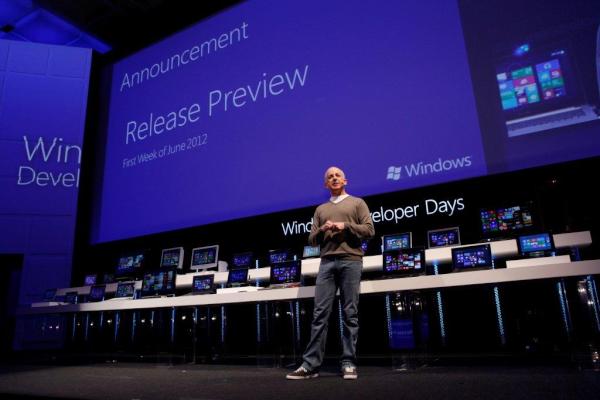
After giving you the first taste of Windows 8 two months ago, we are back with the Release Preview. The Release Preview is the final test version of Windows 8 before we go ahead with RTM, Release to Manufacturing. Between that time, we will still be making changes to Windows 8, which you can follow at the Windows Team blog. Here are 5 new changes in the Release Preview: · Local Windows Store: Singapore is one of them! Featuring apps like Channel News Asia, Straits TImes, Razor TV and many more new Metro style apps like Wikipedia, other News and Sports apps and Bing Travel · Improvements to the Mail, Photos, and People apps that initially debuted with the Windows 8 Consumer Preview · Improved multi-monitor support · A touch-friendly, secure and power-optimized Adobe Flash Player is now fully integrated into IE10 · First browser to feature Do Not Track “on” by default, giving you more choice and control over their privacy Here’s a quick video that showcases the interface for Windows 8 RP at work and play: The Windows Store now also supports app submission for local markets and Singapore is one of the countries. We’ve gotten great response from developers here who are planning to build Metro style apps and will be holding events such as hackathons, hands-on-labs for you to get started building them! Updates for Developers: Improved Visual Studio templates Another area where we have made a lot of improvements is templates in Visual Studio. We’ve made lots of updates to our templates and even added a new one so that it is easier for you to start a new project and get a great app up and running in no time. ...

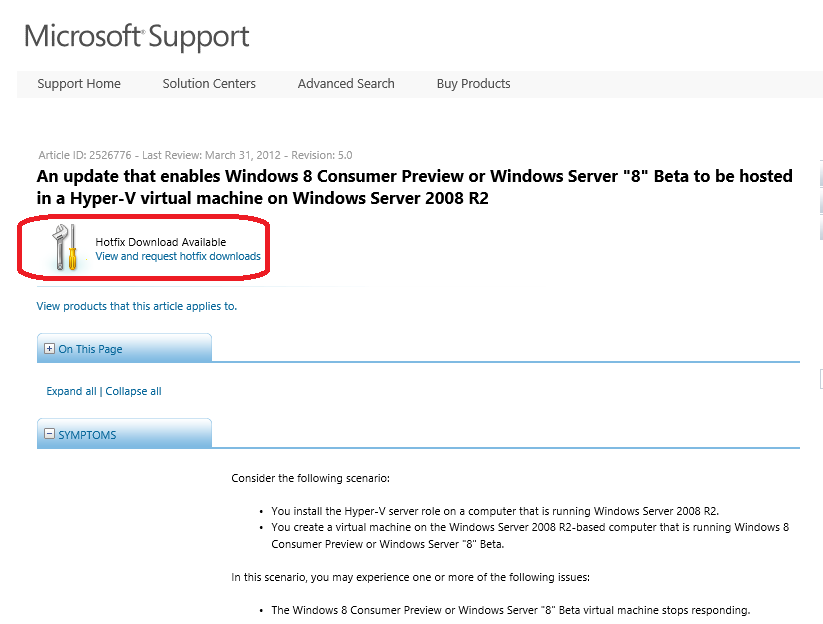
Running Windows Server 2012/Windows 8 on Win Server 2008 R2 Hyper-V

Let’s say you have Windows Server 2008 R2 and you are ready to run Windows Server 2012 or Windows 8 as VMs to try it out. I know some of you still prefer to run Windows Server 2008 R2 in your lab. Some of you may have to stay on Windows Server 2008 R2 because it is your testing or staging environment in your company. Previously you may experience one or more of the following issues while trying Windows Server 2012 or Windows 8 in Windows Server 2008 R2 Hyper-V ...