Startup Feature: Grezzy Founder, Oliver Duric

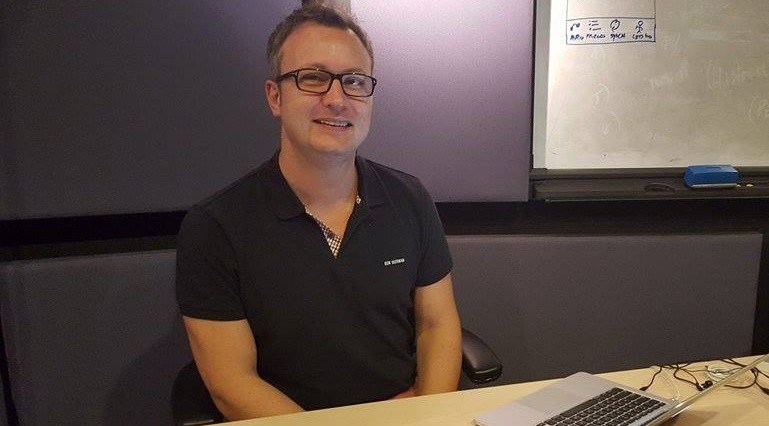
In this instalment of our Startup Feature series, we speak with Oliver Duric from Grezzy, one of our BizSpark startups. Grezzy is a software platform in the health and fitness space that connects people, tracks activities, motivates to be active and compete with the goal of living healthy. Grezzy has also recently moved into Microsoft’s office premise at One Marina Boulevard, as part of the BizSpark Residency program. For those who are curious to find out more about BizSpark Residency following the recent news releases (like this and this), read on! [caption id=“attachment_20630” align=“alignnone” width=“769”] Oliver Duric from Grezzy, seated at his co-working space in Microsoft Innovation Centre[/caption] ...

July 23, 2015 · 5 min ·  May Lim

Setting Up Office Remote for Android

Recently, Microsoft released Office Remote, a new Android app in the Play Store. Office Remote connects a PC to your Android Phone using Bluetooth, allowing you to control your Office documents over your phone. The app lets you control Word, Excel, and PowerPoint from across the room, so you can walk around freely during presentations. It also shows you your speaker notes and the presentation timer to help you present more effectively. ...

How to make Cortana to understand your favorite location

How to add Favorite Location for use in Location based reminders by Cortana Launch the Maps app. Tap on the … menu on the bottom of the Maps app. You would see Favorite places option. Tap that to add your favorite places. The favorites will have + icon at the bottom of the page. Use the + to add your favorite place. Once you tap + icon the below screen will appear. Type the place you want it to search. Once you find the place select it from the drop down. This will pop up the next screen for Nick Name. ...

Draw Visio from Mobile Using Azure Remote App

This blog article describes how to access Azure Remote App from Windows Phone 8.1. Using the remote app feature now you can able to draw Visio diagram from the mobile. First configure the Azure RemoteApp with your Azure Account. Follow the steps in the URL http://azure.microsoft.com/en-us/documentation/articles/remoteapp-create-cloud-deployment/ After provisioning the Remote App you can see the publishing applications as below The new Azure Remote App will have the Url https://www.remoteapp.windowsazure.com/ to login from the desktop client. Now go to your Windows Phone. Open the Store app and search for the Remote Desktop app. Download the Remote Desktop App to your mobile. ...

Windows Phone App Studio (Beta)

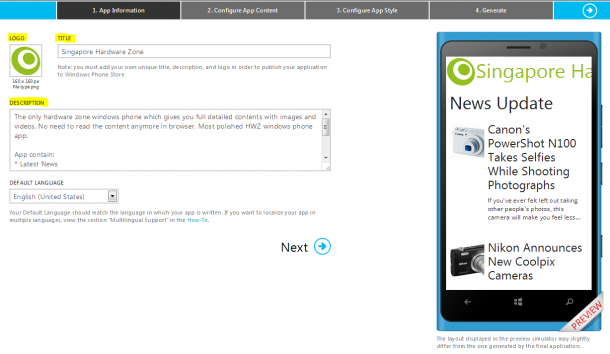
Recently, Microsoft has made another effort to engage developers with Windows Phone, especially for those who are novices or who are located in emerging markets. App Studio (Beta), is a web based windows phone application making tool, which allows developers to quickly create and publish their app in the Windows Phone Store with just four easy steps. I think that App Studio is a great online tool to create and publish small personal applications. It can be an app for your favorite sport or a movie, it can be even for your city or family. I tried creating few apps with it, and prepared a workflow screenshot which show a bit about the system. What are the four steps involved in app studio? ...

Attention Developers: Windows Phone SDK 7.1.1 Update Has Landed

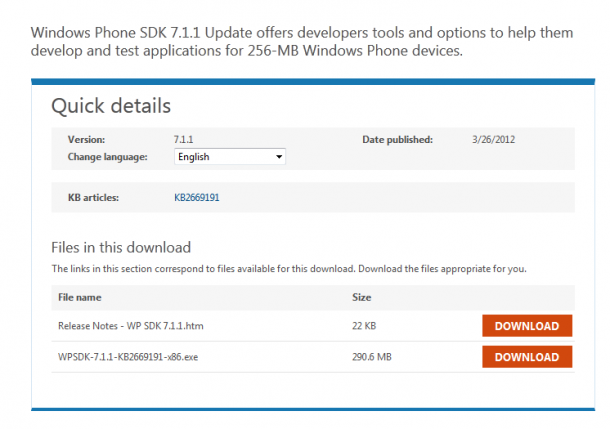
Hurray! More integration with Windows 8 powered devices! The Windows Phone team announced on their blog today that the release of the Windows Phone SDK 7.1.1 Update is now available for immediate download on the Microsoft Download Center. The two highlights of this update are: Develop apps that work well on the new 256 MB devices Use the WPSDK 7.1 to develop on machines running Windows 8 This update goes a long way to making it easier for folks to build apps that target both Windows Phone and Windows 8; the WPSDK 7.1.1 runs quite well side-by-side with Visual Studio ‘11’. Particularly with the Consumer Preview out, the ability to run the IDEs side-by-side has been a major request from our developer community. For Windows Phone developers, this is a great opportunity to explore the Windows 8 marketplace as another channel for your applications. Find out more about developing on Windows 8 in our ‘Build for Windows 8’ workshop this Friday as well.

Thank You And A Preview Of Apps From #WhereIsMyLumia Campaign

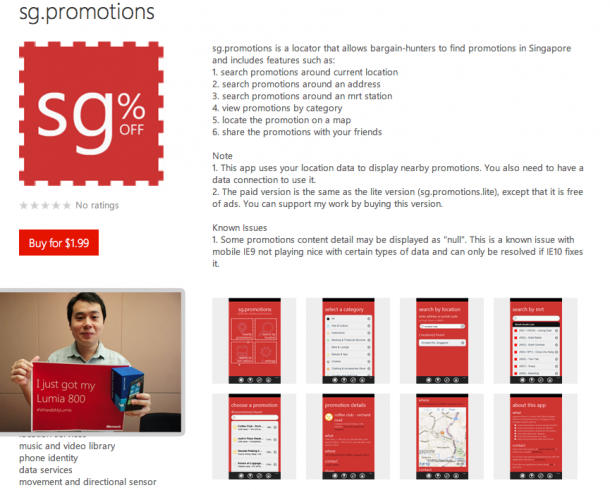
The Lumia series represents a significant milestone of Microsoft & Nokia’s partnership in bringing a new experience to Windows Phone users. Developers play a big role in shaping this experience with us. To allow more developers in Singapore the experience of developing on the Windows Phone platform, we announced the #WhereIsMyLumia campaign a little over two months ago. So far we have been overwhelmed by the response, with more than 100 developers applying with their wonderful app ideas. Although we couldn’t give everyone theirs this time, we are still committed to supporting you with the resources needed in the development process. THANK YOU FOR YOUR PARTICIPATION AND SUPPORT! Look out for our upcoming campaigns and training sessions for the Windows Phone and Windows 8 platforms as well! We sincerely thank you for you support and feel free to drop us an email, a tweet or facebook message if we could help you with anything else. In meantime, here’s a sneak peak of the first few apps developed from #WhereIsMyLumia: 1. SG Promotions by Steve Teo - sg.promotions is a locator that allows bargain-hunters to find promotions in Singapore For the lite version. 2. Gradulator by Tan Jianhao Steve - Gradulator is a one-of-a-kind application that allows users to aim for the grades that they want, by calculating how much they need for their final exam! (Definitely a handy app for all students out there.) 3. Pics on Geo by Lim Hong Wei Kelvin - Pics on Geo automatically geo tags the users photos when taken. At the same time, users can see photos geo-tagged and recommended by other friends. 4. SP Render by Tan Eik Chor Christopher - This app is particularly useful for those thinking of taking a course in Digital Media. It showcases the best works by the graduating cohort of 2012, School of Digital Media and Infocomm Technology (DMIT), Singapore Polytechnic (SP), with award-winning spectra of projects. Congratulations again to all the developers who took part in #WhereIsMyLumia and got their Lumia 800! We’re looking forward to your apps and hope you have a fun time developing them. Look out for our upcoming campaigns for Windows 8 and Windows Phones as well!

March 20, 2012 · 2 min ·  Spiffy

Windows Embedded, Surface 2.0, Microsoft Tag, Windows Phone and Kinect come together for "5D" experience

[vimeo width=“600” height=“300”]http://vimeo.com/35533524[/vimeo] At the 2012 NRF Convention & Expo in NYC, in partnership with NEC and Microsoft, the team from Razorfish has created the first ever Retail Experience Platform code-named “5D”. Leveraging Windows Embedded, Microsoft Surface, MS Tag, Windows Phone and Kinect for Windows, they created a prototype around a fictitious brand “Razorfashion” that demonstrates how various touch points along the customer journey can attract consumers into the store, drive product engagement and arm store associates with more contextualized digital tools. The 5 in 5D itself refers to the integration of digital devices (such as kiosks, large-screen displays, smartphones), content, experiences, analytics and CRM - with a touch of digital magic. It’s very exciting to see how they have successfully shown us the potential of combining Microsoft technologies to build new digitalized user experience in retail platform. Hopefully we’ll see more of this in the future market! And now, 5D is available as a beta version. You can read the full press release here, and also the official announcement on the Emerging Experiences blog.