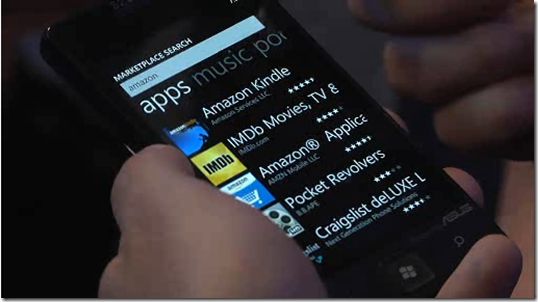
Windows Phone Demo highlights at MIX11
Want to breeze through the new Mango features for WP7 in just 15 minutes? Go through all of them in this Channel 9 interview with Joe Belfiore. You won’t regret clicking. http://bit.ly/i9FIBl
Hi there. A lot of developers are asking me what support they can get from Microsoft when developing their applications for Windows Phone 7 (There are now close to 200 apps/games developed from Singapore). I hope the following table helps! You Are A… Support Contact/Link Student Free AppHub ($99US) registration through DreamSpark [http://bit.ly/fSGL4i](http://bit.ly/fSGL4i “http://bit.ly/fSGL4i “) Startup Free AppHub ($99US) registration through BizSpark http://bit.ly/dHFOfI Startup/Company looking for funding to hire a WP7 developer ...
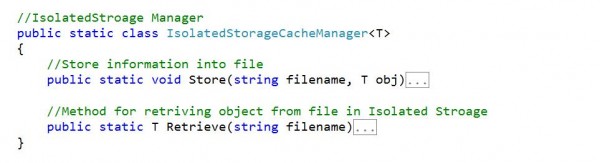
This is a continuous example from Part I tutorials. If you want to skip Part 1, you could download the project here. And if you want source code and code snippet for the whole project, you could download it here. - How to pass data between pages – isolated storage - How to use CameraTask in your application In Part 2, I will introduce two things: Isolated storage and Camera Task. Before started, I want to introduce why. If you want to pass data from one page to the other, you have to store data somewhere since its stateless between pages. And you could use Isolated Storage. What’s Isolated Storage? Very simple. It is just storage inside your phone but “Isolated” to only your phone. If you lost your phone, you lost data inside your isolated storage in your phone. 1.You could open app.xaml and add in the following code. App.xaml is a file running before running Mainpage.xaml. [cc lang=‘c’] //IsolatedStroage Manager public static class IsolatedStorageCacheManager { //Store information into file public static void Store(string filename, T obj) { //create filestream for writing into Isolated Stroage IsolatedStorageFile appStore = IsolatedStorageFile.GetUserStoreForApplication(); using (IsolatedStorageFileStream fileStream = appStore.OpenFile(filename, FileMode.Create)) { //Use DataContractSerializer to serialize data and write to the filestream DataContractSerializer serializer = new DataContractSerializer(typeof(T)); serializer.WriteObject(fileStream, obj); } } //Method for retriving object from file in Isolated Stroage public static T Retrieve(string filename) { T obj = default(T); IsolatedStorageFile appStore = IsolatedStorageFile.GetUserStoreForApplication(); //Open file if filename exists in Isolated Stroage if (appStore.FileExists(filename)) { using (IsolatedStorageFileStream fileStream = appStore.OpenFile(filename, FileMode.Open)) { //Use Serializer to read filestream and retrieve object DataContractSerializer serializer = new DataContractSerializer(typeof(T)); obj = (T)serializer.ReadObject(fileStream); } } return obj; } } [/cc] 2. Methods in App.xaml could be used directly by other file in the project. You could just type “App.” to access all the method inside. We need to serialize data object into a file format that could be stored. There are mainly two ways to do that. Firstly, you could use Build-in DataContractSerialize. It will serialize object based on [DataContract] and [DataMember] these two attributes. The second method is using Linq to XML API from System.XML.Linq namespace. High level speaking. This IsolatedStroageCacheManager has two methods. One is to store your object into file on Isolated storage. And the other method is to retrieve object from file in Isolated Stroage, with a particular filename you used to save the object. 3. We need to add a reference into the project. Right click on References folder in your project file explorer. Choose System.Xml.Serialization. ...
This is an End-to-End example for building Windows Phone 7 from Start to finish. And I will cover several features inside this example. I put this technical blog into three pages , so it is easier for you to follow up. You could download the code here, with code snippet. The second part of the tutorial is at https://www.weshipcode.com/2011/03/windows-phone-7-2/. You could follow my twitter: @mingfeiy for my windows phone development news. Part 1: ...
I’ve been promising my wife that I’d build her a WP7 app that pulls feeds from her favorite fashion sites, but have never gotten around to doing it. So when this app creator popped up, I jumped on the opportunity… to tell her that she can now create her own app! So after dinner, I asked her to browse to http://followmyfeed.net/ so we can start building. Here’s a transcript of what happened: ...
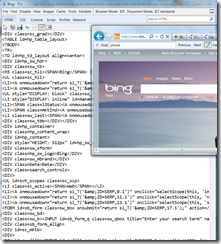
*UPDATED: Generated html using NavigateToString instead of hosting on server. Actually I could’ve just generated everything in HTML instead using that* Those of you who have been playing with the TextBlock control on WP7 and requiring tons of text to be written out are probably familiar with the limitation where your text is truncated beyond 2048x2048 pixels. There’s this cool solution where this dude created a custom Scrollable TextBlock for WP7 that addresses this by calculating the number of lines you have to display and automatically generating several TextBlocks in a StackPanel. However during my testing, this implementation consumes too much memory (90MB at one instance on the phone emulator). My scenario calls for displaying the underlying source code of a web page on my app on WP7. As you can imagine, there could be tons of javascript functions and css declarations under the hood. ...
Last week we had Uditha Bandara (XNA MVP) fly over to Singapore to conduct XNA Game Development to polytechnics and universities here. I have shamelessly copied his blog post that you can access here http://uditha.wordpress.com/ If you are interested in game development you may want to check out his blog, it’s got tons of resources! -- Last week I did XNA Game Development Workshops at Singapore Universities with collaboration from Microsoft Singapore.Universities Including ,Nanyang Technological University (NTU) ,SIM University and National University of Singapore(NUS). ...
Hi guys, Sometime ago we did a post on WP7 apps built in Singapore. This is an update post, 83 apps in all! Enjoy! (To date, there are 6,304 apps for WP7 apps submitted globally according to http://wp7applist.com/) WP7 App Developer 4D Simulator Tan Kin Lian 7pass Tran Ngoc Van Air Horn Just2us Alpha-Gene Springloaded AppsLah! NewsSG AppsLah! Art Love Smart Aps Ascii SMS Smart Aps AusInNews - Australia News in Topics ...
Today’s MSDN Flash newsletter has a chokful of resources to help developers get started with WP7 development. For those of you who don’t know, MSDN Flash is a free newsletter to help developers stay up to date with the latest development news from Microsoft. You can subscribe today! Get Started with Windows Phone 7! App Hub, your Windows Phone 7 developer portal, offers a single location where you can download the free Windows Phone 7 toolkit, find training and sample code, register for Marketplace, and submit applications and games. ...
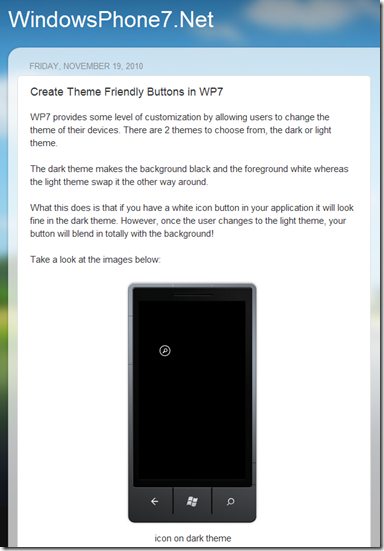
Check out this blog post by Bok on how you can create theme friendly buttons in WP7. He outlines how you can make sure your icon buttons are still visible after users have customized their phone color themes. This is also particularly important for the Marketplace certification process where these conditions are tested, to determine whether your app and its UI elements are still visible after user customizations. Here’s a snippet of Bok’s post. I’ll let you click to his entire post. Also check out his app up on Marketplace – “Currency 7” ...