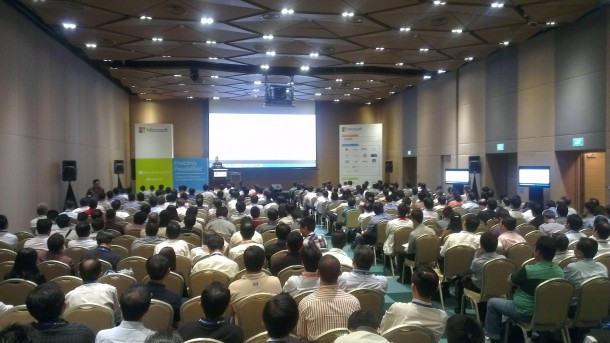
 Thank you everyone for your warm participation in our MEP2012 event. It was great to see the breakout sessions were filled with people. Due to keynote overrun, we went through things rather quickly. As promised, I am posting all PowerShell Scripts during my session here. Do change the scripts parameters that is specific to your environment To enable Resource Metering for all VMs within a host: Get-VM -ComputerName | Enable-VMResourceMetering To enable Resource Metering for a specific VM: Enable-VMResourceMetering –VMName To get resource utilization on all VMs within a Host Get-VM -ComputerName | Measure-VM To get resource utilization on specific VM Measure-VM –VMName To set bandwidth on each VM Set-VMNetworkAdapter -VMName -MaximumBandwidth 5000 During the Demo, I also showed a script to get VM cost. Here is the script # Get-VMCost Script Function function Calculate-VMCost($VMName) { $BaseCost = 50 $MemoryCostPerGB = 20 $ProcessorCostPerGHz = 30 $IncomingNetworkCostPerGB = 10 $OutgoingNetworkCostPerGB = 30 $ChargebackData = Measure-VM $VMName Get-VM $VMName | Reset-VMResourceMetering $VMCost = $BaseCost $VMCost += $ChargebackData.AverageMemoryUsage * $MemoryCostPerGB / 1024 $VMCost += $ChargebackData.AverageProcessorUsage * $ProcessorCostPerGHz / 1024 $IncomingExternalTraffic = $data.NetworkMeteredTrafficReport | ? { ($_.Direction -eq “Inbound” ) -and ($_.RemoteAddress -eq “*.*”)} $OutgoingExternalTraffic = $data.NetworkMeteredTrafficReport | ? { ($_.Direction -eq “Outbound” ) -and ($_.RemoteAddress -eq “*.*”)} $VMCost += $IncomingExternalTraffic.TotalTraffic * $IncomingNetworkCostPerGB / 1024 $VMCost += $OutgoingExternalTraffic.TotalTraffic * $OutgoingNetworkCostPerGB / 1024 $VMCost } # Calculate VM Cost Calculate-VMCost
viagra