Windows 8.1 - New Start Screen Features

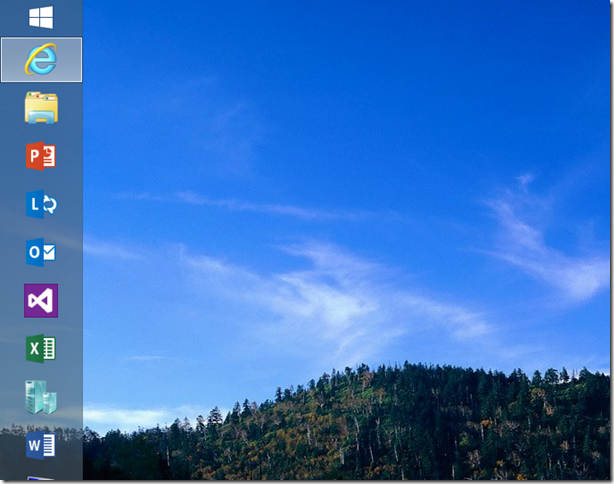
Windows 8.1 has just been released with many new features to explore. In this article, I am going to discuss more about the New Start Screen. There has been many expectations among business people with the release of Windows 8, with some wondering why their Start button is missing. Now with Windows 8.1, the Start button is back! So what are some other key differences? Let’s see what’s new - the new Start screen has the features below: ...

Free ebook: Introducing Windows 8.1 for IT Professionals

Windows 8.1 is ready for widespread adoption. This book focuses on things that are new, with a special emphasis on topics of interest to IT pros. Instead of tips and tricks on 8.1, You will find more about management, deployment, and security, which is at the heart of every IT Pro. Download the eBook Here This is just an introduction, an overview. For more detailed information about the features and capabilities described in this book, I encourage you to become a regular visitor at the Springboard Series on TechNet: http://www.microsoft.com/springboard

Nokia Lumia 1020: Accessories

Many I know love to accessorize their phones with all sorts of things, like covers, stickers, even audio jack plugs. The Nokia Lumia 1020 may not be popular enough in Singapore for you to walk around say, Sim Lim Square and see a multitude of shops selling accessories for it, but it does have a wide assortment of accessories available that you can choose from. Let’s look at the official ones from Nokia first. If you got the Lumia 1020 hopefully you have the Camera Grip accessory as well, since they’re bundled together (black only, while stocks last, and apparently some places are out of stock already!). The Camera Grip accessory is an excellent companion for the Lumia 1020, especially for photographers or camera enthusiasts and chances are, if you bought the Lumia 1020 you fit in these categories. The grip makes it look more like a camera than a smartphone, with the familiar hold of a camera will be welcome to many trying to take a shot. It enables users to take a steady shot while holding the grip single-handedly as you would a digital still camera. The Camera Grip accessory includes a standard tripod socket for mounting on a tripod, and should fit into any standard tripod. Some Nokia Stores and Telcos appear to be giving a mini-tripod as a free gift when one buys the Lumia 1020 from them. That’s not all the Camera Grip does. It acts as a battery pack for your phone as well! When the Lumia 1020 is fitted in the grip, your phone is charged while you go about shooting. The battery capacity of the grip is 1020mAh, and can charge half that of the Lumia 1020 which has 2000mAh. You can also leave the phone in the grip while you charge the grip. What I found though, is that computers won’t recognize the phone while plugged into the camera grip. Also, the lights on the grip stay on while charging and can be considerably glaring in the dark. As an interesting note, the Camera Grip can be used to charge smaller phones like the Nokia Lumia 720 too! It weighs 72.8g, bringing the Lumia 1020 to 230.8g when equipped. If you didn’t get one bundled with the phone, you can get it at S$98 in white, black, or yellow. The Camera Grip also comes with a lanyard that can be attached to the Lumia 1020. There’s a small slit on the Camera Grip where the lanyard can go through, so no obstruction is caused. Like the Nokia Lumia 925 (and a few other Lumias), there’s a Wireless Charging Cover available for the Lumia 1020 that doesn’t come with in-built Wireless Charging like the Lumia 920. I find that the Lumia 1020?s cover is far easier to put on and take off as compared to the Lumia 925?s. It can easily be put on by pressing it into the cover and can be removed with little force. Even so, it feels secure and shouldn’t come off unexpectedly. I initially bought the Wireless Charging Cover as a means of making the back completely flat, just as I’ve done with the Lumia 925. However, I found that even with the Wireless Charging Cover, the back of the Lumia 1020 is not flat and is still slightly raised. I guess the enormous bulge of 1020 just can’t be contained! With my mission of having a flat back failed, I do find that it’s easier to hold the phone without the cover, since the cover does add an extra layer to hold, though not everyone feels the same. I also feel that the Lumia 1020?s cover may not offer as much protection as the Lumia 925?s, with the lack of protection around the top and bottom edges. The Wireless Charging Cover weighs 22g, which, added to the Lumia 1020 at 158g brings the total weight to 180g. This is still 5g lighter than the Lumia 920 at 185g. The cover is available at S$39 in white, black, and yellow. With the Wireless Charging Cover, users can use any Qi-Wireless Charging Standard devices to charge the Lumia 1020. Nokia has a Wireless Charging Plate (DT-900) available in Black, Cyan, Red, Yellow, and White, at S$88. A Wireless Charging Stand (DT-910) is also available that also contains an accessory app activated via NFC. It’s available in Black and White, at S$128. Nokia has partnered with JBL to come up with the JBL PowerUp Wireless Charging Speaker (MD-100W). It’s got amazing bass performance and comes with 3.5” audio jack, NFC, and Bluetooth support. Play music via Bluetooth from your phone with a tap, and charge it at the same time! You can get it for S$468 in Black, Cyan, and White. All above Nokia products are available from the Nokia Stores and Solution Partners around the country. Also, see other accessories not mentioned here on this page. Another kind of cover worth mentioning is the Carbon Fiber Armor from Bodyguardz, that must be bought from their online store. I have one for my Lumia 900 and it looks and feels great, so if you’re into that get one especially with its considerably cheap price tag. See it here. If you’re looking for other kids of accessories, like screen protectors, and a range of accessories for the Lumia 1020 to choose from, do check out Adix82, a local shop near Sim Lim Square. He has many covers and cases for the Lumia 1020 as well, if the official ones aren’t doing it for you head down and have a gander. That’s all folks! Thanks for reading, this is the end of my review on the Lumia 1020. I’ve got two more segments coming up that are more informative than review, so stay tuned for that! ...

Ahoy! Hoisting the sails with Pirate3D

We have not featured a pre-launch product from a Singapore startup that has garnered this much press attention. This group of childhood friends - Roger Chang, Brendan Goh and Tsang You Jun refer to themselves as “Captains” and “Pirates” in their company, appropriated called Pirate3D. You may have read our previous post on Prototype Asia and understood that 3D printers create an object with digital designing and print in three dimensions with a special type of plastic-like acrylic. But did you know that 3D printers will soon be available everywhere for everyone? Chief Executive Pirate, Cap’n Roger, says “in (the) future, people will look back and wonder in amazement how we could survive without 3D printers.” The startup has received US$482,000 in funding through Red Dot Ventures and has raised a further US $1,438,000 through its Kickstarter campaign. Set to officially have the printers available in 2014, there’s been plenty of buzz over the product due to its sleek design and user-friendly set up. Our team had the opportunity to tour Pirate3D’s cosy work place and are proud to be the first few to see the prototype before its official launch in 2014! The developers and the entrepreneurs are discussing the various ways to cut production costs, and they seem really engrossed in their discussion. Despite their busy schedule, they showed us around and brought us to the second level of the office where we saw their prototype of a 3D printer. The figurine model that was made from the 3D printer is a good replica of the actual model of the human hand. How Pirate3D printer works The flagship printer is designed for easy installation and setup which supports cloud printing. It allows you to print and customise your design over the web from anywhere, i.e. phone to the printer. The biggest plus point of the product is the printer’s ability to be mobile enabled (supports Wi-fi) and it does not require cable hookups. Pirate3D also designed a virtual store called Treasure Island, for users to print various type of customised models supported by drag-and-drop, web-based graphic user interface for easy use. In addition to the startup visit, questions were raised to the crew on their decision to create a startup and their future plans for their company. Why did you guys decide to startup Pirate 3D? It started when Brendan Goh and Tsang You Jun, two of its founders, took part in a business competition. They were given a project to make a prototype that is able to change its colour depending on the temperature of its contents. However, they faced problem in prototyping. Prototyping is expensive and requires a considerable length of time for production. They found themselves to be really frustrated at the waiting process and pulled in Roger Chang to help assemble the kit themselves. Roger’s professor, Professor Neo Kok Beng, was also brought in and suggested that they should build their own 3D printers. The team chanced upon this idea and turned it into a business opportunity. They unanimously agreed on calling themselves “Pirate3D” in five minutes. So, what are the future plans for Pirate3D? The crew commented that currently, they are looking on to expand their sales and continue their research and development (R&D) for future product lines. They also received numerous calls from design schools such as Nanyang Fine Academy of Arts (NAFA) and Laselle to pre-order the printers for the school students’ coursework project. They also noted that “We don’t want to be just a 3D printer company; we want to be the ones that history books remember as who we truly brought the technology into homes of everyday” - we salute the crew for such a great ambitious aim! We are pretty sure that in just a couple of years, 3D printing is going to be a smash hit. With the rising popularity of demand in the 3D printing market, we hope to see the birth of more 3D printing startups like Pirate3D and Prototype Asia in the near future. For more details, visit: www.pirate3D.com

3 reasons to blog for Spiffy.sg

Everyone has a point of view - from the recent flooding in Singapore to the latest scandals on social media - people are eager to share their perspectives. It establishes them as subject matter experts, expands their professional reach and gives them an opportunity to build a personal brand online. But I don’t have the time, you say. I don’t know what to write about. Never fear, we’ve put together some tips and reasons for you to join our growing team of crazy-smart spiffy contributors. From Rwanda to Tokyo, our writers share tech trends and updates from around the globe and in our own backyard. Here are three reasons to write with us: 1. Instant local techie audience with notable overseas impact In 2012, weshipcode.com got over 37,000 unique hits to our main site, with the bulk of our readers coming from Singapore, the United States and Australia. Content that generally performs well include product reviews, technical how-to articles and event coverage. In particular, our how-to articles have an incredible lifespan online, with returning hits in the hundreds even months after the article is published from search engine traffic. Our average reader spends around 2 minutes on each article with a very low bounce rate (percentage of people leaving landing page without clicking through) of 1.08%. On social media, we’re popular among the 25-34 crowd with a potential social outreach of half a million eyeballs. We publicise our writers’ articles to our active online communities with an engagement rate (calculated via shares, comments and likes) almost twice the ratio of the average social media site. 2. Introvert? No problem. Write what you’re passionate about - and build your portfolio with us Blogging - one of the best ways to share thought leadership - is one of the rare platforms where natural introverts may have an advantage. Take your time and build your personal brand on the value of your ideas alone. You can advance your professional reach by sharing your thoughts with the local tech audience base via spiffy. Whether it be product reviews, tech trends or how-to guides - your opinion matters, and our articles range from the hyper-technical to the completely random. Regardless of genre, we believe quality content about the fascinating world of tech, like the industry itself, transcends category. And if you ever encounter writer’s block, we also have a list of article kickstarters for you to use as a starting point. 3. Access to exclusive tech events We occasionally organise or have partner events, and would love for you to join us and write about what you learnt. People often say that even a bad idea is better than a good idea unshared. So we’ve told you all the reasons why you should leverage on us - the next step is up to you. To find out more, send an email to a-nitanz@microsoft.com. ...

Nokia Lumia 1020: Camera

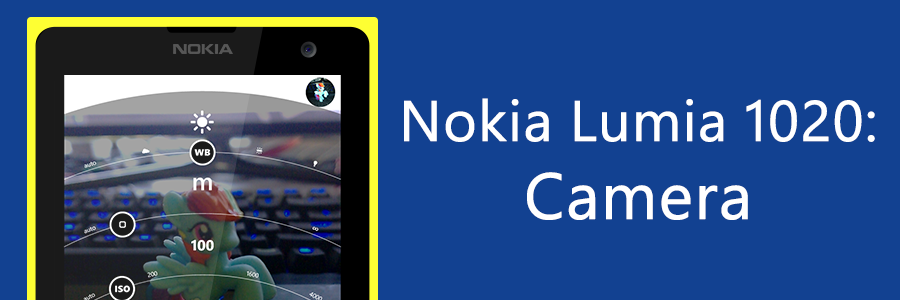
Gone are the days where one would need to carry a camera to take a decent shot. Yes, with Nokia’s innovation in the field of smartphone cameras, we can now shed the extra weight and carry both a smartphone and a camera in the same pocket. Apologies, we’re about to get quite technical. [youtube]http://www.youtube.com/watch?v=ezIZjFt80kQ[/youtube] Nokia’s PureView technology with Optical Image Stabilization (OIS) allows amazing quality shots, even in low-light conditions. Photos remain crisp and sharp, even with a shaky hand. This is especially great for video recording. Check out the beautiful illustration of the technology in Nokia’s video above. The OIS does rely on a ball bearing, which, if the phone is shaken hard, can be slightly audible. Nokia’s inserted a notice into the Lumia 1020’s box clarifying that it is, however, all okay. It’s just the “sound of blur-free photos”! The Nokia Lumia 1020 comes bundled with a whole suite of Nokia’s exclusive camera apps, such as Nokia Pro Cam, Smart Cam, Panorama, Cinemagraph, and more. In the Lumia 1020, the camera button opens Nokia Pro Cam by default instead of the default Windows Phone camera app. This can be changed in Windows Phone’s Settings, under ‘applications’, in ‘photos+camera’. Nokia Pro Cam’s beyond amazing, as an app it offers a manual photography experience better than every other smartphone, and in my opinion even the digital still cameras. Major options including flash, white balance, focus, ISO, shutter speed, and exposure compensation are just a touch away. Adjusting the white balance, focus, and exposure compensation reflects real-time on the screen, allowing users to easily get their shot right. While Nokia Pro Cam is available on other Nokia Lumia Windows Phones as well, there are differences in the manual controls such as the Lumia 1020 being able to shoot with a maximum ISO of 4000 while the others are capped at 3200. [youtube]http://www.youtube.com/watch?v=2vR4LeL0yzE[/youtube] Nokia Pro Cam also allows users to “reframe” an image, that is, to zoom, crop, and/or rotate the image. Lastly, it can show information about the shot in a very neat information page. Some say that the Lumia 1020 is better than a DSLR, but I’m more comfortable with saying that it’s the closest you’re going to get to a DSLR. With Nokia Pro Cam, it’s got several features making it like a DSLR but with the right lens and photographer a DSLR would easily win. It should be noted that Nokia Pro Cam does not allow the adjustment of the camera’s aperture like a DSLR, instead fixing it at f2.0. Still, its ability to fit in one’s pocket does trump its weaknesses here. I feel that the Nokia Lumia 1020, with Nokia Pro Cam, is perfect for amateur photographers who are willing to explore manual photography, or have more control over their shots. I should note that I am the worst at photography, by the way. Ever since I got the Lumia 1020 I’ve been delving more into the world of photography, even asking my camera-enthusiast friends about camera functions like “what does the aperture do”, much to their chagrin. However, with the easy adjustments offered by Pro Cam, one could say it offers a learning experience as well as with trial and error and experimentation learn what each of the controls do. One could still leave everything on auto and take a decent shot, but if that’s all you’re going to do there’s the Lumia 920 or 925. Of course, the ability to zoom in like a ‘binoculars’ is still a huge plus and a way to awe those around you. Which brings us to some shots taken by me (no post-processing was done):- And a comparison shot by my friend, LastBattle from HardwareZone Forums. The devil is truly in the details, note the color and noise levels of the below two: You can see a few albums of pictures from my Lumia 1020 here:- ...

Exploring Gravity and Space

[youtube]http://www.youtube.com/watch?v=17jymDn0W6U[/youtube] Konnichiwa! It has been almost a month since I returned to Singapore after completing my MBA degree at GLOBIS University, Japan. Recently, I was fortunate to be invited to a preview screening of the latest film by Alfonso Cuarón, “Gravity”, which starred Sandra Bullock and George Clooney. The movie was inspirational and its breathtaking scenes in outer space left the audience wanting more. Here are some great apps and online resources to satisfy your cravings for space exploration: Windows Applications a. Star Chart. [caption id=“attachment_15890” align=“alignnone” width=“300”] Star Chart[/caption] http://apps.microsoft.com/windows/en-us/app/6df7e745-782f-44e7-b408-6259a8da6a7f Explore the galaxy using this great app to learn more about the various planets, moons, and constellations. b. Explore the Moon. [caption id=“attachment_15891” align=“alignnone” width=“300”] Explore the Moon[/caption] http://apps.microsoft.com/windows/en-us/app/382ee911-b93e-4da0-85ca-8fcdc1d9ed7f Admire the beauty of the moon by exploring the app’s great 3D model based on the Worldwide Telescope from Microsoft Research. c. Satellites. [caption id=“attachment_15892” align=“alignnone” width=“300”] Satellites[/caption] http://apps.microsoft.com/windows/en-us/app/52b351ea-6226-4d33-8d00-dc4f2d48cbb5 Track over 1,300 satellites and their latest orbital positions to determine their visibility and the required azimuth and elevation to receive broadcast signals. Online Resources a. Flash Earth. [caption id=“attachment_15893” align=“alignnone” width=“300”] Flash Earth[/caption] http://www.flashearth.com/ Explore aerial images of the Earth based on Bing and Yahoo Maps. b. Digital Universe. [caption id=“attachment_15894” align=“alignnone” width=“300”] Digital Universe[/caption] http://www.amnh.org/our-research/hayden-planetarium/digital-universe/ Marvel at the beauty of the three-dimensional mapping of the Universe that was jointly developed by the American Museum of Natural History (AMNH) and the Hayden Planetarium. c. TED Talk Series - “Are we alone in the universe” and “Way, way out there”. [caption id=“attachment_15895” align=“alignnone” width=“300”] TED Talk[/caption] Learn more about the various topics on the universe and space exploration in two great TED talk series: ...

Nokia Lumia 1020: Overall Hardware

Before I write about the Nokia Lumia 1020’s camera, I’d like to first look into the overall hardware. Though the camera makes up most of the phone, both figuratively and literally, the rest of the hardware needs to compliment that camera. There are several aspects of the Lumia 1020 that gives it a special feel and look. Let’s start with the color. [youtube]http://www.youtube.com/watch?v=N1ujACrDMEM[/youtube] Did you know that Nokia is well-known for the colors they use in their smartphones? Nokia has long made pretty and colorful phone bodies that are now iconic to its brand. Examples of such are yellow and red, flashy colors that will no doubt draw attention and awe from passersby, and white, for people like me who like the good looking phone body but rather remain inconspicuous. The colors of the Nokia Lumia series have been one of the largest selling points, with competitors like Apple attempting to jump on the bandwagon with their iPhone 5C. As a fun-fact, Nokia’s witty remark against Apple has, of this posting, racked up more than 40,000 retweets, making it the most retweeted brand tweet. ...

Exclusive 30% off JSConf.Asia tickets for Spiffy readers

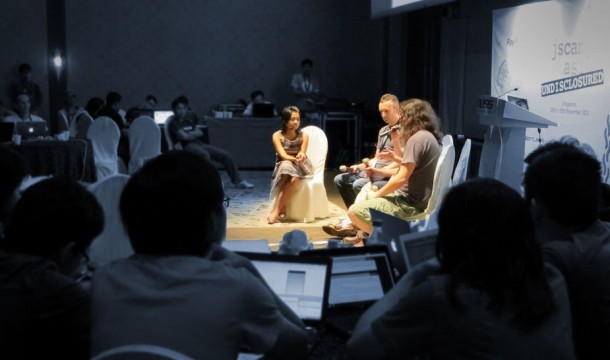
Known as JSCamp.Asia last year, the revamped JSConf.Asia is back from 28 to 29 November 2013. These two days are the dates that the web development community in Southeast Asia is putting up its 2nd installment of their largest independent gathering to discuss and learn about the latest advances in modern web technology. After JSCamp.Asia in Singapore, this year’s event will be hosted at the H2O Hotel and Ocean Club in Manila, Philippines. Over 2 days, 20+ of the best developers and speakers from around the world will share, educate and inspire the Asian audience. Some of them are: ...

Nokia Lumia 1020: General Overview

“Binoculars” is the nickname that my friends give the Nokia Lumia 1020. A bold claim for a smartphone camera, and after testing, holds true, in all its 41 megapixels glory. But more on that later. I have been using the Nokia Lumia 1020 for about a week now, and its performance, both in its camera functions and other operations, have been nothing short of stellar. “We find ourselves in these kinds of situations very often, where some guy stands in the dark in front of you and talks and you can’t even see who he is, or, for that matter, people dancing with a couple of lights. If you want to capture that memory, it’s extremely tricky in those kinds of environments. Today, we’re going to share with you, a fabulous smartphone that has the capability to do those sorts of things.” - Eng Wah, Nokia Singapore ...